1. Sarrera
This manual provides essential information for the safe operation, setup, maintenance, and troubleshooting of your RC ERA C184 MD500 RC Helicopter. Please read this manual thoroughly before operating the helicopter to ensure proper function and to prevent damage or injury.
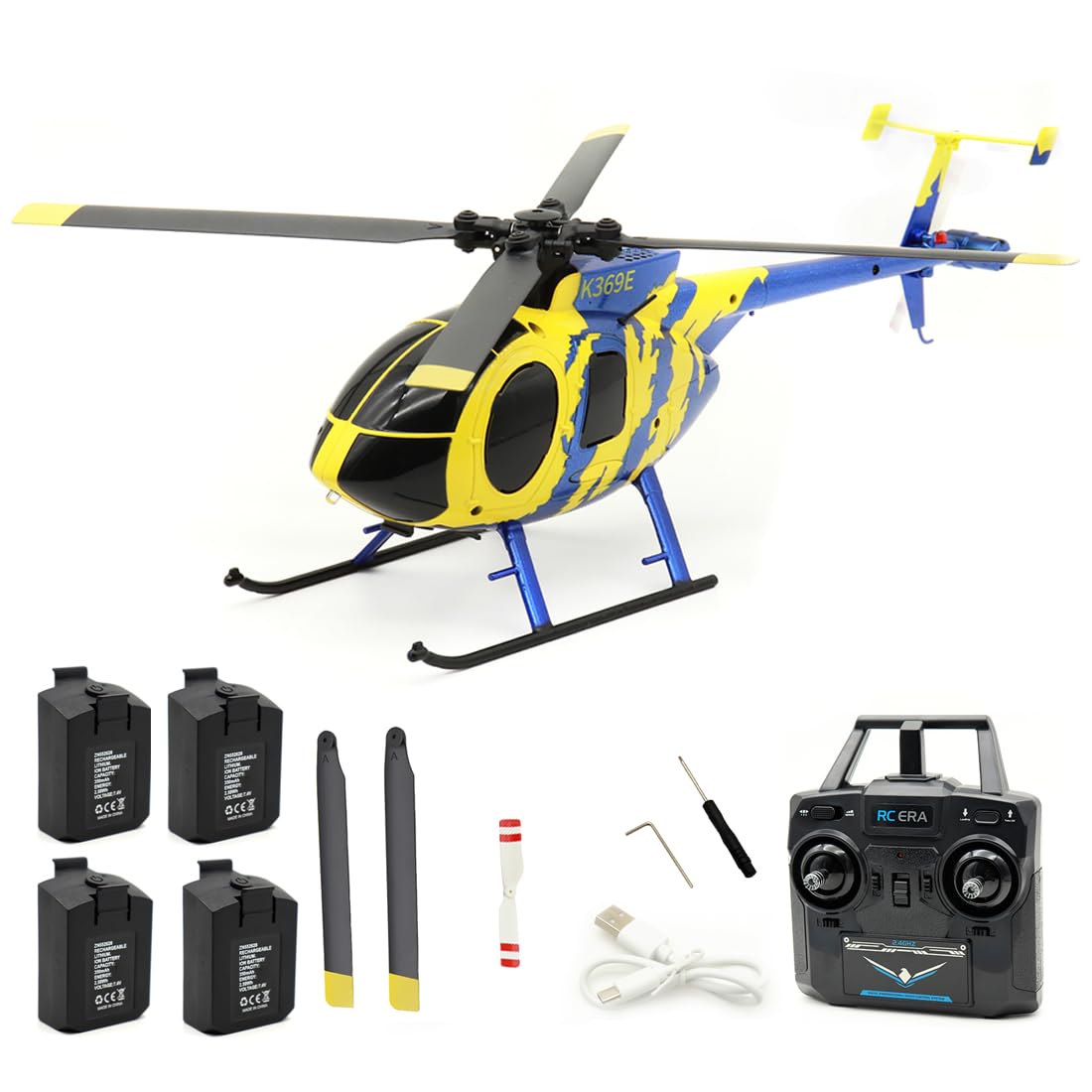
Image 1.1: The RC ERA C184 MD500 RC Helicopter in flight, showcasing its yellow and blue design.
2. Segurtasun-neurriak
Failure to follow these safety guidelines may result in injury, damage to the product, or property damage.
- Helduen gainbegiratzea: This product is recommended for users aged 16 and above. Adult supervision is advised for younger users.
- Hegaldi-ingurunea: Erabili helikopteroa gune ireki eta garbietan, pertsonen, animalien, eraikinen eta linea elektrikoen urrun. Saihestu haize bortitzetan edo eguraldi txarra dagoenean hegan egitea.
- Bateriaren segurtasuna: Use only the specified charger and batteries. Do not overcharge or short-circuit batteries. Discontinue use if batteries show signs of damage or swelling.
- Helizearen Segurtasuna: Keep hands, face, and loose clothing away from rotating propellers. Always power off the helicopter and remote control before handling the propellers.
- Uraren esposizioa: Avoid exposing the helicopter to water or moisture, as this can damage electronic components.
3. Paketearen edukia
Egiaztatu behean zerrendatutako elementu guztiak zure paketean sartuta daudela:
- RC ERA C184 MD500 Helicopter (1)
- 2.4G Remote Control (1)
- USB kargagailua (1)
- Main Propellers (2 spare)
- Tail Propeller (1 spare)
- 7.4V 350mAh LiPo Batteries (Quantity varies by package, e.g., 1, 2, 3, or 4)
- Bihurkinak (1)
- Giltza hexagonala (1)
- Argibide eskuliburua (1)
4. Produktuaren ezaugarriak
The RC ERA C184 MD500 RC Helicopter incorporates several advanced features for an enhanced flight experience:
- Innovative Aileronless Design: Utilizes an advanced aerodynamic structure with precision propeller blades for powerful lift and self-stabilizing performance.
- 6-Axis Gyroscope & 6G Mode: Built-in 6-axis gyroscope combined with 6G mode provides excellent stability and ease of operation, suitable for various skill levels.
- Barometer & Optical Flow Positioning: Equipped with a barometer for precise altitude maintenance and optical flow technology for stable hovering both indoors and outdoors.
- Intelligent Modular Battery System: Features a 7.4V 350mAh Li-Polymer battery with an intelligent power management system, clear battery level display, and convenient installation. Provides approximately 12 minutes of flight time per charge.
- Comprehensive Flight Functions: Supports a range of maneuvers including ascending, descending, forward, backward, sideways flight, 360° rotation, and preset route flight.
- Segurtasun Ezaugarriak: Bolumen txikia barne hartzen dutage alarm, motor overload protection, runaway protection, dual rudder mode switching, and one-key take-off and landing.
5. Konfigurazioa
5.1. Helikopteroaren bateria kargatzea
- Connect the USB charger to a suitable USB power source (e.g., computer USB port, USB wall adapter).
- Connect the helicopter's modular 7.4V 350mAh LiPo battery to the USB charger.
- The charging indicator on the USB charger will illuminate (e.g., red) during charging and turn off (or change color, e.g., green) when fully charged.
- Charging time is approximately 60 minutes. Do not leave batteries unattended while charging.
5.2. Helikopteroaren bateria instalatzea
- Ziurtatu helikopteroaren pizteko etengailua OFF posizioan dagoela.
- Carefully insert the charged modular battery into the battery compartment of the helicopter. Ensure it is securely seated.
- Itxi bateriaren konpartimenduaren estalkia.
5.3. Urruneko kontroleko bateriak instalatzea
- Ireki urrutiko agintearen atzealdean dagoen bateriaren konpartimendua.
- Sartu lau (4) 1.5 V-ko AA bateria (ez daude barne), polaritate zuzena (+/-) ziurtatuz.
- Itxi bateriaren konpartimenduaren estalkia.
5.4. Binding the Helicopter and Remote Control
- Jarri helikopteroa gainazal lau eta berdindu batean.
- Turn on the helicopter's power switch. The indicator lights on the helicopter will flash.
- Turn on the remote control. The remote control's indicator light will flash.
- Push the throttle stick (left stick) fully up, then pull it fully down.
- The indicator lights on both the helicopter and remote control will become solid, indicating a successful binding.
- If binding fails, repeat the steps. Ensure no other 2.4G devices are interfering.
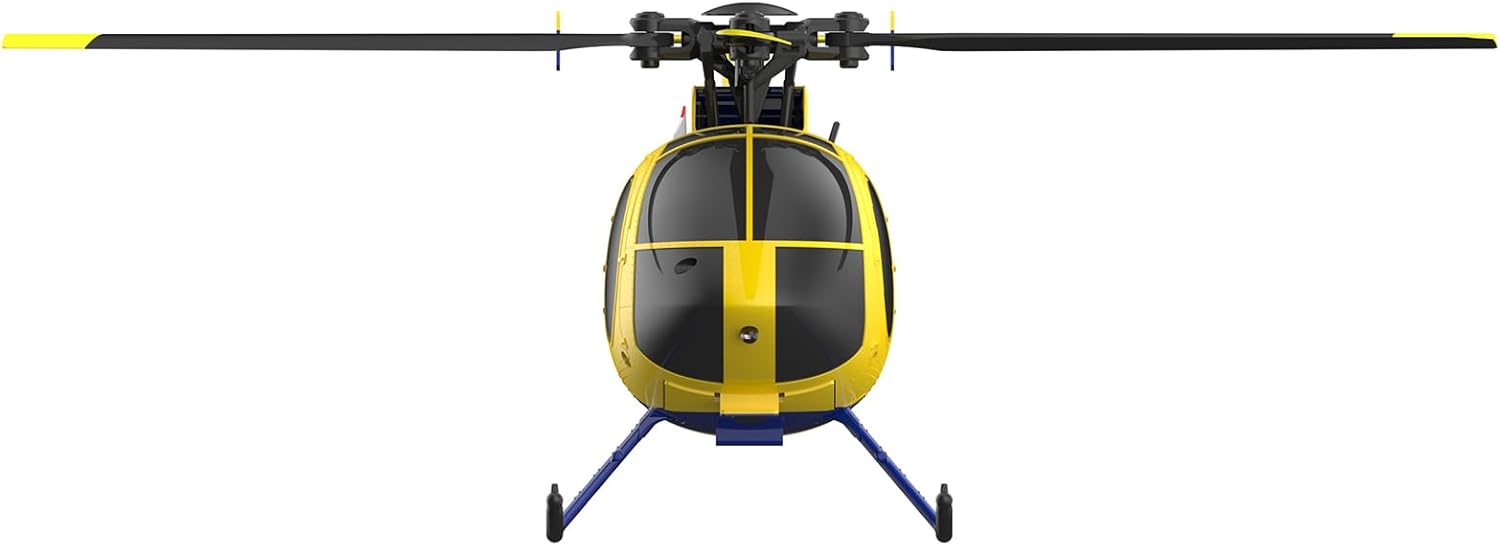
5.1. irudia: Aurrealdea view of the RC ERA C184 MD500 RC Helicopter, showing its compact design.
6. Funtzionamendu-argibideak
6.1. Oinarrizko Kontrolak
The 2.4G remote control typically features two main sticks:
- Left Stick (Throttle/Rudder):
- Push up/down: Controls throttle (ascend/descend).
- Push left/right: Controls rudder (yaw/rotate left/right).
- Right Stick (Elevator/Aileron):
- Push up/down: Controls elevator (pitch forward/backward).
- Push left/right: Controls aileron (roll left/right for sideways flight).
6.2. Aireportutik aireratzea eta lurreratzea giltza bakarrean
After binding, press the dedicated one-key take-off button on the remote control. The helicopter will automatically ascend to a stable hovering altitude. Press the one-key landing button to initiate an automatic descent and landing.
6.3. Hegaldi Moduak eta Egonkortasuna
- 6G modua: Provides enhanced stability, making the helicopter easier to control for beginners. The 6-axis gyroscope actively stabilizes the aircraft.
- Altuera eustea: The barometer maintains a consistent altitude, allowing you to focus on directional control without constantly adjusting the throttle.
- Fluxu optikoaren kokapena: For precise hovering, especially in indoor environments, the optical flow sensor helps the helicopter maintain its position.
6.4. Hegaldi Funtzio Aurreratuak
- 360°ko biraketa: Consult your remote control's specific button layout for initiating 360-degree rotations or flips.
- Preset Route Flight: Some models allow programming a flight path. Refer to the remote control's specific instructions for this feature.

Image 6.1: The RC ERA C184 MD500 RC Helicopter held in a hand, illustrating its compact size.
7. Mantentzea
7.1. Garbiketa
Gently wipe the helicopter with a clean, dry cloth after each use to remove dust and debris. Avoid using water or chemical cleaners.
7.2. Helizearen ordezkapena
If propellers are damaged or bent, they should be replaced immediately to ensure stable flight. Use the provided screwdriver and hexagonal wrench to carefully remove the damaged propeller and install a new one, ensuring it is securely fastened.
7.3. Bateriaren zaintza eta biltegiratzea
- Always disconnect the battery from the helicopter when not in use.
- Gorde bateriak leku fresko eta lehor batean, eguzki-argitik eta muturreko tenperaturetatik babestuta.
- Do not store fully charged or fully discharged batteries for extended periods. For long-term storage, charge batteries to approximately 50% capacity.
8. Arazoak
If you encounter issues with your RC ERA C184 MD500, refer to the following common problems and solutions:
| Arazoa | Kausa posiblea | Irtenbidea |
|---|---|---|
| Helicopter does not power on | Bateria ez dago kargatuta edo gaizki instalatuta. | Ensure helicopter battery is fully charged and correctly inserted. Check remote control batteries. |
| Helicopter does not bind with remote | Binding procedure not followed correctly; interference. | Repeat binding steps (Section 5.4). Ensure remote and helicopter are close and no other 2.4G devices are active. |
| Unstable flight or drifting | Damaged propellers; gyroscope calibration needed; strong wind. | Inspect and replace damaged propellers. Place helicopter on a flat surface, power on, and perform gyroscope calibration (refer to remote control manual for specific button combination, usually holding both sticks down and inward). Avoid flying in windy conditions. |
| Hegaldi denbora laburra | Bateria ez dago guztiz kargatuta; bateriaren hondatzea. | Ensure battery is fully charged (approx. 60 minutes). If battery is old, consider replacing it. |
| Motorra ez da biratzen | Motor overload protection activated; motor damage. | Power off and restart the helicopter. If the issue persists, contact support. |
9. Zehaztapenak
Detailed specifications for the RC ERA C184 MD500 RC Helicopter:
- Eredua: C184 MD500
- Errotorearen diametroa: 256 mm
- Fuselajearen luzera: 239 mm
- Altuera: 93 mm
- Hegaldi-denbora: 12 minutu inguru
- Kargatzeko denbora: 60 minutu inguru
- Urruneko kontrol modua: 2.4G
- Urruneko kontrolaren distantzia: 80-100 metro
- Motor eragileak: Bi
- Helikopteroaren bateria: 7.4V 350mAh Li-Polimeroa
- Urruneko kontrolaren bateria: 4 x 1.5 V AA (ez dago barne)
- Produktuaren neurriak: 1.12 x 28.23 x 10.98 hazbete
- Elementuaren pisua: 2.09 kilo
- Elementuaren eredu-zenbakia: X50T7291F15FU
- Fabrikatzaileak gomendatutako adina: 16 urtetik gora
- Fabrikatzailea: Generikoa

9.1 irudia: Albokoa view render of the RC ERA C184 MD500 RC Helicopter, highlighting its fuselage design.
10. Bermea eta Laguntza
Bermeari buruzko informazioa, laguntza teknikoa edo ordezko piezen informazioa lortzeko, jarri harremanetan saltzailearekin edo fabrikatzailearekin zuzenean. Gorde erosketa-agiria erosketaren frogagiri gisa.


