
POLVCDG BDAMX-16FXH
POLVCDG Bone Conduction Headphones
Eredua: BDAMX-16FXH
Erabiltzailearen instrukzio eskuliburua
Sarrera
Thank you for choosing the POLVCDG Bone Conduction Headphones. These open-ear headphones are designed for comfort and safety, allowing you to enjoy audio while remaining aware of your surroundings. Featuring IPX8 waterproofing, 32GB of built-in memory for MP3 playback, and Bluetooth connectivity, they are suitable for various activities including swimming, running, cycling, and daily use. This manual provides essential information for setting up, operating, maintaining, and troubleshooting your headphones.
Kutxan dagoena
Kutxa irekitzean, egiaztatu honako elementu guztiak daudela:
- Bone Conduction Headphones x1
- Argibide eskuliburua x1
- Silicone Adjustable Rope x1
- Kargatzeko kablea x1
- Earplugs x2

Image: Contents of the POLVCDG Bone Conduction Headphones package. This includes the headphones, a charging cable, and a set of earplugs, neatly arranged.
Konfigurazioa
1. Entzungailuak kargatzea
Lehenengo aldiz erabili aurretik, kargatu guztiz entzungailuak.
- Konektatu kargatzeko kable magnetikoa entzungailuen kargatzeko atakara.
- Konektatu kargatzeko kablearen beste muturra USB elikadura-egokitzaile batera (ez dago barne) edo ordenagailuaren USB ataka batera.
- LED adierazleak kargatze-egoera erakutsiko du. Karga oso batek normalean 2 ordu inguru behar ditu.
- Once fully charged, the LED indicator will change, indicating the charging is complete. Disconnect the cable.

Image: The magnetic charging connection point on the POLVCDG headphones, illustrating how the charging cable attaches securely.
2. Piztu/Itzaltzea
- Pizteko: Press and hold the Power button for approximately 3 seconds until the LED indicator lights up and you hear an audible prompt.
- Itzaltzeko: Sakatu eta eutsi pizteko botoia 5 segundo inguru, LED adierazlea itzali eta soinu-mezu bat entzun arte.
3. Bluetooth parekatzea
Aurikularrak Bluetooth gaitutako gailu batera konektatzeko:
- Ziurtatu entzungailuak itzalita daudela.
- Sakatu eta eutsi pizteko botoia 5-7 segundo inguru, LED adierazlea txandaka gorriz eta urdinez keinuka hasi arte, parekatze modua adieraziz.
- Zure gailuan (telefono adimenduna, tableta, ordenagailua), gaitu Bluetooth eta bilatu eskuragarri dauden gailuak.
- Select "POLVCDG BDAMX-16FXH" (or similar name) from the list of found devices.
- Behin konektatuta, LED adierazlea urdin finko jarriko da eta baieztapen soinu bat entzungo duzu.
Note: The headphones can connect to multiple devices simultaneously for convenience.
4. Using MP3 Mode (Built-in 32GB Storage)
The headphones feature 32GB of internal storage, allowing you to store up to 8,000 songs for phone-free listening, especially useful for underwater activities where Bluetooth signals cannot transmit.
- Musika kargatzeko: Connect the headphones to a computer using the charging cable. The headphones will appear as a removable disk drive. Drag and drop your audio files (e.g., MP3 format) into the headphone's storage.
- To Switch to MP3 Mode: While the headphones are on, press the Mode button (refer to button layout in Operating section) to switch between Bluetooth and MP3 modes. An audible prompt will confirm the mode change.
- Important for Swimming: Always switch to MP3 mode when using the headphones for swimming or any underwater activity, as Bluetooth signals do not transmit effectively through water.

Image: Illustration of the dual playback modes: Wireless (Bluetooth) for stable connection and MP3 Mode with 32GB built-in storage for up to 8,000 songs. A warning indicates to switch to MP3 mode for underwater use.
Entzungailuak funtzionatzea
1. Botoiaren funtzioak
The headphones are controlled via physical buttons located on the side.
| Botoia/Ekintza | Funtzioa |
|---|---|
| Pizteko botoia (sakatu luzea) | Piztu/Itzali |
| Pizteko botoia (Sakatze laburra) | Erreproduzitu/Pausatu, Deiari erantzun/Amaitu |
| Bolumena igo (+) | Bolumena igo, hurrengo abestia (Sakatu luze) |
| Bolumena jaitsi (-) | Bolumena jaitsi, aurreko abestia (luze sakatuta) |
| Mode Button (Short Press) | Aldatu Bluetooth moduaren eta MP3 moduaren artean |
2. Deiak egitea eta jasotzea
The headphones are equipped with Environmental Noise Cancellation (ENC) technology for clear calls.
- Erantzun deia: Sakatu labur pizteko botoia dei bat sartzen duzunean.
- Amaitu deia: Sakatu labur pizteko botoia dei batean zehar.
- Deia baztertu: Dei bat sartzen duzunean, sakatu luze pizteko botoia.
3. Waterproof Usage (IPX8 Rating)
The POLVCDG headphones are rated IPX8 waterproof, meaning they can be submerged in water up to two meters deep for one hour.
- Ideal for swimming, showering, and other water sports.
- Ohar garrantzitsua: Bluetooth signals do not transmit effectively underwater. Always switch to MP3 modua when using the headphones for swimming to ensure uninterrupted audio playback from the built-in 32GB storage.

Image: A man wearing the POLVCDG headphones and swimming goggles, partially submerged in water, highlighting the IPX8 waterproof feature.

Image: A man cycling outdoors while wearing the POLVCDG headphones and a helmet, illustrating the open-ear design for situational awareness during activities.
Mantentzea
Proper care will extend the lifespan of your POLVCDG Bone Conduction Headphones.
- Garbiketa: After use, especially after swimming or intense workouts, gently wipe the headphones with a soft, damp oihal. Ez erabili produktu kimiko gogorrak edo garbitzaile urratzaileak.
- Lehortzea: Ensure the charging port and surrounding areas are completely dry before charging to prevent corrosion. You can gently shake off excess water and then air dry.
- Biltegiratzea: Gorde entzungailuak leku fresko eta lehor batean, eguzki-argitik eta muturreko tenperaturetatik babestuta. Saihestu objektu astunak gainean jartzea.
- Kargatzeko ataka zaintzea: The magnetic charging port is designed to be waterproof. However, always ensure it is clean and free of debris before connecting the charging cable.
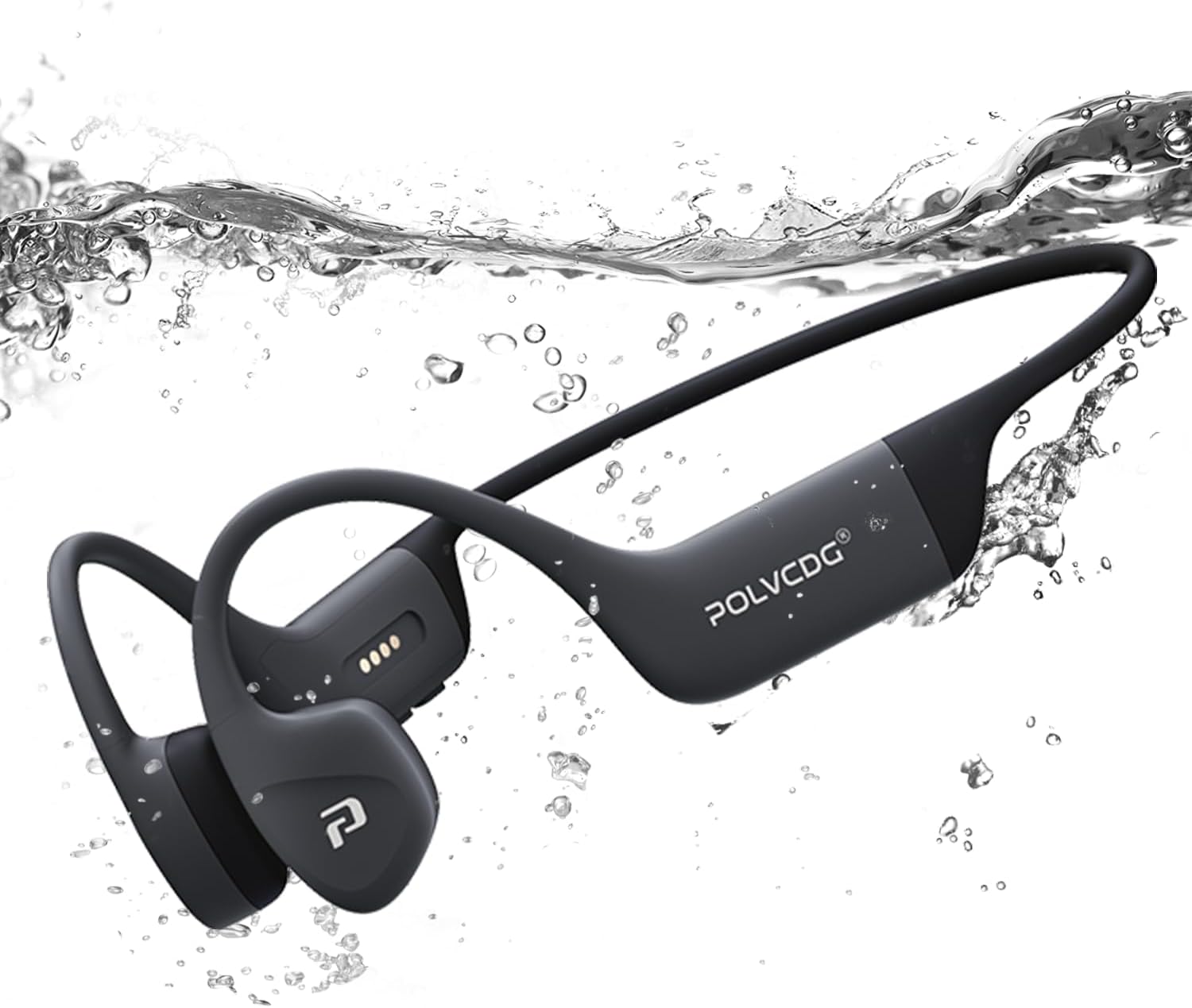
Image: The POLVCDG headphones shown partially submerged in water, demonstrating their robust waterproof construction.
Arazoak konpontzea
Entzungailuekin arazoak badituzu, jo ezazu honako ohiko irtenbide hauetara:
| Arazoa | Balizko Kausa / Irtenbidea |
|---|---|
| Entzungailuak ez dira pizten. | Bateria agortuta dago. Kargatu entzungailuak guztiz. |
| Ezin da gailuarekin parekatu. |
|
| Soinurik ez edo bolumen baxua. |
|
| Soinua moztuta edo distortsionatuta dago. |
|
| Cannot hear sound underwater. |
|
Zehaztapenak
Key technical specifications for the POLVCDG Bone Conduction Headphones:
| Ezaugarri | Xehetasuna |
|---|---|
| Ereduaren izena | BDAMX-16FMC (as per specifications) / BDAMX-16FXH (as per item model number) |
| Konektibitate Teknologia | Haririk gabeko (Bluetooth) |
| Bluetooth bertsioa | 5.4 |
| Uraren Erresistentzia Maila | IPX8 Iragazgaitza |
| Barne Biltegiratzea | 32GB (for MP3 Mode) |
| Bateriaren iraupena | Gehienez 10 ordu |
| Kargatzeko Denbora | Gutxi gorabehera. 2 ordu |
| Audio kontrolatzaile mota | Hezur-eroapenaren gidaria |
| Zarata Kontrola | Ingurumeneko zarata baliogabetzea (ENC) |
| Maiztasun Erantzuna | 20 Hz - 20 KHz |
| Sentikortasuna | 85 dB |
| Inpedantzia | 8 Ohm |
| Materiala | Silikona |
| Elementuaren pisua | 7.4 ontza (0.46 lb inguru) |
| Produktuaren neurriak | 5.27 x 2.32 x 6.1 hazbete |
Note: There are two model numbers listed in the product data: "BDAMX-16FMC" under 'Model Name' and "BDAMX-16FXH" under 'Item model number'. Please refer to your product packaging for the exact model number.
Bermea eta Laguntza
For warranty information and customer support, please refer to the documentation included with your product or visit the official POLVCDG webgunea.
Fabrikatzailea: POLVCDG
For additional assistance, you may contact the seller directly through the platform where the product was purchased.