
1. Sarrera
This manual provides detailed instructions for the MCHOSE A5 Ultra V2 Wireless Gaming Mouse. Designed for high-performance gaming, this mouse combines a lightweight, symmetrical design with advanced connectivity and sensor technology. Please read this manual thoroughly to ensure proper setup and optimal use of your device.
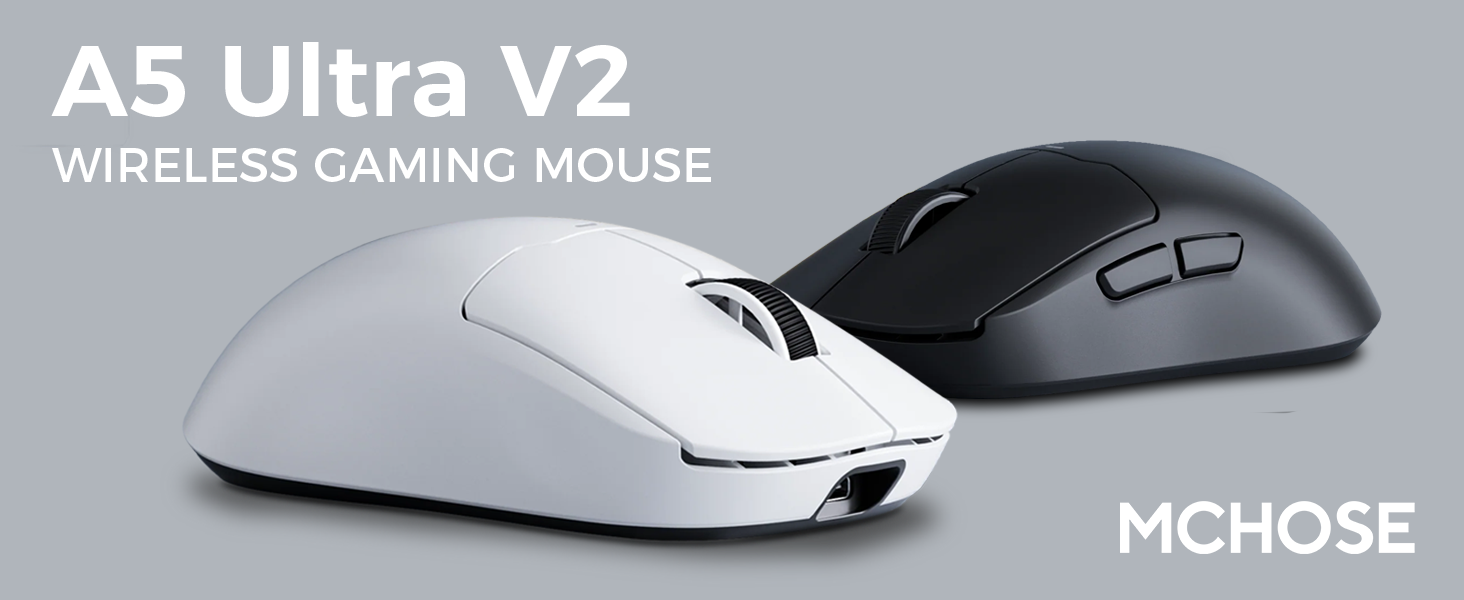
Figure 1: MCHOSE A5 Ultra V2 Wireless Gaming Mouse Overview
2. Ezaugarri nagusiak
- Diseinu arina: Weighing only 54g, the mouse offers optimal control and comfort for extended gaming sessions.

Figure 2: Lightweight design for enhanced comfort.
- High Precision PAW3395 Optical Sensor: Achieve maximum accuracy with up to 26,000 DPI for precise tracking.

Figure 3: PAW3395 optical sensor for high precision.
- Wired 8K/Wireless 4K Polling Rate: Experience ultra-low-latency and lightning-fast response times with up to 8000Hz wired and 4000Hz wireless polling rates.

Figure 4: Illustrating the 4K wireless polling rate capability.
- Hiru Moduko Konexioa: Connect via ultra-low-latency 2.4GHz wireless, Bluetooth, or wired USB for versatile use across various devices.

5. irudia: Hiru moduko konexio aukerak.
- Software pertsonalizatua: Utilize the dedicated software to store custom settings for buttons, DPI adjustments, polling rates, and gaming modes directly on the mouse's onboard memory.

Figure 6: Custom software for personalized settings.
- Iraupen luzeko bateria: Enjoy up to 130 hours of battery life on a single charge, minimizing interruptions during gameplay.
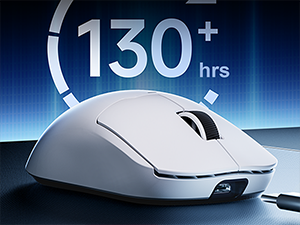
7. irudia: Bateriaren iraupen luzeagoa erabilera luzerako.
3. Konfiguratzeko argibideak
The MCHOSE A5 Ultra V2 offers three connection modes: 2.4GHz wireless, Bluetooth, and wired USB.
3.1. 2.4 GHz-ko haririk gabeko konexioa
- Locate the 2.4GHz USB receiver (dongle) inside the mouse's bottom compartment.
- Konektatu USB hargailua zure ordenagailuko USB ataka erabilgarri batean.
- Turn on the mouse using the switch located on the bottom. Ensure it is set to the 2.4GHz wireless mode (usually indicated by a specific position or LED color).
- Your computer should automatically detect the mouse. If not, try restarting your computer or replugging the receiver.

Figure 8: USB receiver stored in the mouse compartment.
3.2. Bluetooth konexioa
- Turn on the mouse and set the switch on the bottom to Bluetooth mode.
- Zure ordenagailuan edo gailuan, joan Bluetooth ezarpenetara.
- Initiate the pairing process on your device. The mouse should appear as "MCHOSE A5 Ultra V2" or similar.
- Hautatu parekatzeko sagua. Jarraitu pantailan agertzen diren argibideei.
3.3. USB konexio kableatua
- Konektatu emandako USB-C kablea saguaren aurreko atakara.
- Konektatu kablearen beste muturra ordenagailuko USB ataka erabilgarri batera.
- Sagua automatikoki kable bidezko modura aldatuko da eta kargatzen hasiko da.
4. Funtzionamendu-argibideak
4.1. Oinarrizko funtzioak
- Ezkerreko klik: Lehen mailako ekintza.
- Egin klik eskuineko botoiarekin: Bigarren mailako ekintza/testuinguru menua.
- Korritzeko gurpila: Gora/behera joan, erdiko botoiarekin klik egin.
- Alboko botoiak: Normalean aurrera/atzera nabigatzeko konfiguratuta dago web browsers. Customizable via software.
4.2. DPI doikuntza
The mouse features a dedicated DPI button (often located on the bottom or top, near the scroll wheel) to cycle through preset DPI levels. For fine-tuning and custom DPI settings, use the MCHOSE custom software.
4.3. Custom Software Usage
Download the MCHOSE custom software from the official MCHOSE webgunea. Software honek aukera ematen dizu:
- Birmapatu botoiak.
- Adjust DPI levels and create custom profiles.
- Aldatu bozketa-tasak.
- Configure macros.
- Manage gaming modes.
Settings are stored on the mouse's onboard memory, allowing you to use your custom configurations on any computer without the software installed.
5. Mantentzea
- Garbiketa: Erabili zapi leun eta lehor bat saguaren gainazala garbitzeko. Zikinkeria egoskorra bada, garbitu zapi pixka bat.amp cloth can be used, ensuring no moisture enters the device. Avoid harsh chemicals or abrasive materials.
- Sentsoreen garbiketa: Periodically clean the optical sensor on the bottom of the mouse with a cotton swab to ensure optimal tracking performance.
- Bateria zaintzea: To prolong battery life, avoid fully discharging the mouse frequently. Charge the mouse when the battery indicator is low.
- Biltegiratzea: Denbora luzez erabiltzen ez baduzu, gorde sagua leku fresko eta lehor batean.
6. Arazoak
| Arazoa | Kausa posiblea | Irtenbidea |
|---|---|---|
| Saguak ez du erantzuten (Haririk gabekoa) | Low battery; USB receiver disconnected; Incorrect mode selected. | Charge the mouse; Re-plug the USB receiver; Ensure the mouse is in 2.4GHz or Bluetooth mode. |
| Saguak ez du erantzuten (Bluetooth) | Parekatu gabe; Bluetooth itzalita gailuan; Bateria gutxi. | Re-pair the mouse; Enable Bluetooth on your device; Charge the mouse. |
| Jarraipen zehaztugabea | Dirty sensor; Unsuitable surface; Incorrect DPI setting. | Clean the optical sensor; Use a mouse pad or suitable surface; Adjust DPI settings. |
| Botoiek ez dute funtzionatzen | Software gatazka; Kalte fisikoak. | Restart computer; Check custom software settings; Contact support if physical damage is suspected. |
| Bateriaren iraupen laburra | Frequent high polling rate use; Battery degradation. | Reduce polling rate if not critical; Ensure full charges; Contact support if battery life significantly degrades. |
7. Produktuaren zehaztapenak
| Ezaugarri | Xehetasuna |
|---|---|
| Eredua | A5 Ultra V2 |
| Marka | MCHOSE |
| Konektibitate Teknologia | 2.4 GHz haririk gabekoa, Bluetooth, USB kable bidezkoa |
| Mugimenduak detektatzeko teknologia | Optical (PAW3395) |
| Gehienezko DPI | 26,000 DPI |
| Bozketa-tasa | Wired 8000Hz, Wireless 4000Hz |
| Elementuaren pisua | 54 gramo (2.12 ontza) |
| Bateriaren iraupena | Gehienez 130 ordu |
| Pilak | 1 litio ioizko bateria (barne) |
| Kolorea | Black (as per current variant) |
| Paketearen neurriak | 7.36 x 4.53 x 3.31 hazbete |
| Sistema eragileen bateragarritasuna | Linux, Windows |
8. Bermea eta Laguntza
This MCHOSE product is covered by a standard manufacturer's warranty. For specific warranty details, please refer to the warranty card included in your product packaging or visit the official MCHOSE webgunea.
For technical support, troubleshooting assistance, or warranty claims, please contact MCHOSE customer service through their official webgunea edo zure produktuaren dokumentazioan emandako harremanetarako informazioa.
Note: Protection plans may be available for purchase separately through retailers. These plans are not directly provided by MCHOSE.