
Sarrera
This manual provides essential instructions for setting up, operating, maintaining, and troubleshooting your NIMO 15.6" FHD IPS Student Laptop Computer, model Nimo N157. Please read this manual thoroughly before using your device to ensure proper function and longevity.
Kutxan dagoena
Egiaztatu elementu guztiak ontzian daudela:
- 1 x Nimo N157 Laptop
- 1 x Type-C 65W PD Fast Charger
- 1 x Erabiltzailearen eskuliburua (dokumentu hau)
- Windows 11 Home (pre-installed)
- Warranty Information (2 Years Warranty, 90 Days Return)
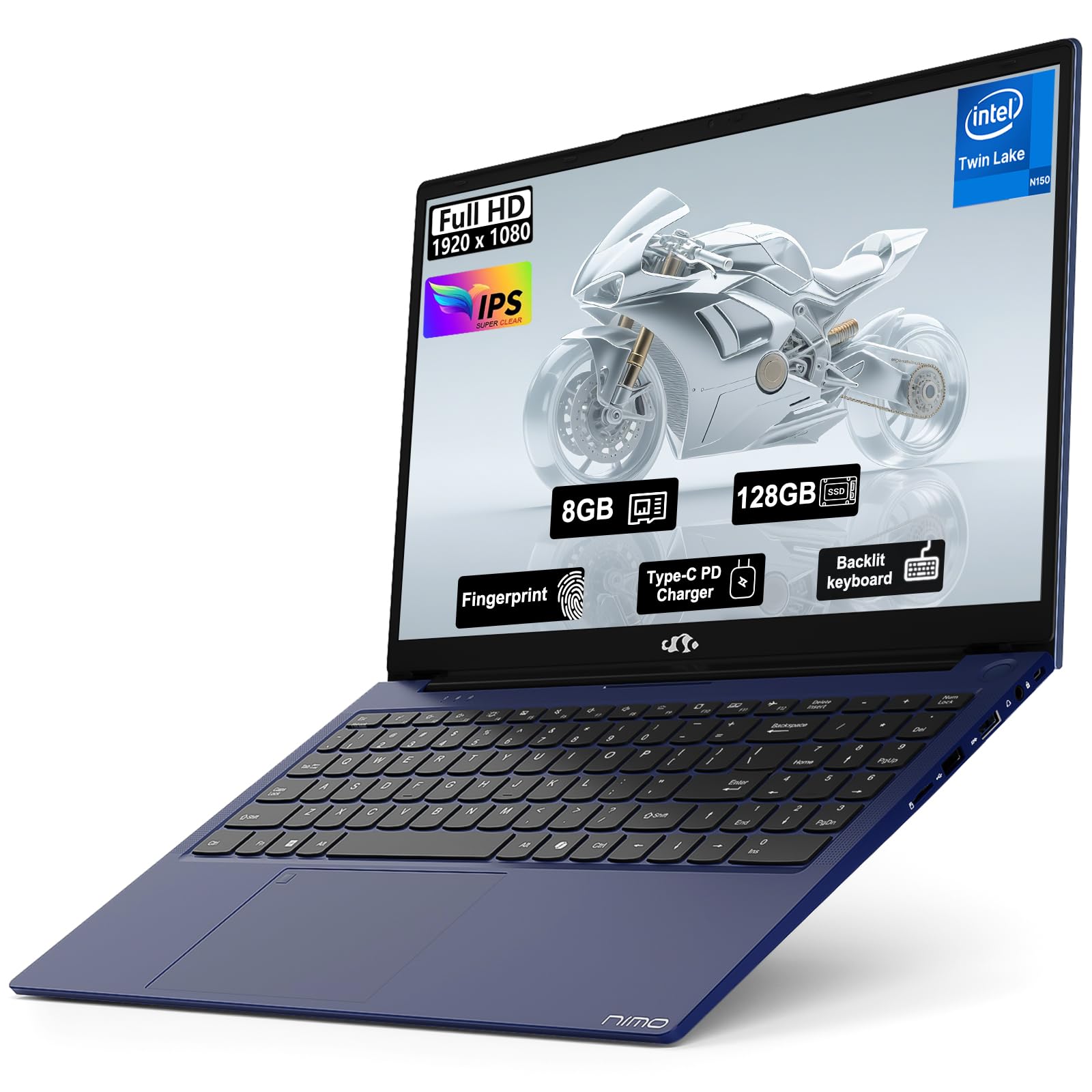
Image: The NIMO N157 laptop displayed with its Type-C 65W PD fast charger and user manual, illustrating the contents of the product packaging.
Konfigurazioa
1. Hasierako kargatzea eta piztea
Before first use, connect the laptop to a power outlet using the provided Type-C 65W PD Fast Charger. The laptop can charge for 15 minutes to provide approximately 2 hours of standby time. Press the power button to turn on the laptop. The power button is typically located on the keyboard deck or side of the laptop.
Image: A close-up of the NIMO N157 laptop's Type-C port with the charging cable inserted, demonstrating how to connect the charger.
2. Operating System Setup (Windows 11)
Upon first boot, you will be guided through the Windows 11 Home setup process. Follow the on-screen prompts to configure your region, language, network connection, and user account. An internet connection is recommended for the initial setup to download updates.
3. Hatz-marken irakurgailuaren konfigurazioa
The NIMO N157 features a fingerprint reader integrated into the touchpad for secure and convenient login. During or after the initial Windows setup, navigate to Windows Settings > Accounts > Sign-in options > Fingerprint recognition (Windows Hello) to enroll your fingerprints. Follow the instructions to register your finger(s).
Funtzionamendu-argibideak
1. Teklatua eta ukipen-panela
The laptop is equipped with a full-size keyboard and a touchpad with scroll and multi-touch capabilities. The touchpad supports gestures for navigation and interaction with the operating system.
Atzeko argiztatutako teklatua: The keyboard features backlighting for use in low-light environments. To turn the backlight on/off or adjust its brightness, use the dedicated function keys (usually Fn + Fx key combination, refer to keyboard legends for specific key).
2. Pantaila
The NIMO N157 features a 15.6-inch Full HD (1920x1080) IPS Anti-Glare Display. This display offers wide viewing angles and accurate color reproduction. Adjust display brightness via Windows settings or dedicated function keys.
3. Konektibitatea
- Wi-Fi: The laptop supports Wi-Fi 6 (802.11ax) for high-speed wireless internet connectivity. Connect to available Wi-Fi networks via the Windows network settings.
- Bluetootha: Integrated Bluetooth 5.2 allows connection to wireless peripherals such as headphones, mice, and keyboards. Enable and manage Bluetooth devices through Windows settings.
- USB atakak: The laptop includes multiple USB ports (USB 3.0 Type-A, USB Type-C) for connecting external devices like USB drives, external hard drives, and other accessories.
- HDMI: An HDMI port is available for connecting to external monitors or projectors, supporting extended or duplicated display modes.
- Memoria txartelaren zirrikitua: A memory card slot is provided for reading and writing data from compatible memory cards.
Mantentzea
1. RAM and SSD Upgrades
The NIMO N157 laptop supports user-detachable RAM and SSD components, allowing for future upgrades. To perform an upgrade, ensure the laptop is powered off and disconnected from the charger. Carefully open the laptop's bottom panel. Consult a qualified technician if you are unsure about the upgrade process to avoid damaging the device or voiding the warranty.
- RAM: The laptop has 1 memory slot available and supports DDR4 RAM. The maximum supported RAM size is 8 GB.
- SSD: The laptop uses a PCIe SSD. Ensure any replacement SSD is compatible with the PCIe interface.
2. General Care and Cleaning
- Gorde ordenagailu eramangarria leku garbi eta lehor batean, muturreko tenperaturetatik urrun.
- Clean the screen with a soft, lint-free cloth specifically designed for electronics. Do not use harsh chemicals.
- Clean the keyboard and touchpad with a soft brush or compressed air to remove dust and debris.
- Avoid placing heavy objects on the laptop or exposing it to direct sunlight for prolonged periods.
Arazoak konpontzea
This section addresses common issues you might encounter with your NIMO N157 laptop.
1. Ordenagailu eramangarria ez da pizten
- Ensure the Type-C charger is securely connected to both the laptop and a working power outlet.
- Egiaztatu entxufea funtzionatzen duela beste gailu bat konektatuz.
- Allow the laptop to charge for at least 30 minutes before attempting to power it on again.
2. Wi-Fi konexio arazoak
- Egiaztatu Wi-Fi gaituta dagoen Windows ezarpenetan.
- Berrabiarazi zure Wi-Fi bideratzailea eta modema.
- Ziurtatu Wi-Fi sarearen irismenean zaudela eta pasahitz zuzena sartu duzula.
- Update Wi-Fi drivers through Device Manager if necessary.
3. Backlit Keyboard Not Working
- Press the designated function key combination (e.g., Fn + Fx) to toggle or adjust the backlight.
- Check if there are any software settings for keyboard backlighting in Windows.
4. Hatz-marken irakurgailuaren arazoak
- Ensure your finger is clean and dry when using the reader.
- Re-enroll your fingerprints in Windows Settings > Accounts > Sign-in options.
- Ensure fingerprint reader drivers are up to date.
For further assistance, refer to the Warranty & Support section.
Zehaztapenak
| Ezaugarri | Xehetasuna |
|---|---|
| Marka | NIMO |
| Ereduaren izena | Nimo N157B |
| Pantailaren tamaina | 15.6 hazbete |
| Bistaratzeko ebazpena | 1920x1080 Pixels (FHD IPS Anti-Glare) |
| Prozesadorea | Intel N150 (4 Core, up to 3.6 GHz) |
| RAM Memoria | 8 GB DDR4 (3200 MHz, 1 slot available, max 8 GB) |
| Biltegiratzea | 128 GB PCIe SSDa |
| Sistema eragilea | Windows 11 Home |
| Grafikoak | Grafiko integratuak (Intel) |
| Ezaugarri bereziak | Backlit Keyboard, Fingerprint Reader, HD Audio, Memory Card Slot, Numeric Keypad, Webcam (2 MP Front) |
| Konektibitatea | Wi-Fi 6 (802.11a/b/g/n/ac), Bluetooth 5.2, USB 3.0, USB Type-C, HDMI |
| Bateriaren iraupena | 5 Hours (average use), 7 Hours (standby) |
| Kargagailua | Type-C 65W PD Fast Charger |
| Dimensions (L x W x Thickness) | 14.07"L x 8.98"Z x 0.76"Lo |
| Pisua | 3.8 kilo |
| UPC | 199369005396 |
Bermea eta Laguntza
NIMO provides comprehensive support for your laptop.
- Fabrikatzailearen bermea: Your NIMO N157 laptop comes with a 2-year manufacturer's warranty provided by NIMO Direct Inc. This warranty covers defects in materials and workmanship under normal use.
- Itzultzeko politika: A 90-day hassle-free return and exchange service is offered by the manufacturer.
- Jarri harremanetan laguntzarekin: For any concerns, technical assistance, or warranty claims, please contact NIMO customer support. Refer to the contact information provided on the NIMO official webgunean edo zure produktuaren ontzian.
Segurtasun informazio garrantzitsua
- Do not expose the laptop to water or excessive moisture.
- Saihestu muturreko tenperaturak eta eguzki-argia zuzena.
- Use only the provided Type-C 65W PD Fast Charger.
- Ez saiatu ordenagailu eramangarria zeuk desmuntatzen edo konpontzen, bermea baliogabetu eta kalteak eragin baititzake.
- Keep the laptop away from children and pets.