
1. Sarrera
This manual provides detailed instructions for the eppfun DX08 Pro Wireless Bluetooth Neckband Headphones. Please read this manual thoroughly before using the product to ensure proper operation and to maximize its performance and lifespan. The DX08 Pro features advanced Bluetooth 5.4 technology, supporting high-fidelity audio codecs such as LDAC, aptX Lossless, aptX Adaptive, and aptX-HD, powered by the QCC3095 chip.
2. Paketearen edukia
Egiaztatu behean zerrendatutako elementu guztiak zure produktuaren paketean daudela:
- eppfun DX08 Pro Wireless Bluetooth Neckband
- MMCX Earphone Cable (pre-attached or separate)
- USB kargatzeko kablea
- Erabiltzailearen eskuliburua (dokumentu hau)
- (Assumed: Various sizes of ear tips for optimal fit)

Image: The eppfun DX08 Pro neckband with its detachable MMCX earphone cables.
3. Konfigurazioa
3.1. Gailua kargatzea
- Konektatu USB kargatzeko kablea lepoko zintaren kargatzeko atakara.
- Konektatu USB kablearen beste muturra USB elikatze-iturri bateragarri batera (adibidez, ordenagailuko USB ataka, hormako egokitzailea).
- The LED indicator on the neckband will illuminate to show charging status. Refer to the LED indicator section for details.
- Karga oso batek normalean 2 ordu inguru behar ditu.
- Deskonektatu kargatzeko kablea guztiz kargatuta dagoenean.

Image: Close-up of the eppfun DX08 Pro neckband, showing the control panel and charging port area.
3.2. Connecting MMCX Earphones
The eppfun DX08 Pro neckband uses standard MMCX connectors, allowing you to attach compatible earphones.
- Identify the left (L) and right (R) connectors on both the neckband and your MMCX earphones.
- Align the MMCX connector on the earphone cable with the corresponding port on the neckband.
- Gently push the earphone connector into the neckband port until you feel a secure click. Do not force the connection.
- To disconnect, firmly grasp the earphone connector (not the cable) and pull it straight out from the neckband port.

Image: The eppfun DX08 Pro neckband with its MMCX connectors, ready for earphone attachment.
3.3. Bluetooth parekatzea
- Piztu: Press and hold the Power button on the neckband until the LED indicator flashes, indicating it is in pairing mode.
- Aktibatu Bluetootha: Zure gailuan (telefono adimenduna, tableta, ordenagailua), gaitu Bluetooth-a.
- Bilatu Gailuak: Zure gailuaren Bluetooth ezarpenetan, bilatu eskuragarri dauden gailuak.
- Select "eppfun DX08 Pro": From the list of found devices, select "eppfun DX08 Pro" to initiate pairing.
- Berrespena: Once successfully paired, the LED indicator on the neckband will change, and you may hear an audio prompt.
- Berriro konektatu: Entzungailuak automatikoki saiatuko dira azken parekatutako gailura berriro konektatzen piztean.
4. Funtzionamendu-argibideak
4.1. Oinarrizko Kontrolak
| Botoia/Ekintza | Funtzioa |
|---|---|
| Pizteko botoia (sakatu luzea) | Piztu/Itzali |
| Pizteko botoia (Sakatze laburra) | Erreproduzitu/Pausatu musika, Erantzun/Amaitu deia |
| Bolumena + Botoia (Sakatu Labur) | Bolumena handitu |
| Bolumenaren botoia (Sakatze laburra) | Bolumena gutxitu |
| Bolumena + Botoia (Luze Sakatuta) | Hurrengo Pista |
| Bolumena - Botoia (Luze Sakatuta) | Aurreko Pista |
| Power Button (Double Press) | Aktibatu Ahots Laguntzailea |
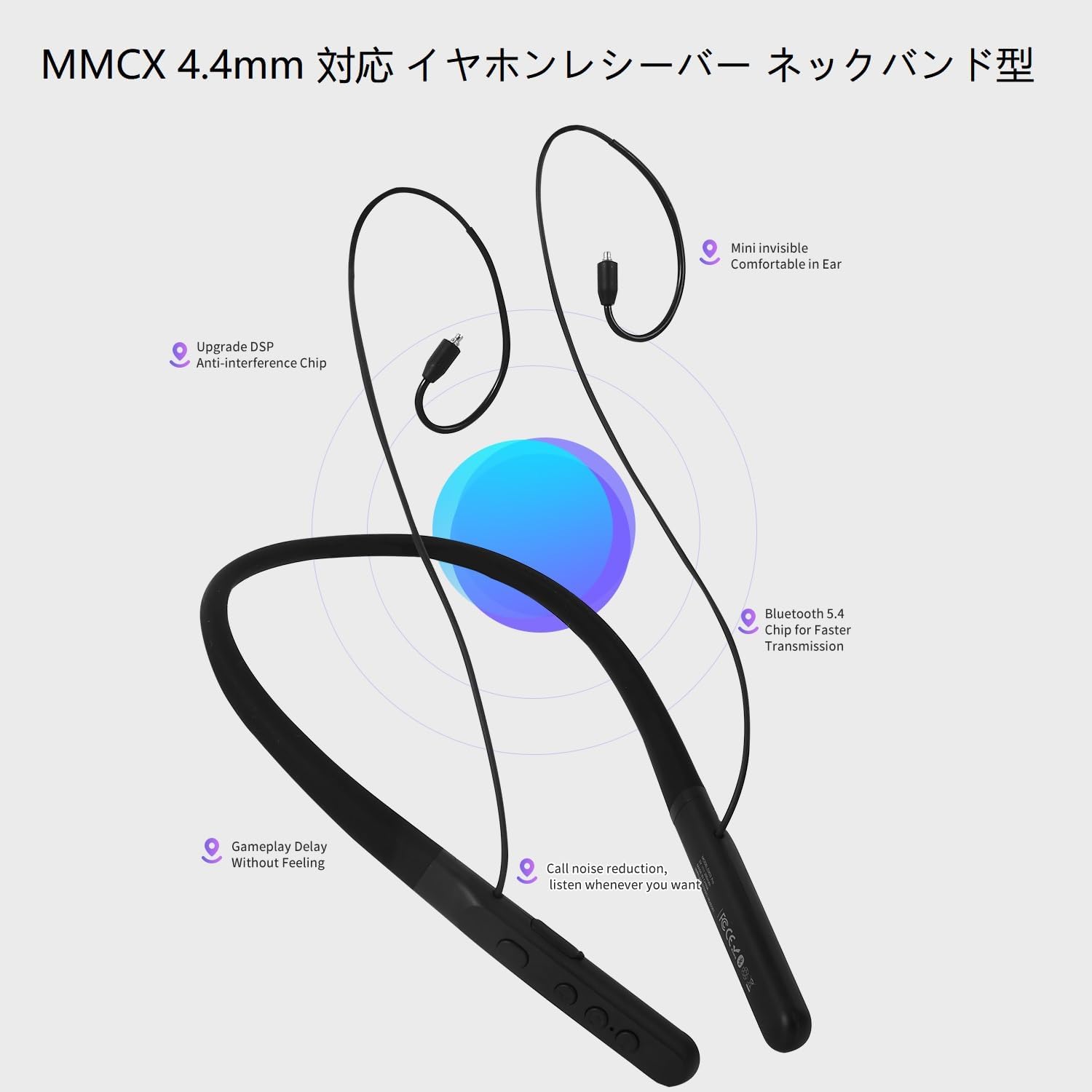
Image: The control panel on the eppfun DX08 Pro neckband, showing the various buttons for operation.
4.2. Advanced Audio Features
The DX08 Pro supports multiple high-quality audio codecs for an enhanced listening experience:
- LDAC: Sony's high-resolution audio codec, enabling high-quality wireless audio transmission.
- aptX galerarik gabe: Qualcomm's latest codec for bit-perfect CD-quality audio over Bluetooth.
- aptX Egokitzailea: Dynamically adjusts audio quality and latency based on environmental factors.
- aptX-HD: Delivers 24-bit high-resolution audio over Bluetooth.
- SBC/AAC: Standard Bluetooth audio codecs for broad compatibility.
Ensure your connected device also supports these codecs to utilize their full potential. The headphones will automatically select the best available codec.
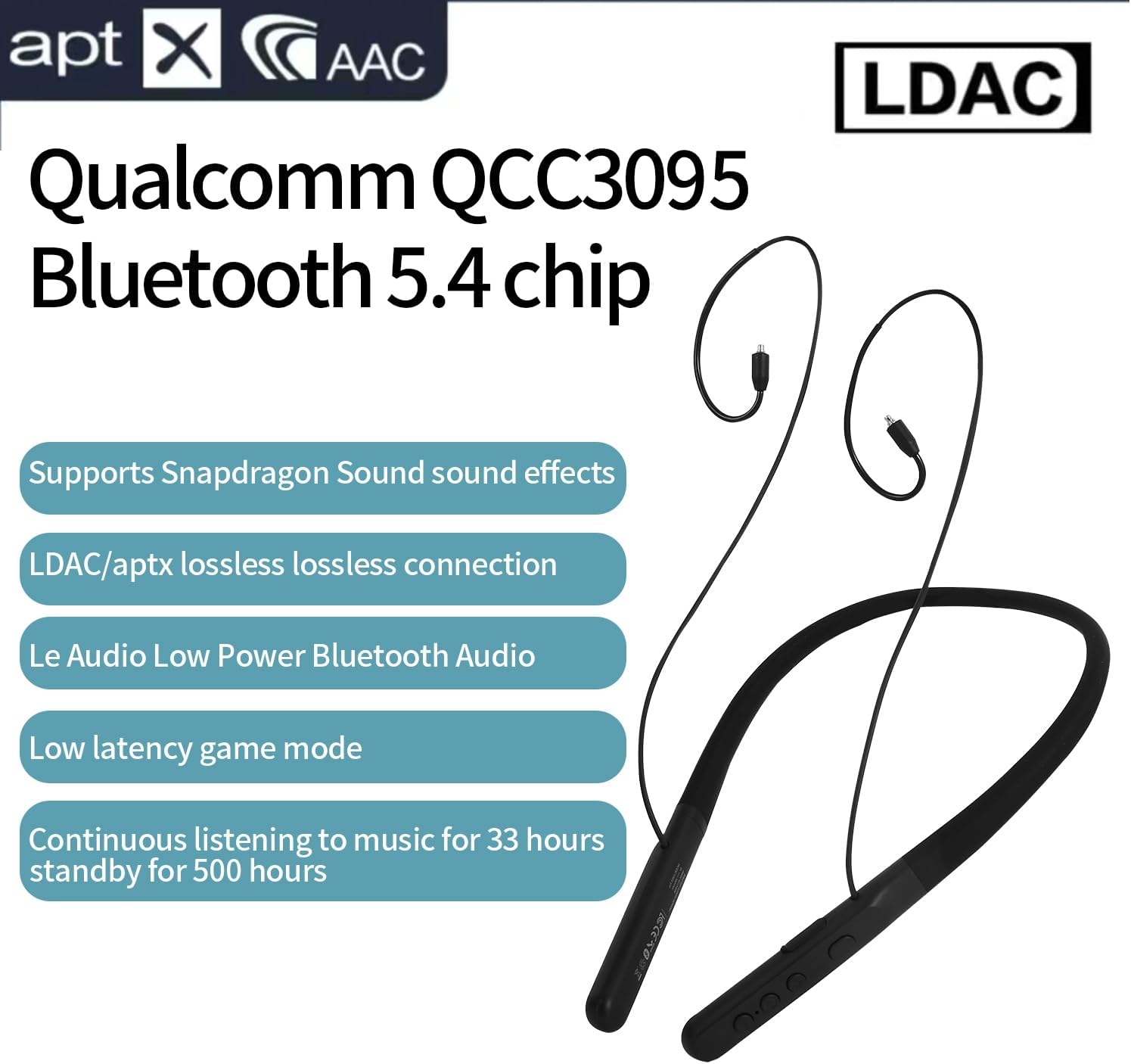
Image: Visual representation of the eppfun DX08 Pro's QCC3095 chip and supported audio codecs like LDAC, aptX HD, and AAC.
4.3. Low Latency Game Mode
The DX08 Pro features a low-latency mode, optimized for gaming and video playback, to minimize audio delay. This mode is automatically engaged when supported by the connected device and content, or can be manually activated if available through specific button combinations (refer to future firmware updates or product website for specific activation methods if not automatic).
5. Mantentzea
5.1. Garbiketa
- Wipe the neckband and earphone cables with a soft, dry, lint-free cloth.
- Zikinkeria egoskorrerako, apur bat lehortuampGarbitu zapi urarekin. Saihestu produktu kimiko gogorrak, disolbatzaileak edo garbitzaile urratzaileak erabiltzea.
- Ensure all ports are dry before charging or connecting.
- Regularly clean ear tips to prevent wax buildup, which can affect sound quality.
5.2. Biltegiratzea
- Gorde entzungailuak leku fresko eta lehor batean, eguzki-argitik eta muturreko tenperaturetatik babestuta.
- Saihestu objektu astunak entzungailuen gainean jartzea.
- Denbora luzez gordetzen baduzu, kargatu bateria % 50era gutxi gorabehera bateriaren osasuna mantentzeko.
5.3. Bateria zaintzea
- Ez jarri bateria gehiegizko berora, adibidez, eguzki-argia edo suaren eraginpean.
- Saihestu bateria maiz erabat deskargatzea.
- Charge the battery regularly, even if the headphones are not in use, to maintain optimal performance.
6. Arazoak
If you encounter issues with your eppfun DX08 Pro headphones, refer to the following common problems and solutions:
6.1. Botererik ez
- Ziurtatu entzungailuak guztiz kargatuta daudela. Konektatu itzazu energia-iturri batera eta egiaztatu kargatzeko adierazlea.
- Press and hold the Power button for at least 5 seconds to ensure it's not just in standby.
6.2. Cannot Pair with Device
- Ensure the headphones are in pairing mode (LED flashing).
- Itzali eta piztu Bluetooth-a zure gailuan.
- Hurbildu entzungailuak gailura.
- Clear the Bluetooth pairing history on your device and attempt to pair again.
- Ensure no other devices are actively connected to the headphones.
6.3. Soinurik ez edo bolumen baxua
- Egiaztatu entzungailuen eta konektatutako gailuaren bolumen-mailak.
- Ensure the MMCX earphones are securely connected to the neckband.
- Verify that the headphones are correctly paired and connected to your device.
- Saiatu audioa beste aplikazio edo gailu batetik erreproduzitzen.
6.4. Intermittent Connection or Audio Dropouts
- Murriztu entzungailuen eta gailuaren arteko distantzia.
- Avoid obstacles (walls, large metal objects) between the headphones and your device.
- Gutxitu beste haririk gabeko gailuen (Wi-Fi bideratzaileak, beste Bluetooth gailuak) interferentziak.
- Ziurtatu zure gailuaren Bluetooth kontrolatzaileak eguneratuta daudela.
7. Zehaztapenak
| Ezaugarri | Xehetasuna |
|---|---|
| Ereduaren izena | DX08 Pro |
| Bluetooth bertsioa | 5.4 |
| Bluetooth Chipset-a | Qualcomm QCC3095 |
| Onartutako audio-kodekak | SBC, AAC, aptX HD, aptX Adaptive, aptX Lossless, LDAC |
| Konektibitate Teknologia | Bluetootha |
| Aurikularretarako Jack | MMCX |
| Bateriaren iraupena (musika erreprodukzioa) | Gehienez 33 ordu |
| Egonean Denbora | Gehienez 500 ordu |
| Kontrol mota | Botoien Kontrola |
| Elementuaren pisua | 0.16 kilogramo (gutxi gorabehera 5.6 ontza) |
| Fabrikatzailea | eppfun |
| Inpedantzia | 32 ohmio |
8. Bermea eta Laguntza
eppfun products are designed and manufactured to the highest quality standards. For specific warranty information, please refer to the warranty card included with your product or visit the official eppfun webgunea. Gorde erosketaren egiaztagiria bermearen erreklamazioetarako.
For technical support, troubleshooting assistance, or general inquiries, please contact eppfun customer service through the contact information provided on the official eppfun webgunea edo zure erosketa plataforma.
Sareko baliabideak:
- Official eppfun Webgunea: www.eppfun.com (Adibampesteka, benetako esteka ez da datuetan ematen)
- Product Support Page: (Refer to official website for specific product support pages)


