
1. Sarrera
This manual provides essential instructions for the safe and efficient use of your Samsung Smart FHD 43'' TV, model LS43F6000FGXZD. Please read this manual thoroughly before operating the device and retain it for future reference. Your new television features Full HD resolution, HDR technology, PurColor, and the Tizen™ operating system for a rich viewesperientzia.
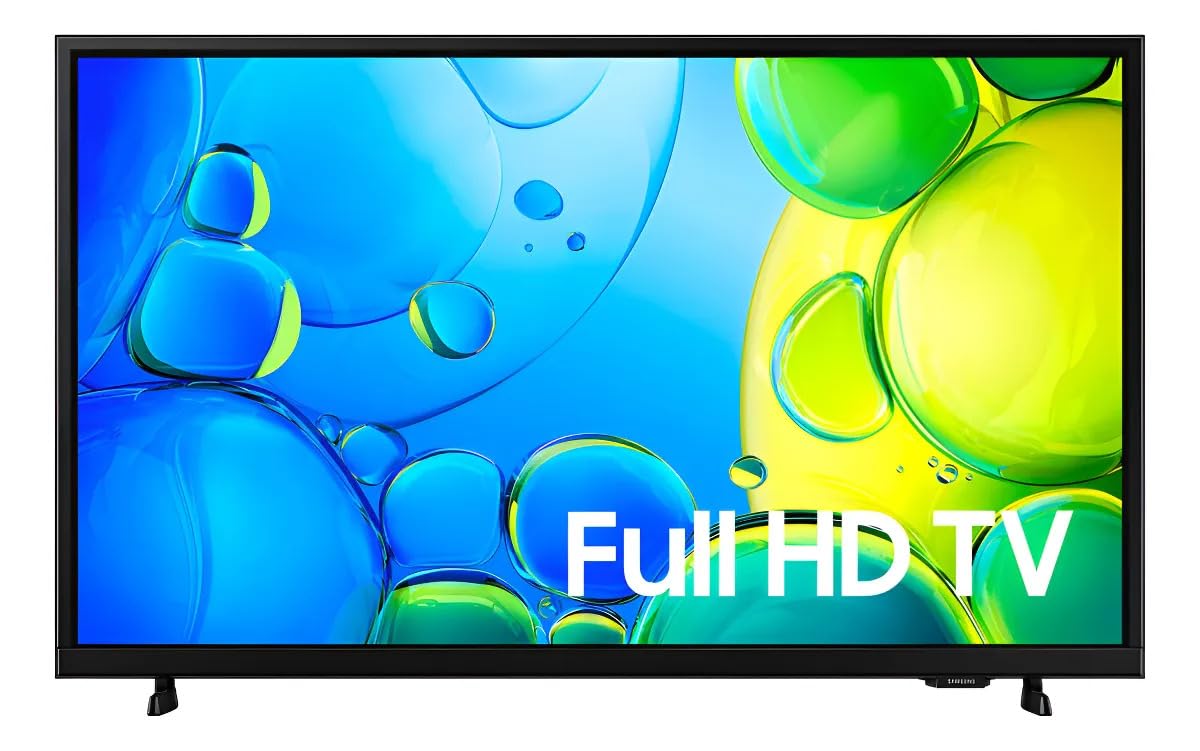
1. irudia: Aurrealdea view of the Samsung Smart FHD 43'' TV.
2. Segurtasun informazioa
Jarraitu beti oinarrizko segurtasun neurri hauek sute, deskarga elektriko eta lesio arriskua murrizteko.
- Ez jarri aparatu hau euri edo hezetasunera.
- Ez blokeatu aireztapen-irekidurak. Instalatu fabrikatzailearen argibideen arabera.
- Ez instalatu bero-iturri inongo ondoan, esate baterako, erradiadoreak, bero-erregistroak, sukaldeak edo beste aparatu batzuk (barne ampberoa sortzen duten argitzaileak).
- Babestu korronte-kablea oinez ibiltzetik edo atxilotzetik, batez ere entxufeetan, erosotasun-harguneetan eta aparatutik irteten diren puntuetan.
- Erabili soilik fabrikatzaileak zehaztutako eranskinak/osagarriak.
- Bidali zerbitzu guztiak zerbitzu kualifikatuko langileengana. Aparatuak edozein modutan hondatu direnean mantenimendua egin behar da.
- Ensure the TV is placed on a stable surface or securely mounted to prevent tipping.
3. Zer dago kutxan
Carefully unpack your TV and ensure all components are present. If any items are missing or damaged, contact your retailer.
- Samsung Smart FHD 43'' TV
- Urrutiko agintea (2 AA bateria behar ditu, ez dira beti barne hartzen)
- Elikatze-kablea
- Video Adapter (if applicable)
- Stand Components (Base/Feet)
- Erabiltzailearen eskuliburua (dokumentu hau)
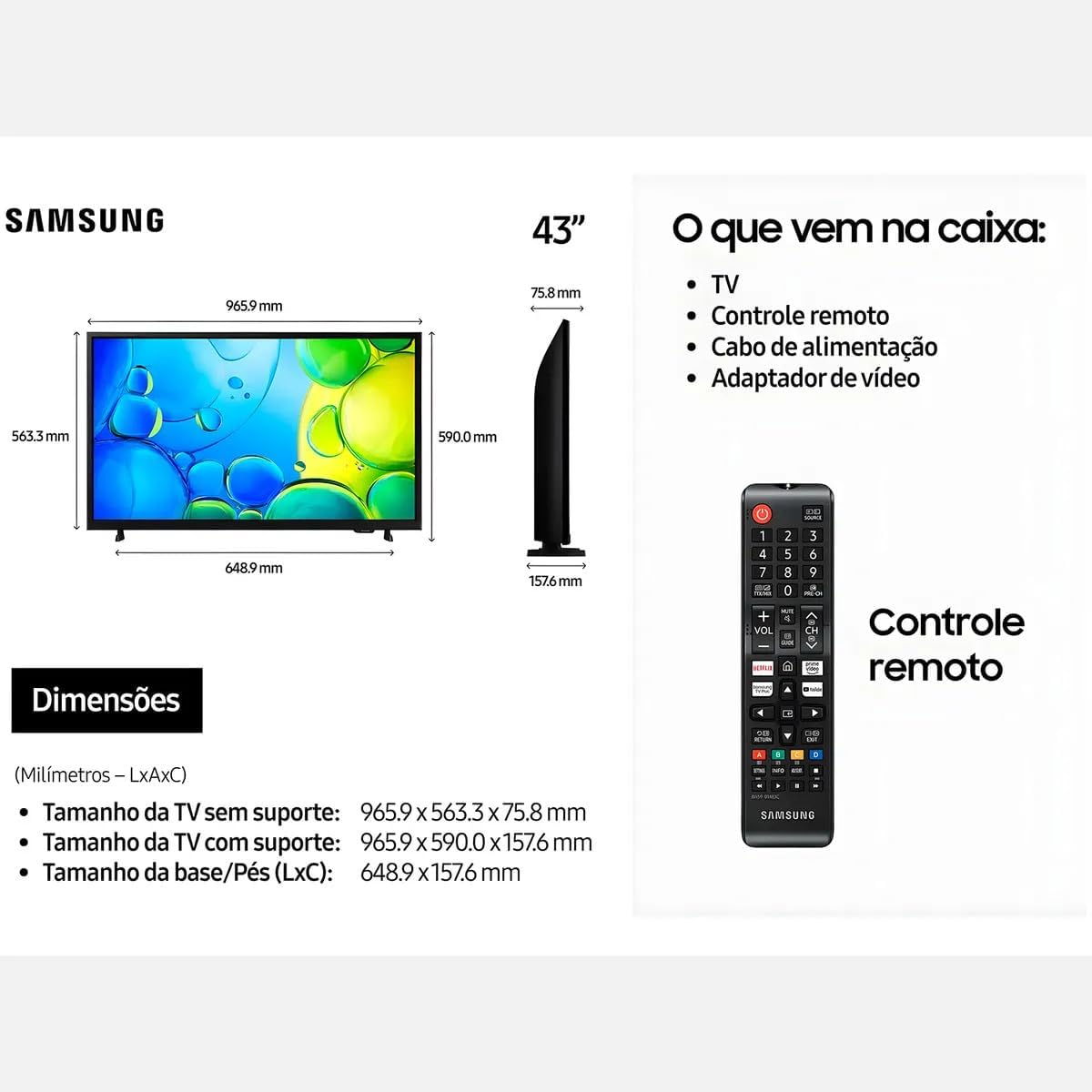
Figure 2: Illustration of items typically included in the product packaging, along with TV dimensions.
4. Konfigurazioa
4.1 Paketatzea
Remove the TV and all accessories from the packaging. It is recommended to keep the original packaging for future transport or servicing.
4.2 Standa lotzea
If you are placing the TV on a table or cabinet, attach the included stand. Follow the instructions provided in the stand assembly guide. Ensure all screws are tightened securely.
4.3 Horman muntatzea
For wall mounting, use a VESA-compliant wall mount kit (100 x 200 mm, sold separately). Consult a professional for wall mounting to ensure proper installation and safety.
4.4 Periferikoak konektatzea
Konektatu kanpoko gailuak telebistara ataka egokiak erabiliz.
- HDMI: Connect Blu-ray players, game consoles, or set-top boxes to the HDMI ports. This TV has 2 HDMI ports.
- USBa: Connect USB storage devices for media playback to the USB 3.0 port. This TV has 1 USB 3.0 port.
- Sarea (LAN): Kable bidezko internet konexioa lortzeko, konektatu Ethernet kable bat LAN atakara.
- Antena/Kablea: Konektatu antena edo kable bidezko telebistaren hargailua.
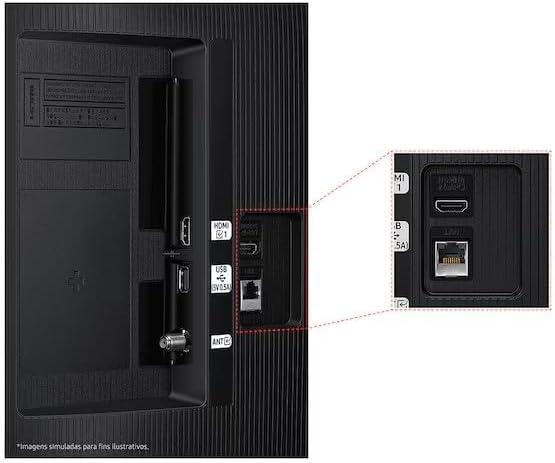
Figure 3: Rear panel connections, highlighting HDMI, USB, and LAN ports.
4.5 Hasierako piztea eta konfigurazio-morroia
After connecting all necessary cables, plug the power cord into an electrical outlet. The TV will power on and guide you through the initial setup wizard, which includes language selection, network connection (Wi-Fi or wired), channel scanning, and smart features configuration.
5. Telebistaren funtzionamendua
5.1 Urruneko kontrola baino gehiagoview
Insert two AA batteries into the remote control. The remote allows you to navigate menus, change channels, adjust volume, and access smart features. Refer to the diagram on the remote control for button functions.
5.2 Oinarrizko telebista funtzioak
- Potentzia: Sakatu urrutiko agintearen pizteko botoia telebista pizteko edo itzaltzeko.
- Bolumena: Erabili bolumena igotzeko/jaisteko botoiak soinu-maila doitzeko.
- Kanala: Use the Channel Up/Down buttons to change channels.
- Iturria: Press the Source button to switch between connected input devices (HDMI 1, HDMI 2, TV, etc.).
5.3 Telebista adimendunaren ezaugarriak (Tizen OS)
Your Samsung Smart TV runs on the Tizen™ operating system, providing access to a wide range of applications and services. Connect your TV to the internet via Wi-Fi or Ethernet to utilize these features.
- App Store: Download and install various applications like Netflix, YouTube, and Amazon Prime Video.
- Web Arakatzailea: Arakatu Interneten zuzenean zure telebistatik.
- Smart Hub: Access all your smart features, apps, and connected devices from one central location.

Figure 4: The Tizen operating system interface, showing available applications.
The TV also features Knox Security, ensuring your data and privacy are protected.
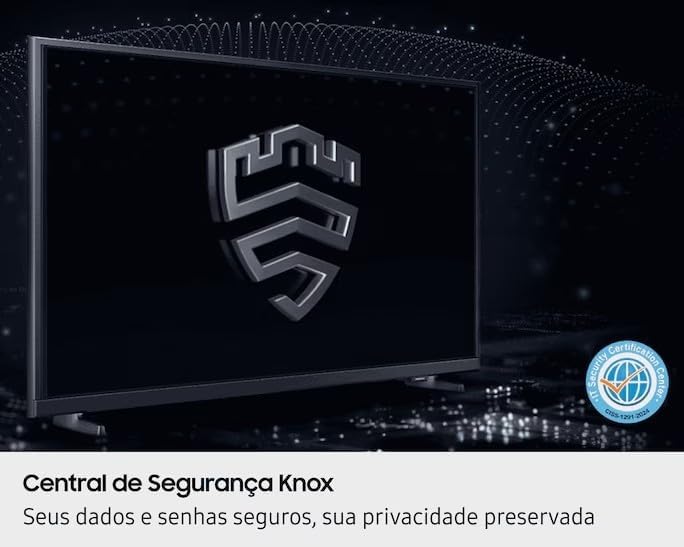
Figure 5: Knox Security Central, highlighting data and privacy protection.
5.4 Irudi ezarpenak
Adjust picture settings to optimize your viewesperientzia.
- Irudi modua: Select from various preset modes (Standard, Dynamic, Movie, etc.) or customize your own.
- Distira/Kontrastea: Adjust these settings to suit your environment.
- HDR teknologia: This TV supports HDR10+, providing greater depth in details, even in very bright or dark scenes.
- Kolore purua: Enhances color accuracy and vibrancy for a more lifelike image.
- Kontraste-hobetzailea: Automatically adjusts contrast for improved picture depth.

Figure 6: HDR Technology in action, showing enhanced detail in both bright and dark areas.
5.5 Soinu ezarpenak
Customize audio output through the sound settings menu. Options may include sound modes, equalizer settings, and audio output selection (TV speakers, external soundbar, Bluetooth audio).
5.6 Konektibitatea
- Bluetootha: Konektatu Bluetooth gailu bateragarriak, hala nola entzungailuak edo soinu-barrak, haririk gabe.
- Wi-Fi: Connect to your home wireless network for internet access and smart features.
6. Mantentzea
6.1 Telebista garbitzea
- Pantaila: Garbitu pantaila astiro-astiro zapi leun eta pelusik gabeko batekin. Orba egoskorrak izanez gero, garbitu apur batampGarbitu zapi bat urarekin edo pantaila-garbitzaile espezializatu batekin. Ez bota inoiz likidorik zuzenean pantailan.
- Telebistaren gorputza: Use a soft, dry cloth to wipe dust from the TV's frame and back panel.
- Garrantzitsua: Deskonektatu beti telebista entxufetik garbitu aurretik.
6.2 Software eguneraketak
Your TV may receive software updates to improve performance and add new features. You can usually configure the TV to update automatically or check for updates manually through the settings menu (typically under Support > Software Update).
7. Arazoak
Telebistarekin arazoak badituzu, kontsultatu ohiko irtenbide hauek laguntza-zerbitzura jo aurretik.
| Arazoa | Irtenbide posiblea |
|---|---|
| Botererik ez | Ziurtatu kablea ondo konektatuta dagoela telebistara eta funtzionatzen duen entxufe batera. Probatu entxufea beste gailu batekin. |
| Ez dago irudirik, baina soinua badago | Egiaztatu sarrera-iturria. Ziurtatu konektatutako gailua piztuta dagoela eta behar bezala funtzionatzen duela. Saiatu beste HDMI kable batekin. |
| Soinurik ez, baina irudia badago | Check the volume level and ensure the TV is not muted. Verify audio output settings. If using external speakers, check their connections and power. |
| Urruneko kontrola ez dabil | Replace the batteries (AA type). Ensure there are no obstructions between the remote and the TV's IR sensor. |
| Ezin da wifira konektatu | Ensure your router is on and functioning. Re-enter the Wi-Fi password. Try restarting both the TV and your router. |
| Irudiaren kalitate arazoak (adibidez, lausoa, distortsionatua) | Check the source resolution. Adjust picture settings (brightness, contrast, sharpness). Ensure cables are securely connected. |
8. Zehaztapenak
Key technical specifications for the Samsung Smart FHD 43'' TV (Model: LS43F6000FGXZD).
| Ezaugarri | Xehetasuna |
|---|---|
| Modelo zenbakia | LS43F6000FGXZD |
| Pantailaren tamaina | 43 hazbete |
| Bistaratzeko Teknologia | FHD (Definizio handiko osoa) |
| Ebazpena | FHD (1920 x 1080 pixels) |
| Freskatze tasa | 60 Hz |
| Sistema eragilea | Tizen™ |
| HDR euskarria | HDR10+ |
| Irudiaren hobekuntza | HDR Technology, PurColor, Contrast Enhancer |
| Konektibitatea | Bluetooth, Wi-Fi, 2x HDMI, 1x USB 3.0 |
| Onartutako Interneteko zerbitzuak | Netflix, YouTube, Amazon Prime |
| VESA muntaketa estandarra | 100 x 200 mm |
| Dimensions (W x D x H) without stand | 965.9 x 75.8 x 563.3 mm |
| Dimensions (W x D x H) with stand | 965.9 x 157.6 x 590.0 mm |
| Pisua (euskarririk gabe) | 6.5 kg |
| liburukiatage | 110-220 Volts (check product label for specific range) |
| Urruneko kontrolaren bateria mota | AA (x2) |
9. Bermea eta Laguntza
9.1 Produktuaren bermea
This Samsung Smart FHD 43'' TV (Model: LS43F6000FGXZD) comes with a 12 hilabeteko berme mugatua from the date of purchase. This warranty covers manufacturing defects and malfunctions under normal use. Please retain your proof of purchase for warranty claims. For detailed terms and conditions, refer to the warranty card included with your product or visit the official Samsung support webgunea.
9.2 Bezeroarentzako laguntza
For technical assistance, troubleshooting beyond this manual, or warranty service, please contact Samsung Customer Support. You can find contact information (phone numbers, chat support, service center locations) on the official Samsung webzure eskualderako gunea.
When contacting support, please have your TV's model number (LS43F6000FGXZD) and serial number ready. The serial number is typically located on a sticker on the back of the TV.