
1. Sarrera
Thank you for choosing the GEEKOM Mini PC IT8 SE. This compact and powerful mini computer is designed for various tasks, from daily browsing and office work to 4K video streaming and light multitasking. This manual provides essential information for setting up, operating, maintaining, and troubleshooting your device to ensure optimal performance and longevity.
2. Segurtasun informazioa
- Always use the provided power adapter to prevent damage to the device.
- Do not expose the Mini PC to water, moisture, or extreme temperatures.
- Ez jarri gailua eguzki-argia zuzenean edo bero iturrietatik gertu.
- Ensure proper ventilation; do not block the cooling vents.
- Ez saiatu gailua zeuk irekitzen edo konpontzen. Jarri harremanetan zerbitzu-langile kualifikatuekin.
- Mantendu gailua eremu magnetiko indartsuetatik urrun.
3. Paketearen edukia
Mesedez, egiaztatu paketea elementu hauek dituen:
- GEEKOM Mini PC IT8 SE
- Elikatze-moldagailua
- HDMI kablea
- VESA Mount with Screws
- Erabiltzailearen eskuliburua (dokumentu hau)
4. Produktua amaitu daview
The GEEKOM Mini PC IT8 SE features a compact design with various ports for connectivity and expansion. Understanding the layout of your device will assist in proper setup and usage.
Front and Rear Ports

Irudia: Aurrealdea eta atzealdea view of the GEEKOM Mini PC IT8 SE, highlighting its diverse port selection for connectivity.
The front panel typically includes USB ports (including USB-C), an audio jack, and the power button. The rear panel provides additional USB ports, HDMI, Mini DisplayPort, and an Ethernet port for comprehensive connectivity.
Barne Osagaiak

Irudia: Leherketa bat view illustrating the internal architecture of the GEEKOM Mini PC IT8 SE, including the CPU, cooling system, RAM, and SSD.
The internal design includes an Intel Core i3-8109U processor, DDR4 RAM, an M.2 SSD, and an efficient cooling system, all housed within a durable metal frame.
5. Konfigurazioa
5.1 Periferikoak konektatzea
- Konektatu pantaila: Use an HDMI or Mini DisplayPort cable to connect your monitor(s) to the corresponding ports on the Mini PC. The device supports multiple 4K displays.
- Konektatu teklatua eta sagua: Plug your USB keyboard and mouse into any available USB 3.2 ports.
- Konektatu sarea (aukerakoa): For a wired connection, connect an Ethernet cable from your router to the Gigabit Ethernet port on the Mini PC.
- Konektatu energia: Plug the power adapter into the DC-in port on the Mini PC, then plug the adapter into a power outlet.
5.2 Piztea
Press the power button located on the front panel of the Mini PC. The power indicator light will illuminate, and the system will begin to boot.
5.3 Hasierako Windows konfigurazioa
Upon first boot, you will be guided through the Windows 11 Pro setup process. Follow the on-screen instructions to configure your region, language, network, and user account settings.
5.4 VESA euskarriaren instalazioa (aukerakoa)
The GEEKOM Mini PC IT8 SE includes a VESA mount, allowing you to attach it to the back of a compatible monitor or to a wall mount. Secure the VESA bracket to your monitor or wall using the provided screws, then slide the Mini PC into the bracket until it clicks into place.
6. Funtzionamendu-argibideak
6.1 Piztu/Itzali eta Berrabiarazi
- Piztu: Sakatu pizteko botoia.
- Itzali: Egin klik Windows-eko Hasi botoian, eta ondoren hautatu Energia > Itzali.
- Berrabiarazi: Egin klik Windows-eko Hasi botoian eta, ondoren, hautatu Energia > Berrabiarazi.
6.2 Sarearen konexioa
- Wi-Fi: The Mini PC supports dual-band Wi-Fi. To connect, click the network icon in the Windows taskbar, select your desired Wi-Fi network, enter the password, and click Connect.
- Ethernet: If you connected an Ethernet cable during setup, your Mini PC should automatically connect to the wired network.
6.3 Kanpoko pantailak konektatzea

Image: The GEEKOM Mini PC IT8 SE supporting multiple 4K displays, illustrating its capability for extended workspaces.
The Mini PC supports up to two 4K displays via its HDMI and Mini DisplayPort outputs. To configure display settings, right-click on the desktop, select 'Display settings', and adjust resolution, orientation, and multiple display modes (extend, duplicate, second screen only).
6.4 Zeregin anitzak eta produktibitatea
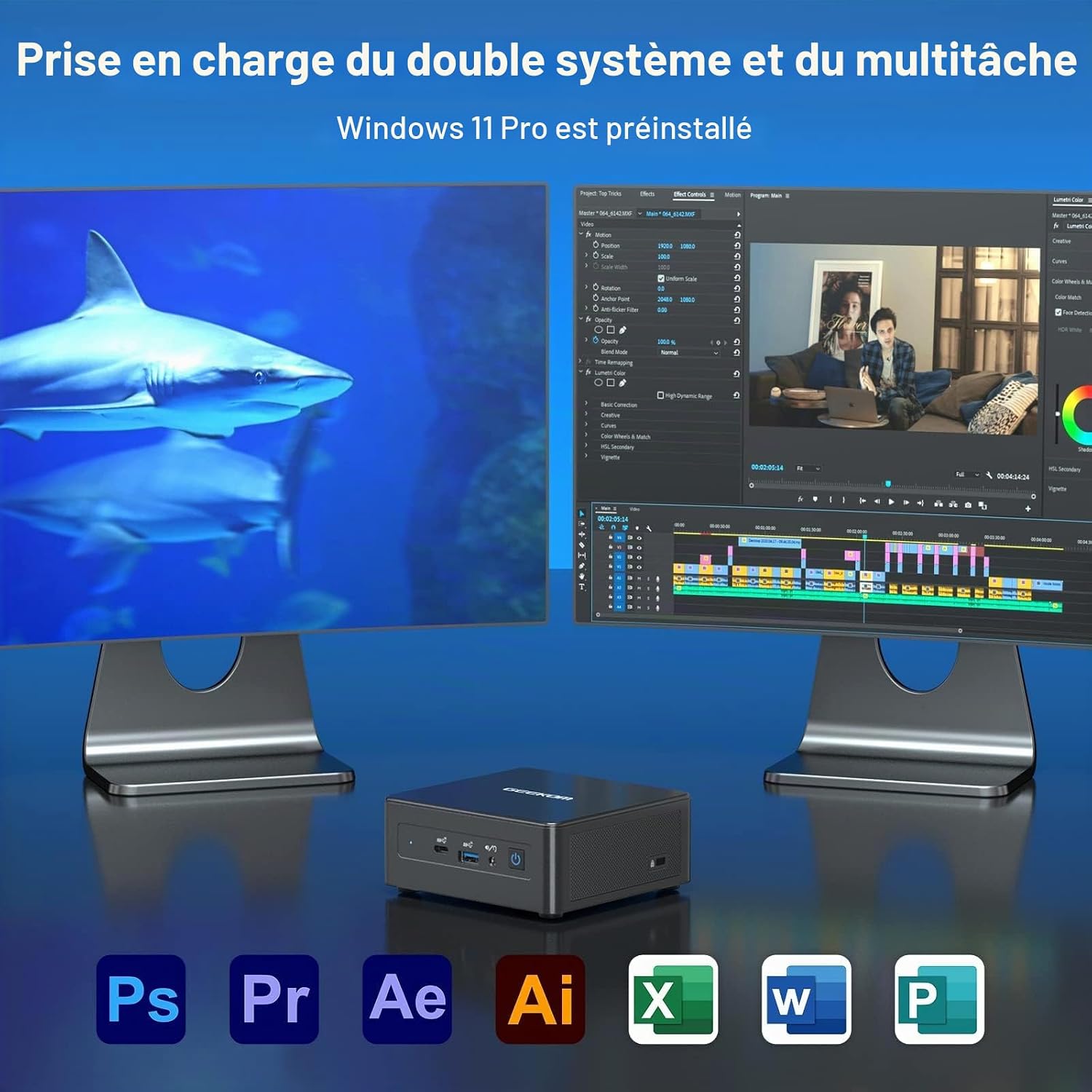
Image: The GEEKOM Mini PC IT8 SE demonstrating dual system and multitasking support, suitable for various applications.
With its Intel Core i3-8109U processor and 8GB DDR4 RAM, the Mini PC is capable of handling multiple applications simultaneously, making it suitable for office tasks, content consumption, and light creative work.
6.5 Bluetooth konexioa
The Mini PC features Bluetooth 4.2 for connecting wireless peripherals such as headphones, speakers, or input devices. To pair a device, go to Windows Settings > Bluetooth & devices, turn on Bluetooth, and select 'Add device'.
7. Mantentzea
7.1 Gailua garbitzea
Use a soft, dry cloth to clean the exterior of the Mini PC. For stubborn dirt, slightly dampen the cloth with water. Do not use harsh chemicals or abrasive cleaners. Regularly clean the ventilation openings to prevent dust buildup, which can affect cooling performance.
7.2 Software eguneraketak
Ensure your Windows 11 Pro operating system and drivers are kept up to date. Go to Windows Settings > Windows Update to check for and install available updates. Regular updates improve system stability, security, and performance.
7.3 Biltegiratze kudeaketa
Periodically check your 256GB M.2 SSD storage usage. Delete unnecessary files, uninstall unused applications, and consider using cloud storage for large files to maintain optimal system speed.
8. Arazoak
- Potentziarik gabe: Ziurtatu korronte-egokitzailea ondo konektatuta dagoela bai Mini PCra bai funtzionatzen duen korronte-entxufe batera. Saiatu beste entxufe batekin behar izanez gero.
- Ez dago pantailarik: Check that the HDMI or Mini DisplayPort cable is firmly connected to both the Mini PC and the monitor. Ensure the monitor is powered on and set to the correct input source.
- Ez dago Interneteko konexiorik: For Wi-Fi, verify your network password and ensure the Wi-Fi adapter is enabled. For Ethernet, check the cable connection and your router status.
- Errendimendu motela: Close unnecessary applications, check for background processes, and ensure sufficient free storage space. Consider running a system diagnostic or antivirus scan.
- Periferikoa ez da detektatu: Saiatu periferikoa beste USB ataka batera konektatzen. Beharrezkoa bada, ziurtatu gidariak instalatuta daudela.
If issues persist, refer to the GEEKOM support resources or contact customer service.
9. Zehaztapenak
Below are the technical specifications for the GEEKOM Mini PC IT8 SE:
| Ezaugarri | Xehetasuna |
|---|---|
| Marka | GEEKOM |
| Ereduaren izena | GEEKOM Mini PC IT8 SE |
| CPU eredua | Intel Core i3-8109U |
| CPU Abiadura | 3.6 GHz (Max Turbo Frequency) |
| CPU Cores / Threads | 2 Nukleo / 4 Hari |
| Cachearen tamaina | 4 MB |
| Sistema eragilea | Windows 11 Pro |
| RAM instalatutako tamaina | 8 GB DDR4 SDRAM |
| Biltegiratze Ahalmena | 256 GB M.2 SSD (PCIE x 4) |
| Koprozesadore grafikoa | Intel UHD Graphics 620 (Integratua) |
| Bideo Irteerako Interfazea | HDMI, Mini DisplayPort |
| Gehienezko pantailaren bereizmena | 3840 x 2160 (4K) |
| Konektibitate Teknologia | Ethernet, HDMI, Mini DisplayPort, USB, Wi-Fi, Bluetooth |
| USB atakak | USB 3.2 1. belaunaldia, USB-C |
| Bluetootha | 4.2 |
| VESA laguntza | Bai |
| GTIN / UPC | 810190721292 |
10. Bermea eta Laguntza
GEEKOM provides comprehensive support for your Mini PC IT8 SE.
10.1 Itzultzeko politika
The product is eligible for a refund or replacement within 14 days of purchase, subject to the seller's return policy.
10.2 Bezeroarentzako laguntza

Image: GEEKOM's warranty and support details, outlining methods for contacting customer service.
For any inquiries or technical assistance, please use the following methods:
- Contact Seller on Amazon: Log in to your Amazon account, find your order, and click 'Get Help' to contact the seller directly.
- Posta elektronikoko laguntza: Send an email to the GEEKOM After-Sales Team at pan.he@geekom.tw.
GEEKOM offers 3 years of support for this product.