
1. Sarrera
This manual provides detailed instructions for the proper use and maintenance of your ANYSECU W63-US 4G Network Radio. The W63-US is an intelligent handheld transceiver operating on Android 9.0, designed for Push-to-Talk (PTT) communication over 4G networks. It supports popular platforms like Zello and RealPTT, offering features such as GPS, Bluetooth, Wi-Fi, and a flashlight function. Its robust design includes IP68 waterproof and dustproof ratings, making it suitable for various environments.
2. Paketearen edukia
Please verify that all items listed below are included in your product package. If any items are missing or damaged, contact your vendor.
- ANYSECU W63-US Radio Body (x1)
- Antena (x1)
- Bateria (x1)
- Elikatze kablea (x1)
- Energia egokitzailea (x1)
- Gerriko Klipa (x1)
- Erabiltzailearen eskuliburua (x1)
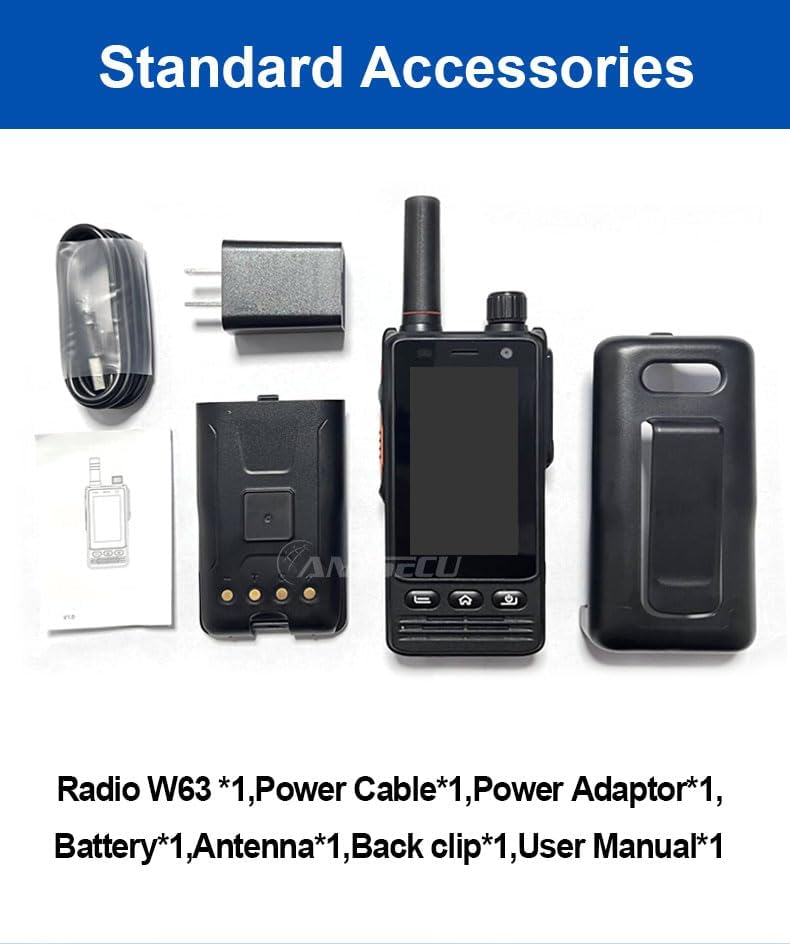
Image: Standard accessories included with the ANYSECU W63-US radio.
3. Produktua amaitu daview
The ANYSECU W63-US features a compact design with a 2.95-inch high-definition touch screen and physical buttons for intuitive operation. It is equipped with both front and rear cameras, and a high-capacity battery for extended use.

Irudia: Aurrealdea view of the ANYSECU W63-US radio highlighting Android 9, touch screen, GPS/BT/WiFi, and flashlight function.

Irudia: Atzealdea view of the ANYSECU W63-US radio, showing the 5MP front and 13MP rear cameras with built-in flash.
Funtsezko osagaiak:
- Antena: For signal reception and transmission.
- Bolumen-eskulekua: Audio irteerako maila doitzen du.
- SOS botoia: For emergency alerts.
- PTT botoia: Komunikatzeko hitz egiteko sakatu botoia.
- Pantaila: 2.95-inch touch screen (854*480 pixels).
- Nabigazio botoiak: Home, Back, and Power buttons.
- USB-C ataka: Kargatzeko eta datuak transferitzeko.
- Gerriko Clip: Erosotasunez eramateko.

Image: The ANYSECU W63-US radio shown with its high-quality waist clip for portability.
4. Konfigurazioa
4.1 Bateriaren instalazioa
- Ziurtatu gailua itzalita dagoela.
- Bilatu bateriaren konpartimentuaren estalkia irratiaren atzealdean.
- Kontu handiz kendu estalkia.
- Insert the provided 4000mAh 3.8V battery, aligning the contacts.
- Replace the battery compartment cover, ensuring it is securely latched.

Image: The ANYSECU W63-US radio highlighting its 4000mAh high-capacity battery.
4.2 SIM Card / SD Card Installation
The W63-US supports 4G network connectivity. Insert your SIM card into the designated slot. If desired, an SD card can also be installed for additional storage.
4.3 Hasierako piztea
- Sakatu eta eutsi pizteko botoia pantaila piztu arte.
- Follow the on-screen prompts for initial setup, including language selection and network configuration.
Video: Demonstration of the ANYSECU W63-US radio's physical features and initial power-on sequence.
5. Funtzionamendu-argibideak
5.1 Oinarrizko nabigazioa
- Ukipen-pantaila: Navigate menus and applications by tapping and swiping on the 2.95-inch display.
- Hasierako botoia: Hasierako pantaila nagusira itzultzen da.
- Atzera botoia: Aurreko pantailara itzultzen da.
- Pizteko botoia: Short press to lock/unlock screen, long press to power off/restart.

Image: A hand interacting with the 2.95-inch high-definition touch screen of the ANYSECU W63-US radio.
5.2 PTT Communication (Zello/RealPTT)
The W63-US is compatible with Zello and RealPTT applications for Push-to-Talk communication. Ensure you have an active account and are logged into your preferred application.
- Open the Zello or RealPTT application from the home screen.
- Select your desired contact or channel.
- Press and hold the dedicated PTT botoia on the side of the radio to transmit your voice.
- Askatu PTT botoia entzuteko.
5.3 Sarearen konexioa
The device supports global 4G networks, Wi-Fi, and Bluetooth for versatile connectivity.
- 4G sarea: Automatically connects if a valid SIM card is inserted and configured.
- Wi-Fi: Access Wi-Fi settings through the Android interface to connect to available networks.
- Bluetootha: Pair with compatible Bluetooth accessories like headsets.
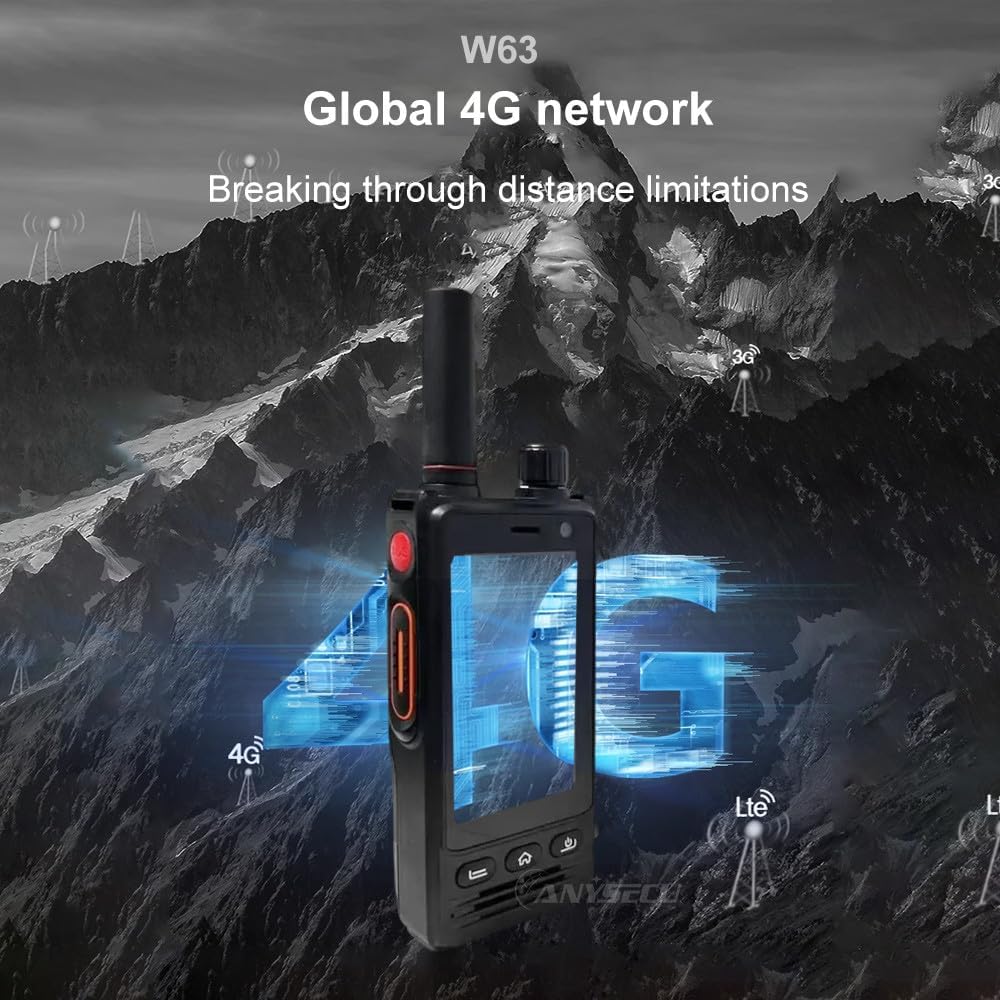
Image: The ANYSECU W63-US radio demonstrating its global 4G network capabilities.
6. Mantentzea
6.1 Gailua garbitzea
Erabili biguna, damp cloth to clean the exterior of the radio. Avoid using harsh chemicals or abrasive materials that could damage the device or screen.
6.2 Bateria zaintzea
- Bateria guztiz kargatu lehen erabili aurretik.
- Saihestu bateria gehiegi kargatzea edo guztiz agortzea bere bizitza iraupena luzatzeko.
- Gorde irratia eta bateria leku fresko eta lehor batean denbora luzez erabiltzen ez dituzunean.
6.3 Urarekiko eta hautsarekiko erresistentzia
The W63-US is rated IP68 waterproof and dustproof. This means it can withstand immersion in water up to 1.5 meters for 30 minutes and is protected against dust ingress. Ensure all ports and covers are securely closed before exposing the device to water or dust.

Image: The ANYSECU W63-US radio demonstrating its IP68 waterproof and dustproof features. An optional explosion-proof version may also be available.
7. Arazoak
If you encounter issues with your ANYSECU W63-US radio, refer to the following common problems and solutions:
- Gailua ez da pizten:
Ensure the battery is correctly installed and charged. Connect the radio to the charger and attempt to power on again. - Sareko konexiorik ez:
Verify that your SIM card is properly inserted and active. Check network settings to ensure 4G is enabled. If using Wi-Fi, confirm you are connected to a valid network. - PTT function not working:
Ensure you are logged into your Zello or RealPTT account. Check the application settings to confirm the PTT button is correctly mapped. Verify you have an active internet connection. - Audio issues (no sound/distorted sound):
Adjust the volume knob. Check if a headset is connected and properly functioning. Restart the device. - Ukipen-pantailak ez du erantzuten:
Berrabiarazi gailua. Arazoak jarraitzen badu, ziurtatu pantaila garbi eta hondakinik gabe dagoela.
8. Zehaztapenak
| Ezaugarri | Xehetasuna |
|---|---|
| Marka | ANYSECU |
| Modelo zenbakia | W63-AEB |
| Kolorea | Beltza |
| Sistema eragilea | Android 9.0 |
| Konektibitate-protokoloa | 4G |
| Sintonizatzaile mota | 4G |
| Bistaratzea | 2.95 inch High-definition (854*480 pixels) Touch Screen |
| Uraren Erresistentzia Maila | IP68 Iragazgaitza |
| Bateria | 4000mAh 3.8V (1 AA battery required, included) |
| Kanal kopurua | 1000 |
| Hitz egiteko tartea gehienez | 10 milia |
| Ezaugarri bereziak | Long Range, GPS, Bluetooth, Wi-Fi, Flashlight |
| Gailu bateragarriak | Zello, RealPTT |
| Kamerak | Front 5MP, Rear 13MP with Built-in Flash |
9. Bermea eta Laguntza
9.1 Bermearen informazioa
The ANYSECU W63-US radio body is covered by a 1 urteko bermea from the date of purchase. This warranty covers manufacturing defects under normal use. Please retain your proof of purchase for warranty claims. The warranty does not cover damage caused by misuse, accidents, unauthorized modifications, or normal wear and tear.
9.2 Bezeroarentzako laguntza
For technical assistance, troubleshooting beyond this manual, or warranty inquiries, please contact your authorized ANYSECU dealer or visit the official ANYSECU weblaguntza baliabideen gunea.