
1. Sarrera
1.1 Produktua gainditzeaview
The Generic Portable Digital Wall Clock is a versatile device designed to provide accurate time, temperature, and humidity readings. Its ultra-thin design allows for flexible placement, and the clear LCD ensures easy readability. Key features include:
- Garbitu pantaila digitala: Provides quick and accurate time display with easily readable digits.
- Tenperatura neurgailua: Displays real-time room temperature in Celsius.
- Humidity Monitor: Shows accurate humidity percentage to help maintain optimal air quality.
- Flexible Alarm: Offers a range of alarm features, including silent mode and visual indicators.
- Trinkoa eta polifazetikoa: Ultra-thin design with mounting and strong attachment options for portability and various uses.

1. irudia: Aurrealdea view of the Generic Portable Digital Wall Clock, showing the time, temperature, and humidity readings.
1.2 Zer dago kutxan
Paketea irekitzean, ziurtatu osagai guztiak daudela eta kalterik gabe daudela:
- Small Digital Wall Clock x 1

Figure 2: The digital wall clock as it appears when unboxed.
2. Konfigurazioa
2.1 Bateriaren instalazioa
- Kokatu bateriaren konpartimendua erlojuaren atzealdean.
- Ireki bateriaren konpartimenduaren estalkia.
- Insert the required batteries (typically AAA or button cell, refer to the compartment label for exact type) ensuring correct polarity (+ and -).
- Itxi bateriaren konpartimenduaren estalkia ondo.
2.2 Hasierako piztea
Once batteries are installed, the clock should automatically power on and display default time and readings. If the display remains blank, check battery installation or replace with fresh batteries.

Figure 3: The clock's dimensions, illustrating its compact size and potential location for battery access on the rear.
3. Funtzionamendu-argibideak
The clock features several buttons, usually located on the back or side, for setting and adjusting functions. Refer to the labels on your specific unit.
3.1 Ordua ezartzea
- Press the 'MODE' or 'SET' button once to enter time setting mode. The hour digits will typically flash.
- Use the 'UP' or 'ADJUST' button to change the hour.
- Press 'MODE' or 'SET' again to move to minute setting. Use 'UP' or 'ADJUST' to change minutes.
- Continue pressing 'MODE' or 'SET' to cycle through 12/24-hour format (if available) and confirm settings.
3.2 Alarma ezarpena
- Press the 'MODE' or 'SET' button multiple times until the alarm time is displayed (often indicated by an alarm icon).
- Press and hold 'MODE' or 'SET' to enter alarm setting mode. The alarm hour digits will flash.
- Use 'UP' or 'ADJUST' to set the alarm hour.
- Press 'MODE' or 'SET' to move to alarm minute setting. Use 'UP' or 'ADJUST' to set minutes.
- Press 'MODE' or 'SET' to confirm.
- To activate/deactivate the alarm, press the 'ALARM ON/OFF' button (or a dedicated button with an alarm icon). An alarm icon on the display indicates it is active.
3.3 Tenperatura eta hezetasunaren bistaratzea
The clock continuously monitors and displays the ambient temperature and humidity. No manual adjustment is typically required for these readings.
3.4 Unit Switching (Celsius/Fahrenheit)
Some models allow switching between Celsius and Fahrenheit. Look for a dedicated 'C/F' button or a combination press of existing buttons (e.g., 'UP' button during time display) to toggle the temperature unit.

4. irudia: Xehetasuna view of the clock's LCD display, highlighting the time, temperature, and humidity readouts.
4. Mantentzea
4.1 Garbiketa
Erlojua garbitzeko, garbitu gainazala oihal leun eta lehor batekin. Orban egoskorrak izanez gero, garbitu apur batamp cloth can be used, followed by immediate drying. Avoid using abrasive cleaners, solvents, or chemical sprays, as these can damage the display or casing.
4.2 Biltegiratzea
If the clock will not be used for an extended period, remove the batteries to prevent leakage and corrosion. Store the clock in a cool, dry place away from direct sunlight and extreme temperatures.
5. Arazoak
| Arazoa | Kausa posiblea | Irtenbidea |
|---|---|---|
| Pantaila hutsik edo ilun dago. | Bateria gutxi edo agortuta; bateria gaizki instalatuta. | Replace batteries with new ones; ensure correct polarity. |
| Ordu okerra bistaratzen da. | Time not set correctly after battery installation or power interruption. | Follow the 'Time Setting' instructions in Section 3.1. |
| Alarmak ez du jotzen. | Alarm not activated; alarm time set incorrectly. | Ensure the alarm icon is visible on the display; verify alarm time settings as per Section 3.2. |
| Tenperatura/hezetasun neurketak zehaztugabeak dirudite. | Clock placed near heat/cold sources or in an area with poor air circulation. | Relocate the clock to a central area away from direct sunlight, vents, or appliances. Allow time for readings to stabilize. |
6. Zehaztapenak
- Produktuaren neurriak: 3.6 x 2.87 x 1.97 hazbete; 3.53 ontza
- Kolorea: Zuria
- Materiala: Plastikoa
- Bistaratzeko mota: LCDa
- Funtzioak: Time, Temperature (Celsius), Humidity, Alarm
- Energia iturria: Battery (type not specified, refer to device for details)
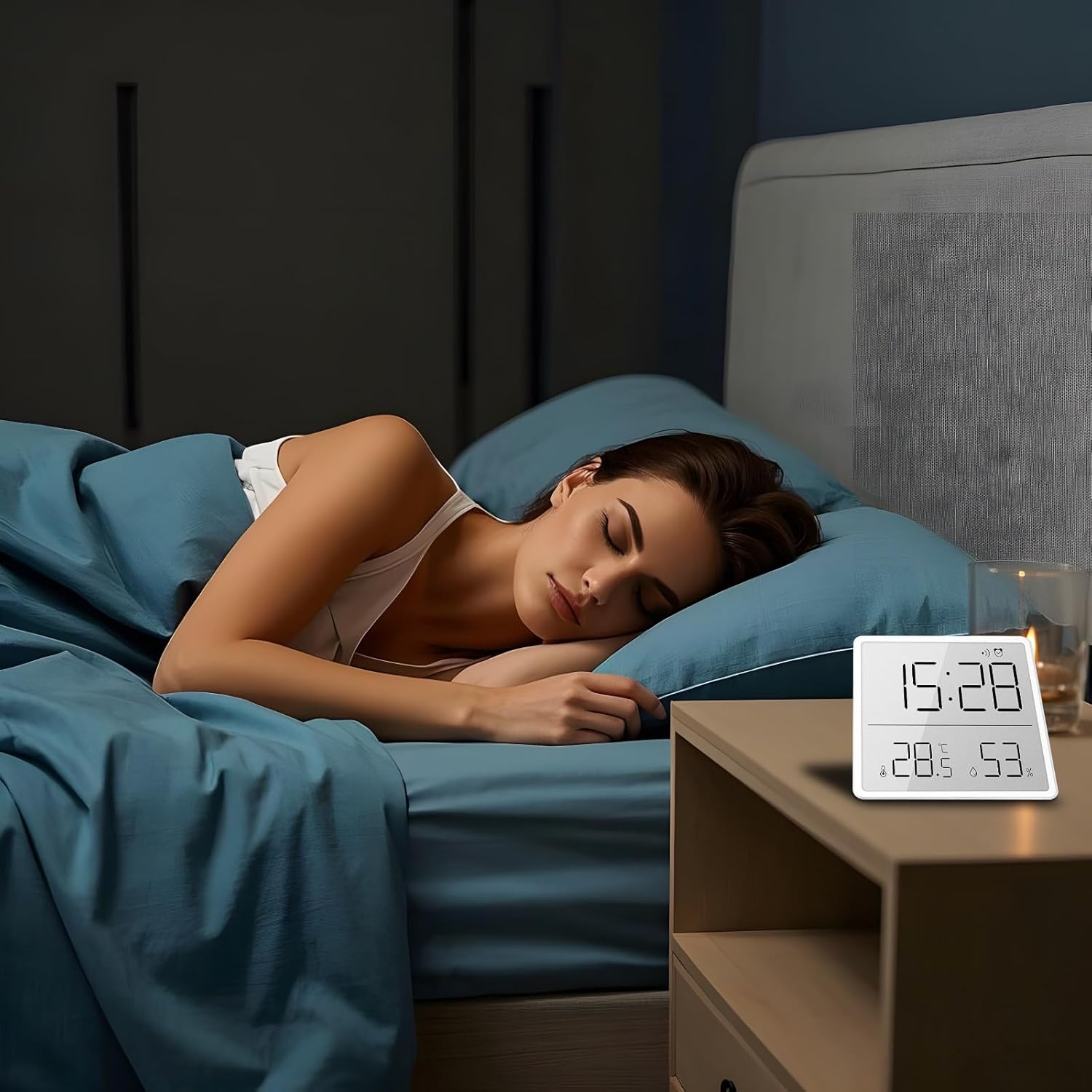
Figure 5: The digital clock positioned on a nightstand, demonstrating its compact size and suitability for various environments.
7. Bermea eta Laguntza
This product is sold by Generic. For warranty information or technical support, please refer to the documentation provided at the time of purchase or contact the seller directly through the platform where the product was acquired. Keep your purchase receipt as proof of purchase.