
1. Sarrera
This manual provides detailed instructions for the setup, operation, maintenance, and troubleshooting of your Tabwee T90 Android 16 Tablet. Please read this manual thoroughly before using your device to ensure proper functionality and to maximize your user experience.

Image: The Tabwee T90 tablet shown with its full suite of accessories, including a detachable keyboard, wireless mouse, stylus, protective case, charging adapter, and USB cable. This illustrates the complete package contents.
2. Paketearen edukia
Egiaztatu elementu guztiak paketean daudela:
- Tabwee T90 Tablet
- Bluetooth teklatua
- Haririk gabeko sagua
- Stylus Pen
- Babes-zorroa
- Pantaila Babeslea Film
- Energia egokitzailea (C motakoa)
- USB datu-kablea (C motakoa)
- Erabiltzailearen eskuliburua

Image: A visual representation of the Tabwee T90 tablet's dimensions and all components included in the retail package, such as the tablet, keyboard, mouse, stylus, and various cables and covers.
3. Hasierako konfigurazioa
3.1 Tableta kargatzea
Before first use, fully charge the tablet using the provided Type-C power adapter and USB cable. The charging port is located on the side of the tablet.

Image: The Tabwee T90 tablet being charged via its Type-C port, highlighting its 8000mAh battery and estimated usage times for various activities like web browsing, video playback, gaming, and music.
3.2 Piztu/Itzaltzea
- Pizteko: Eduki sakatuta pizteko botoia pantaila argitu arte.
- Itzaltzeko: Sakatu eta eutsi pizteko botoiari, eta ondoren hautatu "Itzali" aukeren artean.
3.3 Hasierako konfigurazioa
Jarraitu pantailan agertzen diren argibideei hasierako konfigurazioa osatzeko, besteak beste:
- Hizkuntza hautatzea
- Wi-Fi sareko konexioa
- Google kontuan saioa hastea
- Data eta orduaren ezarpenak
- Security settings (PIN, pattern, password, or face recognition)

Image: A collage of screenshots demonstrating key Android 16 features such as real-time notifications, robust security measures, access to the Google Play Store for app downloads, and options for regional language optimization.
3.4 Osagarriak konektatzea
The Tabwee T90 comes with a Bluetooth keyboard and mouse. To connect them:
- Enable Bluetooth on your tablet via Settings > Connected devices > Bluetooth.
- Put the keyboard/mouse into pairing mode (refer to their individual manuals if needed).
- Hautatu tabletan eskuragarri dauden gailuen zerrendatik parekatzeko osagarria.
The stylus pen does not require pairing.
4. Tabletaren erabilera
4.1 Android 16 interfazea
The Tabwee T90 runs on Android 16, offering an intuitive and enhanced user experience with improved security and performance. Features include real-time notifications, efficient multitasking, and smart operational capabilities.
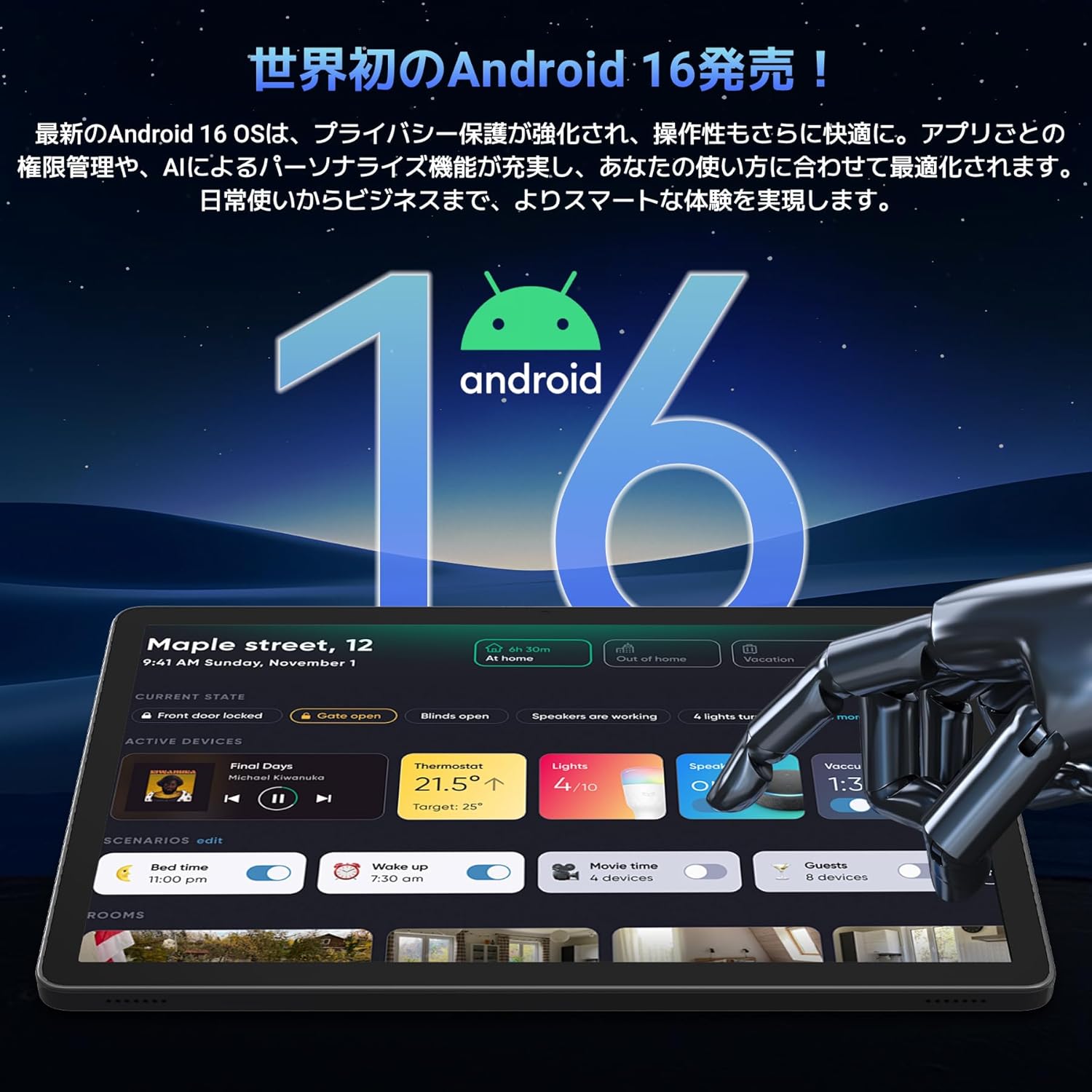
Image: A visual representation of the Android 16 operating system logo and its modern interface displayed on the Tabwee T90 tablet, emphasizing its new features and design.
4.2 Display and Media Playback
The 11-inch FHD IPS display (1920x1200 resolution) provides clear and vibrant visuals. With Widevine L1 support, you can stream high-definition content (1080p and above) from services like Netflix and Amazon Prime Video.

Image: The Tabwee T90 tablet showcasing a high-definition video of a baseball game, demonstrating its 11-inch FHD display and compatibility with streaming platforms like Netflix, YouTube, HBO, and Prime Video via Widevine L1.
4.3 Camera and Imaging
The tablet features a 5MP front camera for video calls and selfies, and a 13MP rear camera for capturing photos. Android 16's AI image processing enhances photo quality, and HEVC video encoding ensures stable editing and improved video quality. Google Lens integration allows for smart recognition, scanning, translation, and search functions.
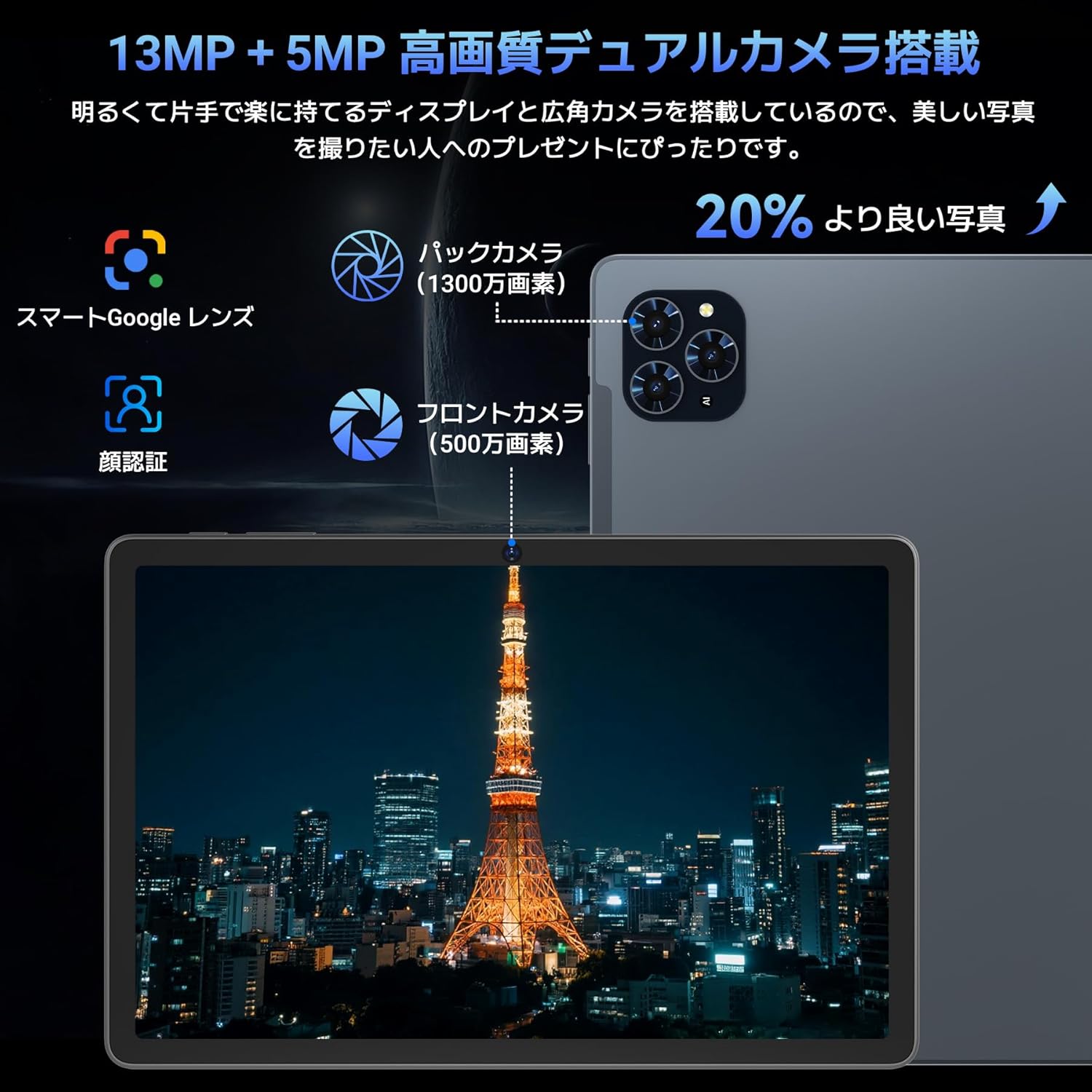
Irudia: Xehetasun zehatza view of the Tabwee T90 tablet's camera system, indicating a 13MP rear camera and a 5MP front camera. An example photo of Tokyo Tower is displayed on the screen, illustrating image capture capabilities.
4.4 Aurpegi-ezagutza
Utilize the face recognition feature for quick and secure unlocking of your tablet. Set it up in Settings > Security & privacy > Face unlock.
4.5 Gemini AI integrazioa
The tablet integrates with Gemini AI, optimizing performance across various scenarios. This AI assists with content recommendations, image processing, and semantic understanding, enhancing daily operations.

Image: A conceptual image depicting Gemini AI as a robotic figure interacting with multiple tablet screens, symbolizing its ability to support various tasks like email composition, schedule management, and information retrieval, enhancing user productivity.
4.6 Custom Keyboard Shortcuts
After connecting a Bluetooth keyboard, you can set custom shortcut keys to launch frequently used applications with a single press. Navigate to Settings > System > Keyboard > Keyboard shortcuts to configure.
5. Mantentzea
5.1 Garbiketa
- Erabili zapi leun eta lihorik gabeko bat tabletaren pantaila eta gorputza garbitzeko.
- Saihestu produktu kimiko gogorrak edo material urratzaileak erabiltzea.
- Orban egoskorretarako, apur bat dampGarbitu oihal bat urarekin edo elektronikarako diseinatutako pantaila-garbitzaile batekin.
5.2 Bateria zaintzea
- Saihestu tableta tenperatura altuetan jartzea.
- Ez utzi bateria maiz erabat deskargatzen.
- Erabili emandako kargagailua edo bateragarri ziurtatutako kargagailu bat soilik.
5.3 Software eguneraketak
Egiaztatu eta instalatu sistemaren eguneraketak aldizka errendimendu eta segurtasun optimoa bermatzeko. Joan Ezarpenak > Sistema > Sistemaren eguneraketa atalera.
6. Arazoak
6.1 tableta ez da pizten
- Ziurtatu tableta behar bezala kargatuta dagoela. Konektatu kargagailura gutxienez 30 minutuz.
- Berrabiarazte behartua egiteko, sakatu eta eutsi pizteko botoia 10-15 segundoz.
6.2 Wi-Fi konexio arazoak
- Berrabiarazi Wi-Fi bideratzailea eta tableta.
- Ahaztu sarea tabletaren ezarpenetan eta konektatu berriro.
- Ziurtatu Wi-Fi seinalearen eremuan zaudela.
6.3 Accessories Not Connecting
- Ziurtatu Bluetooth gaituta dagoela tabletan.
- Check that the accessory is in pairing mode and has sufficient battery.
- Try restarting both the tablet and the accessory.
6.4 Errendimendu motela
- Itxi behar ez diren atzeko planoko aplikazioak.
- Garbitu maiz erabiltzen diren aplikazioen cachea (Ezarpenak > Aplikazioak > [Aplikazioaren izena] > Biltegiratzea eta cachea > Garbitu cachea).
- Ziurtatu biltegiratze leku nahikoa dagoela eskuragarri.
- Berrabiarazi tableta aldian-aldian.
7. Zehaztapenak
| Ezaugarri | Xehetasuna |
|---|---|
| Marka | TABWEE |
| Ereduaren izena | T90 |
| Sistema eragilea | Android 16 |
| CPU | Unisoc T615 Octa-core (2x Cortex-A75 @ 2.0GHz, 6x Cortex-A55 @ 1.8GHz) |
| GPU | Mali-G57 |
| RAM | 8 GB (RAM birtualarekin 24 GBra arte zabaldu daiteke) |
| Barne Biltegiratzea | 128 GB |
| Biltegiratze zabalgarria | Up to 2TB via microSD card (not included) |
| Pantailaren tamaina | 11 hazbetekoa |
| Bistaratzeko mota | IPS FHD |
| Ebazpena | 1920 x 1200 pixel |
| Aurrealdeko kamera | 5MP |
| Atzeko kamera | 13MP |
| Bateria Edukiera | 8000mAh |
| Kargatzeko ataka | C motakoa |
| Konektibitatea | Wi-Fi (2.4G/5G, 802.11ac), Bluetooth 5.0 |
| Pisua | 1.37 kg (3.02 lb inguru) |
| Neurriak | 29.1 x 20 x 5.7 cm (ontziratzea) |
| Ziurtagiriak | PSE, GITEKI, GMS |

Image: A detailed diagram illustrating the Unisoc T615 Octa-core CPU, highlighting its architecture with Cortex-A75 and Cortex-A55 cores, Mali-G52 MP1 GPU, and 12nm low power consumption, indicating its high performance.

Image: The Tabwee T90 tablet's screen showing multiple applications, emphasizing its 128GB internal storage and support for up to 2TB external storage, with examples of how many photos, songs, and videos can be stored.
8. Bermea eta Laguntza
The Tabwee T90 Tablet comes with a 2 urteko bermea. This warranty covers manufacturing defects and ensures product quality.
8.1 Laguntzarekin harremanetan jartzea
If you encounter any issues or have questions, please contact customer support through your Amazon account:
- Go to your Amazon account > Order History > Select the relevant order.
- Click on the seller's name (TABWEE Official Store).
- Use the "Ask a question" option to send an email.
Support is available from 9:00 AM to 6:00 PM (excluding holidays). Inquiries will be responded to as quickly as possible.

Image: An illustration representing customer support, featuring a person wearing a headset and working on a laptop, symbolizing assistance for product inquiries and warranty claims.


