
Sarrera
The Keenetic Roamer 4G is a portable mobile hotspot designed to provide secure and fast internet access on the go. It supports 4G LTE connectivity and Wi-Fi 6, allowing up to 10 devices to connect simultaneously. This manual provides essential information for setting up, operating, and maintaining your device.
Kutxan dagoena
Upon unboxing your Keenetic Roamer 4G, please ensure all the following components are present:
- Roamer 4G Mobile Wi-Fi hotspot
- Litio-ioizko bateria kendugarria
- Hasierako gida azkarra
- USB-A USB C motako kablea
Note: A SIM card and internet subscription are not included and must be acquired separately.
Produktua amaituview

1. irudia: Aurrealdea view of the Keenetic Roamer 4G, highlighting the color display that shows signal strength, data volume, battery status, and network information.
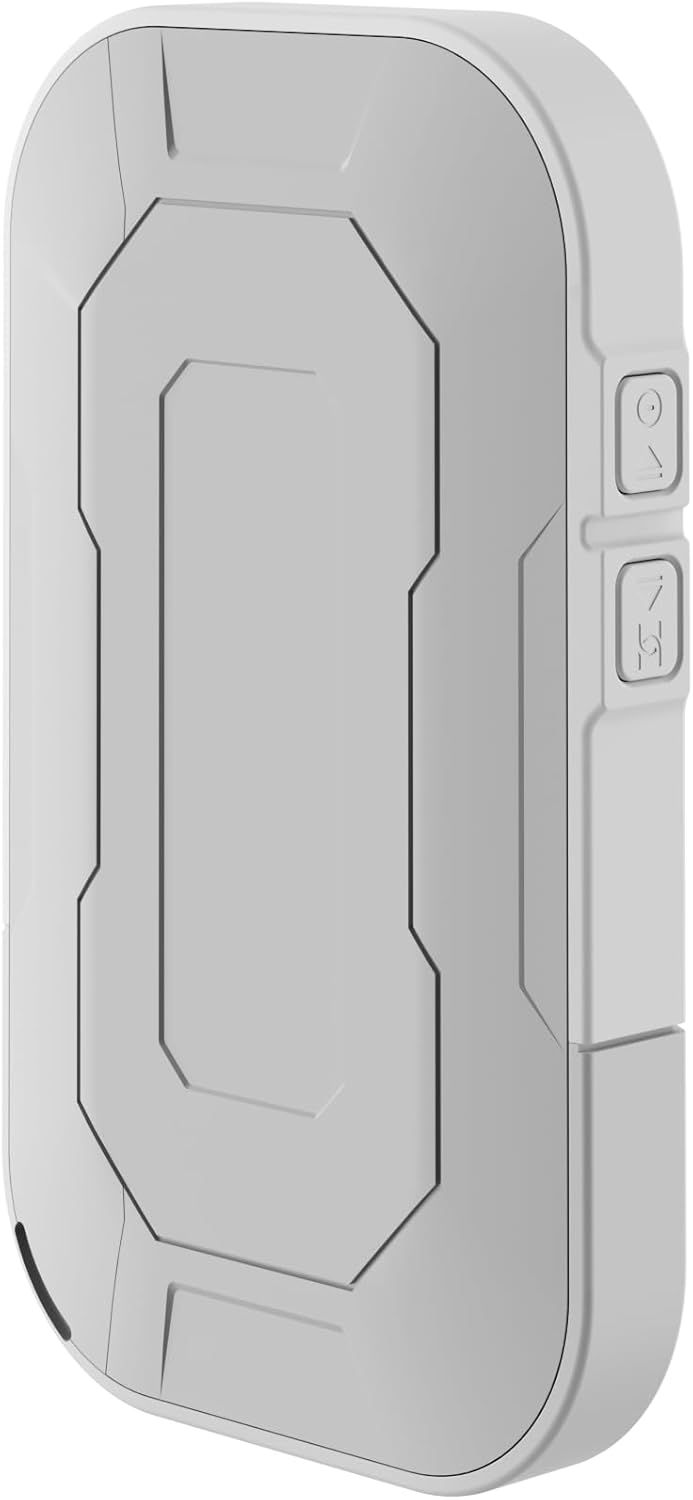
2. irudia: Atzekoa view of the device, illustrating its compact and portable design.

3. irudia: Aldea view displaying the USB Type-C port for charging and data transfer.

4. irudia: Aldea view illustrating the physical buttons for power and navigation.
Konfigurazioa
1. SIM txartela sartzea
- Locate the SIM card slot, typically found under the battery cover.
- Carefully remove the back cover and the battery.
- Insert your standard-sized SIM card into the designated slot with the gold contacts facing down, ensuring it clicks into place.
- Sartu berriro bateria eta jarri atzeko estalkia berriro.
2. Gailua kargatzea
- Connect the provided USB-A to USB Type-C cable to the device's charging port.
- Plug the other end into a USB power adapter (not included) or a computer's USB port.
- The battery indicator on the display will show charging status. Fully charge the device before first use.
3. Piztu/Itzaltzea
- To power on, press and hold the Power button (refer to Figure 4) until the display lights up.
- To power off, press and hold the Power button until the shutdown prompt appears on the screen, then confirm.
Funtzionamendu-argibideak
Gailuak Wi-Fi bidez konektatzea
- Ensure the Roamer 4G is powered on and has established a 4G connection (indicated on the display).
- Bilatu Wi-Fi konexioa duen zure gailuan (telefono adimenduna, tableta, ordenagailu eramangarria).
- Locate the network name (SSID) displayed on the Roamer 4G's screen.
- Enter the Wi-Fi password (Key) also shown on the Roamer 4G's screen. Alternatively, you can scan the QR code displayed on the device's screen for quick connection.
- Your device should now be connected to the internet via the Roamer 4G hotspot.
Pantaila ulertzea
The color display provides real-time information about your hotspot's status:
- Seinalearen indarra: Indicates the strength of the 4G cellular signal.
- Bateria maila: Gainerako bateriaren karga erakusten du.
- Datuen erabilera: Displays current upload/download speeds and total data consumed.
- Sareko informazioa: Provides details like SSID, password, and connected devices count.
Mantentzea
Bateria zaintzea
- To maximize battery lifespan, avoid exposing the device to extreme temperatures.
- Kargatu bateria aldizka, baina saihestu denbora luzez guztiz deskargatuta uztea.
- Gailua denbora luzez erabiliko ez baduzu, kargatu % 50 ingurura gorde aurretik.
Garbiketa
- Erabili zapi leun, lehor eta lihorik gabeko bat gailuaren kanpoaldea garbitzeko.
- Ez erabili garbitzaile likidorik, aerosolik edo disolbatzailerik.
Arazoak konpontzea
| Arazoa | Kausa posiblea | Irtenbidea |
|---|---|---|
| Ez dago Interneteko konexiorik | No SIM card inserted, SIM card not activated, no signal, data plan exhausted. | Ensure SIM is correctly inserted and active. Check signal strength on display. Verify data plan with your mobile operator. Try restarting the device. |
| Ezin da Wi-Fira konektatu | Incorrect password, device too far from hotspot, Wi-Fi disabled on hotspot. | Verify Wi-Fi password. Move closer to the hotspot. Ensure Wi-Fi is enabled on the Roamer 4G. |
| Gailua ez da pizten | Battery is depleted, battery not inserted correctly. | Kargatu gailua gutxienez 30 minutuz. Ziurtatu bateria behar bezala sartuta dagoela. |
Zehaztapenak
| Ezaugarri | Xehetasuna |
|---|---|
| Marka | Keenetic |
| Eredua | KN-5110-01-EU |
| Neurriak | 12.1 x 8.2 x 4.7 cm |
| Pisua | 200 gramo |
| Bateria mota | Litio-ioizko bateria (1 behar da, barne) |
| Haririk gabeko mota | 802.11b (Wi-Fi 6 compatible) |
| Konektibitate Teknologia | LTE |
| Gailu bateragarriak | PC (and other Wi-Fi enabled devices) |
| Ezaugarri bereziak | LED Indicator, Color Display |
Bermearen informazioa
For detailed warranty information, please refer to the warranty card included with your product or visit the official Keenetic webgunea. Gorde erosketaren egiaztagiria bermearen erreklamazioetarako.
Bezeroarentzako Arreta
If you encounter any issues not covered in this manual or require further assistance, please contact Keenetic customer support. Visit the official Keenetic webharremanetarako datuak eta laguntza baliabideak lortzeko gunea.
Era berean, bisitatu dezakezu Keenetic Store on Amazon informazio gehiagorako.