
OREiN 80/110 CFM
OREiN 3-in-1 Bathroom Fan with LED Light & Humidity Sensor Instruction Manual
Model: 80/110 CFM
1. Sarrera
Thank you for choosing the OREiN 3-in-1 Bathroom Fan. This innovative unit combines a powerful exhaust fan, an energy-efficient LED light with selectable color temperatures, and a smart humidity sensor to provide optimal ventilation and illumination for your bathroom. Designed for quiet operation and easy installation, this fan ensures a fresh and comfortable environment. Please read this manual thoroughly before installation and operation to ensure safe and proper use.
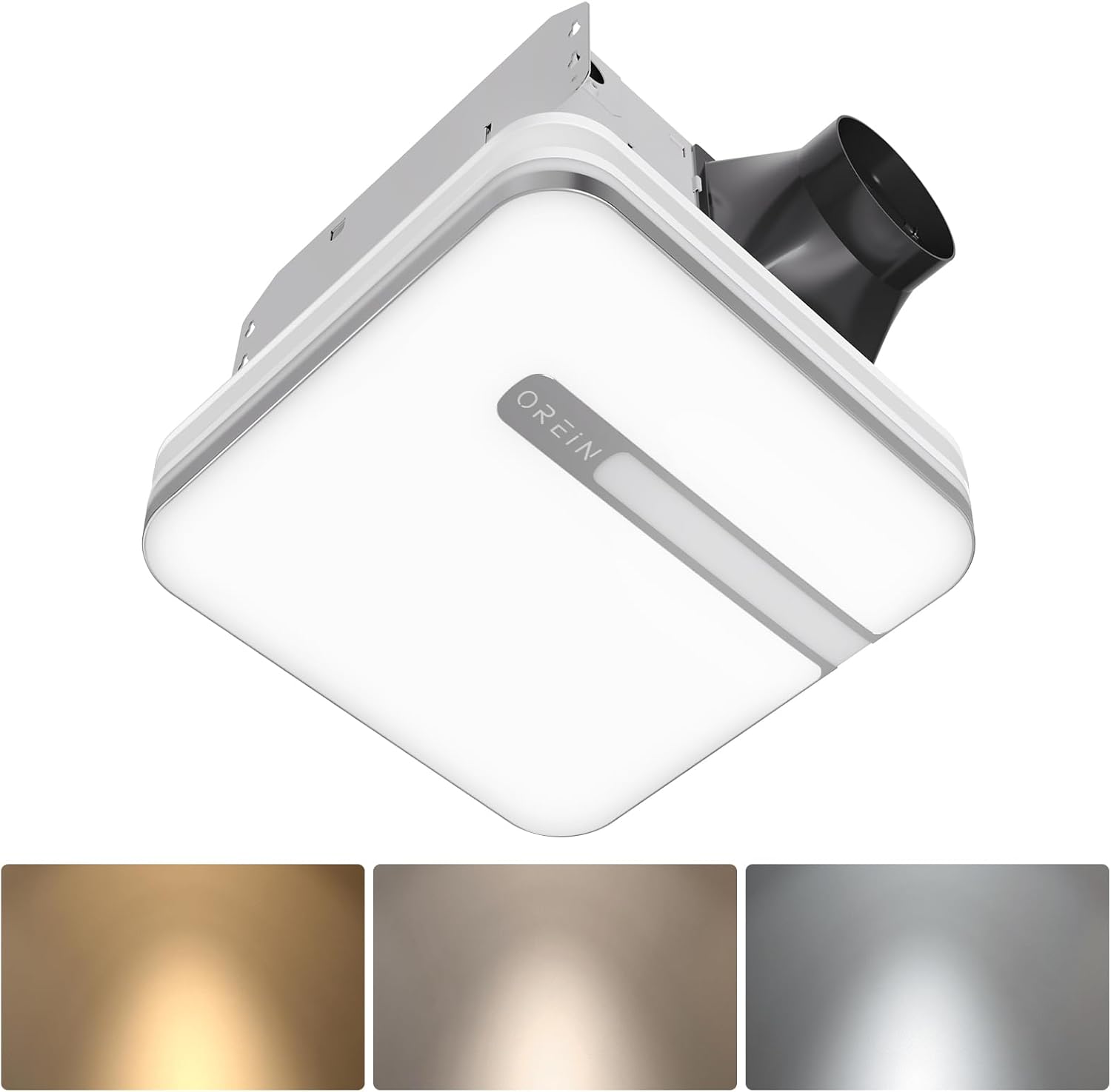
Image 1.1: OREiN 3-in-1 Bathroom Fan with LED Light and Humidity Sensor.
2. Segurtasun informazioa
Always follow basic safety precautions when installing, operating, or maintaining this product to reduce the risk of fire, electric shock, or injury to persons.
- OHARRA: Sute, deskarga elektriko edo pertsonei lesioen arriskua murrizteko, kontuan hartu honako hau:
- Erabili unitate hau fabrikatzaileak nahi duen moduan soilik. Galderarik baduzu, jarri harremanetan fabrikatzailearekin.
- Unitatea mantendu edo garbitu aurretik, itzali itzazu zerbitzu panelean eta blokeatu zerbitzua deskonektatzeko bitartekoak, nahita ez piztea. Zerbitzua deskonektatzeko bitartekoak blokeatu ezin direnean, lotu segurtasunez abisu gailu nabarmen bat, adibidez tag, zerbitzu panelera.
- Instalazio-lanak eta kableatu elektrikoak pertsona kualifikatuek egin behar dituzte aplikagarriak diren kode eta estandar guztien arabera, suaren aurkako eraikuntza-kode eta estandarrak barne.
- Aire nahikoa behar da erregaiak erretzeko ekipoen erregaien (tximinia) bidez erretzeko eta gasak agortzeko, atzera-tiroa saihesteko. Jarraitu berogailu-ekipoen fabrikatzailearen jarraibideei eta segurtasun-arauei, hala nola National Fire Protection Association (NFPA) eta American Society for Heating, Refrigeration and Air Conditioning Engineers (ASHRAE) eta tokiko kode agintariek argitaratutakoak.
- Horma edo sabaia mozten edo zulatzean, ez kaltetu kable elektrikoa eta ezkutuko beste tresna batzuk.
- Kanpoko haizagailuak aireratu behar dira beti.
- This unit is suitable for use in a shower or tub enclosure when installed in a GFCI protected branch circuit.
3. Paketearen edukia
Paketea irekitzean, egiaztatu osagai guztiak daudela eta kalterik ez dutela:
- OREiN 3-in-1 Bathroom Fan Unit
- LED argiaren estalkia
- Fast-Install Mounting Bracket
- Argibide eskuliburua (dokumentu hau)
- Instalazio-hardwarea (torlojuak, kable-konektoreak)
4. Produktuaren ezaugarriak
- Smart Humidity Sensor: Automatically activates the fan when humidity reaches 60% to prevent moisture buildup and fogged mirrors. A green LED indicator confirms humidity mode is active.
- Argiaren kolore erregulagarriak: Choose between 3000K (warm white), 4000K (natural white), and 5000K (daylight) to suit your preference.
- Gaueko argiaren funtzioa: A 2200K nightlight provides soft illumination for safe nighttime navigation.
- Funtzionamendu isila: Operates at ultra-quiet 0.8/1.0 sones for minimal noise disruption.
- Selectable Airflow: Choose between 80 CFM and 110 CFM airflow settings for efficient moisture removal.
- LED argi integratua: Delivers 1500lm of bright, energy-efficient illumination.
- Instalazio erraza: Designed for simple mounting between ceiling joists with a fast-install bracket.

Image 4.1: Internal design highlighting quiet and energy-efficient components.
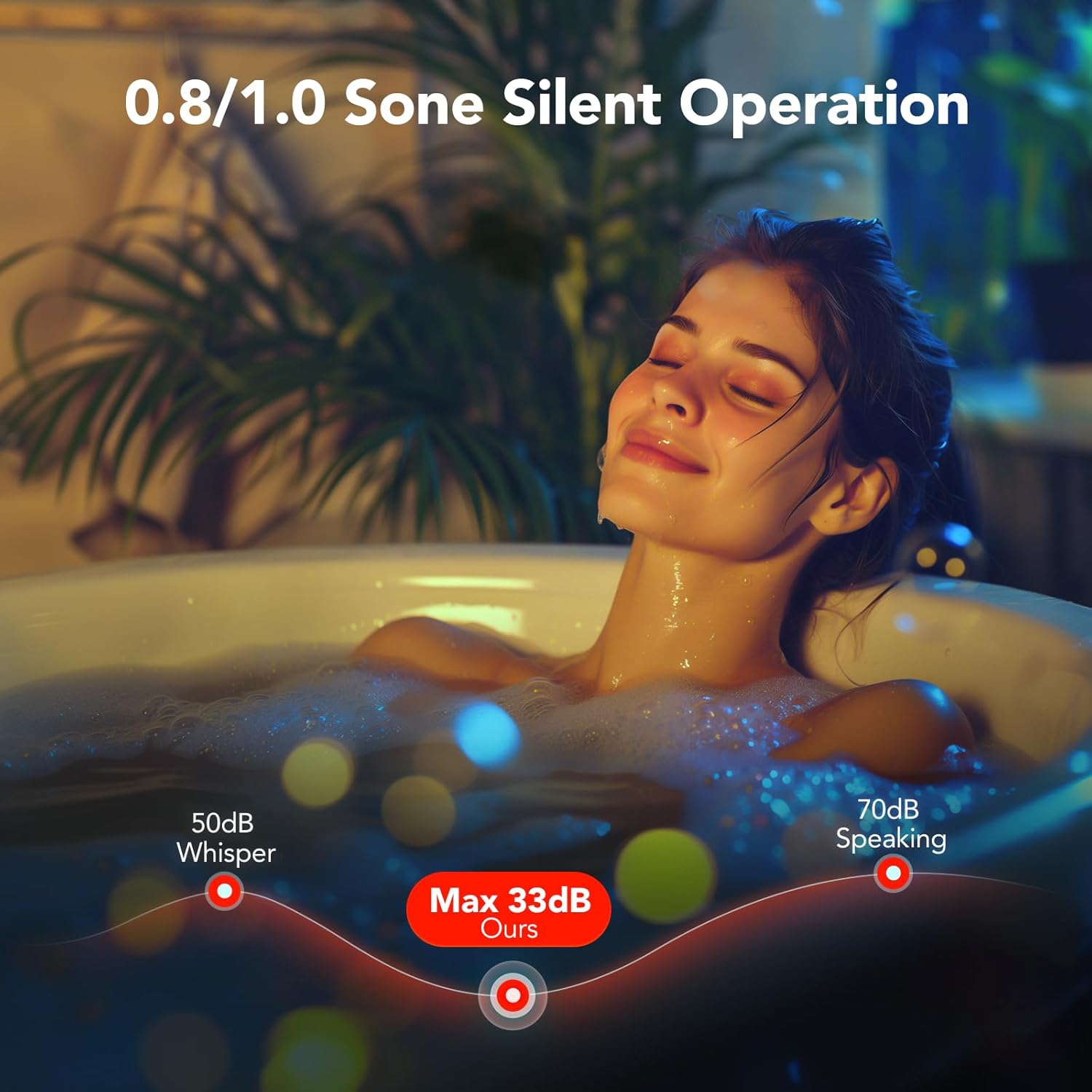
Image 4.2: Visual representation of the fan's quiet operation at low decibel levels.
5. Konfigurazioa eta instalazioa
This section provides general guidance for installation. For detailed electrical wiring, consult a qualified electrician.
- Prestaketa: Ensure power is turned off at the circuit breaker before beginning any installation work.
- Irekitzeko tamaina: The fan unit requires a ceiling opening of approximately 10.24" x 9.37" (260mm x 238mm). Ensure there are no obstructions like joists in the desired installation area.
- Muntaketa: The fast-install bracket allows for secure mounting between ceiling joists. Position the fan unit and secure the bracket using appropriate screws. The design allows for installation from below the ceiling, eliminating the need for attic access in many cases.
- Kanalizazioa: Connect the fan to standard 4-inch ducting and ensure it is vented to the outdoors.
- Konexio elektrikoa: Connect the electrical wiring according to local codes and the provided wiring diagram. The light and fan may have independent wiring for separate control.
- Light Cover Installation: Once the fan unit is secured and wired, attach the LED light cover. It typically connects with spring clips for easy removal and maintenance.

Image 5.1: Product dimensions and recommended installation opening size.

Image 5.2: Simplified installation process showing the fan unit being placed into the ceiling opening.
6. Funtzionamendu-argibideak
6.1. Humidity Sensing Mode vs. Manual Mode
The fan offers two operating modes: Manual and Humidity Sensing. You can switch between these modes by cycling the wall switch of the fan to the "OFF" position and then back to the "ON" position.
- Manual Mode (Red LED Indicator): The fan will run continuously when turned on via the wall switch.
- Humidity Sensing Mode (Green LED Indicator): The fan will automatically turn on when the humidity level in the room reaches 60%. It will continue to run until the humidity drops below the threshold, then run for an additional 20 minutes before turning off.
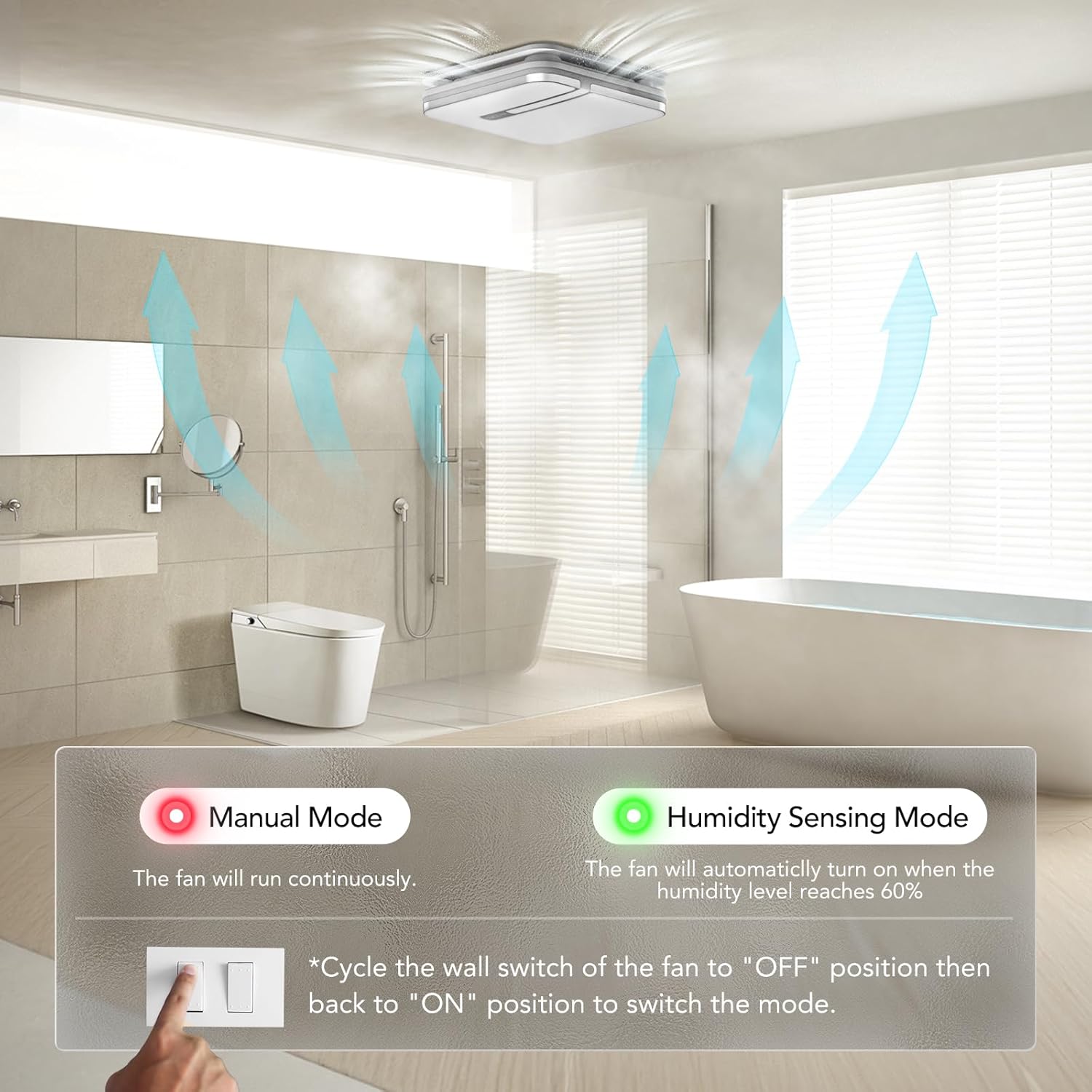
Image 6.1: Switching between Manual and Humidity Sensing Modes.

Image 6.2: How the humidity sensor automatically activates the fan.

Image 6.3: Humidity sensor logic: fan turns on above 60% humidity and runs for 20 minutes after humidity drops.
6.2. Adjusting Light Color Temperature
The LED light offers three color temperature options: 3000K (Warm White), 4000K (Natural White), and 5000K (Daylight). To select the desired color temperature, locate the toggle switch on the back of the lampshade and slide it to your preferred setting.

Image 6.4: Selecting the light color temperature (3000K, 4000K, 5000K).

Image 6.5: Visualizing the different light color temperatures in a bathroom setting.
6.3. Activating Night Light
To activate the 2200K night light mode, quickly cycle the light switch ON-OFF-ON within 2 seconds. This will switch the main light to the softer night light setting.

Image 6.6: The 2200K night light provides subtle illumination.

Image 6.7: Instructions for activating the nightlight mode.
6.4. Selecting CFM Airflow
The fan allows you to select between 80 CFM and 110 CFM airflow settings. This selection is made by sliding a toggle switch located on the fan housing. Choose the appropriate CFM based on your bathroom size and ventilation needs.
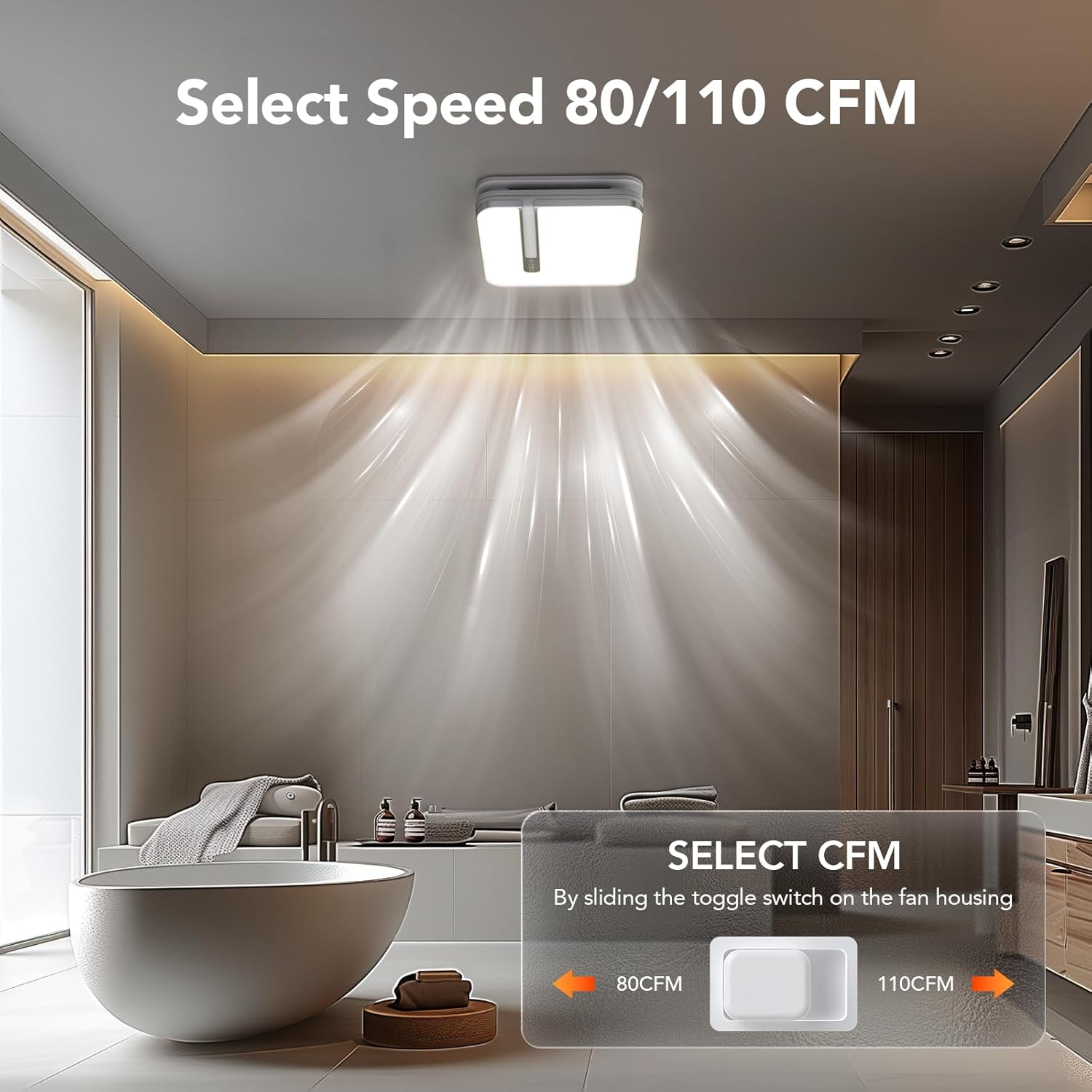
Image 6.8: Location of the CFM selection switch (80 CFM or 110 CFM).
7. Mantentzea
Regular maintenance ensures optimal performance and longevity of your OREiN bathroom fan.
- Cleaning the Light Cover: The light cover can be easily removed for cleaning. Gently unclip the cover from the fan housing. Clean with a soft, damp oihal bat eta detergente leun bat. Ziurtatu guztiz lehor dagoela berriro jarri aurretik.
- Haizagailuaren pala garbitzea: Periodically, inspect the fan blades for dust and debris buildup. Turn off power at the circuit breaker before attempting to clean the fan blades. Use a soft brush or vacuum cleaner to remove any accumulation.
- Hodien ikuskapena: Annually inspect the ducting for any blockages or damage that could impede airflow.
8. Arazoak
If you encounter issues with your OREiN bathroom fan, refer to the following common troubleshooting steps:
| Arazoa | Kausa posiblea | Irtenbidea |
|---|---|---|
| Haizagailua ez da pizten. | Unitateari ez dago energiarik. | Check circuit breaker. Ensure wall switch is ON. Verify electrical connections. |
| Argia ez da pizten. | Loose connection or faulty LED module. | Check the push clip connection for the light. If issue persists, contact support. |
| Haizagailua gehiegi zaratatsua da. | Obstruction in fan blades or motor. | Turn off power and inspect fan blades for debris. Ensure proper installation and secure mounting. |
| Humidity sensor not activating. | Incorrect mode selected or sensor malfunction. | Cycle the wall switch to ensure Humidity Sensing Mode (green LED) is active. Ensure humidity in the room is above 60%. |
| Poor ventilation/steam not clearing. | Incorrect CFM setting, blocked ducting, or undersized fan for room. | Ensure 110 CFM is selected if needed. Check ducting for blockages. Ensure proper room sealing. |
If the problem persists after trying these solutions, please contact OREiN customer support.
9. Zehaztapenak
| Ezaugarri | Xehetasuna |
|---|---|
| Marka | OREIN |
| Eredua | 80/110 CFM |
| Aire-fluxua (CFM) | Selectable 80 / 110 CFM |
| Sones (Noise Level) | 0.8 / 1.0 Sones |
| Argiaren irteera | 1500 lm |
| Kolore Tenperatura (CCT) | 3000K / 4000K / 5000K Hautagarria |
| Gaueko Argia CCT | 2200K |
| Energia iturria | DC |
| Produktuaren neurriak | Approx. 1"D x 1"W x 1"H (Unit), 13.1'' x 13.1'' (Light Cover) |
| Instalazio-tamaina | 10.24" x 9.37" (260 mm x 238 mm) |
| Hodiaren Diametroa | 4 hazbetekoa |
| Muntatze Mota | Flush mendia |
| Elementuaren pisua | 18.06 kilo |
| UPC | 734376313753 |
Note: Product dimensions provided as 1"D x 1"W x 1"H are likely placeholders and may not reflect actual physical size. Refer to installation size for accurate cutout dimensions.

9.1. irudia: Amaituview of different OREiN fan models and their specifications.
10. Bermea eta Laguntza
OREiN is committed to providing high-quality products and excellent customer service. For any questions, concerns, or support needs regarding your 3-in-1 Bathroom Fan, please contact us through the following channels:
- Amazon Contact: You can contact us directly through Amazon's messaging system for assistance with your purchase.
- Telefono-laguntza: For 24-hour service, please call: 1 (844) 506-1530
- Sarean: Bilatu 'OREiN' online to find our official website and additional support resources.
Please retain your proof of purchase for warranty claims. For detailed warranty information, refer to the product packaging or contact customer support.

Image 10.1: OREiN Customer Support is available to assist you.
Ask a question about this manual
Ask about setup, troubleshooting, compatibility, parts, safety, or missing instructions. Manuals+ will review the question and use this page’s manual context to help answer it.