
1. Sarrera
Thank you for choosing Bluedee BD-SK900 Computer Speakers. This manual provides essential information for the proper setup, operation, and maintenance of your new speakers. Please read this guide thoroughly before use to ensure optimal performance and longevity of your device. These speakers are designed to deliver high-fidelity audio with versatile connectivity and dynamic RGB lighting for an enhanced audio-visual experience.
2. Paketearen edukia
Mesedez, egiaztatu behean zerrendatutako elementu guztiak zure paketean sartuta daudela:
- 1x Bluedee Computer Speaker (Pair)
- 1x USB/USB-C Cable
- 1x Abiadura Gida Gida
3. Produktuaren ezaugarriak
The Bluedee BD-SK900 speakers are equipped with advanced features for a superior audio experience:
- Fideltasun handiko soinu estereoa: Features 2 tweeters, 2 full-range drivers, and 2 passive radiators for clear highs, rich mids, and powerful bass with a 20W output.
- All-in-One Control Knob: A single, intuitive knob allows for play/pause, volume adjustment, lighting control, and switching between connection modes.
- Bluetooth 5.4 konexioa: Ensures a stable, low-latency wireless connection for seamless audio streaming. (Note: Requires USB power supply for operation).
- Plug & Play diseinua: Connects easily via the included USB/USB-C cable for both audio and power, requiring no additional drivers or software.
- RGB argiztapen dinamikoa: Offers 5 distinct RGB lighting modes, including dynamic color-shifting and static single-color glows, controllable via the knob.
- Unique Egg-shaped Acoustic Design: A minimalist and space-saving design (5.1"D x 5"W x 7.2"H) that enhances sound projection.
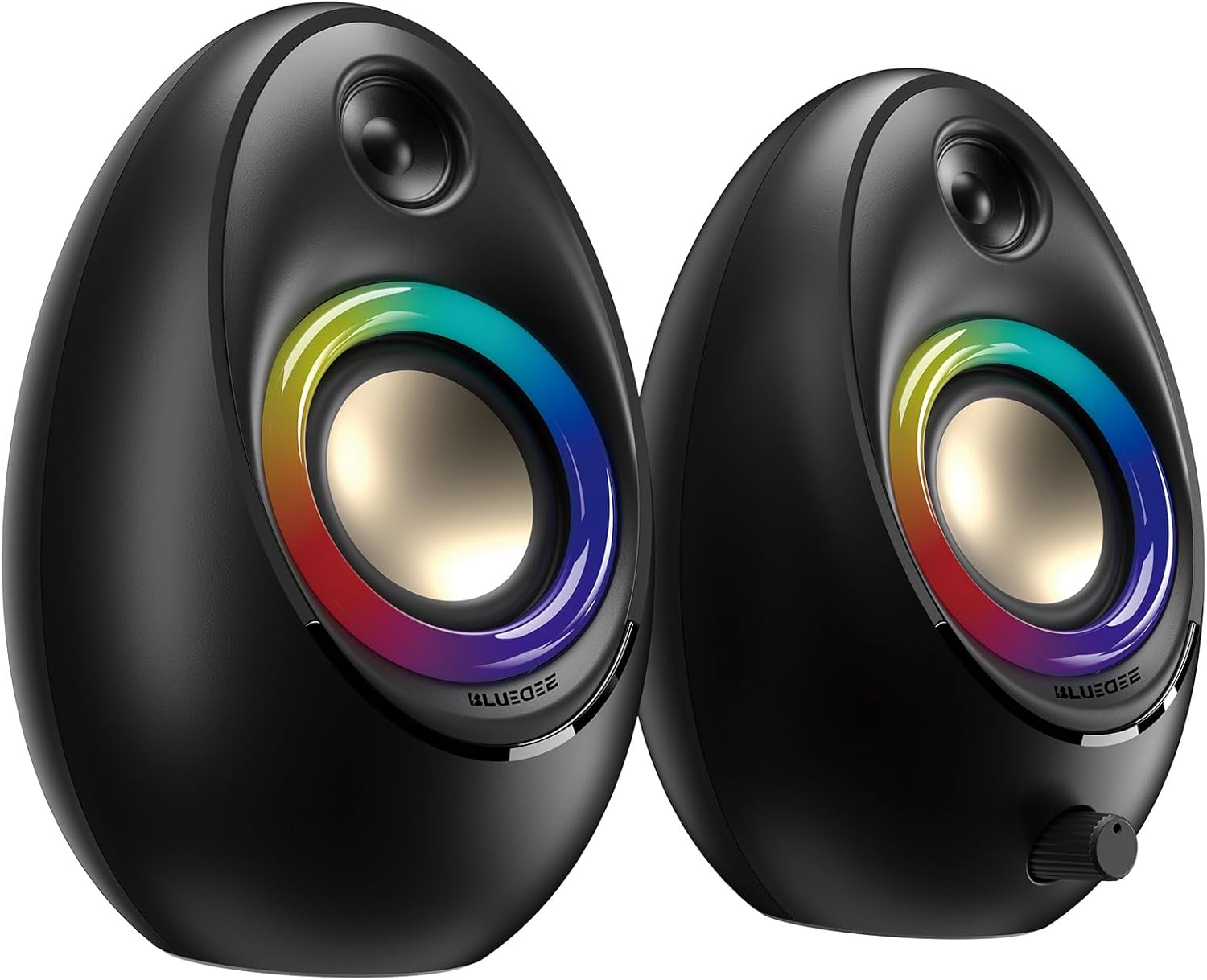
Figure 3.1: Bluedee BD-SK900 Computer Speakers, showcasing their design and RGB lighting.

Figure 3.2: Internal acoustic architecture of the Bluedee BD-SK900 speakers.

Figure 3.3: The multi-functional control knob for easy operation.
4. Konfiguratzeko argibideak
Follow these steps to set up your Bluedee BD-SK900 speakers:
- Lekua: Position the two speakers on your desktop or desired surface, ensuring they are spaced appropriately for optimal stereo sound.
- Connect Power and Audio: Use the provided all-in-one USB/USB-C cable. Connect the USB-A or USB-C end to an available port on your computer (desktop, laptop) or a compatible USB power adapter (not included). The speakers will power on automatically.
- Hasierako konexioa: Upon connecting, the speakers will typically default to USB audio mode. If your computer recognizes the speakers, audio will play directly through them.
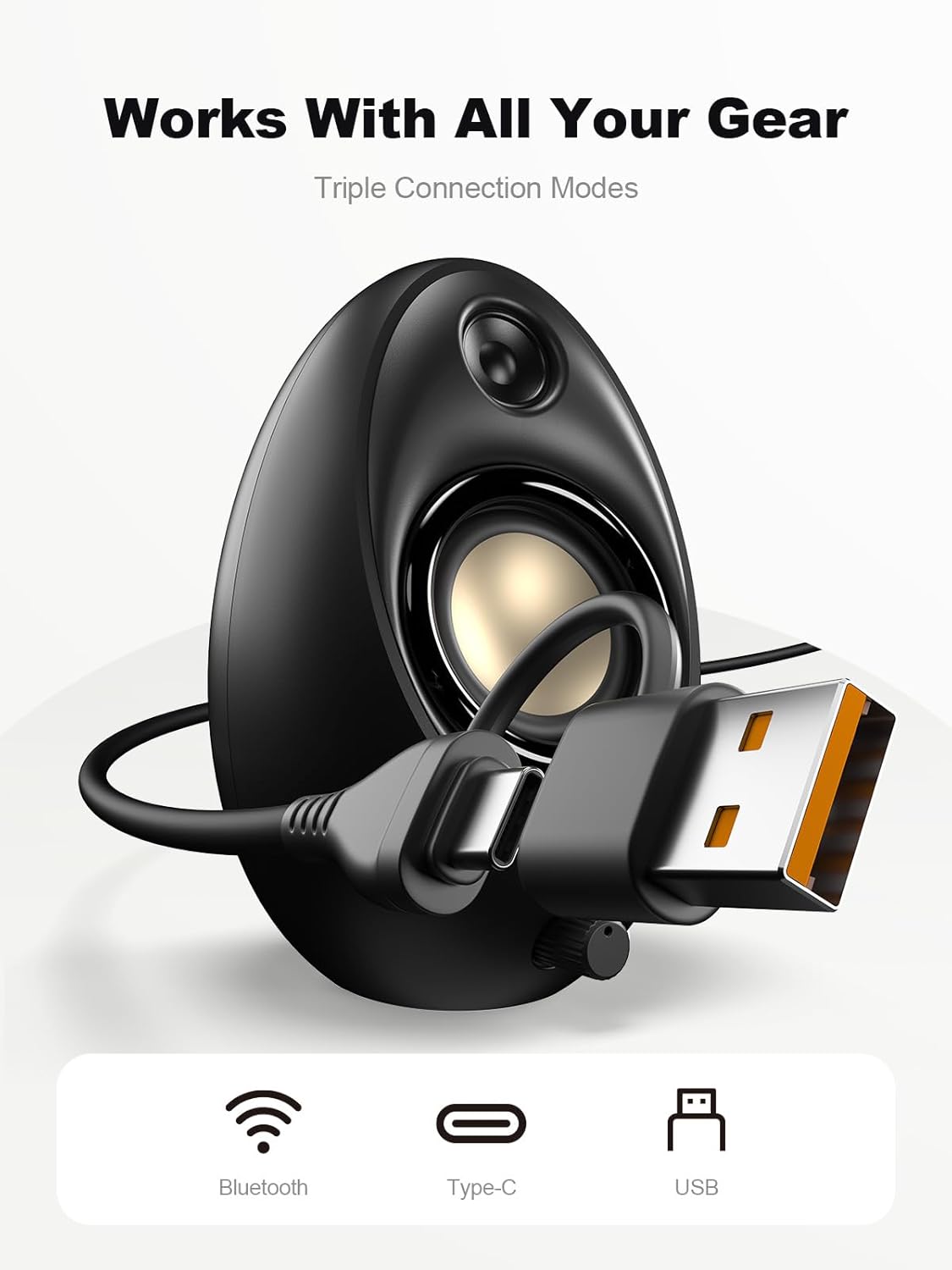
Figure 4.1: Connecting the speakers via USB/USB-C cable.
5. Funtzionamendu-argibideak
5.1 Piztu/Itzali
The speakers power on automatically when connected to a USB power source. To power off, disconnect the USB cable.
5.2 Bolumen kontrola
Rotate the multi-functional knob clockwise to increase volume and counter-clockwise to decrease volume.
5.3 Bluetooth parekatzea
- Aldatu Bluetooth modura: Press and hold the multi-functional knob for approximately 2-3 seconds until the speaker indicates Bluetooth mode (e.g., a specific light pattern or audio prompt).
- Gaitu Bluetooth gailuan: Zure telefonoan, tabletan edo ordenagailu eramangarrian, gaitu Bluetooth eta bilatu eskuragarri dauden gailuak.
- Bikotea: Select "Bluedee BD-SK900" from the list of devices. Once paired, the speakers will confirm the connection.
5.4 USB/Type-C Connection
When connected via the USB/USB-C cable, the speakers will automatically function as an audio output device for your computer. To switch back to USB mode from Bluetooth, press and hold the multi-functional knob again.
5.5 RGB argiztapenaren kontrola
The speakers feature 5 dynamic RGB lighting effects. Briefly press the multi-functional knob to cycle through the available lighting modes. This allows you to customize the ambiance to your preference.

Figure 5.1: Dynamic RGB lighting effects.
6. Arazoak
If you encounter issues with your Bluedee BD-SK900 speakers, please refer to the following common solutions:
- Soinurik ez:
- Ensure the USB/USB-C cable is securely connected to both the speakers and your device/power source.
- Check the volume level on both the speakers (using the knob) and your connected device.
- Egiaztatu ordenagailuaren soinu ezarpenetan audio irteerako gailu zuzena hautatuta dagoela.
- If using Bluetooth, ensure the speakers are in Bluetooth mode and successfully paired.
- Bluetooth deskonektatzeko/parekatzeko arazoak:
- Ensure the speakers are within the 10-meter Bluetooth range of your device.
- Itzali eta piztu Bluetooth-a zure gailuan, eta saiatu berriro parekatzen.
- Forget the device from your Bluetooth list and re-pair.
- Ensure the speakers are not connected to another device.
- RGB argiak ez funtzionatzen:
- Ziurtatu bozgorailuak piztuta daudela.
- Briefly press the multi-functional knob to cycle through lighting modes; the lights might be off or in a static mode.
- Audio distortsionatua:
- Murriztu bozgorailuen eta konektatutako gailuaren bolumena.
- Ziurtatu audio iturria kalitate onekoa dela.
- Check for any interference if using Bluetooth.
7. Zehaztapenak
| Ereduaren izena | BD-SK900 |
| Hizlari mota | Ordenagailu Hizlaria |
| Konektibitate Teknologia | Bluetootha, USBa |
| Bluetooth bertsioa | 5.4 |
| Bluetooth barrutia | 10 metro |
| Potentzia Irteera | 20W |
| Seinaleen eta zarataren arteko erlazioa | 70 dB |
| Maiztasun Erantzuna | 20 KHz (Goiko muga, ohikoa den tarte osokoa) |
| RGB argiztapen moduak | 5 |
| Gailu bateragarriak | Mahaigaina, ordenagailu eramangarria, telefono adimenduna, tableta |
| Produktuaren neurriak (bozgorailu bakoitzeko) | 5.1" L x 5" W x 7.2" H |
| Elementuaren pisua | 2.88 kilo |
| Energia iturria | Corded Electric (USB/Type-C) |

Figure 7.1: Speaker dimensions and design.
8. Mantentzea
Zure bozgorailuen iraupena eta errendimendu optimoa bermatzeko, jarraitu mantentze-jarraibide hauek:
- Garbiketa: Use a soft, dry cloth to clean the speaker surfaces. Avoid using abrasive cleaners, solvents, or strong chemicals, as they may damage the finish.
- Biltegiratzea: Denbora luzez erabiltzen ez dituzunean, gorde bozgorailuak leku fresko eta lehor batean, eguzki-argitik eta muturreko tenperaturetatik babestuta.
- Manipulazioa: Kontu handiz maneiatu bozgorailuak. Saihestu erortzea edo kolpe bortitzak jasatea.
- Aireztapena: Ensure proper ventilation around the speakers to prevent overheating. Do not block any vents.
9. Segurtasun informazioa
Mesedez, kontuan hartu segurtasun neurri hauek:
- Do not expose the speakers to water, moisture, or extreme temperatures.
- Do not attempt to disassemble or modify the speakers. This will void the warranty and may cause damage or injury.
- Keep the speakers away from heat sources, open flames, and direct sunlight.
- Use only the provided USB/USB-C cable for connection.
- Entzumen-kalteak saihesteko, saihestu denbora luzez bolumen altuegietan entzutea.
10. Bermea eta Laguntza
Bluedee provides comprehensive support for your BD-SK900 Computer Speakers:
- Kalitatearen bermea: Your speakers are covered by a 540-day quality warranty from the date of purchase.
- Bizi osorako laguntza: Bluedee offers lifetime customer support for this product.
- Harremanetarako: For any questions, technical assistance, or warranty claims, please contact us via Amazon Messages or refer to the contact details provided in your Quick Start Guide.


