
Sarrera
Thank you for choosing the pTron Studio Evo Wireless Over-Ear Headphones. This manual provides essential information for setting up, operating, and maintaining your headphones to ensure optimal performance and longevity. Please read these instructions carefully before use.
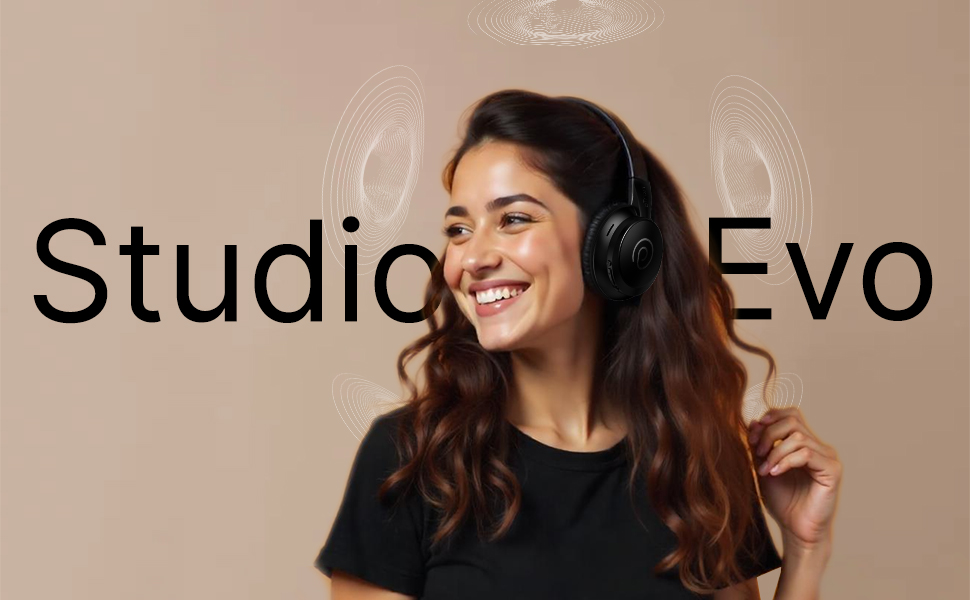
Irudia: Gainetikview of pTron Studio Evo features including sound quality, battery life, driver size, controls, charging, and connectivity modes.
Konfigurazioa
1. Kutxatik ateratzea eta osagaiak
Kontu handiz atera elementu guztiak paketetik. Kutxak honako hauek izan behar ditu:
- pTron Studio Evo Wireless Over-Ear Headphones
- USB motako C kargatzeko kablea
- 3.5mm Audio Cable (Aux-in)
- Erabiltzailearen eskuliburua (dokumentu hau)
2. Entzungailuak kargatzea
Before first use, fully charge your headphones. Connect the provided USB Type-C cable to the charging port on the headphones and the other end to a compatible USB power source (e.g., wall adapter, computer USB port).
- Kargatzeko denbora: Gutxi gorabehera 2 ordu karga osoa lortzeko.
- Bateriaren iraupena: Up to 70 hours of playtime on a single full charge.

Image: pTron Studio Evo headphones highlighting 70 hours of playtime and Type-C fast charging.
3. Piztu/Itzaltzea
- Pizteko: Sakatu eta eutsi pizteko botoia 3 segundo inguru, LED adierazlea piztu arte.
- Itzaltzeko: Sakatu eta eutsi pizteko botoia 3 segundo inguru LED adierazlea itzali arte.
4. Bluetooth parekatzea
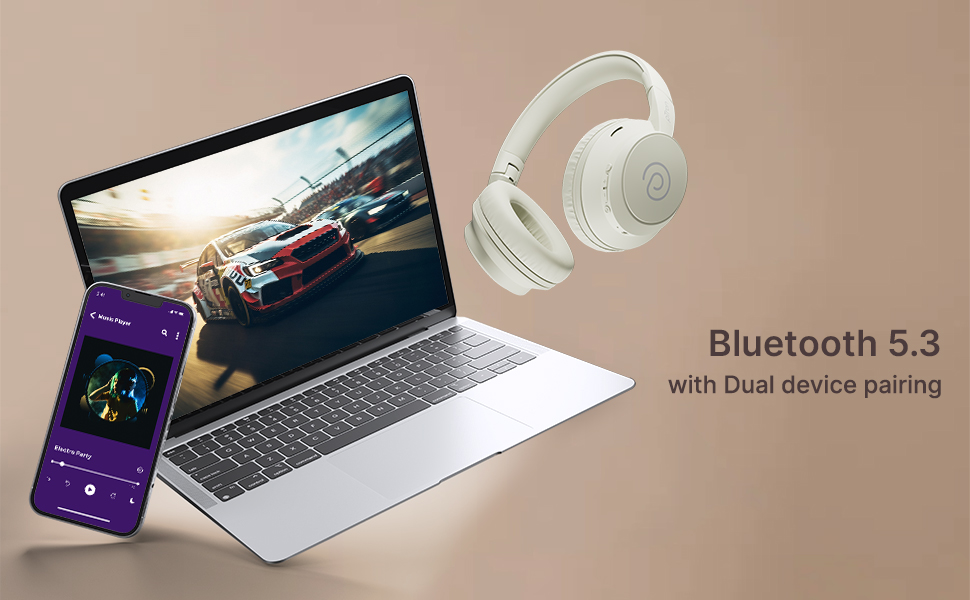
The pTron Studio Evo headphones utilize Bluetooth 5.3 for stable wireless connectivity.
- Ziurtatu entzungailuak itzalita daudela.
- Sakatu eta eutsi pizteko botoia 5-7 segundoz, LED adierazlea txandaka gorriz eta urdinez keinuka hasi arte, parekatze modua adieraziz.
- Zure gailuan (smartphone-a, ordenagailu eramangarria, etab.), gaitu Bluetooth-a eta bilatu eskuragarri dauden gailuak.
- Select "pTron Studio Evo" from the list of found devices.
- Behin konektatuta, LED adierazlea urdin finko bihurtuko da edo urdin keinuka poliki egingo du.
Gailu bikoitzen parekatzea: These headphones support connecting to two devices simultaneously. After pairing with the first device, disable Bluetooth on that device, then pair with the second device. Re-enable Bluetooth on the first device, and the headphones should connect to both. You can then switch audio playback between the two devices.

Image: Headphones connected to both a phone and a laptop, demonstrating Bluetooth 5.3 dual device pairing.
5. Wired Connection (Aux-in)
For a wired connection, use the provided 3.5mm audio cable. Plug one end into the headphone's 3.5mm jack and the other end into your audio source's auxiliary output. The headphones will automatically switch to wired mode when the cable is connected.
Funtzionamendu-argibideak
1. Kontrolakview
The headphones feature integrated buttons for easy control of music, calls, and modes.
Irudia: Xehetasun handikoa view of the integrated control buttons on the pTron Studio Evo headphones.
- Pizteko botoia: Sakatu eta eutsi pizteko/itzaltzeko. Sakatu labur musika erreproduzitzeko/pausatzeko edo deiak erantzuteko/amaitzeko.
- Bolumena igo (+): Sakatu labur bolumena igotzeko. Sakatu luze hurrengo abestirako.
- Bolumena jaitsi (-): Sakatu labur bolumena jaisteko. Sakatu luze aurreko abestira joateko.
- EQ botoia: Short press to cycle through EQ modes (Bass, Movie, Pop, Vocal).
2. EQ moduak
The pTron Studio Evo headphones offer multiple low-latency EQ modes optimized for different audio experiences:
- Joko modua: Audioaren latentzia murrizten du joko-esperientzia sinkronizatuagoa lortzeko.
- Filmen modua: Enhances dialogue clarity and cinematic sound effects.
- Musika modua: Audio profesional orekatua eskaintzen dufile for general music listening.
- Baxu modua: Boosts low frequencies for a deeper bass response.
- Pop modua: Optimized for pop music genres.
- Ahots modua: Enhances vocal clarity, ideal for podcasts or audiobooks.
Press the EQ button to switch between these modes.
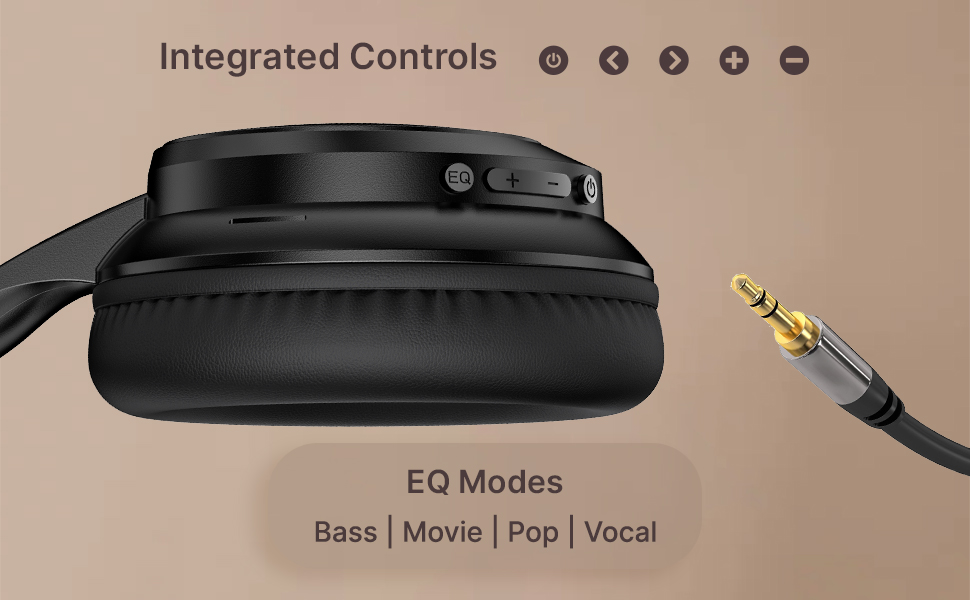
Image: User engaging in gaming with headphones, demonstrating low-latency sync for game mode.
3. Deiak egitea eta jasotzea
The headphones include a built-in HD microphone for hands-free calls.
- Deia erantzun/amaitu: Sakatu labur pizteko botoia.
- Deia baztertu: Eduki sakatuta pizteko botoia 2 segundoz.
4. Ahots Laguntzailea
Access your device's voice assistant (e.g., Siri, Google Assistant) by double-pressing the Power button.
5. Entzungailuak janztea
The pTron Studio Evo headphones feature an ergonomic design with soft earcups and an adjustable head beam for comfortable all-day listening. Adjust the head beam to position the earcups exactly over your ears for the best fit and sound isolation.
Mantentzea
1. Garbiketa
Regularly clean your headphones to maintain hygiene and performance.
- Erabili zapi leun eta lehor bat entzungailuak eta buruko zinta garbitzeko.
- Ez erabili garbitzaile edo disolbatzaile urratzailerik.
- Avoid getting moisture into the charging port or audio jack.
2. Urarekiko erresistentzia
The headphones are IPX5 water-resistant, meaning they can withstand splashes and sweat. Do not submerge them in water or expose them to heavy rain.
3. Biltegiratzea
The foldable design allows for easy storage. Fold the headphones when not in use to protect them from damage and save space. Store them in a cool, dry place away from direct sunlight and extreme temperatures.
Arazoak konpontzea
- Potentziarik gabe: Ziurtatu entzungailuak guztiz kargatuta daudela. Konektatu energia-iturri batera eta saiatu berriro.
- Ezin da parekatu: Make sure Bluetooth is enabled on your device and the headphones are in pairing mode (flashing red and blue LED). Try restarting both devices.
- Soinurik ez: Check the volume levels on both the headphones and your connected device. Ensure the correct audio output is selected on your device. If using a wired connection, ensure the 3.5mm cable is fully inserted.
- Soinu kalitate eskasa: Ensure the headphones are within the Bluetooth range (up to 10 meters) of your device. Avoid obstacles that may interfere with the signal. Try switching EQ modes.
- Mikrofonoa ez dabil: Ensure the headphones are properly connected and selected as the input device on your call application.
Zehaztapenak
| Ezaugarri | Zehaztapena |
|---|---|
| Ereduaren izena | Estudioa |
| Konektibitate Teknologia | Haririk gabeko (Bluetooth) |
| Haririk gabeko Komunikazio Teknologia | Bluetooth 5.3 |
| Bluetooth barrutia | 10 metro |
| Audio kontrolatzailearen tamaina | 40 milimetro |
| Bateriaren iraupena | 70 ordu |
| Kargatzeko Denbora | 2 ordu |
| Aurikularretarako Jack | 3.5 mm Jack |
| Uraren Erresistentzia Maila | IPX5 urarekiko erresistentea |
| Kontrol-metodoa | Sakatu botoia, ahotsa |
| Zarata Kontrola | Soinu Isolamendua |
| Materiala | Akrilonitrilo Butadieno Estirenoa (ABS) |
| Elementuaren pisua | 157 gramo |
| Produktuaren neurriak | 19.2 x 15.8 x 7.9 cm |
Bermea eta Laguntza
1. Fabrikatzailearen Bermea
The pTron Studio Evo headphones come with a 1 urteko fabrikatzailearen bermea from the date of purchase. This warranty covers manufacturing defects only. Please retain your proof of purchase for warranty claims.
2. Bezeroarentzako arreta
Edozein zalantza, laguntza tekniko edo berme erreklamazio izanez gero, jarri harremanetan pTron bezeroarentzako arreta-zerbitzuarekin:
- Posta elektronikoa: support@ptron.in
- Telefonoa: 040-67138888