
1. Sarrera
This manual provides essential information for the proper setup, operation, and maintenance of your Veout 15.6-inch Portable Monitor. Please read these instructions thoroughly before using the product to ensure optimal performance and longevity.
2. Paketearen edukia
Egiaztatu behean zerrendatutako elementu guztiak zure produktuaren ontzian daudela:
- 1 x Monitor eramangarria
- 1 x USB-A USB-C kablea
- 1 x USB-C USB-C kablea
- 1 x Mini HDMItik HDMI kablea
- 1 x Erabiltzailearen eskuliburua

Figure 2.1: Included accessories with the portable monitor.
3. Produktua amaitu daview
The Veout portable monitor features a 15.6-inch IPS display with a slim profile and integrated kickstand for versatile use.
3.1. Ezaugarri fisikoak

3.1. irudia: Aurrealdea view of the Veout 15.6-inch Portable Monitor.

3.2. Irudia: Atzealdea view highlighting connectivity ports.

3.3 irudia: Alboko aldeafile demonstrating the monitor's thin design.
3.2. Ataka eta kontrolak
- Full-Function USB-C Ports: For video, audio, data, and power delivery with a single cable.
- Mini-HDMI ataka: For video and audio input. Requires external power via USB-C when used.
- 3.5 mm-ko audio-konexioa: Kanpoko entzungailuak edo bozgorailuak konektatzeko.
- Control Wheel/Buttons: Used for adjusting volume, brightness, and navigating the On-Screen Display (OSD) menu.
3.3. Integrated Kickstand
The monitor features a foldable kickstand for stable positioning at various viewangeluak.
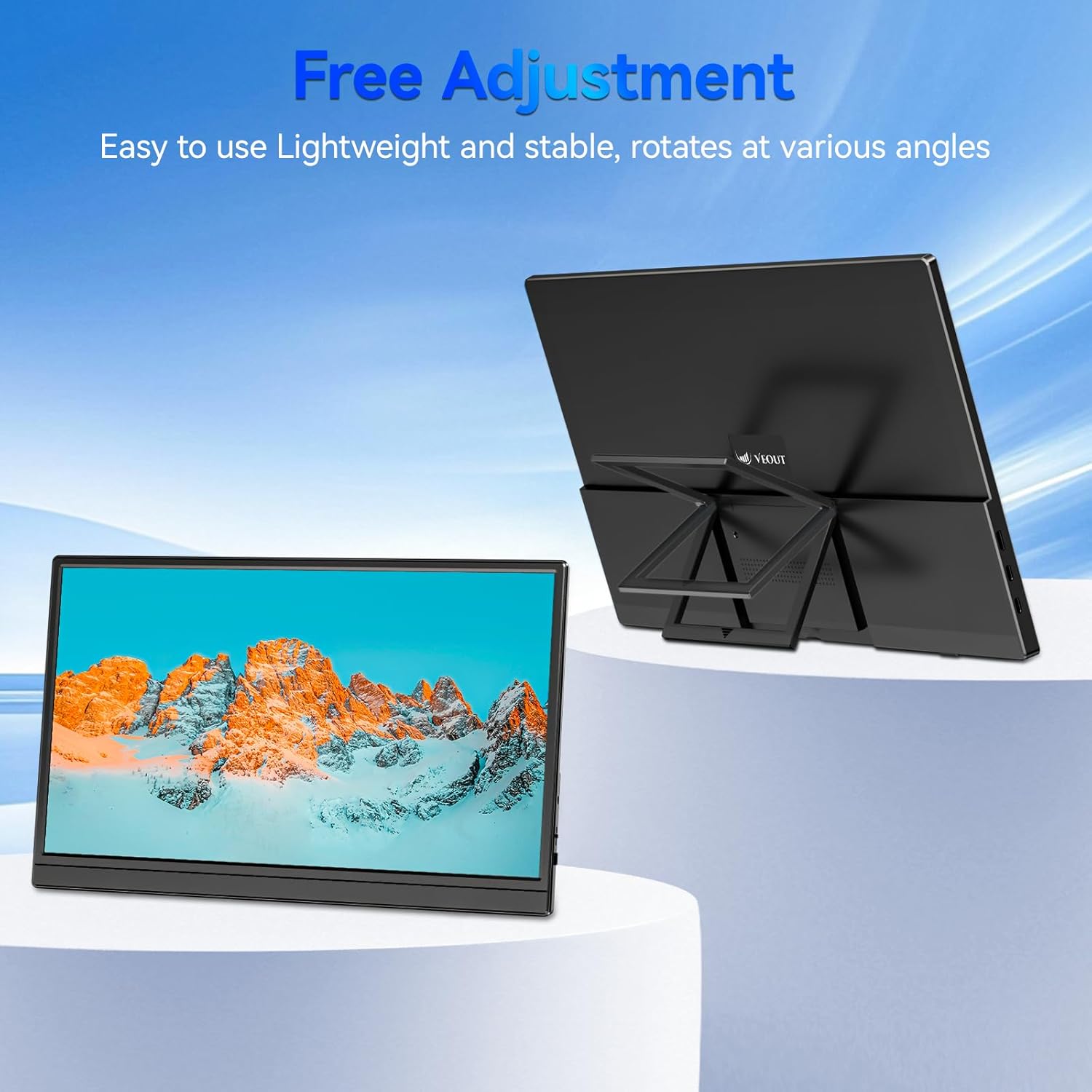
Figure 3.4: Monitor with kickstand for adjustable viewing.
4. Konfigurazioa
The Veout portable monitor supports plug-and-play functionality, requiring no driver installation for most devices.
4.1. Gailu batera konektatzea
- USB-C Connection (Single Cable):
- Connect one end of the USB-C to USB-C cable to a full-function USB-C port on your laptop, smartphone, or other compatible device.
- Connect the other end of the USB-C to USB-C cable to one of the full-function USB-C ports on the portable monitor.
- This connection provides video, audio, and power to the monitor.
- HDMI Connection (Requires Additional Power):
- Connect one end of the Mini-HDMI to HDMI cable to the Mini-HDMI port on the monitor.
- Connect the other end of the Mini-HDMI to HDMI cable to the HDMI port on your device.
- For power, connect the USB-A to USB-C cable or a USB-C to USB-C cable from your device's USB port or a power adapter (not included) to one of the monitor's USB-C ports.
4.2. Positioning the Monitor
Deploy the integrated kickstand to position the monitor on a flat surface. Adjust the angle for optimal viewing. The monitor can be used in both landscape and portrait orientations.

Figure 4.1: Monitor used in portrait mode for document viewing.
5. Funtzionamendu-argibideak
5.1. Bistaratzeko moduak
When connected to a computer, you can configure the display mode through your operating system's display settings:
- Copy Mode (Mirror Display): Duplicates your primary screen's content onto the portable monitor. Useful for presentations or sharing content.
- Modu hedatua: Extends your desktop across both screens, providing additional workspace for multitasking.
- Second Screen Only Mode: Displays content only on the portable monitor, with the primary device's screen turned off.
5.2. Ezarpenak doitzea
The monitor features an intuitive control mechanism for quick adjustments:
- Distira doitzea: Scroll the control wheel up or down to instantly adjust screen brightness.
- Bolumenaren doikuntza: Scroll the control wheel up or down to instantly adjust speaker volume.
- OSD menua: Press the control wheel or designated button to access the On-Screen Display menu for advanced settings like color, contrast, and input source selection.
5.3. Eye Care Technology
The monitor incorporates advanced eye-care technology designed to reduce blue light emission and screen flicker, promoting comfortable viewerabilera luzean zehar.
6. Mantentzea
To maintain your monitor's performance and appearance, follow these guidelines:
- Pantaila garbitzea: Garbitu pantaila astiro-astiro zapi leun eta pelusik gabeko batekin. Orbanik egoskorrak izanez gero, garbitu astiro-astiro.ampGarbitu zapi bat urarekin edo pantaila garbitzeko soluzio batekin. Saihestu produktu kimiko gogorrak edo material urratzaileak.
- C garbiketaasing: Erabili zapi leun eta lehor bat monitorearen aldea garbitzeko.asing.
- Biltegiratzea: When not in use, store the monitor in a cool, dry place, preferably in its original packaging or a protective sleeve.
- Saihestu likidoak: Do not expose the monitor to excessive moisture or spill liquids directly onto it.
7. Arazoak
Monitorearekin arazoak badituzu, jo ezazu honako arazo eta irtenbide ohikoenei:
| Arazoa | Kausa posiblea | Irtenbidea |
|---|---|---|
| No display/"No Signal" message | Incorrect cable connection, insufficient power, incorrect input source. | Ensure cables are securely connected. If using HDMI, ensure a separate power source is connected to the monitor's USB-C port. Check your device's display settings to ensure the monitor is detected and enabled. Select the correct input source via the OSD menu. |
| Pantaila keinukaria | Loose cable connection, incompatible resolution/refresh rate, power fluctuations. | Reconnect cables. Adjust display resolution or refresh rate on your connected device. Ensure stable power supply. |
| Ez dago soinurik monitorearen bozgorailuetatik | Monitor volume too low, incorrect audio output selected on device. | Increase monitor volume using the control wheel. On your connected device, ensure the portable monitor is selected as the audio output device. |
| Monitorea ez da pizten | No power supply, faulty cable. | Ensure the monitor is receiving power via a USB-C connection from a compatible device or power adapter. Try a different USB-C cable. |
8. Zehaztapenak
| Ezaugarri | Xehetasuna |
|---|---|
| Produktuaren eredu-zenbakia | Veout-15.6 |
| Pantailaren tamaina | 15.6 hazbetekoa |
| Ebazpena | 1920 x 1080 pixel (FHD 1080p) |
| Aspektu-erlazioa | 16:9 |
| Panel mota | IPS |
| Pantailaren gainazala | Matea |
| Produktuaren neurriak | 1.97 x 13.78 x 11.02 hazbete |
| Elementuaren pisua | 3.08 kilo |
| Sarrera boltage | 5V |
| Korronte nominatua | 3A |
| Irteera Potentzia | 5.5W |
| Fabrikatzailea | Guangdong Zhanwei electronic Technology Co., LTD |

Figure 8.1: Product information and certification details.
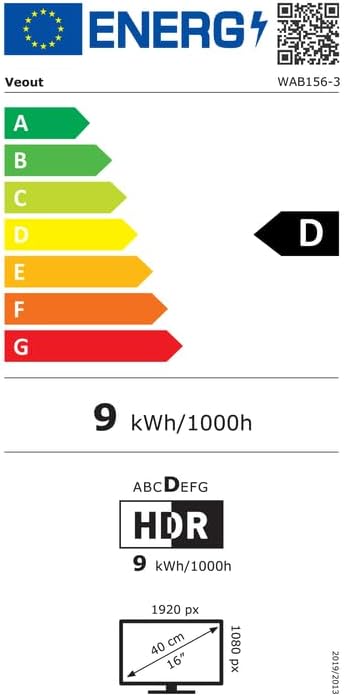
Figure 8.2: EU Energy Label for model WAB156-3. For more details, visit eprel.ec.europa.eu/qr/2209122.
9. Bermea eta Laguntza
Your Veout Portable Monitor is backed by a 12-month warranty from the date of purchase. We are committed to providing customer service and support.
- Berme Epea: 12 Hilabete
- Itzultzeko politika: 30 eguneko dirua itzultzeko bermea
- Bezeroarentzako arreta: Available 24 hours

9.1. irudia: Bermeari eta laguntzari buruzko informazioa.
For technical assistance or warranty claims, please contact Veout customer support at laguntza@veout.com.