
FUNYET DuetBook N5095
FUNYET 14-inch Laptop N5095
Erabiltzailearen eskuliburua
Model: DuetBook N5095
Sarrera
This manual provides essential information for setting up, operating, maintaining, and troubleshooting your FUNYET 14-inch Laptop N5095. Please read this guide thoroughly to ensure optimal performance and longevity of your device.

Irudia: Aurrealdea view of the FUNYET 14-inch Laptop N5095, highlighting its key specifications on the screen.
1. Hasierako konfigurazioa
1.1 Kutxa ireki eta lehen aldiz piztea
- Carefully remove the laptop and all accessories from the packaging. The box should contain the laptop, AC adapter, warranty card, and this instruction manual.
- Connect the AC adapter to the laptop's DC-in port and then to a power outlet.
- Open the laptop lid. The laptop may power on automatically, or you may need to press the power button located on the keyboard.
1.2 Windows 11 Pro konfigurazioa
Upon first boot, you will be guided through the Windows 11 Pro setup process. Follow the on-screen instructions to:
- Hautatu zure eskualdea eta teklatuaren diseinua.
- Konektatu Wi-Fi sare batera.
- Hasi saioa zure Microsoft kontuarekin edo sortu berri bat.
- Konfiguratu PIN bat saioa hasteko azkar.
- Pribatutasun ezarpenak egokitu.

Image: The Windows 11 Pro operating system interface shown on the laptop screen.
2. Zure ordenagailu eramangarria erabiltzea
2.1 Teklatua eta ukipen-panela
The laptop features a full-sized keyboard and a large, responsive touchpad for navigation. Refer to the image below for key layout.

Irudia: Xehetasun handikoa view ordenagailu eramangarriaren teklatuaren eta ukipen-paneleko.
2.2 Periferikoak konektatzea
Zure ordenagailu eramangarriak kanpoko gailuak konektatzeko hainbat ataka ditu:
- USB 3.0 portuak: Two ports for high-speed data transfer with USB devices.
- HDMI ataka: Kanpoko pantailetara edo proiektoreetara konektatu.
- Aurikularrak Jack: Audio irteera entzungailuetara edo kanpoko bozgorailuetara bidaltzeko.
- TF txartelaren zirrikitua: For expanding storage with a TF (MicroSD) card.
- DC-in Port: Korronte alternoko egokitzailea konektatzeko.
Wireless connectivity includes Bluetooth and Wi-Fi (2.4G/5G) for connecting to networks and wireless accessories.
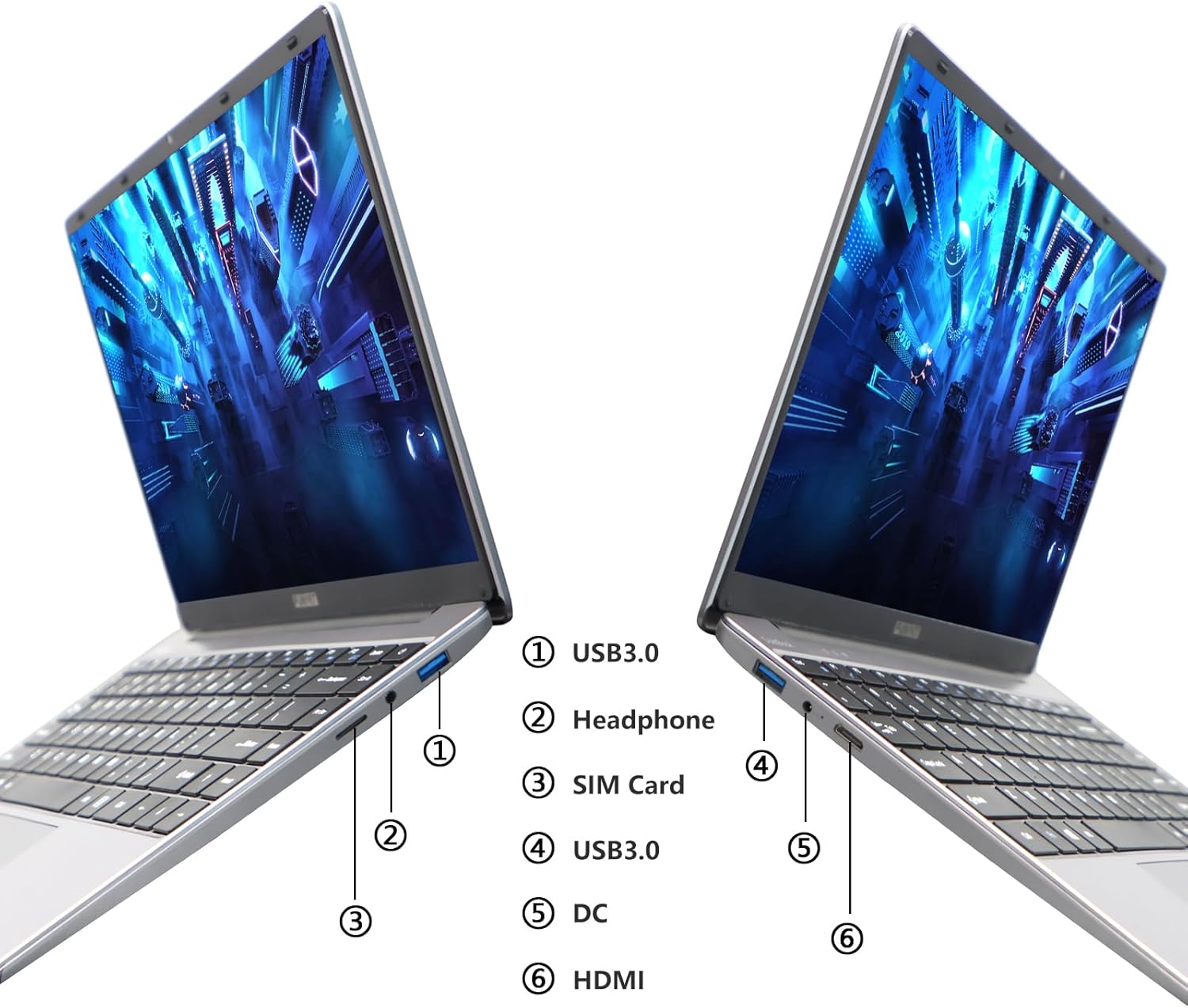
Image: Diagram illustrating the various ports on the sides of the laptop.
2.3 Bistaratzeko Ezaugarriak
The 14.1-inch FHD IPS display offers a 1920x1080 resolution. The laptop supports a 180-degree opening angle, allowing for flexible viewposizioak egitea.

Image: The laptop's screen fully opened to a 180-degree flat position.
2.4 Bateriaren kudeaketa
The laptop is equipped with a 3800mAh (7.6V/5000mAh) battery. For optimal battery life, ensure the laptop is fully charged before first use. Unplug the AC adapter once the battery is fully charged to prevent overcharging. For extended storage, charge the battery to approximately 50% and store the device in a cool, dry place.

Image: Laptop screen showing a full battery charge indicator.
3. Mantentzea
3.1 Arreta orokorra
- Keep the laptop clean by wiping surfaces with a soft, dry cloth. Avoid liquid cleaners directly on the screen or keyboard.
- Ensure proper ventilation. Do not block the air vents to prevent overheating.
- Saihestu ordenagailu eramangarria tenperatura altuetan, eguzki-argia zuzenean edo hezetasun handian jartzea.
- Handle the laptop with care to prevent physical damage.
3.2 Biltegiratze-hedapena
The laptop's storage can be expanded using a TF (MicroSD) card. Insert the TF card into the designated slot until it clicks into place. To remove, gently push the card in until it springs out.
4. Arazoak
| Gaia | Kausa posiblea | Irtenbidea |
|---|---|---|
| Ordenagailu eramangarria ez da pizten. | Bateria baxua edo korronte-egokigailuaren arazoa. | Ensure the AC adapter is securely connected and the power outlet is functional. Charge the laptop for at least 30 minutes before attempting to power on again. |
| Wi-Fi konexio arazoak. | Wi-Fi pasahitz okerra, bideratzailearen arazoak edo Wi-Fi egokigailua desgaituta. | Verify the Wi-Fi password. Restart your router. Check Windows settings to ensure Wi-Fi is enabled. |
| Errendimendu motela. | Aplikazio gehiegi exekutatzen ari dira, biltegiratze leku gutxi edo kontrolatzaile zaharkituak. | Close unnecessary applications. Check available storage on the SSD. Update Windows and device drivers. |
| Pantaila hutsik dago edo keinuka ari da. | Display driver issue, external display conflict, or hardware problem. | Restart the laptop. If connected to an external monitor, disconnect it. Update graphics drivers. |
If you encounter issues not listed here or if the suggested solutions do not resolve the problem, please contact FUNYET support.
5. Zehaztapen Teknikoak
| Ezaugarri | Xehetasuna |
|---|---|
| Ereduaren izena | DuetBook N5095 |
| Prozesadorea | Intel 11th Gen Celeron N5095 (up to 2.9 GHz, 4 Cores, 4 Threads) |
| Grafikoak | Intel UHD grafikoak (integratuak) |
| RAM | 16 GB DDR4 |
| Biltegiratzea | 512GB SSD (Expandable via TF card) |
| Bistaratzea | 14.1-inch FHD IPS (1920 x 1080 pixels) |
| Sistema eragilea | Windows 11 Pro |
| Haririk gabeko konexioa | Wi-Fi (2.4G/5G), Bluetooth 4.2 |
| Portuak | 2x USB 3.0, 1x HDMI, 1x Headphone Jack, 1x DC-in, 1x TF Card Slot |
| Bateria | 3800mAh (7.6V/5000mAh) Lithium Ion |
| Neurriak (LxWxH) | 12.7 x 8.3 x 0.8 hazbete |
| Pisua | 3 kilo |

Image: Visual summary of key laptop features and specifications.
6. Bermea eta Laguntza
FUNYET provides comprehensive support for your laptop:
- Bermea: 2 urteko bermea erosketa-egunetik aurrera.
- Itzulketak/Aldaketak: 6 months of free replacement or return service.
- Lineako laguntza: 24/7 online support with instant responses.
- Telefono-laguntza: Available every business day from 4 PM to 10 PM Pacific Time.
For assistance, please contact FUNYET support:
- Telefonoa: +1 800-986-9631
- Posta elektronikoa: funyetstore@outlook.com
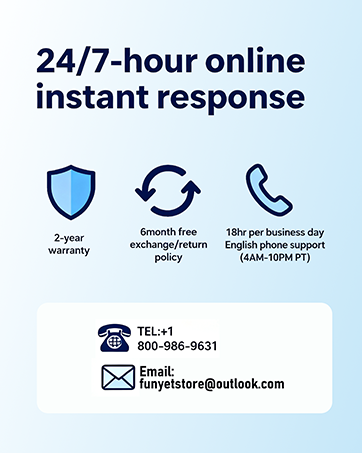
Image: FUNYET customer support and warranty details.
Ask a question about this manual
Ask about setup, troubleshooting, compatibility, parts, safety, or missing instructions. Manuals+ will review the question and use this page’s manual context to help answer it.