
1. Sarrera
This manual provides detailed instructions for the installation, operation, and maintenance of your ORICO External USB 3.0 to SATA Hard Drive Lay-Flat Docking Station. Please read this manual thoroughly before using the product to ensure proper functionality and to prevent damage.
Paketearen edukia
Egiaztatu behean zerrendatutako elementu guztiak zure paketean daudela:
- Flat-Down External Hard Drive Enclosure
- 12V potentzia egokitzailea
- Egokigailu Bihurgailua
- 1M USB 3.0 Data Cable
- Erabiltzailearen eskuliburua (dokumentu hau)

2. Segurtasun informazioa
To ensure safe operation and prevent damage to the device or data loss, please observe the following safety guidelines:
- Ez jarri gailua hezetasunean, tenperatura altuetan edo eguzki-argiaren eraginpean.
- Use only the provided power adapter. Using an incompatible power adapter may damage the device.
- Saihestu gailua kolpe gogorrak erortzea edo jasaten.
- Ez saiatu gailua desmuntatzen edo aldatzen. Horrek bermea baliogabetuko du.
- Ensure proper ventilation around the docking station during operation to prevent overheating.
- Always safely eject the hard drive from your operating system before physically removing it from the docking station to prevent data corruption.
3. Produktua amaitu daview
The ORICO External USB 3.0 to SATA Hard Drive Lay-Flat Docking Station provides a convenient solution for accessing 2.5-inch and 3.5-inch SATA HDDs and SSDs. It features high-speed data transfer and a tool-free design.
Ezaugarri nagusiak
- USB 3.0 with UASP Support: Achieves data transfer speeds up to 5Gbps, significantly faster than standard USB 3.0. Backward compatible with USB 2.0/1.1.
- Edukiera handiko laguntza: Supports single drives up to 24TB (2.5-inch and 3.5-inch SATA I/II/III HDDs and SSDs).
- Bero xahutze eraginkorra: Lay-flat design maximizes surface area for natural convection cooling, preventing overheating during prolonged use.
- Tresnarik gabeko instalazioa: Simple plug-and-play operation with no screws or drivers required. Supports hot-swapping.
- Wide Operating System Compatibility: Compatible with Windows XP/7/8/10/11, Linux, and Mac OS 9.1+.
Osagaien identifikazioa
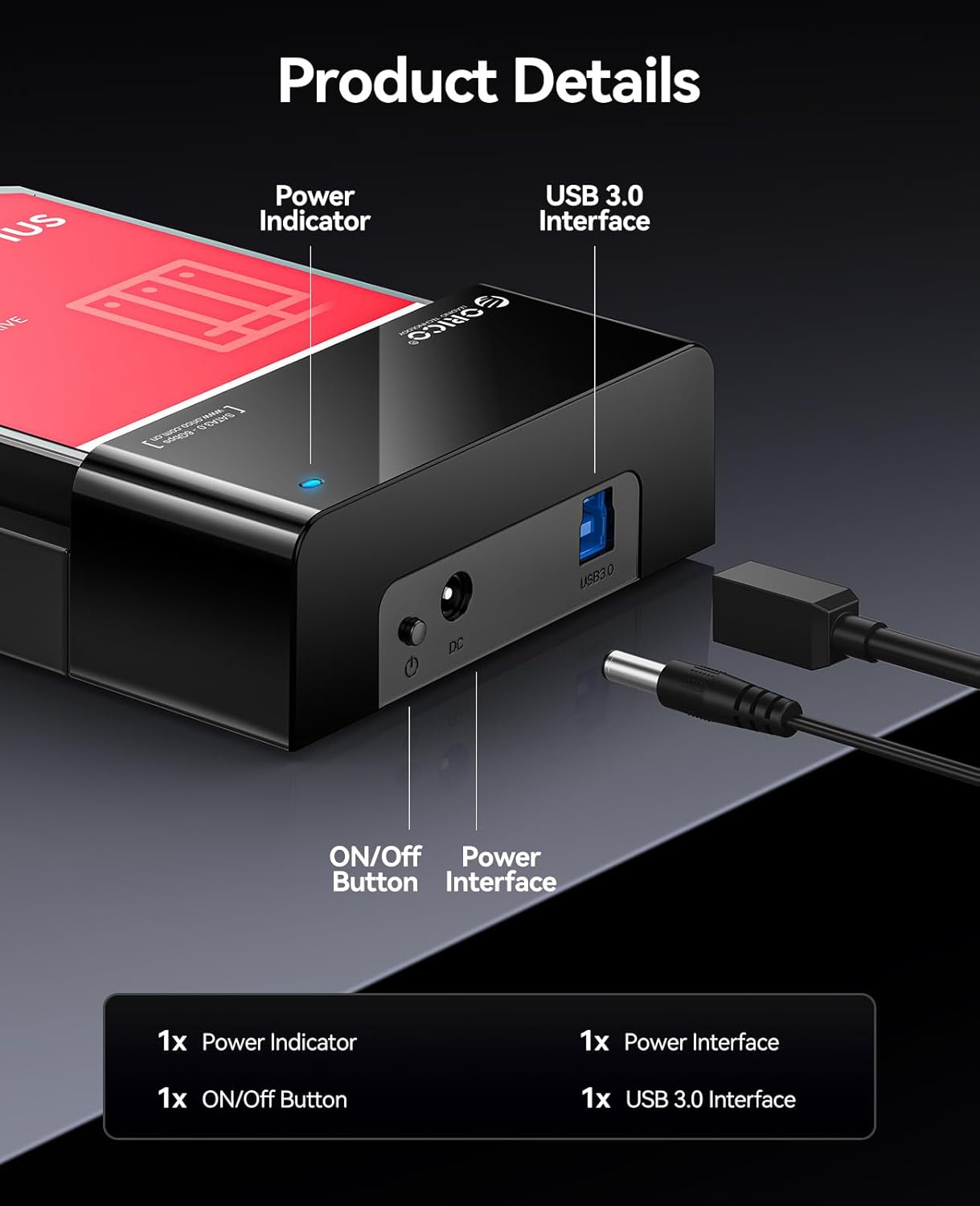
- Potentzia adierazlea: Gailua piztuta dagoenean pizten da.
- ON/OFF botoia: Controls the power supply to the docking station.
- Power Interface (DC 12V): Connects to the provided 12V power adapter.
- USB 3.0 interfazea: Connects to your computer via the USB 3.0 data cable.
4. Konfigurazioa
Follow these steps to set up your ORICO Hard Drive Docking Station:
- Txertatu disko gogorra: Gently slide your 2.5-inch or 3.5-inch SATA HDD/SSD into the docking station's slot until it is firmly seated. The lay-flat design allows for easy insertion.

Image: A 3.5-inch HDD being inserted into the lay-flat docking station, illustrating the tool-free installation and open design for heat dissipation. - Konektatu energia: Connect the provided 12V Power Adapter to the Power Interface (DC 12V) on the docking station, then plug the adapter into a power outlet.
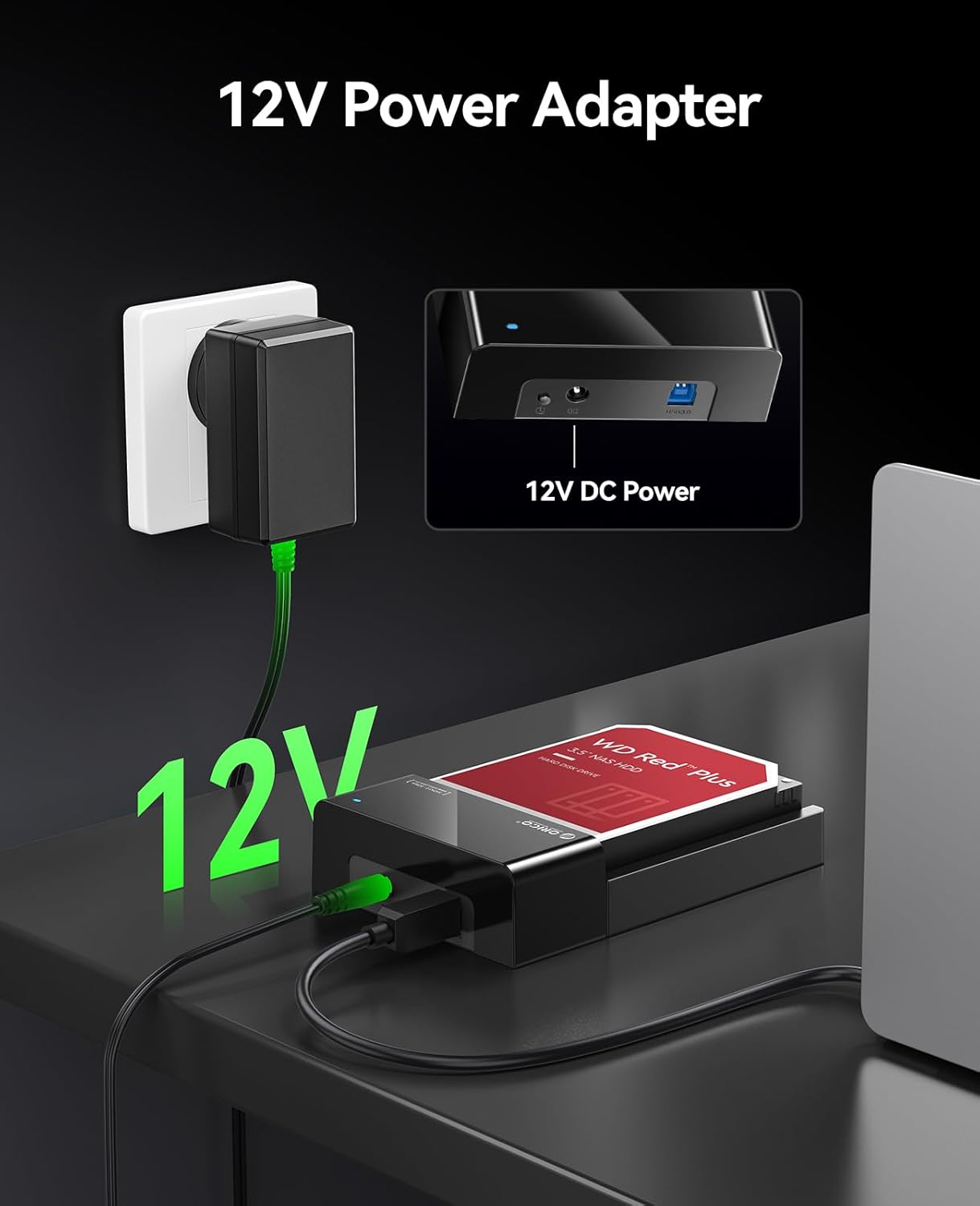
Image: The 12V power adapter connected to the docking station and plugged into a wall outlet. - Konektatu ordenagailura: Use the 1M USB 3.0 Data Cable to connect the USB 3.0 Interface on the docking station to an available USB port on your computer.
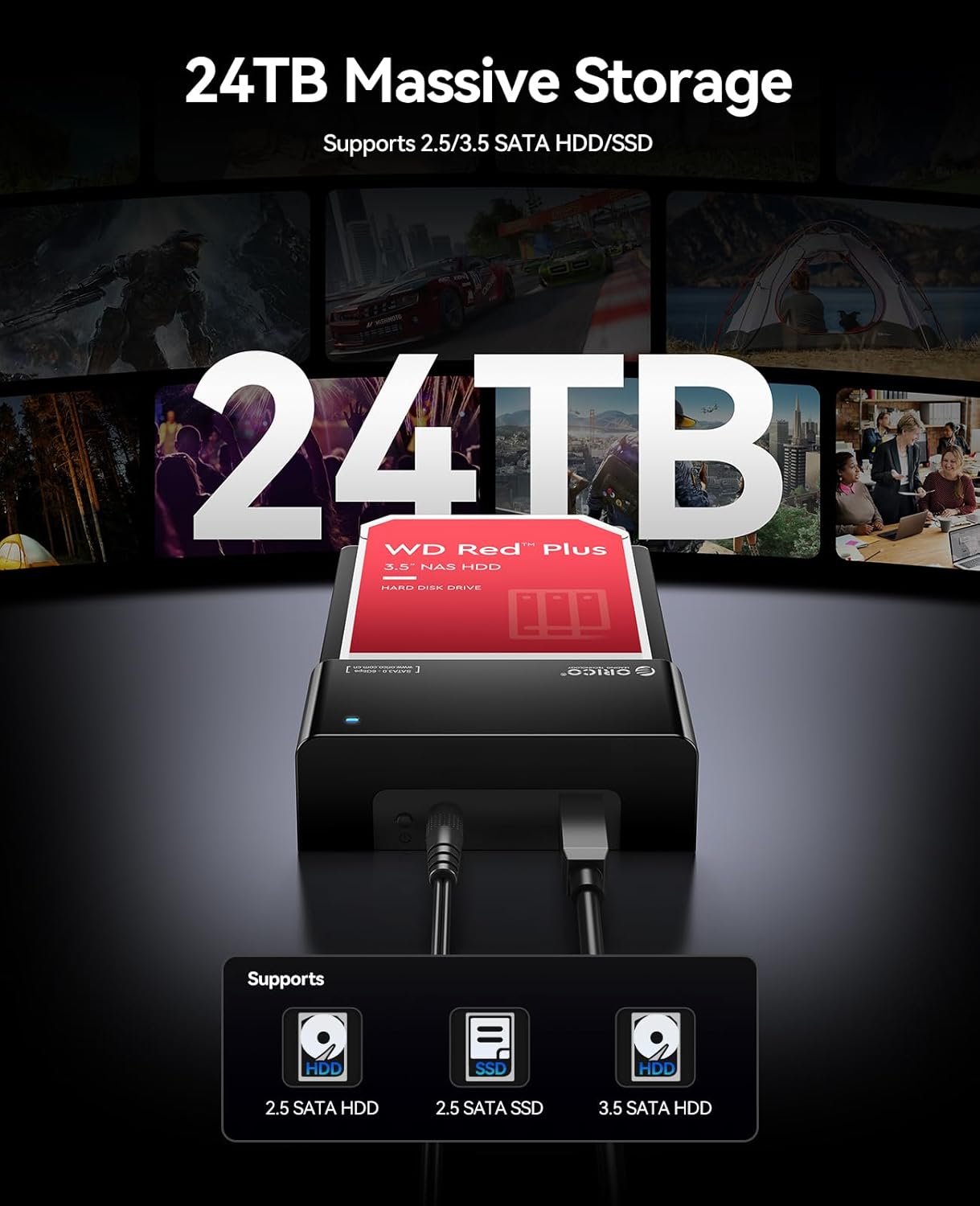
Image: The ORICO docking station connected to a laptop via a blue USB 3.0 cable, demonstrating high-speed data transfer. - Piztu: Press the ON/OFF button on the docking station. The Power Indicator light will illuminate.
Your operating system should automatically detect the new hardware. No additional drivers are typically required for Windows, Linux, or Mac OS.
5. Funtzionamendu-argibideak
Datuak sartzea
Once connected and powered on, the hard drive in the docking station will appear as an external drive on your computer. You can access, transfer, and manage files as you would with any other external storage device.

Hot-Swapping Drives
The docking station supports hot-swapping. To safely remove a drive and insert another:
- Safely eject the hard drive from your operating system (e.g., "Safely Remove Hardware" on Windows, "Eject" on Mac).
- Once the operating system confirms it's safe, gently pull the hard drive out of the docking station.
- Insert the new hard drive into the slot until it clicks into place. The operating system will detect the new drive.
Bideo erakustaldia
Watch this video for a visual guide on setting up and using the ORICO Hard Drive Docking Station.
6. Mantentzea
Proper maintenance ensures the longevity and optimal performance of your docking station.
- Garbiketa: Use a soft, dry cloth to wipe the exterior of the docking station. Do not use liquid cleaners or solvents.
- Biltegiratzea: When not in use, store the docking station in a cool, dry place away from dust and direct sunlight.
- Aireztapena: Ensure the docking station's ventilation areas are not obstructed during operation to maintain efficient heat dissipation.
7. Arazoak
Ainguratze-estazioarekin arazoak badituzu, jo ezazu ohiko irtenbide hauetara:
| Arazoa | Kausa posiblea | Irtenbidea |
|---|---|---|
| Ordenagailuak ez du gailua ezagutzen |
|
|
| Datuen transferentzia abiadura motela |
|
|
| Hard drive overheating |
|
|
If the problem persists, please contact ORICO customer support for further assistance.
8. Zehaztapenak
| Ezaugarri | Xehetasuna |
|---|---|
| Marka | ORIKOA |
| Eredua | B0FHVWFPD2 |
| Hardware interfazea | USB 3.0 A motakoa |
| Unitate mota bateragarriak | 2.5 hazbeteko / 3.5 hazbeteko SATA I/II/III HDD eta SSD |
| Max. Edukiera | Up to 24 TB (single drive) |
| Datuen transferentzia-tasa | 5 Gigabit segundoko (USB 3.0) |
| Hardware Plataforma | Windows, Mac OS, Linux |
| Produktuaren neurriak (L x W x H) | 7" x 1.5" x 4.8" (17.78 cm x 3.81 cm x 12.19 cm) |
| Itxituraren Materiala | Metala, Plastikoa |
| Elikatze Hornidura | 12V potentzia egokitzailea |
9. Bermea eta Laguntza
Bermea: This product comes with a 2-Year Warranty from the date of purchase. Please retain your proof of purchase for warranty claims. The warranty covers manufacturing defects and malfunctions under normal use. It does not cover damage caused by misuse, accidents, unauthorized modifications, or improper installation.
Bezeroarentzako laguntza: For technical assistance, troubleshooting, or warranty inquiries, please contact ORICO customer support. Refer to the ORICO official webwebgunean edo zure erosketa plataforman harremanetarako datuak lortzeko.
Itzultzeko politika: This product is subject to a 30-day return/replacement policy from the date of purchase, as per the retailer's terms.