
Sarrera
Thank you for choosing the ILIFE V5s Plus Robot Vacuum and Mop. This device is designed to provide efficient cleaning for your home, combining both vacuuming and mopping functions. It features smart navigation, app control, and automatic self-charging for convenience. Please read this manual thoroughly before use to ensure proper operation and maintenance.
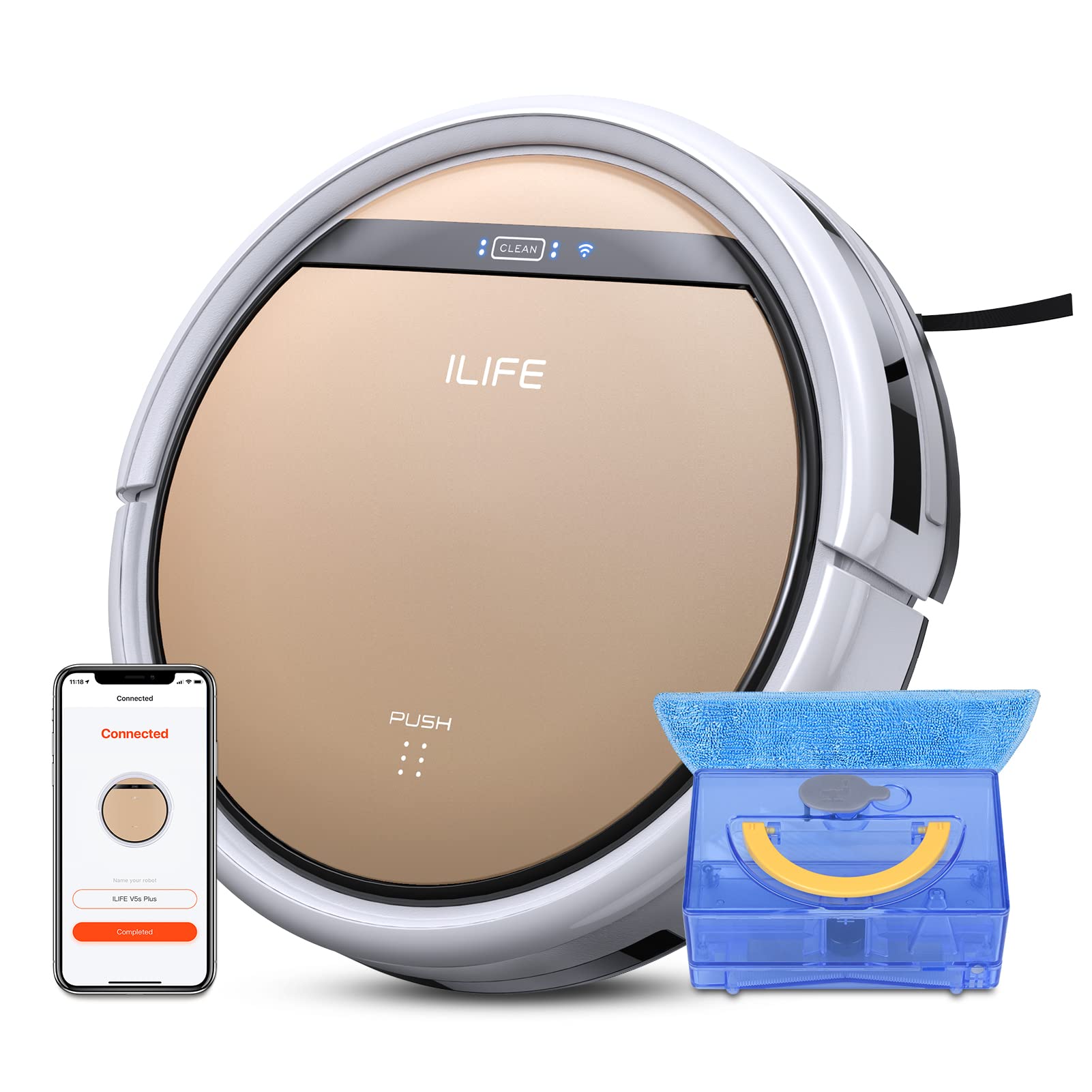
The ILIFE V5s Plus Robot Vacuum and Mop, ready for use.
Segurtasun-argibideak
Before operating the ILIFE V5s Plus, please observe the following safety precautions:
- Irakurri arretaz argibide guztiak aparatua erabili aurretik.
- Keep the robot and its accessories out of reach of children.
- Ez erabili robota ingurune hezeetan edo uraren ondoan.
- Ziurtatu kargatzeko oinarria gainazal lau batean dagoela, horma baten kontra, inguruan espazio librea utziz.
- Kendu kable solteak, objektu txikiak edo elementu hauskorrak garbiketa-bidetik korapilatu edo kaltetu ez daitezen.
- Do not use the robot to pick up large debris, sharp objects, or liquids other than water for mopping.
- Only use the original power adapter and charging dock provided with the robot.
Kutxan dagoena
Egiaztatu osagai guztiak paketean daudela:
- Gorputz nagusia (bateria barne)
- Kargatzeko kaia
- Urruneko kontrola (bateria ez dago barne)
- AC egokitzailea
- Garbiketa tresna
- Mop-oihala
- Ur depositua
- Erabiltzailearen eskuliburua
- Errendimendu handiko iragazkia
- Alboko eskuila gehigarriak
Konfigurazioa
1. Hasierako kargatzea
Place the charging dock against a wall in an open area. Connect the AC adapter to the charging dock and plug it into a power outlet. Place the robot onto the charging dock, ensuring the charging pins align. The robot will begin charging automatically. Allow for a full charge before first use (approximately 3-5 hours).
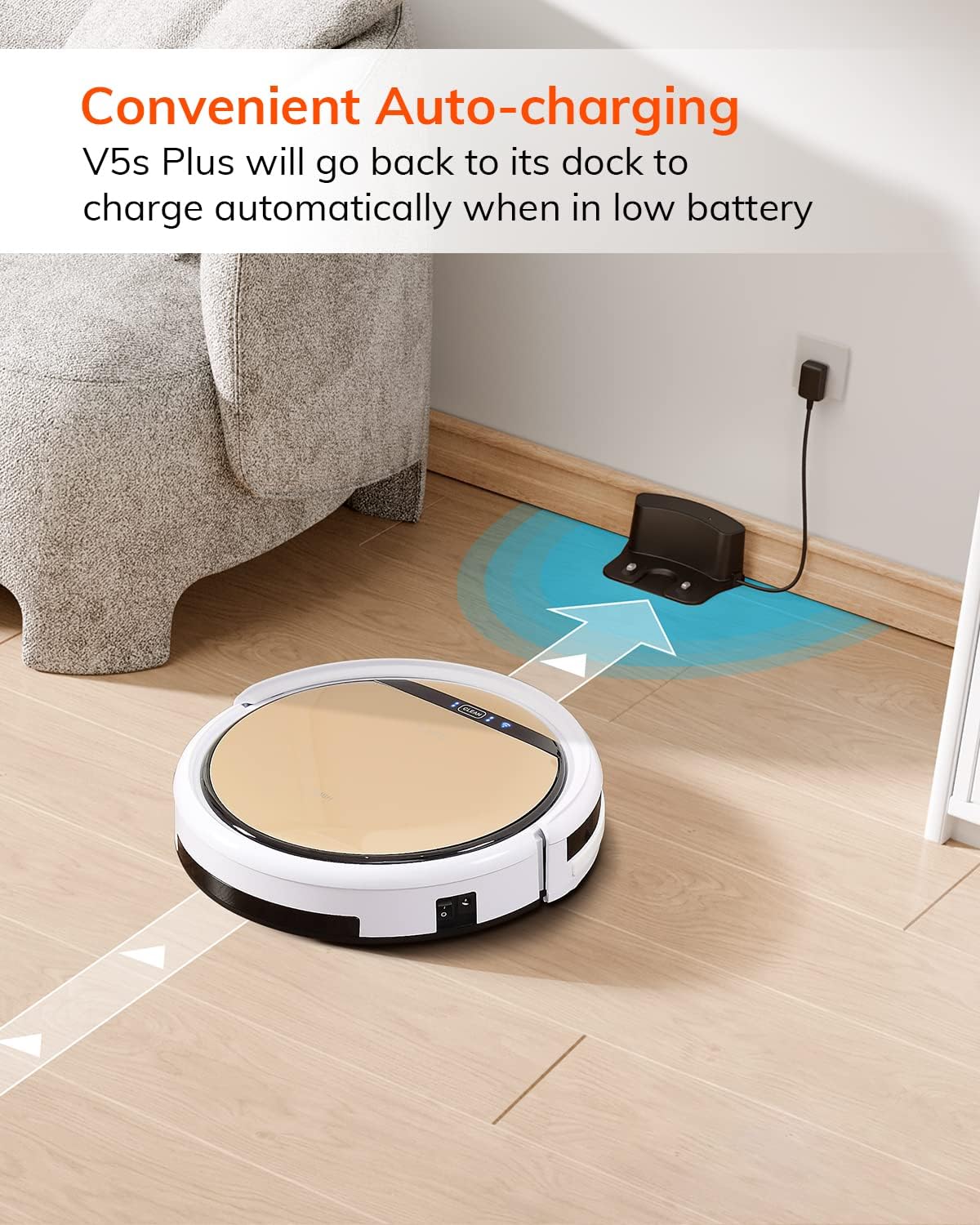
The robot automatically returns to its charging dock when the battery is low.
2. App Download and WiFi Connection
Download the 'ILIFEHOME' app from your smartphone's app store. Follow the in-app instructions to connect your robot to your home WiFi network. Ensure your WiFi is 2.4GHz, as the app does not support 5G WiFi.

Control the robot and schedule cleaning via the ILIFEHOME app.
3. Garbiketa-eremua prestatzea
Before each cleaning cycle, clear the floor of any obstacles such as cables, toys, or small rugs that could entangle the robot. For mopping, ensure the water tank is filled and the mop cloth is attached.
Funtzionamendu-argibideak
1. Piztu/Itzali
To power on the robot, press the 'CLEAN' button on the robot or use the remote control/app. To power off, press and hold the 'CLEAN' button until the indicator lights turn off, or use the app.
2. Garbiketa moduak
The ILIFE V5s Plus offers multiple cleaning modes:
- Modu automatikoa: The robot automatically cleans the area, adjusting its path as needed.
- Spot modua: Eremu zikin zehatz batean zentratzen da, espiral-eredu batean garbituz.
- Ertz modua: Hormak eta altzarien ertzak garbitzen ditu.
- Gehienezko modua: Xurgatze-ahalmena handitzen du garbiketa sakonagoa lortzeko.
- Garbiketa modua programatzea: Set a cleaning schedule via the app for automated cleaning.

The robot utilizes various cleaning modes to suit different needs.
3. Vacuuming and Mopping
The V5s Plus functions as both a vacuum and a mop. For vacuuming, ensure the dustbin is installed. For mopping, replace the dustbin with the water tank and attach a clean mop cloth. The intelligent control water tank offers three-level water outlet: gentle, standard, and strong, which can be controlled by the App.

The ILIFE V5s Plus offers both vacuuming and mopping capabilities.
4. Ahots kontrola
The ILIFE V5s Plus is compatible with Amazon Alexa and Google Assistant. Connect your robot to your smart home system to start or stop cleaning tasks using voice commands.

Control your robot with voice commands through Alexa or Google Assistant.
5. Kargatze automatikoa
When the battery is low or a cleaning cycle is complete, the robot will automatically return to its charging dock. Ensure the charging dock is accessible and free from obstructions.

The robot automatically returns to its charging base when power is low.
Mantentzea
Regular maintenance ensures optimal performance and extends the lifespan of your ILIFE V5s Plus.
1. Emptying and Cleaning the Dustbin
Open the top cover of the robot and remove the dustbin. Empty the dustbin into a trash receptacle. Clean the dustbin and filter with the provided cleaning tool or a soft brush. Rinse the dustbin with water if necessary, ensuring it is completely dry before reinstallation.
2. Filling and Cleaning the Water Tank
Remove the water tank from the robot. Open the water tank cap and fill it with clean water. Securely close the cap and reinsert the water tank into the robot. After mopping, empty any remaining water and rinse the tank. Allow it to air dry.

The water tank for the mopping function.
3. Alboko eskuilak garbitzea
Regularly check the side brushes for tangled hair or debris. Remove any obstructions using the cleaning tool or scissors. Replace worn-out side brushes with new ones.
4. Sentsoreak garbitzea
Garbitu robotaren azpialdeko eta aurreko paraxokeko erorketaren aurkako sentsoreak eta talkaren aurkako sentsoreak oihal garbi eta lehor batekin, nabigazio egokia bermatzeko.
Arazoak konpontzea
If you encounter issues with your ILIFE V5s Plus, refer to the following common problems and solutions:
- Robot does not power on: Ensure the battery is charged. Check if the power switch on the side of the robot is turned on.
- Robotak ez du kargatzen: Verify the charging dock is powered and the robot is correctly aligned with the charging pins. Clean the charging contacts on both the robot and the dock.
- Robota maiz trabatzen da: Clear the cleaning area of obstacles. Check for tangled hair in the side brushes or wheels.
- Garbiketa-errendimendu eskasa: Empty the dustbin and clean the filter. Clean the side brushes. Ensure the water tank is properly filled for mopping.
- Unable to connect to App:
- Make sure to select the correct Wi-Fi and login with the correct Wi-Fi password.
- The ILIFE Robot does not support 5G Wi-Fi. Make sure to use a 2.4G Wi-Fi connection.
- Make sure the Wi-Fi signal is covered and strong.
- Allow the ILIFEHOME APP to have access to your location services and wireless data.
Zehaztapenak
| Ezaugarri | Xehetasuna |
|---|---|
| Marka | ILIFE |
| Ereduaren izena | V5s Plus |
| Azalera gomendioa | Zoru gogorra |
| Xurgatze Potentzia | 2 kpa |
| Erabilera Denbora | Gehienez 110 minutu |
| Ur deposituaren edukiera | 300 ml |
| Hautsa kutxa edukiera | 300 ml |
| Hauts-kutxaren iragazki mota | Eraginkortasun handiko iragazkia + nylonezko sare bat |
| Garbiketa moduak | Automatikoa/Puntua/Ertza/Max |
| Kontrol mota | Urrutiko agintea / Aplikazioaren kontrola / Alexa / Google Assistant |
| Produktuaren neurriak | 30L x 30W x 8.1H zentimetro |
| Bateria mota | Litio ioia |
| liburukiatage | 110 Volt |
Bermea
The ILIFE V5s Plus Robot Vacuum and Mop comes with a 1 urteko fabrikatzailearen bermeaGorde erosketaren egiaztagiria bermearen erreklamazioetarako. Bermeak materialen eta fabrikazioaren akatsak estaltzen ditu erabilera normalaren pean. Ez ditu estaltzen erabilera okerrak, istripuek, baimenik gabeko aldaketek edo higadura normalak eragindako kalteak.
Laguntza
For further assistance, technical support, or warranty inquiries, please contact ILIFE customer service:
- Posta elektronikoa: service_us_ca@iliferobot.com
Produktua amaituview Bideoa
Ikusi bideo hau ikuspegi orokor baterakoview of the ILIFE V5s Plus features and operation.
Produktu ofiziala amaitu daview of the ILIFE V5s Plus Robot Vacuum and Mop.


