
1. Sarrera
This manual provides essential information for the safe and effective operation of your ZENTALITY Mini Projector A10 PLUS. Please read this manual thoroughly before using the product and retain it for future reference.
Produktua amaituview
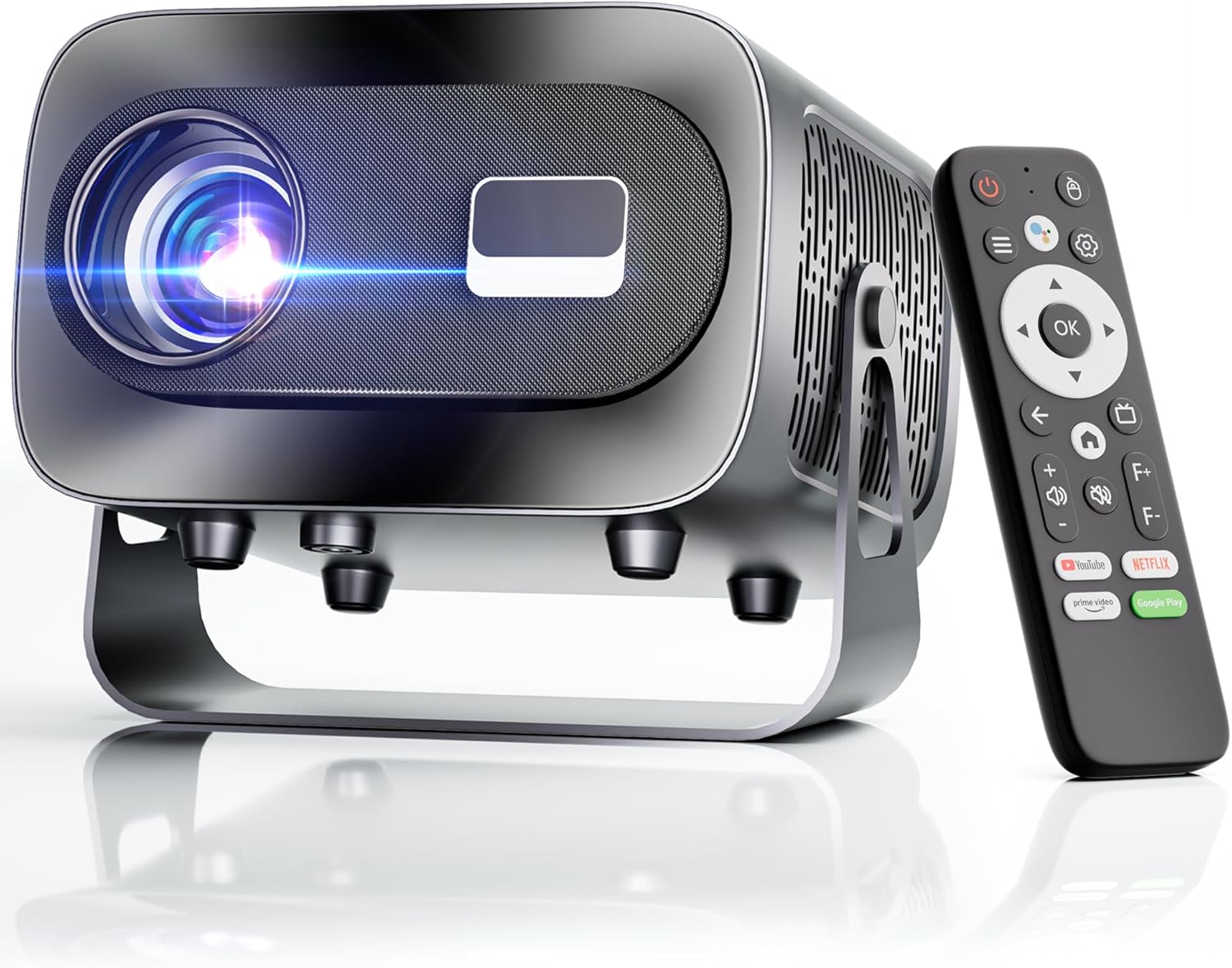
The ZENTALITY Mini Projector A10 PLUS is a smart projector featuring Android 13, designed for versatile home and outdoor entertainment. It supports 4K and 1080P HD content, offers electric focus, auto vertical keystone correction, and includes dual-band WiFi 6 and Bluetooth 5.1 connectivity. Its compact design and multiple input options make it suitable for various applications.
Kutxan dagoena
- ZENTALITY Mini Projector A10 PLUS
- HDMI kablea
- Elikatze-moldagailua
- Urruneko Kontrola
- Erabiltzailearen eskuliburua (dokumentu hau)
2. Segurtasun informazioa
Proiektoreari kalterik ez egiteko eta erabiltzailearen segurtasuna bermatzeko, jarraitu segurtasun neurri hauek:
- Ez blokeatu aireztapen-irekidurak. Ziurtatu aire-fluxu egokia proiektorearen inguruan gehiegi berotzea saihesteko.
- Saihestu proiektorearen lentearen argiaren eraginpean zuzenean egotea. Argi biziak begien nekea edo kalteak eragin ditzake.
- Use only the provided power adapter. Using an incompatible adapter may cause fire, electric shock, or damage.
- Mantendu proiektorea uretatik edo beste likido batzuetatik urrun. Ez erabili lurzoru lehorretan.amp inguruneak.
- Ez saiatu proiektorea zeuk desmuntatzen edo konpontzen. Mantendu konponketa guztiak langile kualifikatuen esku.
- Jarri proiektorea gainazal egonkor eta lau batean, eror ez dadin.
- Mantendu haurren eskura.
3. Produktuaren osagaiak eta atakak
Familiarize yourself with the projector's physical features and connectivity options.

Eskuragarri dauden portuak:
- USB (x2): For connecting USB drives, external storage, or other USB-compatible devices.
- HDMI: For connecting devices such as laptops, gaming consoles, or TV sticks.
- Audio irteera (3.5 mm-ko jacka): Kanpoko bozgorailuak edo entzungailuak konektatzeko.
- Potentzia sarrera: Korronte-egokigailua konektatzeko.
4. Hasierako konfigurazioa
4.1 Energia-konexioa
- Konektatu korronte-egokitzailea proiektorearen elikatze-sarrera atakara.
- Entxufatu korronte-egokigailua hormako entxufe batera.
- Sakatu proiektorearen edo urrutiko agintearen pizteko botoia pizteko.
4.2 Urruneko kontrolaren parekatzea
Important: The remote control must be paired via Bluetooth before it can operate smoothly within 1-3 meters.
- Ziurtatu proiektorea piztuta dagoela.
- Navigate to the projector's Bluetooth settings (usually found in the 'Settings' menu).
- Select 'Pair new device' or similar option.
- On the remote control, press and hold the designated pairing button (refer to the remote's specific instructions if available, often a combination of 'OK' and 'Volume Down' or a dedicated Bluetooth button).
- Once the remote appears in the projector's Bluetooth device list, select it to complete pairing.

4.3 Placement and Screen Adjustment
The projector offers automatic and electric adjustments for optimal image clarity and alignment.
- Foku elektrikoa: The projector features electric focus for instant clarity. Use the 'F+' and 'F-' buttons on the remote control to fine-tune the image sharpness.
- Keystone-ren zuzenketa bertikala automatikoa: The projector automatically corrects vertical image distortion up to ±15°. This ensures a rectangular image even if the projector is not perfectly perpendicular to the screen.
- Zoom funtzioa: Adjust the image size from 50% to 100% without moving the projector. This is useful for fitting the projection to your screen size.


5. Funtzionamendu-argibideak
5.1 Android 13 Interface and App Access
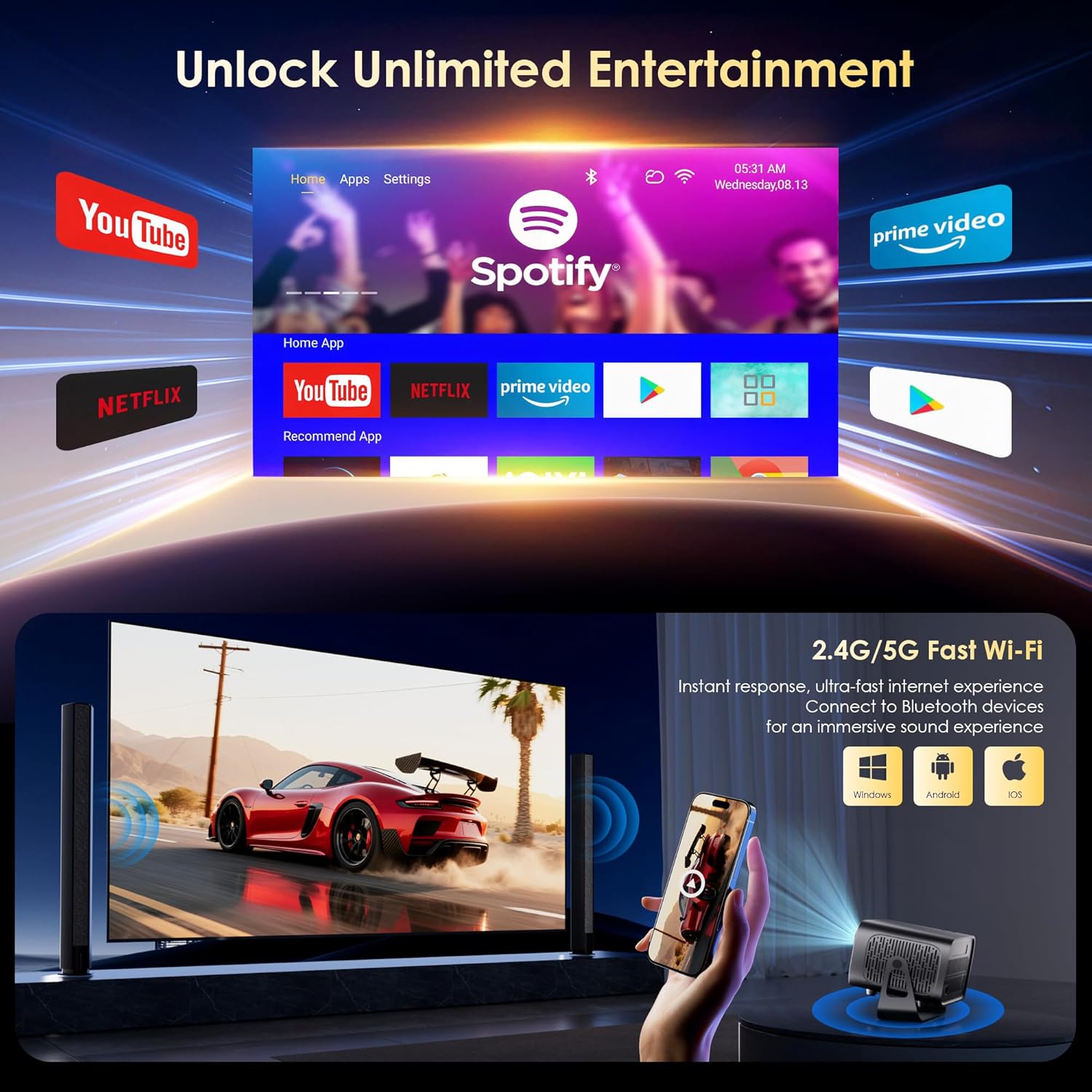
The projector runs on Android 13, providing access to a wide range of streaming applications.
- Upon startup, the home screen will display pre-installed applications like Netflix, Prime Video, and YouTube.
- Navigate using the remote control's directional pad and 'OK' button.
- Access the built-in app store (e.g., Google Play Store) to download additional applications.
- Use the voice assistant feature on the remote control for quick app launching or content search.

5.2 WiFi konexioa
The projector supports dual-band 5G/2.4G WiFi 6 for stable internet access and screen mirroring.
- Go to 'Settings' on the home screen.
- Hautatu 'Sarea eta Internet'.
- Aktibatu Wi-Fia eta hautatu nahi duzun sarea zerrendatik.
- Eskatzen bazaizu, idatzi pasahitza eta konektatu.
Note: WiFi is required for the first setup or online apps. If you prefer not to connect to WiFi, you can use the projector offline by connecting external devices via the included HDMI cable or the USB port.

5.3 Bluetooth konexioa
The projector features Bluetooth 5.1 for audio streaming.
- Go to 'Settings' on the home screen.
- Select 'Connected Devices' or 'Bluetooth'.
- Aktibatu Bluetooth-a eta bilatu eskuragarri dauden gailuak.
- Select your Bluetooth speaker, headphones, or soundbar from the list to pair.
Note: Bluetooth supports audio output only, not video transmission.
5.4 Kanpoko gailuak konektatzea
The projector supports various external devices via its HDMI and USB ports.
- HDMI: Connect your laptop, gaming console, or TV stick using an HDMI cable. The projector will automatically detect the input or you may need to select the HDMI source from the input menu.
- USBa: Sartu USB unitate bat multimedia erreproduzitzeko files directly. The projector's media player will typically launch automatically or can be accessed from the home screen.
5.5 Proiekzio moduak
The projector can be used in various orientations:
- Desktop Projection: Place the projector on a flat surface in front of the screen.
- Sabaiko proiekzioa: Mount the projector upside down on the ceiling. Adjust the projection settings in the menu to flip the image.
- Tripodearen muntaketa: Use the 1/4'' screw hole at the bottom to mount the projector on a tripod for flexible positioning.

6. Mantentzea
6.1 Garbiketa
- Lentea: Erabili lente optikoetarako bereziki diseinatutako zapi leun eta lint-gabea. Ez erabili garbitzaile edo zapi urratzailerik.
- Kanpoaldea: Garbitu proiektorearen kanpoaldea oihal leun eta lehor batekin. Zikinkeria egoskorra bada, garbitu pixka bat.amp oihal bat erabil daiteke, eta ondoren zapi lehor bat garbitu.
- Aireztapen-zuloak: Periodically check and gently clean the ventilation openings to ensure they are free from dust and debris. Use a soft brush or compressed air.
6.2 Hozte-sistema
The projector features an advanced dual-fan cooling system designed for low noise and efficient heat dissipation. To ensure its longevity and stable performance:
- Always ensure the projector has adequate space around its ventilation openings.
- Avoid placing the projector on soft surfaces (e.g., blankets, carpets) that might block airflow.
- Operating the projector in extremely hot or humid environments may affect its performance and lifespan.
7. Arazoak
Proiektorearekin arazoak badituzu, jo ezazu honako arazo eta irtenbide ohikoenei:
| Arazoa | Kausa posiblea | Irtenbidea |
|---|---|---|
| No power/Projector won't turn on | Kable elektrikoa ez dago konektatuta; Entxufea akastuna | Egiaztatu kablearen konexioa; Saiatu beste entxufe batekin |
| No image/Blank screen | Incorrect input source; Device not connected properly | Select correct input source (HDMI, USB); Reconnect external device |
| Image blurry/Out of focus | Fokua ez da doitu | Use the 'F+' and 'F-' buttons on the remote for electric focus adjustment |
| Image distorted/Trapezoid shape | Giltzarri zuzenketarik gabe | The projector has auto vertical keystone correction. Ensure it's on or manually adjust if needed. |
| Urruneko kontrola ez dabil | Not paired via Bluetooth; Low battery | Pair the remote control via Bluetooth (Section 4.2); Replace remote batteries |
| Soinurik ez | Volume too low; Incorrect audio output; Bluetooth not connected | Increase volume; Check audio output settings; Ensure Bluetooth speaker is paired |
| WiFi konexio arazoak | Pasahitz okerra; Routerraren arazoak; Eremutik kanpo | Verify WiFi password; Restart router; Move projector closer to router |
8. Zehaztapenak
Detailed technical specifications for the ZENTALITY Mini Projector A10 PLUS:
- Marka: ZENTALITATEA
- Modelo zenbakia: A10 PLUS
- Elementuaren pisua: 3.1 kilo
- Produktuaren neurriak: 7.4 x 6.22 x 4.8 hazbete
- Sistema eragilea: Android 13
- Pantailaren bereizmena: 1920 x 1080 (1080P Full HD natibo)
- 4K euskarria: Bai
- Distira: 350 ANSI Lumen
- Kontraste-erlazioa: 10,000:1
- Konektibitate Teknologia: 3.5mm Jack, Bluetooth 5.1, HDMI, USB (x2), Wi-Fi 6 (2.4G/5G)
- Ezaugarri bereziak: Built-In Media Player, Built-In Speaker, Electric Focus, Portable, Wi-Fi Ready, Auto Vertical Keystone Correction
- Gomendatutako erabilerak: Negozioak, Hezkuntza, Jokoak, Etxeko Zinema
- Lamp Bizi-iraupena: Gehienez 100,000 ordu

9. Bermea eta Laguntza
ZENTALITY is committed to providing quality products and customer satisfaction.
- Kalitate-bermea: 360 eguneko kalitate bermea.
- Itzulketak: 180 eguneko doako itzulketak.
- Laguntza teknikoa: Bizitza osorako laguntza teknikoa.
- Bezeroarentzako arreta: 24/7 Fast Customer Service.
For support inquiries, please refer to the contact information provided on the ZENTALITY official webgunea edo zure erosketa plataforma.

