
Sarrera
Eskerrik asko erosketagatik.asing the Hisense 43A69Q 4K UHD Smart VIDAA TV. This manual provides essential information for setting up, operating, and maintaining your television. Please read it thoroughly before using the product to ensure safe and correct operation. Keep this manual for future reference.
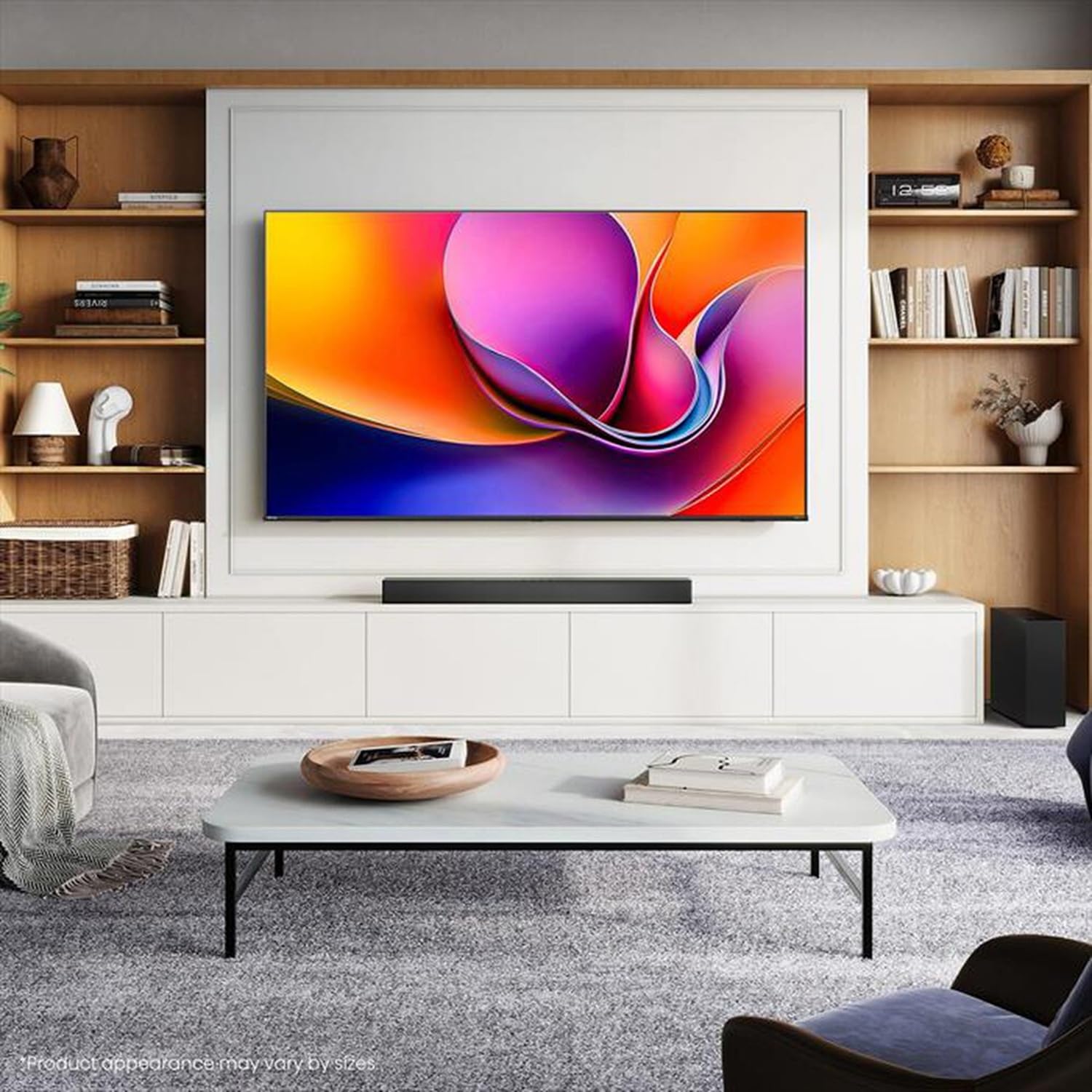
Image: Hisense 43A69Q 4K UHD Smart VIDAA TV. This image shows the television from the front, highlighting its slim bezel design and display.
Segurtasun Informazioa
Jarraitu beti oinarrizko segurtasun neurri hauek telebista erabiltzean:
- Ez jarri telebista euri edo hezetasunera.
- Do not open the TV cabinet. Refer all servicing to qualified personnel.
- Ziurtatu telebistaren inguruko aireztapen egokia dagoela. Ez blokeatu aireztapen-irekidurak.
- Babestu korronte-kablea ibiltzeko edo atximur ez dadin.
- Deskonektatu telebista tximista-ekaitzetan edo denbora luzez erabili gabe dagoenean.
- Keep the TV away from heat sources like radiators, heat registers, stoves, or other heat-producing appliances.
Kutxan dagoena
Egiaztatu osagai guztiak daudela:
- Hisense 43A69Q 4K UHD Smart VIDAA TV
- Urruneko agintea pilekin
- Elikatze kablea
- TV Stand Components (2 legs)
- Euskarri instalaziorako torlojuak
- Ezarpen azkarrerako gida
- Erabiltzailearen eskuliburua (dokumentu hau)
Konfigurazioa
1. Deskargatzea
Carefully remove the TV from its packaging. It is recommended that two people handle the TV to prevent damage or injury. Retain the packaging materials for future transport or servicing.
2. Standaren instalazioa
Telebista horman muntatuko ez baduzu, jarri euskarria:
- Jarri telebista aurpegia behera gainazal leun eta garbi batean, pantaila kaltetu ez dadin.
- Lerrokatu euskarri-hanka bakoitza telebistaren behealdeko dagokien zirrikituekin.
- Lotu hanka bakoitza emandako torlojuekin. Ziurtatu ondo estututa daudela.
- Kontu handiz altxatu telebista gainazal egonkor eta mailakatu batean zutik jarri.
3. Horman muntatzea (aukerakoa)
The Hisense 43A69Q is compatible with VESA standard wall mounts (200x300 mm). Wall mount kits are sold separately. Follow the instructions provided with your wall mount kit and ensure professional installation if you are unsure.
4. Kanpoko gailuak konektatzea
Konektatu zure gailuak telebistaren portuetara:
- HDMI: Connect Blu-ray players, game consoles, or set-top boxes to the HDMI ports (HDMI1, HDMI2, HDMI3). This model features HDMI 2.1 with ALLM and VRR (60Hz) support on all ports, and eARC on HDMI3.
- USBa: Plug in USB drives for media playback (2 USB 2.0 ports).
- Antena/Kablea: Connect your antenna or cable TV signal to the RF tuner input.
- Ethernet: Interneteko konexio egonkor bat lortzeko, konektatu Ethernet kable bat RJ45 atakara.
- Audio irteera: Use the S/PDIF optical output for digital audio to a soundbar or receiver, or the headphone jack for private listening.
5. Power On & First-Time Setup
After connecting all devices:
- Konektatu elikatze-kablea telebistara eta gero hormako entxufe batera.
- Sakatu urrutiko agintean edo telebistan bertan pizteko botoia.
- Jarraitu pantailan agertzen diren argibideei hasierako konfiguraziorako, hizkuntza hautatzea, sareko konexioa (Wi-Fi edo Ethernet) eta kanalen eskaneatzea barne.
- Log in to your VIDAA account or create a new one to access smart features.
Telebista funtzionatzea
1. Urruneko kontrola baino gehiagoview
Familiarize yourself with the remote control buttons for basic functions like power, volume, channel, input selection, and smart app shortcuts.
2. Navigating VIDAA Smart OS
The VIDAA Smart OS provides a user-friendly interface. Use the directional buttons and OK button on your remote to navigate menus, launch applications, and adjust settings.
3. Ezaugarri adimendunak erabiltzea
Access pre-installed applications like Netflix, YouTube, and Amazon Prime Video directly from the home screen. Additional apps can be downloaded from the VIDAA App Store.
4. Irudi eta soinu ezarpenak
Adjust picture modes (Standard, Dynamic, Cinema, Game) and sound modes (Standard, Music, Speech) to optimize your viewing experience. Advanced settings allow fine-tuning of brightness, contrast, color, and audio equalizer.
This TV supports Dolby Vision and HDR10 for enhanced picture quality, and DTS Virtual X for immersive audio.
5. Konektibitate Ezaugarriak
- Wi-Fia eta Bluetootha: Connect wirelessly to your home network and Bluetooth devices like headphones or speakers.
- Pantaila partekatzea: Use built-in screen sharing features (e.g., AirPlay 2 support) to mirror content from compatible mobile devices.
- Game Mode PLUS: For gaming, enable Game Mode PLUS to reduce input lag (≤ 20 ms) and utilize VRR (Variable Refresh Rate) for smoother gameplay.
Mantentzea
1. Telebista garbitzea
Pantaila garbitzeko, astiro-astiro zapi leun eta pelusik gabeko batekin garbitu. Orban egoskorrak izanez gero, apur bat garbitu.ampen the cloth with water or a specialized screen cleaner. Never spray cleaner directly onto the screen. Clean the TV cabinet with a soft, dry cloth.
2. Software eguneraketak
Your TV may receive software updates to improve performance and add new features. Ensure your TV is connected to the internet. You can usually check for updates in the TV's settings menu under 'System' or 'About TV'.
Arazoak konpontzea
Arazoak badituzu, saiatu ohiko irtenbide hauekin:
- Potentziarik gabe: Egiaztatu kablea ondo konektatuta dagoen telebistan eta hormako entxufean. Saiatu beste entxufe batekin.
- Irudi/soinurik ez: Ensure the correct input source is selected. Check all cable connections. Restart connected devices.
- Urruneko kontrola ez dabil: Aldatu bateriak. Ziurtatu ez dagoela oztoporik urrutiko agintearen eta telebistaren IR sentsorearen artean.
- Sareko konexio arazoak: Berrabiarazi bideratzailea eta modema. Konektatu berriro telebista Wi-Fi sarera edo egiaztatu Ethernet kablea.
- Irudiaren kalitate eskasa: Egiaztatu antena/kable konexioak. Doitu irudiaren ezarpenak. Ziurtatu jatorrizko edukia kalitate handikoa dela.
For persistent problems, consult the Hisense support webwebgunean edo jarri harremanetan bezeroarentzako zerbitzuarekin.
Zehaztapenak
| Ezaugarri | Zehaztapena |
|---|---|
| Marka | Hisense |
| Ereduaren izena | 43A69Q |
| Pantailaren tamaina | 43 hazbete (108 cm) |
| Ebazpena | 4K Ultra HD 3840x2160 |
| Freskatze tasa | 60 Hz |
| Sistema eragilea | VIDAA Smart OS |
| HDR Teknologia | HDR, HDR10, HDR10+ decoding, Dolby Vision, HLG |
| Audio Teknologia | DTS Virtual X (2x7W speakers) |
| HDMI atakak | 3 (HDMI 2.1 with ALLM, VRR (60Hz); HDMI3 also with eARC) |
| USB atakak | 2 (USB 2.0) |
| Konektibitatea | Wi-Fi (IEEE 802.11 a/b/g/n/ac-2.4G,5G), Bluetooth, Ethernet |
| VESA bateragarritasuna | 200x300 mm |
| Energy Efficiency Class (SDR/HDR) | E / G |
| Neurriak (euskarriarekin) | 963 mm (W) x 608 mm (H) x 222 mm (P) |
| Pisu garbia (zutiluarekin) | 6.9 kg |
Bermea eta Laguntza
Hisense products are covered by a manufacturer's warranty. Please refer to the warranty card included with your product or visit the official Hisense webzure eskualdeko berme-baldintza zehatzak ikusteko, bisitatu webgunea.
For technical support, troubleshooting assistance, or service requests, please contact Hisense customer support through their official webgunea edo zure produktuaren dokumentazioan emandako harremanetarako informazioa.