
Sarrera
Thank you for choosing the SGIN S15 N5100 15.6-inch Laptop. This manual provides essential information for setting up, operating, maintaining, and troubleshooting your new device. Please read it carefully to ensure optimal performance and longevity of your laptop.
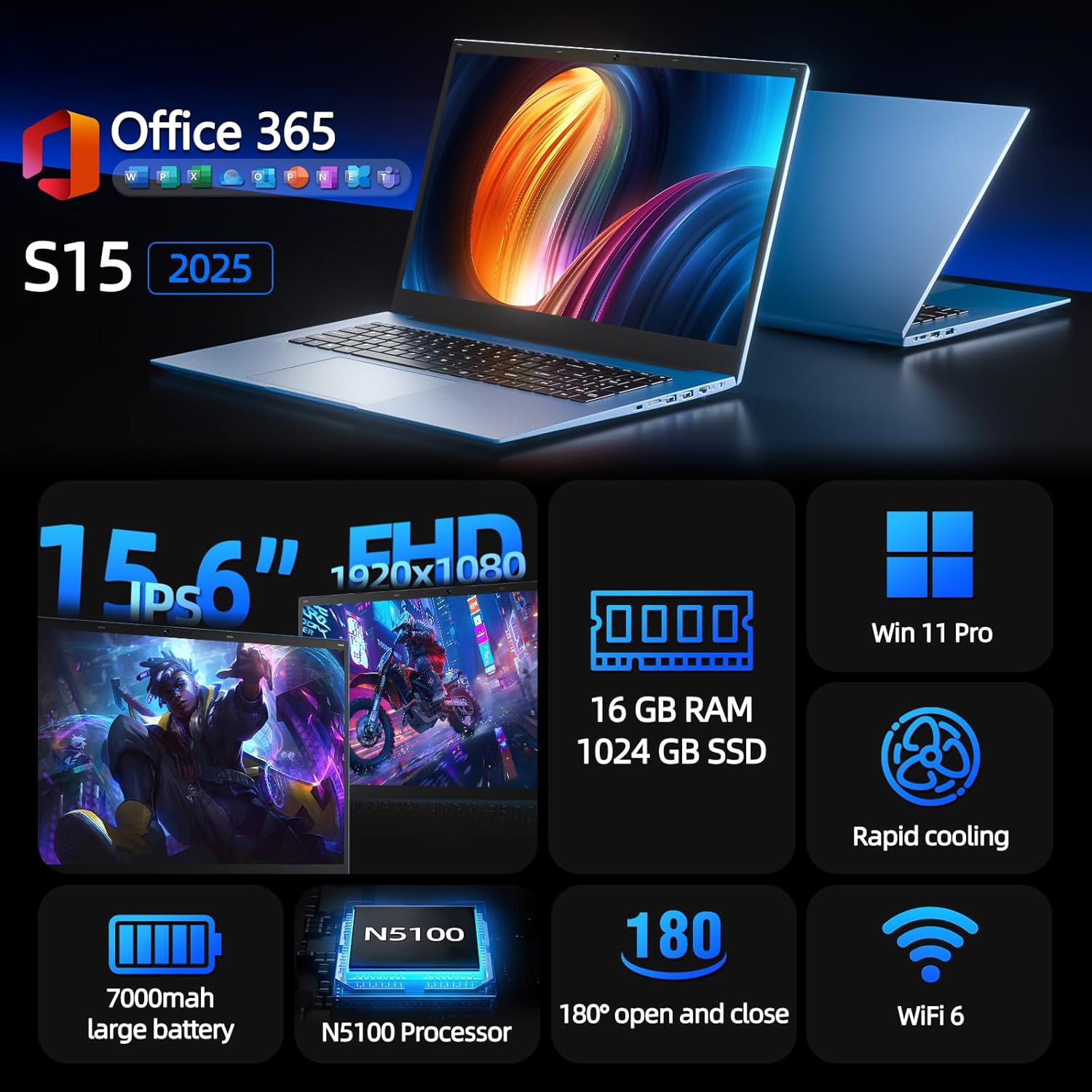
Figure 1: SGIN S15 N5100 Laptop Overview
1. Konfigurazioa
1.1 Kutxatik ateratzea eta hasierako ikuskapena
Carefully remove all components from the packaging. Verify that all items listed in the "What's in the Box" section are present and undamaged. If any items are missing or damaged, contact customer support immediately.
- SGIN S15 N5100 Laptop
- Korronte egokitzailea/kargagailua
- Erabiltzailearen eskuliburua (dokumentu hau)
1. bideoa: Kutxa irekitzea eta hasierako bertsioaview of the SGIN S15 Laptop.
1.2 Energia-egokitzailea konektatzea
Connect the power adapter to the DC-in port on the side of the laptop. Plug the other end into a power outlet. The battery indicator light will illuminate, indicating that the laptop is charging.

Figure 2: Laptop ports, including the DC-in port for charging.
1.3 Lehenengo piztea eta Windows konfigurazioa
Press the power button to turn on the laptop. Follow the on-screen instructions to complete the Windows 11 Pro setup. This includes selecting your region, language, connecting to a Wi-Fi network, and creating a user account. The laptop comes pre-installed with a 1-year Office 365 subscription, which can be activated during or after the initial setup.
2. Funtzionamendu-argibideak
2.1 Bistaratzeko Ezaugarriak
The SGIN S15 features a 15.6-inch Full HD IPS (1920x1080) Anti-Glare Display. The 180° viewing angle allows for flexible screen positioning, ideal for sharing content or adjusting to your preferred working posture.

Figure 3: High-resolution IPS display with 180° hinge.
2.2 Biltegiratzea eta errendimendua
Equipped with 16GB DDR4 RAM and a 1024GB SSD, the laptop offers fast boot-up times and smooth multitasking. The Intel Celeron N5100 processor (4 cores, 4 threads, up to 2.8GHz) provides efficient performance for daily tasks, business applications, and student work.

Figure 4: Internal storage and memory configuration.

Figure 5: Celeron N5100 processor details.
2.3 Konektibitatea
The laptop supports WiFi 6 for strong wireless signals and fast connections, and Bluetooth 5.2 for connecting peripherals. It includes various ports for external devices:
- HDMI ataka
- C motako ataka
- 3.5mm TRRS audio jack
- Memory card slot (TF card up to 1TB)
- USB 3.2 ports (2 ports)

Figure 6: WiFi 6 connectivity for enhanced network performance.
3. Mantentzea
3.1 Bateria zaintzea
The laptop is equipped with a 7000mAh battery, providing up to 8 hours of continuous use. To prolong battery life:
- Saihestu bateria maiz erabat deskargatzea.
- Ez jarri ordenagailu eramangarria tenperatura altuetan.
- Denbora luzez erabiltzen ez baduzu, gorde ordenagailu eramangarria karga partzialarekin (% 50 inguru).

Figure 7: Laptop battery for extended use.
3.2 Ordenagailu eramangarria garbitzea
Erabili zapi leun eta lihorik gabeko bat pantaila eta kanpoaldea garbitzeko. Orban egoskorrak izanez gero, garbitu apur batampGarbitu zapi bat urarekin edo pantaila-garbitzaile seguru batekin. Saihestu produktu kimiko gogorrak edo material urratzaileak. Ziurtatu ordenagailu eramangarria itzalita eta deskonektatuta dagoela garbitu aurretik.
3.3 Hozte-sistema
The laptop features dual cooling fans for efficient heat dissipation. Ensure that the vents are not obstructed to maintain optimal airflow and prevent overheating. Avoid using the laptop on soft surfaces like beds or couches that can block the vents.
4. Arazoak
4.1 Energia arazoak
- Ordenagailu eramangarria ez da pizten: Ensure the power adapter is securely connected and the outlet is functional. Check if the battery has sufficient charge.
- Bateria ez da kargatzen: Verify the power adapter is correctly plugged into both the laptop and the wall outlet. Try a different outlet if available.
4.2 Bistaratzeko arazoak
- Pantaila hutsik dago: Connect an external monitor via HDMI to check if the issue is with the laptop's display or graphics output. Ensure the laptop is powered on and not in sleep mode.
- Pantaila keinukaria: Update your display drivers. Adjust the screen refresh rate in Windows display settings.
4.3 Konexio arazoak
- Wi-Fia ez da konektatzen: Ziurtatu Wi-Fia gaituta dagoela Windows ezarpenetan. Berrabiarazi zure bideratzailea eta ordenagailu eramangarria. Egiaztatu eguneratutako Wi-Fi kontrolatzaileak dauden.
- Bluetooth gailua ez da parekatzen: Ensure Bluetooth is enabled on both the laptop and the device. Place devices close to each other during pairing.
4.4 Errendimendu arazoak
- Ordenagailu eramangarria motela da: Close unnecessary applications. Check Task Manager for high CPU/RAM usage. Ensure sufficient free space on the SSD. Run a disk cleanup.
- Gehiegizko berotzea: Ensure cooling vents are clear. Use the laptop on a hard, flat surface. Consider reducing heavy workload if persistent.
5. Zehaztapenak
| Ezaugarri | Xehetasuna |
|---|---|
| Ereduaren izena | S15 |
| Elementuaren eredu-zenbakia | N5100 |
| Bistaratzeko tamaina | 15.6 hazbete |
| Pantailaren bereizmena | 1920 x 1080 pixels (FHD IPS Anti-Glare) |
| Prozesadorea | Intel Celeron N5100 (4 Cores, 4 Threads, up to 2.8GHz) |
| RAM | 16 GB DDR4 |
| Biltegiratzea | 1024 GB SSD (Expandable with TF card up to 1TB) |
| Sistema eragilea | Windows 11 Pro |
| Bateria | 7000mAh (up to 8 hours) |
| Haririk gabeko konexioa | WiFi 6, Bluetooth 5.2 |
| Portuak | HDMI, Type-C, 3.5mm TRRS Jack, Memory Card Slot, 2x USB 3.2 |
| Neurriak (LxWxH) | 14.56 x 9.4 x 0.86 hazbete |
| Elementuaren pisua | 4.4 kilo |
6. Bermea eta laguntza
6.1 Produktuaren bermea
Your SGIN S15 N5100 laptop comes with a 1-year repair service warranty from the date of purchase. This warranty covers manufacturing defects and hardware malfunctions under normal use. Please retain your proof of purchase for warranty claims.
6.2 Itzultzeko politika
A 30 eguneko itzulera politika is offered for this product. Please refer to your retailer's specific return guidelines for detailed information.
6.3 Bezeroarentzako laguntza
For any technical assistance, troubleshooting, or warranty inquiries, please contact SGIN customer support. We offer 24/7 customer instant help to address your concerns promptly.
Harremanetarako informazioa (adibidez, website, email, phone number) would typically be provided here by the manufacturer.