
1. Sarrera
Beltzaview MP60 Mini PC is a compact and powerful computing solution designed for various applications, including office work, multimedia creation, and home server use. Featuring the Intel Twin Lake N150 processor, 16GB RAM, and a 512GB M.2 SSD, it offers efficient performance in a small form factor. This manual provides essential information for setting up, operating, and maintaining your device.

Image: The Blackview MP60 Mini PC, highlighting its compact design and Intel Twin Lake N150 processor.
2. Zer dago kutxan
Egiaztatu elementu guztiak paketean daudela:
- Beltzaview Mini PC MP60 N150 (x1)
- HDMI kablea (x1)
- Energia egokitzailea (x1)
- VESA Mount with Screws (x1)
- Bermeari eta laguntzari buruzko informazioa
3. Produktua amaitu daview
Beltzaview MP60 Mini PC features a compact design with essential ports for connectivity and expansion. Its small footprint makes it suitable for various environments.
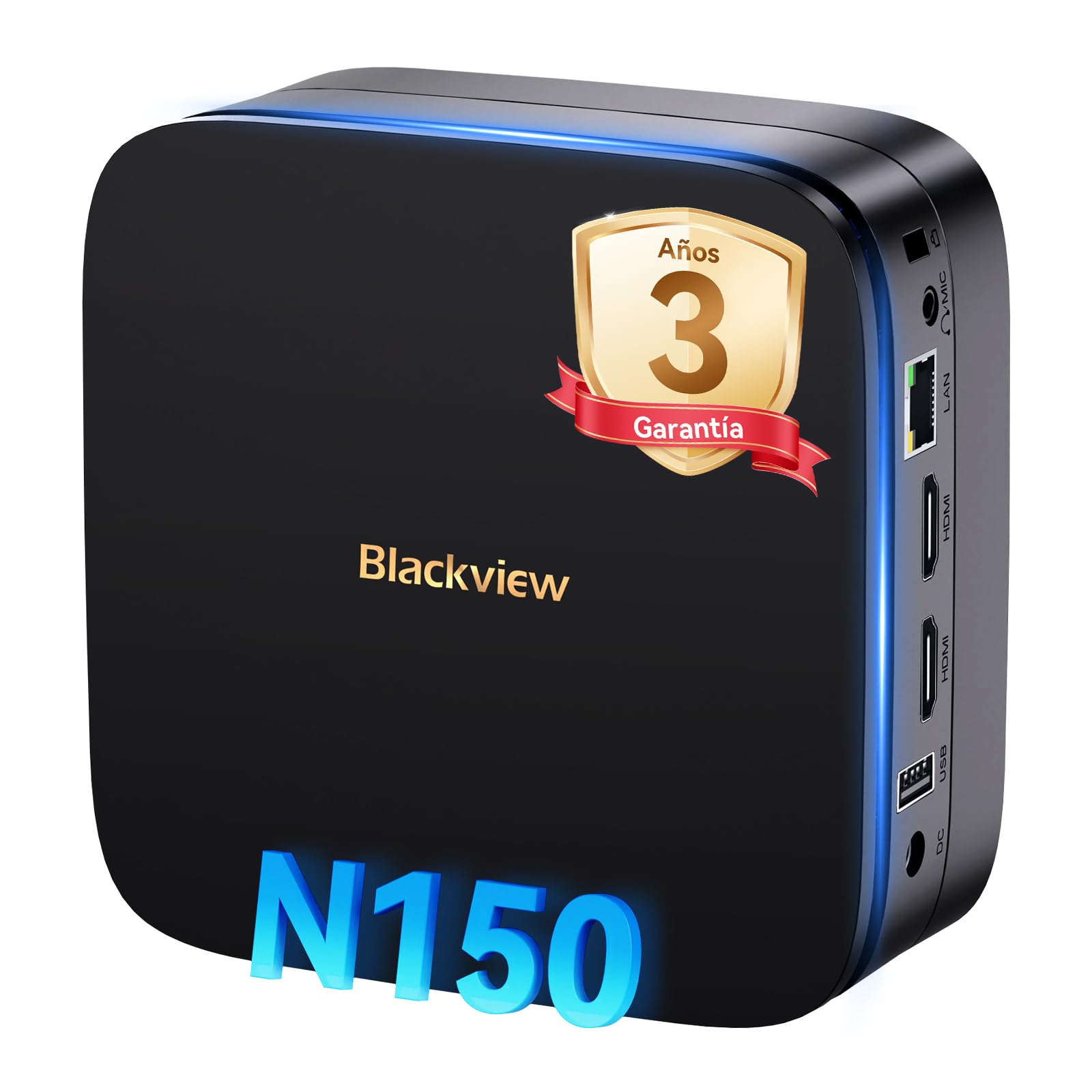
Irudia: Aurrealdea eta atzealdea view Beltzarenview MP60 Mini PC, illustrating its various ports including USB, HDMI, and Ethernet.
Ezaugarri nagusiak:
- Prozesadorea: Intel Twin Lake N150 (up to 3.6 GHz)
- RAM: 16 GB DDR4
- Biltegiratzea: 512GB M.2 SSD (expandable up to 2TB)
- Grafikoak: Intel UHD grafiko integratua
- Sistema eragilea: Windows 11 Pro
- Konektibitatea: Dual-band Wi-Fi (2.4Ghz & 5Ghz), Bluetooth 4.2, Gigabit Ethernet (RJ45)
- Bideo irteera: 2x HDMI 2.0 (supports dual 4K displays)
- USB atakak: 4x USB ports (USB 2.0 Type A, USB 3.0 Type A)
4. Konfiguratzeko argibideak
Jarraitu urrats hauek zure Black konfiguratzekoview MP60 Mini PC:
- Pantaila batera konektatu: Use the provided HDMI cable to connect the Mini PC to your monitor or TV. The device supports dual 4K displays.
- Konektatu periferikoak: Konektatu zure USB teklatua eta sagua eskuragarri dauden USB ataketan.
- Konektatu energiara: Connect the power adapter to the DC-in port on the Mini PC, then plug the adapter into a power outlet.
- Piztu: Press the power button located on the front of the Mini PC. The device will boot up, and you will see the Windows 11 Pro setup screen.
- Hasierako Windows konfigurazioa: Jarraitu pantailan agertzen diren argibideei Windows 11 Pro konfigurazioa osatzeko, hizkuntza, eskualdea, sareko konexioa eta erabiltzaile-kontua sortzea barne.

Image: The Blackview MP60 Mini PC demonstrating its micro size and portability, fitting easily into a bag.
5. Funtzionamendu-argibideak
5.1 Oinarrizko funtzionamendua
Once Windows 11 Pro is set up, you can begin using your Mini PC. The Intel Twin Lake N150 processor provides sufficient power for daily tasks, office applications, and multimedia consumption.
- Piztu/Itzali: Press the power button to turn the device on. To shut down, go to the Start Menu in Windows and select Power > Shut down.
- Berrabiarazi: From the Start Menu, select Power > Restart.
- Lo egiteko modua: From the Start Menu, select Power > Sleep.
5.2 Biltegiratze-hedapena
Beltzaview MP60 Mini PC allows for easy storage expansion with a 2.5-inch SSD/HDD. This feature is useful for storing large files, videos, or creating a home NAS.
- Locate the removable base of the Mini PC.
- Carefully remove the base to access the 2.5-inch drive bay.
- Install your 2.5-inch SSD or HDD (up to 2TB, not included) into the bay.
- Secure the drive and reattach the base.
- After booting, you may need to initialize and format the new drive in Windows Disk Management.

Image: Step-by-step illustration of how to install a 2.5-inch SSD into the Blackview MP60 Mini PC for storage expansion.
5.3 Dual 4K Display Setup
The Mini PC supports connecting two 4K displays simultaneously via its two HDMI 2.0 ports, enhancing productivity for tasks requiring multiple screens.
- Connect your primary monitor to one HDMI port.
- Connect your secondary monitor to the second HDMI port.
- Once both monitors are connected and the PC is powered on, Windows will automatically detect them.
- To configure display settings (e.g., extend, duplicate, resolution), right-click on the desktop and select "Display settings."

Image: The Blackview MP60 Mini PC powering two 4K monitors, demonstrating its dual display capability for enhanced productivity.
5.4 Sare eta haririk gabeko konexioa
The MP60 offers robust connectivity options:
- Wi-Fi: Supports dual-band 2.4GHz and 5GHz Wi-Fi for fast and stable wireless internet access. Connect via Windows network settings.
- Ethernet: A Gigabit RJ45 port provides a wired connection for maximum stability and speed (up to 1000 MB/s).
- Bluetootha: Bluetooth 4.2 allows for easy connection of wireless peripherals like keyboards, mice, and audio devices.
6. Mantentzea
To ensure optimal performance and longevity of your Blackview MP60 Mini PC, follow these maintenance guidelines:
- Mantendu garbi: Regularly clean the exterior of the Mini PC with a soft, dry cloth. Use compressed air to clear dust from vents to maintain efficient cooling.
- Software eguneraketak: Mantendu zure Windows sistema eragilea eta kontrolatzaileak eguneratuta segurtasuna eta errendimendua bermatzeko.
- Saihestu oztopoak: Ziurtatu aireztapen-zuloak ez daudela blokeatuta, gehiegi berotzea saihesteko.
- Itzaltze segurua: Always shut down the PC properly through the operating system rather than simply unplugging it.

Irudia: Barneko bat view Beltzarenview MP60 Mini PC, illustrating its silent heat dissipation system with a cooling fan and heatpipes.
7. Arazoak
Zure Black-ekin arazoak badituzuview MP60 Mini PC, refer to the following common troubleshooting steps:
- Potentziarik gabe:
- Ziurtatu korronte-egokitzailea ondo konektatuta dagoela bai Mini PCra bai funtzionatzen duen korronte-entxufe batera.
- Probatu korronte-hartunea beste gailu batekin.
- Ez dago pantailarik:
- Check HDMI cable connections to both the Mini PC and the monitor.
- Ensure the monitor is powered on and set to the correct input source (HDMI).
- Ahal bada, saiatu beste HDMI kable edo monitore batekin.
- Ez dago Interneteko konexiorik:
- For Wi-Fi, ensure the Wi-Fi adapter is enabled in Windows settings and you are connected to the correct network with the correct password.
- For Ethernet, ensure the cable is securely plugged into both the Mini PC and your router/modem. Check router status.
- Restart your router/modem and the Mini PC.
- Errendimendu motela:
- Itxi atzeko planoan exekutatzen ari diren beharrezkoak ez diren aplikazioak.
- Begiratu eta instalatu zain dauden Windows eguneratzeak.
- Ensure there is sufficient free space on your primary drive.
- Birusen eskaneatzea egin.
If problems persist, refer to the warranty and support section for further assistance.
8. Zehaztapenak
Detailed technical specifications for the Blackview MP60 Mini PC:
| Ezaugarri | Zehaztapena |
|---|---|
| Prozesadorea | Intel Twin Lake N150 (up to 3.6 GHz, 4 Cores, 4 Threads, 6MB Cache) |
| Grafikoak | Intel UHD grafiko integratua |
| RAM | 16 GB DDR4 (3200 MHz) |
| Biltegiratzea | 512GB M.2 SSD (PCIe x4 interface), expandable with 2.5" SSD/HDD up to 2TB |
| Sistema eragilea | Windows 11 Pro |
| Bideo Irteera | 2x HDMI 2.0 (supports dual 4K @ 60Hz displays) |
| USB atakak | 4x USB (USB 2.0 Type A, USB 3.0 Type A) |
| Sarea | Gigabit Ethernet (RJ45), Wi-Fi 5G (802.11ac, dual-band 2.4GHz/5GHz) |
| Bluetootha | Bluetooth 4.2 |
| Audio Irteera | 3.5mm Audio Jack |
| Hozteko metodoa | Air Cooling (Silent design with fan and heatpipes) |
| Neurriak | 12.8 x 12.8 x 5.2 cm |
| Pisua | 1.01 kg |
| Elikatze Hornidura | External Power Adapter (Type E/F: 2 pins for EU) |
9. Bermea eta Laguntza
Beltzaview is committed to providing high-quality products and excellent customer service.
Bermearen informazioa:
Zure beltzaview MP60 Mini PC comes with a 3-year official warranty covering parts and labor for manufacturing defects. This ensures prompt replacement or repair in case of product failure.

Irudia: Beltzaview's commitment to customer satisfaction, highlighting a 3-year warranty and lifetime technical support.
Laguntza teknikoa:
Beltzaview eskaintzak bizitza osorako laguntza teknikoa. Our expert team is available via email, live chat, or phone to assist you with software updates, troubleshooting, and optimization tips to keep your device running smoothly for years. Please refer to the contact information provided with your product or visit the official Blackview webgunea laguntza xehetasunetarako.