
1. Sarrera
The Cherry KW 550 MX LP is a 96% mechanical low-profile keyboard designed for multi-device wireless connectivity. It features durable PBT keycaps and Cherry MX LP 2.0 Ivory switches, offering a smooth and direct typing experience. This manual provides essential information for setting up, operating, maintaining, and troubleshooting your keyboard.
Bideoa: Cherry KW 550 MX LP Mechanical Keyboard OverviewBideo honek ikuspegi orokorra eskaintzen duview of the Cherry KW 550 MX LP mechanical keyboard, demonstrating its slim design, low-profile MX 2.0 Ivory switches, PBT keycaps, and multi-device wireless capabilities. It shows the keyboard in use, highlighting its ergonomic features and backlighting.
2. Konfigurazioa
2.1 Paketearen edukia
- Cherry KW 550 MX LP Keyboard
- USB-A USB-C kargatzeko kablea
2.2 Hasierako karga
Before first use, connect the keyboard to a USB power source using the provided USB-A to USB-C cable. The RGB LED under the CHERRY key indicates the battery status during charging. The keyboard can be used while charging.

Irudia: Rechargeable Lithium Battery. This image focuses on the keyboard's rechargeable lithium battery, which allows for continued operation while charging. It also shows the sturdy, fold-out feet for height adjustment and the included USB-A to USB-C charging cable.
2.3 Gailuetara konektatzea
The Cherry KW 550 MX LP supports wireless multi-device connectivity for up to 4 devices via Bluetooth or a wired USB-C connection.
- Bluetooth konexioa: The keyboard has 3 Bluetooth channels. To pair, select a channel (F1, F2, or F3) by pressing the FN key simultaneously with the desired F-key. The corresponding LED will blink, indicating pairing mode. Bilatu the keyboard on your device's Bluetooth settings and connect.
- Kable bidezko konexioa: Connect the keyboard directly to your computer using the supplied USB-A to USB-C cable. The keyboard will automatically switch to wired mode.

Irudia: Mechanical Multi-Device Keyboard in 96% Layout. This image illustrates the compact 96% layout of the Cherry KW 550 MX LP keyboard, highlighting its dimensions (14.80 inches length, 4.92 inches width, 0.98 inches height) and weight (1.58 lbs). It also shows icons for Bluetooth and wired USB connectivity, indicating its multi-device capability for up to 4 devices.
2.4 Teklatuaren altuera doitzea
The keyboard features sturdy, fold-out feet on the underside to adjust the typing angle for improved ergonomics.
3. Funtzionamendua
3.1 Typing Experience with MX LP 2.0 Ivory Switches
The keyboard is equipped with Cherry MX Low Profile 2.0 Ivory switches. These switches provide a smooth and direct typing feel with linear switching characteristics, meaning there is no tactile bump or audible click. They are designed for durability with over 100 million actuations per key.

Irudia: Original Cherry MX Low Profile 2.0 Switches. This image provides a close-up view of the Cherry MX Low Profile 2.0 Ivory switches, emphasizing their linear switching characteristics without a click. It highlights the smooth typing feel and optimized acoustics, along with the "Made in Germany" origin.
3.2 Backlighting and Status LEDs
Teklatuak 10 ditutage dimmable white illumination. Use the designated function keys (often combined with the FN key) to adjust the brightness. Additionally, red status LEDs are present for CAPS LOCK, NUM LOCK, WIN key, and F1 to F4 keys, providing visual feedback on their activation status.

Irudia: Elegant White Lighting. This image showcases the keyboard's 10-stage dimmable white backlighting, allowing for a customized setup. It also points out the additional red status LEDs for CAPS LOCK, NUM LOCK, WIN, and F1 to F4 keys, which indicate activated functions.
3.3 PBT Keycaps and Advanced Features
The keyboard is fitted with high-end PBT keycaps, known for their durability and abrasion resistance. It also incorporates N-Key rollover, ensuring all key presses are registered simultaneously, and anti-ghosting technology to prevent unintended inputs during fast typing.
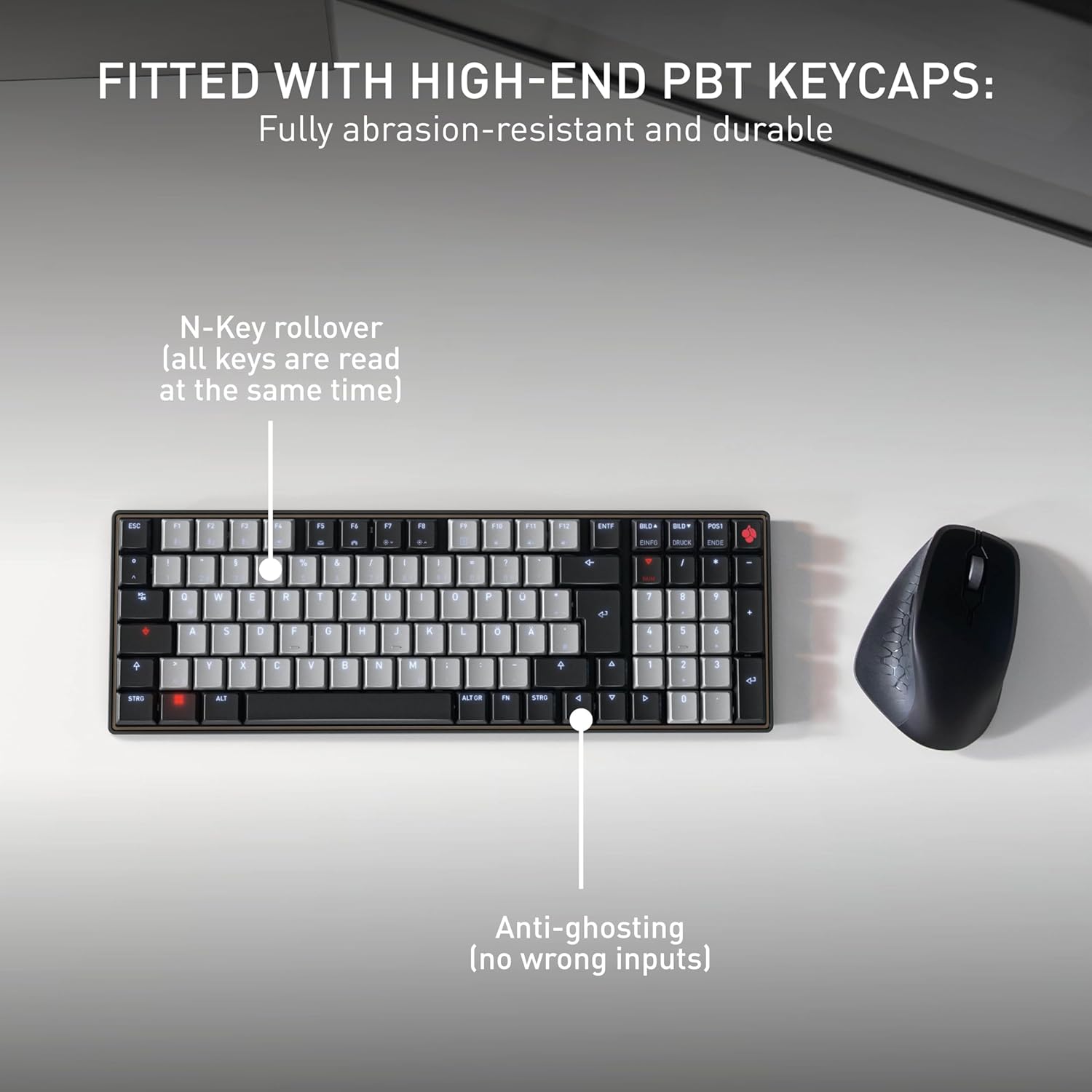
Irudia: Fitted with High-End PBT Keycaps. This image displays the keyboard's durable, abrasion-resistant PBT keycaps. It also illustrates key features like N-Key rollover, ensuring all keys are registered simultaneously, and anti-ghosting technology to prevent incorrect inputs during rapid typing.
4. Mantentzea
4.1 Teklatua garbitzea
- Deskonektatu teklatua gailu guztietatik garbitu aurretik.
- Erabili lipurrik gabeko zapi leun bat dampGarbitu urarekin edo garbiketa-soluzio leun batekin teklak eta gainazala garbitzeko.
- Avoid using harsh chemicals, abrasive cleaners, or spraying liquids directly onto the keyboard.
- Giltzen arteko hondakinak lortzeko, erabili aire konprimatua.
4.2 Bateria zaintzea
- To maximize battery life, avoid fully discharging the keyboard frequently.
- Bateria baxuaren adierazlea agertzen denean, kargatu bateria berriro.
- Denbora luzez erabiltzen ez baduzu, gorde teklatua leku fresko eta lehor batean.
5. Arazoak
5.1 Teklatuak ez du erantzuten
- Egiaztatu bateria: Ensure the keyboard is charged. Connect it via USB-C cable to see if it powers on.
- Kable bidezko konexioa: If using wirelessly, try connecting directly with the USB-C cable to rule out Bluetooth issues.
- Bluetooth Re-pairing: If using Bluetooth, delete the keyboard from your device's Bluetooth list and attempt to re-pair it. Ensure the correct Bluetooth channel (F1, F2, or F3) is selected on the keyboard.
- Berrabiarazi gailua: Restart the connected computer or device.
5.2 Atzeko argiztapen arazoak
- Distira doitzea: Ensure the backlighting is not set to the lowest brightness level. Adjust using the designated function keys.
- Energia aurreztea: The backlighting may turn off after a period of inactivity to conserve battery. Press any key to reactivate.
5.3 Keys Not Registering or Double Typing
- Giltza garbiak: Check for any debris under the affected keycaps.
- Firmware eguneratzea: Check the official Cherry webwebgunea zure teklatu modeloarentzako firmware eguneratze eskuragarri daudenak ikusteko.
6. Zehaztapenak
| Ezaugarri | Xehetasuna |
|---|---|
| Marka | Gerezi |
| Ereduaren izena | Cherry MX KW 550 LP |
| Modelo zenbakia | G8A-25510HOAUS-2 |
| Konektibitate Teknologia | Bluetootha |
| Teklatuaren deskribapena | Compact Mechanical |
| Aldatu mota | Linear (Cherry MX Low Profile 2.0 Ivory) |
| Gako kopurua | 99 |
| Teklatuaren diseinua | QWERTY |
| Ezaugarri bereziak | Multi-Connection, PBT Keycaps, Slim Mechanical |
| Materiala | Metala |
| Energia iturria | Bateriaren bidez |
| Dakarten osagaiak | USB kablea |
| UPC | 840183609207 |
7. Bermea eta laguntza
7.1 Bermearen informazioa
The Cherry KW 550 MX LP keyboard comes with a 2 urteko bermea erosketa-datatik aurrera. Berme honek fabrikazio-akatsak eta erabilera normalaren ondoriozko matxurak estaltzen ditu. Gorde erosketaren egiaztagiria berme-erreklamazioetarako.
7.2 Bezeroarentzako laguntza
For technical assistance, troubleshooting, or warranty inquiries, please visit the official Cherry website or contact their customer support. You can find contact details and further resources at www.cherry.de/en/support.