
1. Sarrera
The PEICHENG Q2SPRO is a 7-inch tablet designed for a smooth and responsive user experience, powered by the Android 15.0 operating system. It features an IPS display, ample memory and storage, and dual cameras, making it suitable for various daily tasks from browsing to media consumption. This manual provides essential information for setting up, operating, maintaining, and troubleshooting your device.
2. Paketearen edukia
Mesedez, egiaztatu paketearen edukia kutxa irekitzean. Elementuren bat falta bada edo hondatuta badago, jarri harremanetan bezeroarentzako arreta-zerbitzuarekin.
- PEICHENG Q2SPRO 7-inch Android 15.0 Tablet
- Protective Case with Foldable Stand
- USB-C kargatzeko kablea
- Energia egokitzailea (eskualdearen arabera alda daiteke)
- Erabiltzailearen eskuliburua (dokumentu hau)
3. Gailuaren diseinua
Familiarize yourself with the physical components of your PEICHENG Q2SPRO tablet.
This image shows the PEICHENG Q2SPRO tablet from both the front, displaying its screen, and the rear, highlighting the camera and overall design.

Alde bat view of the PEICHENG Q2SPRO tablet, illustrating the placement of its various ports and buttons, such as the USB-C port, power button, and volume controls.
- Aurrealdeko kamera: Pantailaren gainean kokatua.
- Atzeko kamera: Located on the back panel.
- Pizteko botoia: Typically on the side, used to turn the device on/off or wake/sleep.
- Bolumen-botoiak: Doitu audio mailak.
- USB-C ataka: Kargatzeko eta datuak transferitzeko.
- Hizlaria: Audio irteerarako.
- MicroSD txartelaren zirrikitua: Biltegiratze zabalgarrirako.
4. Konfigurazioa
4.1 Hasierako karga
Before first use, fully charge your tablet. Connect the USB-C cable to the tablet's charging port and the other end to the power adapter. Plug the adapter into a wall outlet. The charging indicator will show the charging status.
4.2 Piztu/Itzali
- Pizteko: Press and hold the Power button until the PEICHENG logo appears on the screen.
- Itzaltzeko: Press and hold the Power button until the power options appear, then select "Power Off."
- Lo egiteko/esnatzeko: Sakatu labur pizteko botoia.
4.3 Hasierako konfigurazio-morroia
Upon first power-on, the Android 15.0 setup wizard will guide you through essential configurations:
- Hizkuntza hautaketa: Aukeratu zure hizkuntza hobetsia.
- Wi-Fi konexioa: Connect to a wireless network to access the internet. The tablet supports WiFi6 (2.4G+5G).
- Google kontua: Hasi saioa zure Google kontuarekin edo sortu berri bat Google zerbitzuetara sartzeko, hala nola Play Store, Gmail eta Google Drive.
- Data eta ordua: Ezarri data eta ordu zuzena.
- Segurtasuna: Set up a screen lock (PIN, pattern, or password) for device security.

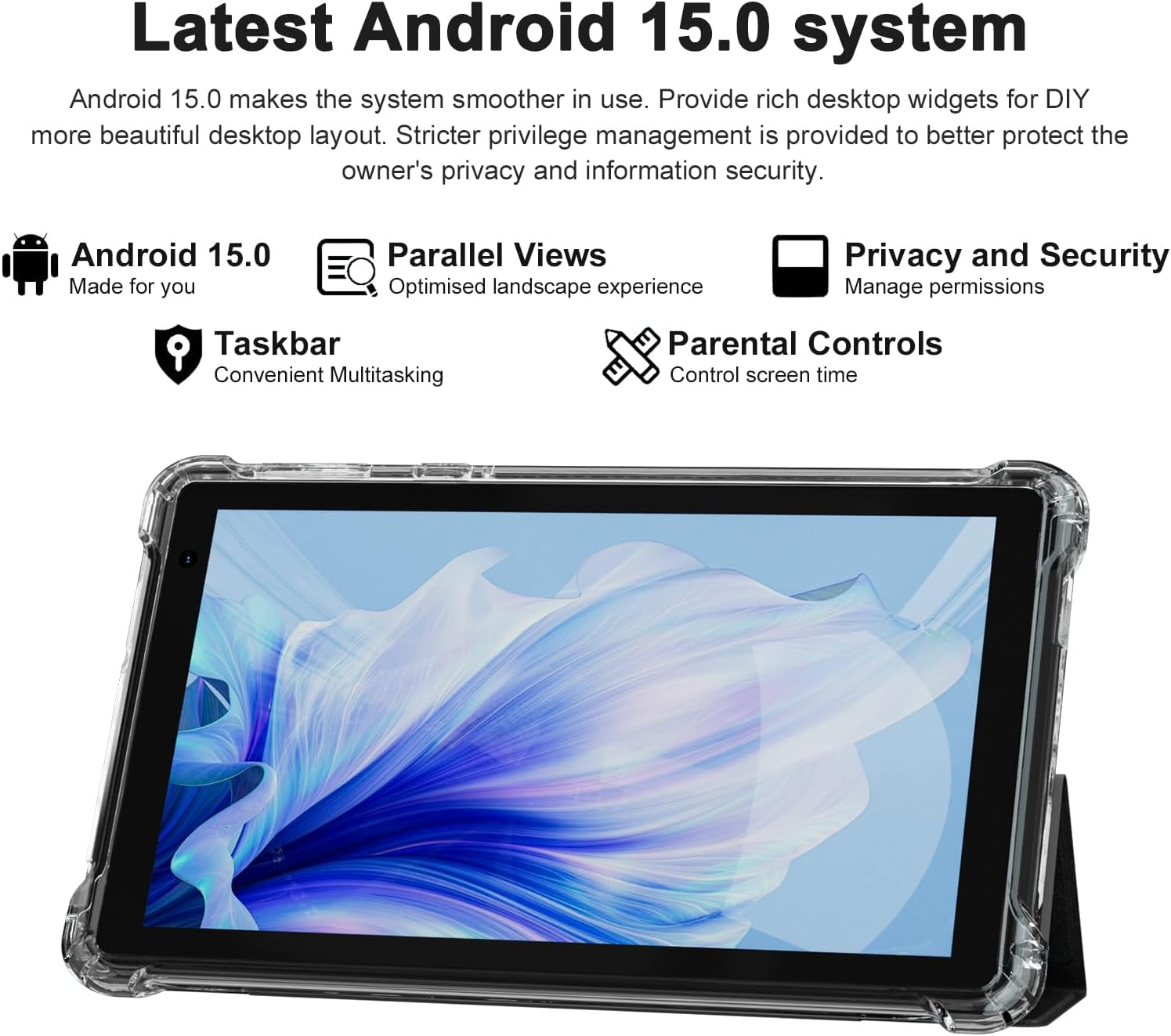
The PEICHENG Q2SPRO tablet screen displaying the Android 15.0 operating system interface, highlighting features like desktop widgets and privacy controls.
5. Funtzionamendu-argibideak
5.1 Oinarrizko nabigazioa
- Ukipen-pantaila: Elkarrekintzarako, sakatu, irristatu eta txikitu zooma egiteko.
- Hasierako pantaila: Access apps, widgets, and notifications. Android 15.0 offers rich desktop widgets for customization.
- Jakinarazpenen panela: Irristatu hatza behera pantailaren goialdetik view jakinarazpenak eta ezarpen azkarrak.
- Ataza-barra: Android 15.0 includes a taskbar for convenient multitasking and optimized landscape mode.
5.2 Wi-Fi konexioa
- Joan zaitez Ezarpenak > Sarea eta Internet > Internet.
- Aktibatu Wi-Fi.
- Hautatu nahi duzun Wi-Fi sarea zerrendatik.
- Eskatzen bazaizu, idatzi pasahitza eta, ondoren, sakatu Konektatu.
5.3 Bluetooth parekatzea
- Joan zaitez Ezarpenak > Konektatutako gailuak > Konexio-hobespenak > Bluetootha.
- Aktibatu Bluetootha.
- Ensure the device you want to pair is in pairing mode.
- Select the device from the list of available devices and follow on-screen instructions to complete pairing.
5.4 Kameraren erabilera
Tabletak 2.0MP-ko aurrealdeko kamera eta 5.0MP-ko atzeko kamera ditu.
- Ireki Kamera aplikazioa.
- Sakatu kameraren ikonoa aurreko eta atzeko kameren artean aldatzeko.
- Sakatu obturadorearen botoia argazki bat ateratzeko edo bideo grabaketa hasteko/gelditzeko.

This image illustrates the 5MP rear camera and 2MP front camera specifications of the PEICHENG Q2SPRO tablet, alongside exampgailuarekin ateratako argazkiak.
5.5 Aplikazioaren instalazioa
Access millions of applications through the Google Play Store.
- Ireki Play Store aplikazioa.
- Bilatu the desired app.
- Sakatu Instalatu eta jarraitu pantailako argibideei.
5.6 Protective Case and Stand
The included transparent, shock-absorbing protective case helps protect your tablet. It features a built-in foldable stand, allowing you to prop the tablet at a comfortable viewing angle for hands-free use.

The PEICHENG Q2SPRO tablet enclosed in its transparent protective case, demonstrating the integrated foldable stand propping the device at a comfortable viewangelua.
6. Mantentzea
6.1 Tableta garbitzea
- Erabili zapi leun eta lihorik gabeko bat pantaila eta gorputza garbitzeko.
- Do not use liquid cleaners or aerosols directly on the tablet.
- Marka egoskorretarako, apur bat dampGarbitu oihal bat urarekin edo pantailarentzat segurua den garbitzaile batekin.
6.2 Software eguneraketak
Egiaztatu eta instalatu software eguneraketak aldizka errendimendu, segurtasun eta funtzio berrietarako sarbidea optimoa bermatzeko. Joan honera Ezarpenak > Sistema > Sistema eguneratzea.
6.3 Bateria zaintzea
- Saihestu tenperatura muturrekoak, bateriaren iraupena murriztu baitezakete.
- Ez utzi bateria maiz erabat agortzen.
- Erabili emandako kargagailua kargatze optimoa lortzeko.
- The tablet emphasizes low power consumption for better battery efficiency.
7. Arazoak
Atal honek zure tabletarekin izan ditzakezun arazo ohikoenei buruzko informazioa ematen du.
| Arazoa | Balizko Kausa / Irtenbidea |
|---|---|
| Tableta ez da pizten | Ziurtatu bateria kargatuta dagoela. Konektatu kargagailura eta itxaron minutu batzuk berriro pizten saiatu aurretik. |
| Tablet freezes or is unresponsive | Press and hold the Power button for about 10-15 seconds to force a restart. Close unnecessary background applications. |
| Wi-Fi konexio arazoak | Ensure Wi-Fi is enabled. Restart your router and the tablet. Check if the Wi-Fi password is correct. Try connecting to a different network if available. |
| Bateria azkar agortzen da | Reduce screen brightness. Close unused apps. Disable Wi-Fi/Bluetooth when not in use. Check for power-intensive apps in battery settings. |
| Tableta gehiegi berotzen da | Avoid using the tablet in direct sunlight or hot environments. Close demanding applications. Allow the tablet to cool down before continued use. |
| Errendimendu motela | Clear cache and data of frequently used apps. Uninstall unused apps. Ensure sufficient free storage space. Restart the tablet regularly. |
8. Zehaztapenak
Technical specifications for the PEICHENG Q2SPRO tablet.
| Ezaugarri | Xehetasuna |
|---|---|
| Marka | PEICHENG |
| Ereduaren izena | Q2SPRO |
| Sistema eragilea | Android 15.0 |
| Pantailaren tamaina | 7 hazbete |
| Bistaratzeko mota | IPS LED Touchscreen |
| Bistaratzeko ebazpena | 1024 x 600 pixel |
| RAM Memoria | 8GB (3GB installed + 5GB expandable) |
| Memoria Biltegiratzeko Ahalmena | 32 GB (MicroSD bidez 1 TB arte zabaldu daiteke) |
| Prozesadorearen marka | Rocktxip |
| Atzeko kamera | 5.0MP |
| Aurrealdeko kamera | 2.0MP |
| Bideo Harrapaketa Ebazpena | HD 720p |
| Haririk gabeko Teknologia | Wi-Fi (802.11ax, 802.11g, 2.4G+5G) |
| Bluetootha | Bluetooth 5.0 |
| Konektibitate Teknologia | USB 3.0 C motakoa |
| Bateria zelula mota | Litio Polimeroa |
| Bateriaren energia-edukia | 3000 milioiampordu lehenago (mAh) |
| Elementuaren pisua | 0.49 kilogramo |
| Elementuaren neurriak (L x W x lodiera) | 8"L x 5"Z x 0.4"Lo |
9. Bermearen informazioa
The PEICHENG Q2SPRO tablet comes with a 1 urteko berme mugatua from the date of purchase. This warranty covers manufacturing defects and malfunctions under normal use. It does not cover damage caused by misuse, accidents, unauthorized repairs, or normal wear and tear. Please retain your proof of purchase for warranty claims.
10. Bezeroarentzako arreta
For further assistance, technical support, or warranty inquiries, please refer to the contact information provided with your product packaging or visit the official PEICHENG website. When contacting support, please have your model number (Q2SPRO) and proof of purchase readily available.