
1. Segurtasun informazioa
Please read all safety instructions carefully before operating the AWithZ UKF10 Super Capacitor Spot Welder. Failure to follow these instructions may result in electric shock, fire, or serious injury.
- Begietako babesa: Always wear appropriate eye protection (safety glasses or goggles) to shield against sparks and molten metal during welding operations.
- Aireztapena: Ensure adequate ventilation in your workspace to disperse fumes and gases produced during welding.
- Segurtasun elektrikoa: Do not operate the welder in wet conditions. Keep the unit and all accessories dry. Avoid touching live electrical parts.
- Materialen bateragarritasuna: Only weld materials specified in this manual. Do not attempt to weld copper, gold, silver, aluminum, or jewelry, as this unit is not designed for these materials.
- Bateriaren segurtasuna: Unitatearen ezaugarriak. Dynamic Balance Protection for enhanced battery safety and Intelligent Stop-Charging to prevent overcharging. However, always handle batteries with care and avoid short-circuiting.
- Haurrak eta maskotak: Keep the spot welder and all accessories out of reach of children and pets.


2. Produktua amaitu daview eta Osagaiak
The AWithZ UKF10 is a professional super capacitor spot welder designed for battery pack assembly and repair. It offers powerful and versatile welding performance with advanced safety features.
2.1 Paketearen edukia
Egiaztatu behean zerrendatutako elementu guztiak zure paketean sartuta daudela:
- AWithZ UKF10 Spot Welder Unit
- Welding Pens (WP120-6 + WP110-6)
- Replacement Electrode Tips (x2)
- Oin pedalen etengailua
- USB-C kargatzeko kablea
- Nickel Strip Roll
- Lixa-papera
- Erabiltzailearen eskuliburua


2.2 Unitatearen Ezaugarriak
- Multi-Function Control Knob: For adjusting settings and navigating the menu.
- Koloretako pantaila: Provides clear visual feedback on current settings, mode, and battery status.
- Welding Pen Ports: Connect the welding pens securely.
- Foot Pedal Port: For connecting the external foot pedal for precise control.
- Kargatzeko ataka: USB-C for convenient charging.
- Oinarri irristagaitza: Funtzionamenduan egonkortasuna bermatzen du.

3. Konfigurazioa
Follow these steps to prepare your AWithZ UKF10 spot welder for use:
- Kargatu unitatea: Connect the provided USB-C charging cable to the charging port on the unit and to a suitable USB power adapter (not included). The display will indicate charging status. Ensure the unit is fully charged before first use for optimal performance.
- Konektatu soldadura-boligrafoak: Insert the connectors of the welding pens firmly into the designated welding pen ports on the top of the unit. Ensure a secure connection.
- Konektatu oin-pedala (aukerakoa): If using the foot pedal mode, plug the foot pedal cable into the foot pedal port on the front of the unit.
- Prepare Electrodes: Ensure the electrode tips are clean and sharp. Use the included sandpaper to gently clean the tips if necessary. Replace worn tips with the spare ones provided.
- Piztu: Long-press the multi-function control knob to power on the unit. The color display will illuminate.
4. Funtzionamendua
The AWithZ UKF10 offers three distinct welding modes and adjustable settings for precise control.
4.1 Soldadura moduak
Rotate the multi-function knob to navigate to the 'Mode' setting and press to select. Rotate again to choose your desired mode:
- Modu automatikoa: The welder automatically triggers a weld when both electrode tips make contact with the material. Ideal for quick, repetitive tasks.
- Smart Pen Mode: Utilizes the button on the smart welding pen to manually trigger a weld. Provides precise control for delicate repairs.
- Oin-pedalen modua: The weld is triggered by pressing the external foot pedal. This mode allows for optimal positioning of the welding pens before initiating the weld, suitable for high-efficiency batch assembly.

4.2 Ezarpenak doitzea
Use the multi-function knob to adjust the following parameters:
- Engranajea (potentzia maila): Adjusts the welding power from 1 to 100. Higher numbers indicate more power. Start with lower settings and gradually increase to find the optimal power for your material thickness.
- Cont Welds (Continuous Welds): Sets the number of welds performed with a single trigger (1 to multiple). Useful for creating stronger bonds with multiple spot welds in quick succession.
- Trigger (Delay Time): In Automatic Mode, this sets the delay before a weld is triggered after contact. Adjust as needed for precise timing.

4.3 Welding Guidelines
The UKF10 is capable of welding:
- 0.2mm Pure Nickel Strips
- 0.35mm Nickel-Plated Steel Strips
Prozedura:
- Place the nickel strip firmly onto the battery terminal or material to be welded.
- Position the welding pen tips onto the nickel strip, ensuring they are parallel and apply even pressure. The distance between the tips affects weld heat; closer tips generally result in hotter welds.
- Initiate the weld according to your selected mode (Automatic, Smart Pen, or Foot Pedal).
- Inspect the weld. A good weld should be strong and secure, without excessive scorching or weak adhesion. Adjust the 'Gear' setting as needed.

4.4 Aplikazioak
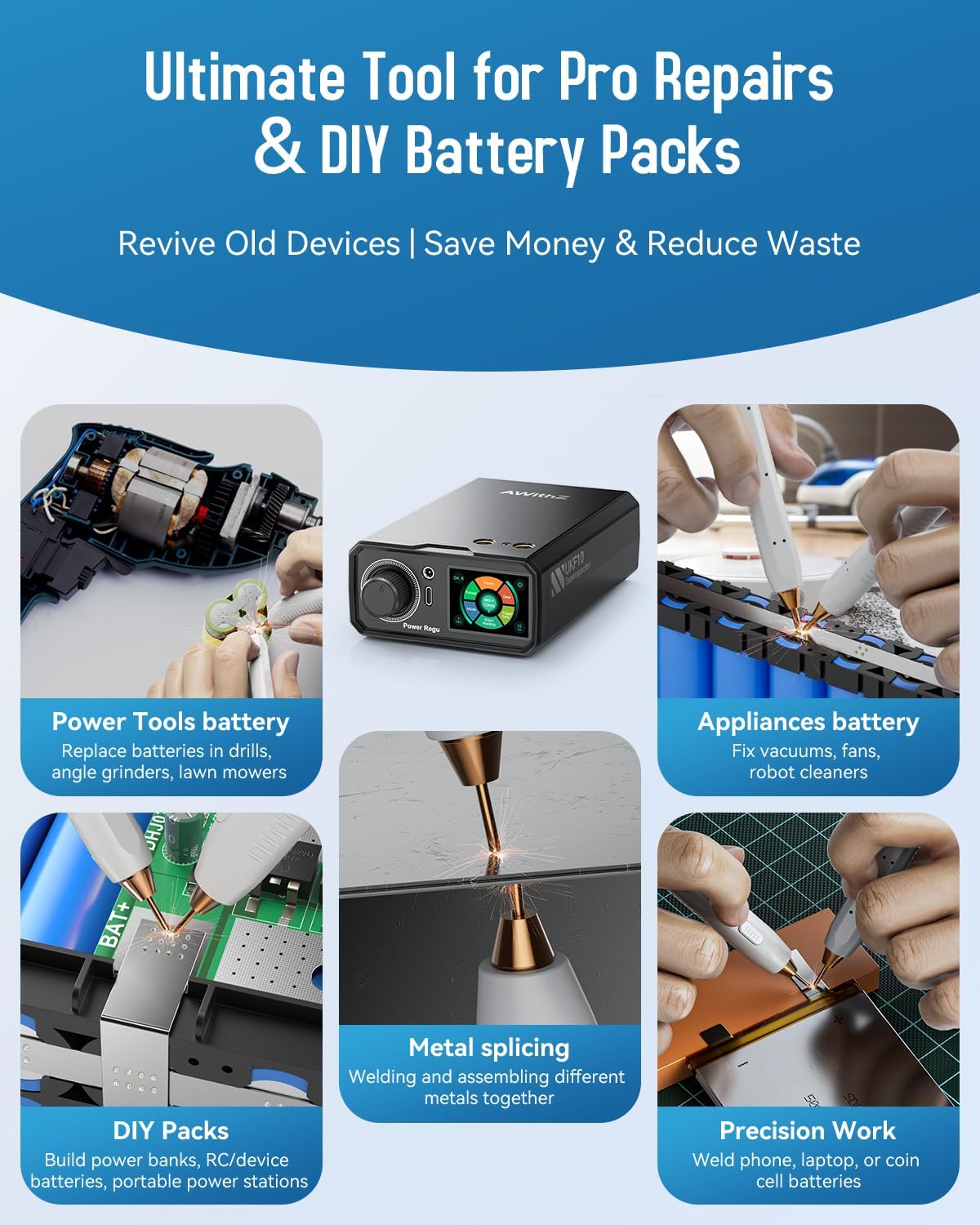
The AWithZ UKF10 is suitable for a variety of applications, including:
- Electric tool battery repair
- Home appliance battery maintenance
- Small to medium battery pack assembly
- Button cell welding
- Mobile phone battery repair
5. Mantentzea
Mantentze egokiak zure puntuzko soldadura-makinaren iraupena eta errendimendu optimoa bermatzen ditu.
- Electrode Tips: Regularly inspect the welding electrode tips for wear or oxidation. Clean them with the provided sandpaper or a fine file to maintain good conductivity. Replace tips when they become too short or severely worn.
- Unitatearen garbiketa: Keep the main unit clean and free from dust and debris. Use a soft, dry cloth to wipe the exterior. Do not use abrasive cleaners or solvents.
- Kargatzen: Charge the unit regularly, especially if it will be stored for an extended period, to maintain battery health.
- Biltegiratzea: Gorde puntu-soldagailua leku fresko eta lehor batean, eguzki-argitik eta hezetasunetik babestuta.
6. Arazoak
Atal honetan ohiko arazoei eta haien irtenbideei buruzko informazioa aurkituko duzu.
| Arazoa | Kausa posiblea | Irtenbidea |
|---|---|---|
| Soldadura ahulak edo inkoherenteak |
|
|
| No spark or weld |
|
|
| Txinga gehiegi |
|
|
| Unitatea ez da kargatzen |
|
|
7. Zehaztapenak
| Ezaugarri | Zehaztapena |
|---|---|
| Modelo zenbakia | UKF10 |
| Fabrikatzailea | AWithZ |
| Elementuaren pisua | 2.55 libra (gutxi gorabehera 1.16 kg) |
| Paketearen neurriak | 7.52 x 5 x 4.53 hazbete (gutxi gorabehera 19.1 x 12.7 x 11.5 cm) |
| Energia iturria | Bateriaren bidez |
| Pilak | 2 litio-polimeroko bateria (barne) |
| Bateria zelula mota | Litio Polimeroa |
| Welding Capability (Pure Nickel) | 0.2 mm-ko lodiera arte |
| Welding Capability (Ni-Plated Steel) | 0.35 mm-ko lodiera arte |
| Kondentsadorearen iraupena | 500,000+ charge/discharge cycles |
8. Bermea eta Laguntza
For warranty information, technical support, or service inquiries, please contact AWithZ customer service through your original point of purchase or visit the official AWithZ website. Please have your product model number (UKF10) and purchase details ready when contacting support.