
1. Sarrera
This manual provides essential information for setting up, operating, and maintaining your Tecno Pova Slim 5G smartphone. Please read this guide carefully to ensure proper use and to maximize the device's performance and longevity.
The Tecno Pova Slim 5G is a 5G-enabled smartphone featuring a slim design, a 3D curved display, and a large battery capacity. It incorporates advanced features such as a Dynamic Mood Light and Ella AI with regional language support.

1.1. irudia: Aurrealdea eta atzealdea view of the Tecno Pova Slim 5G smartphone.
2. Zer dago kutxan
Upon unboxing your Tecno Pova Slim 5G, verify that all the following items are included:
- Tecno Pova Slim 5G Smartphone
- Elikatze-moldagailua
- USB kablea
- Telefono-zorroa
- Pantaila-babeslea (aurrez jarrita edo kaxan)
- SIM erretiluaren kanporatzailea
- Hasierako gida azkarra (eskuliburu hau)
3. Gailua amaitu daview
Familiarize yourself with the physical components of your Tecno Pova Slim 5G smartphone.
3.1. Physical Layout
- Aurrealdea: Curved AMOLED display, front camera, earpiece.
- Itzuli: Dual rear cameras, LED flash, Dynamic Mood Light, Tecno branding.
- Eskuineko aldea: Pizteko botoia, bolumena igotzeko/jaisteko botoiak.
- Ezkerreko aldea: SIM txartelaren erretilua.
- Behea: USB Type-C port, microphone, speaker grille.
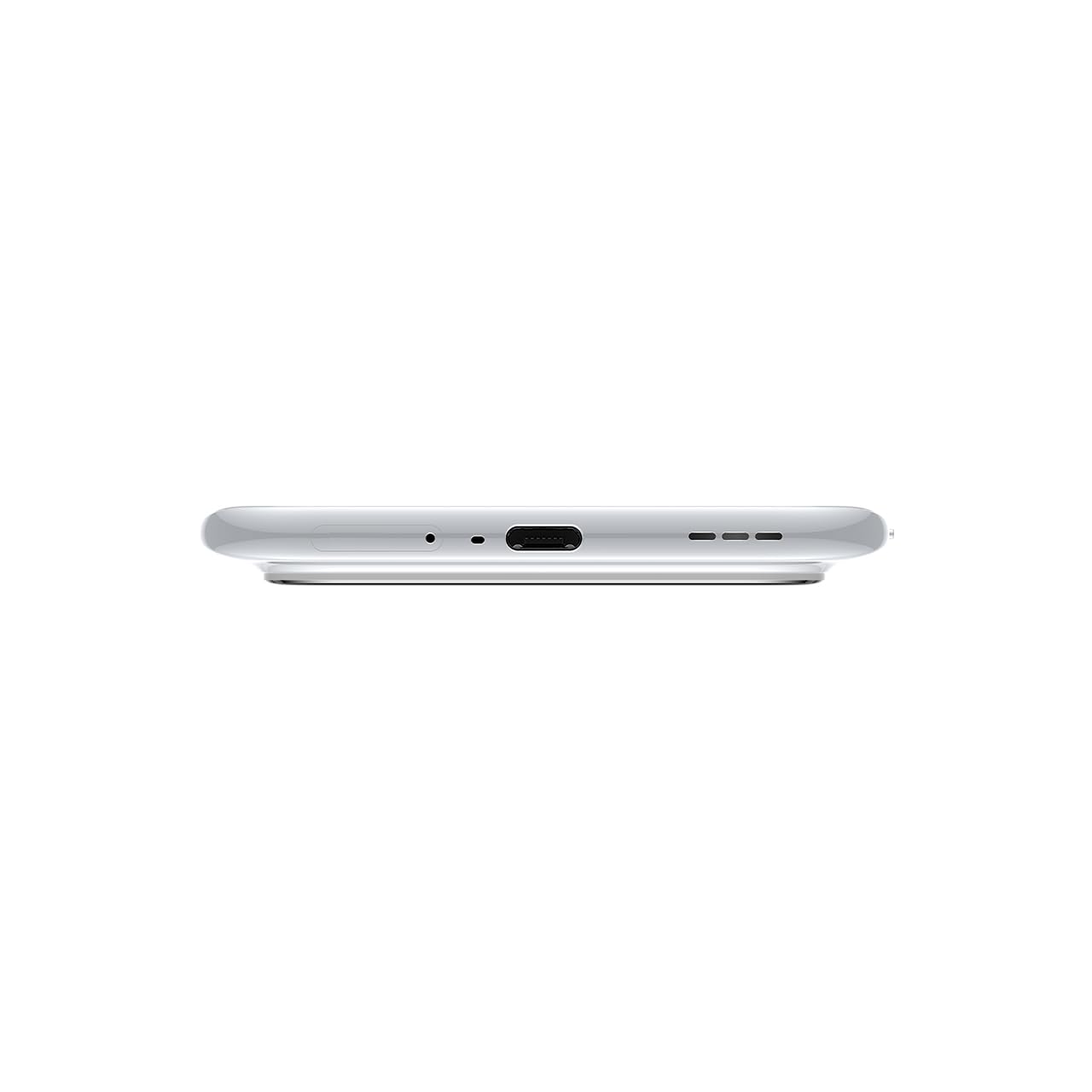
3.1 irudia: Behealdea view of the device, highlighting the USB-C port and speaker.
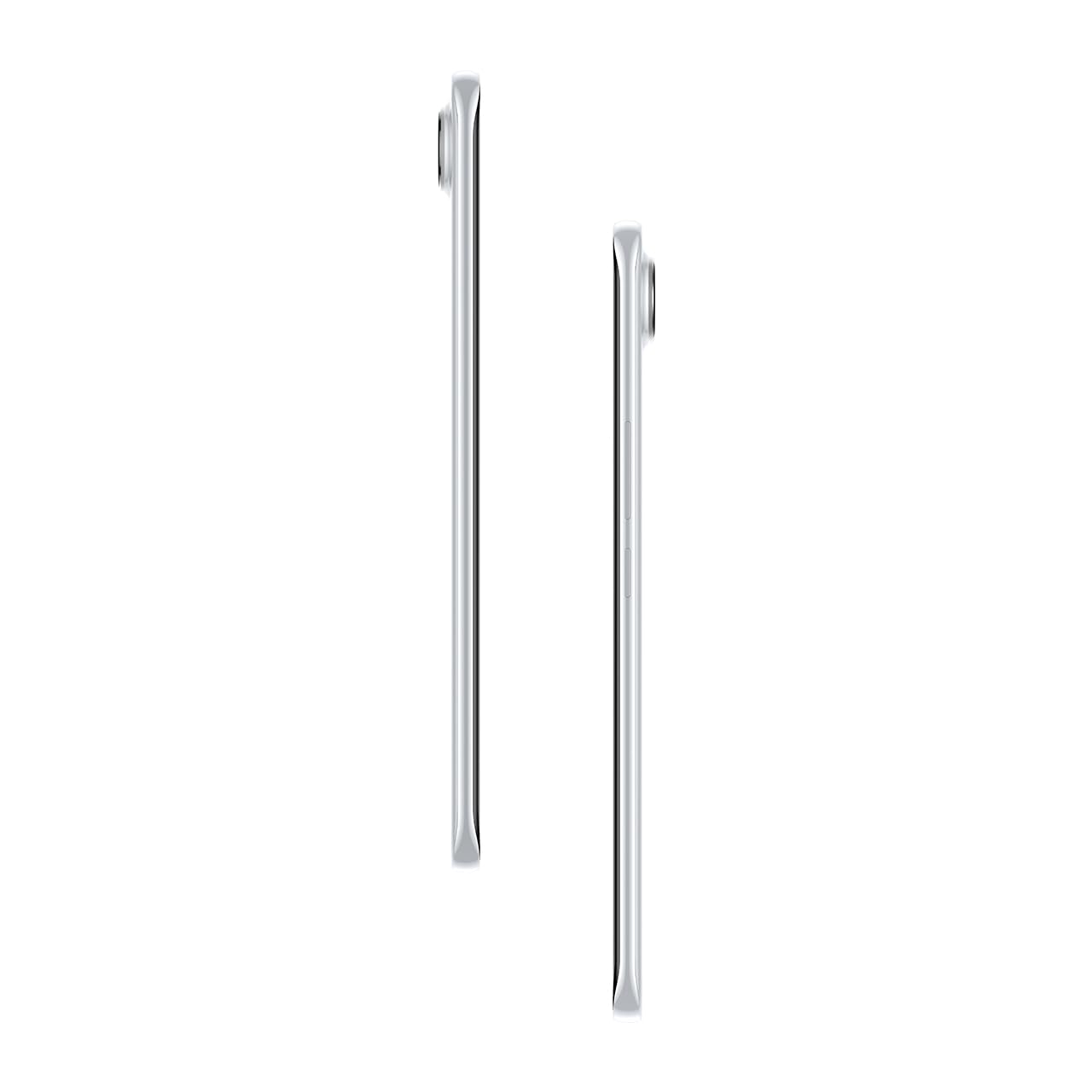
3.2 irudia: Albokoa view illustrating the slim profile telefonoarena.
4. Konfigurazioa
4.1. SIM txartela sartzea
- Bilatu SIM txartelaren erretilua gailuaren ezkerreko aldean.
- Sartu SIM txartelaren erretilua ateratzeko tresna erretiluaren ondoko zulo txikian eta sakatu astiro erretilua atera arte.
- Jarri Nano-SIM txartela(k) erretiluko zirrikituetan. Ziurtatu urre koloreko kontaktuak behera begira daudela.
- Kontu handiz sartu erretilua telefonoan berriro, bere lekuan klik egin arte.
4.2. Piztu/Itzaltzea
- Pizteko: Press and hold the Power button on the right side of the phone until the Tecno logo appears.
- Itzaltzeko: Sakatu eta eutsi pizteko botoiari, eta ondoren hautatu 'Itzali' pantailan agertzen diren aukeren artean.
- Berrabiarazteko: Sakatu eta eutsi pizteko botoiari, eta ondoren hautatu 'Berrabiarazi' aukeren artean.
4.3. Hasierako Konfigurazioa
Upon first power-on, follow the on-screen instructions to set up your device. This includes selecting your language, connecting to Wi-Fi, setting up your Google account, and configuring security features like fingerprint or face unlock.
5. Zure gailua funtzionatzea
5.1. Pantailaren ezaugarriak
The Tecno Pova Slim 5G features a 1.5K Curved AMOLED display with a 144Hz refresh rate, providing smooth visuals. It offers up to 4500 nits peak brightness for clear visibility in various lighting conditions and is protected by Corning Gorilla Glass 7i.
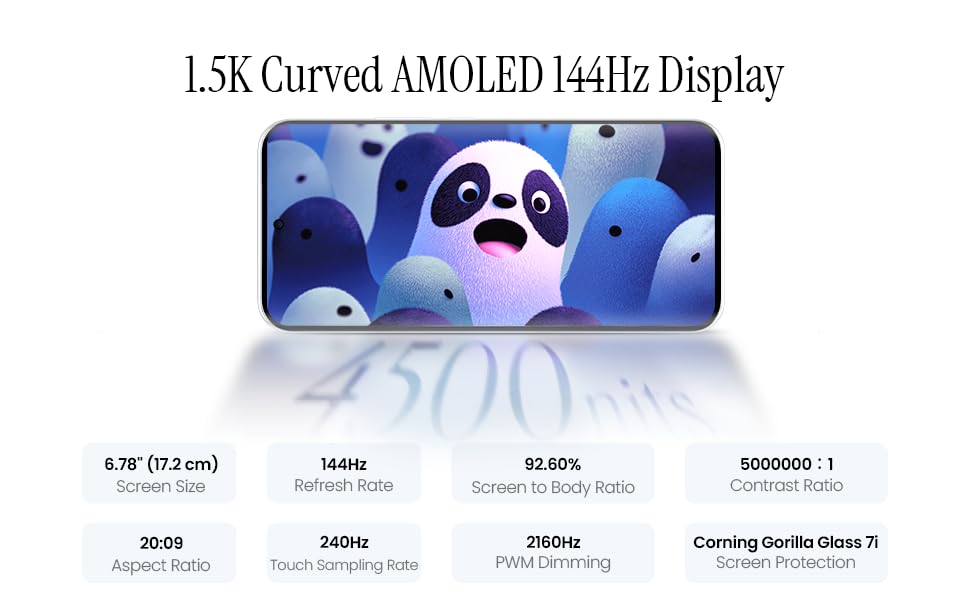
Image 5.1: Display specifications including screen size, refresh rate, and brightness.
5.2. Kameraren erabilera
The device is equipped with a 50MP AI camera system. To take photos or record videos, open the Camera application. You can switch between different modes (Photo, Video, Portrait, Night, etc.) and adjust settings like zoom, flash, and filters.
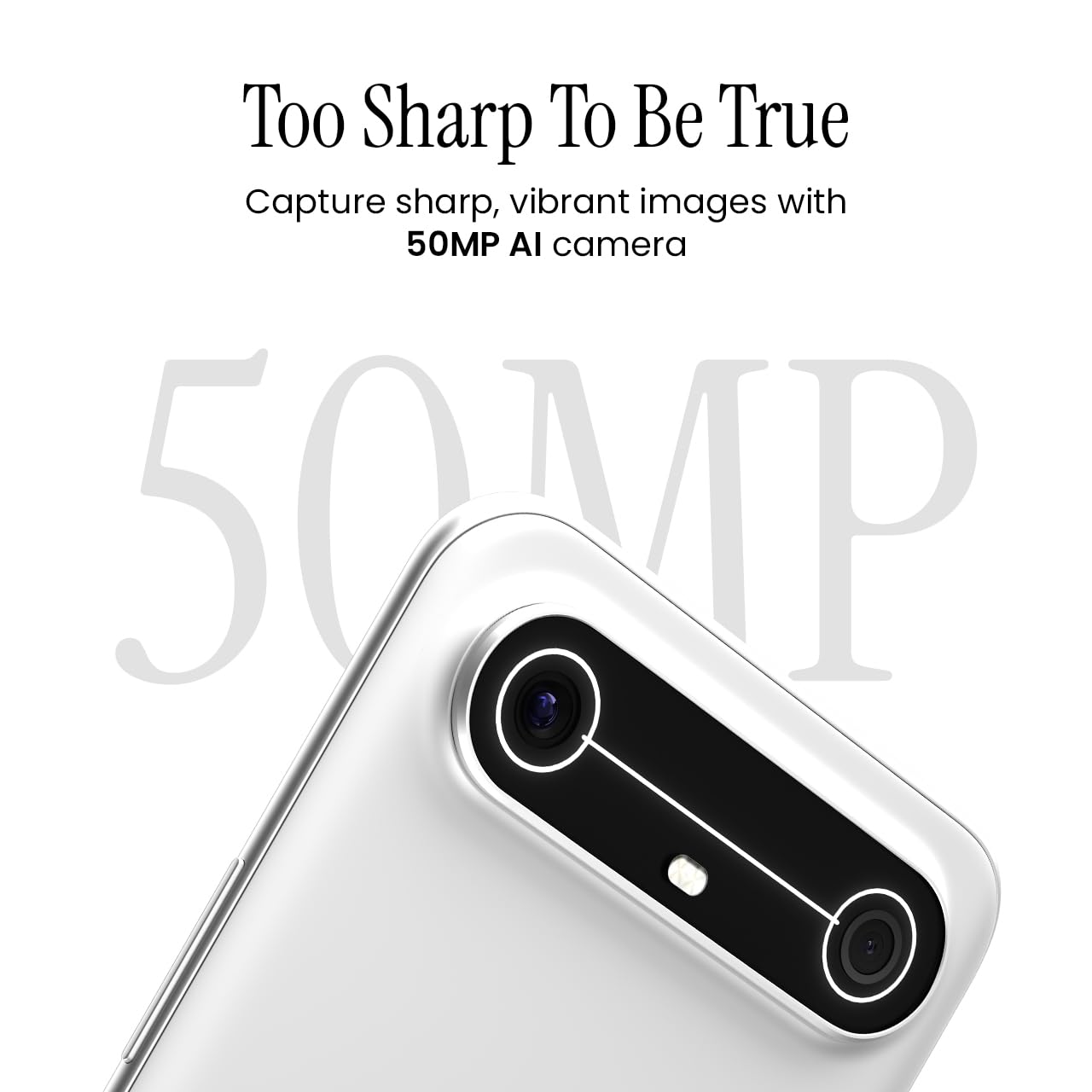
Image 5.2: Detail of the 50MP AI camera module.
5.3. Dynamic Mood Light
The Dynamic Mood Light is an integrated lighting feature on the back of the device that responds to various notifications, calls, and system events, providing visual cues.

Image 5.3: The Dynamic Mood Light design on the device's rear.
5.4. Ella AI Features
Ella AI provides intelligent assistance, including support for Indian regional languages. Key features include:
- AI idazketa laguntzailea: Helps in drafting messages and content.
- Bilatzeko zirkulua egin: Allows users to search for information by circling objects on the screen.
- Hizkuntza ulermena: Processes and responds to voice commands in various Indian languages.
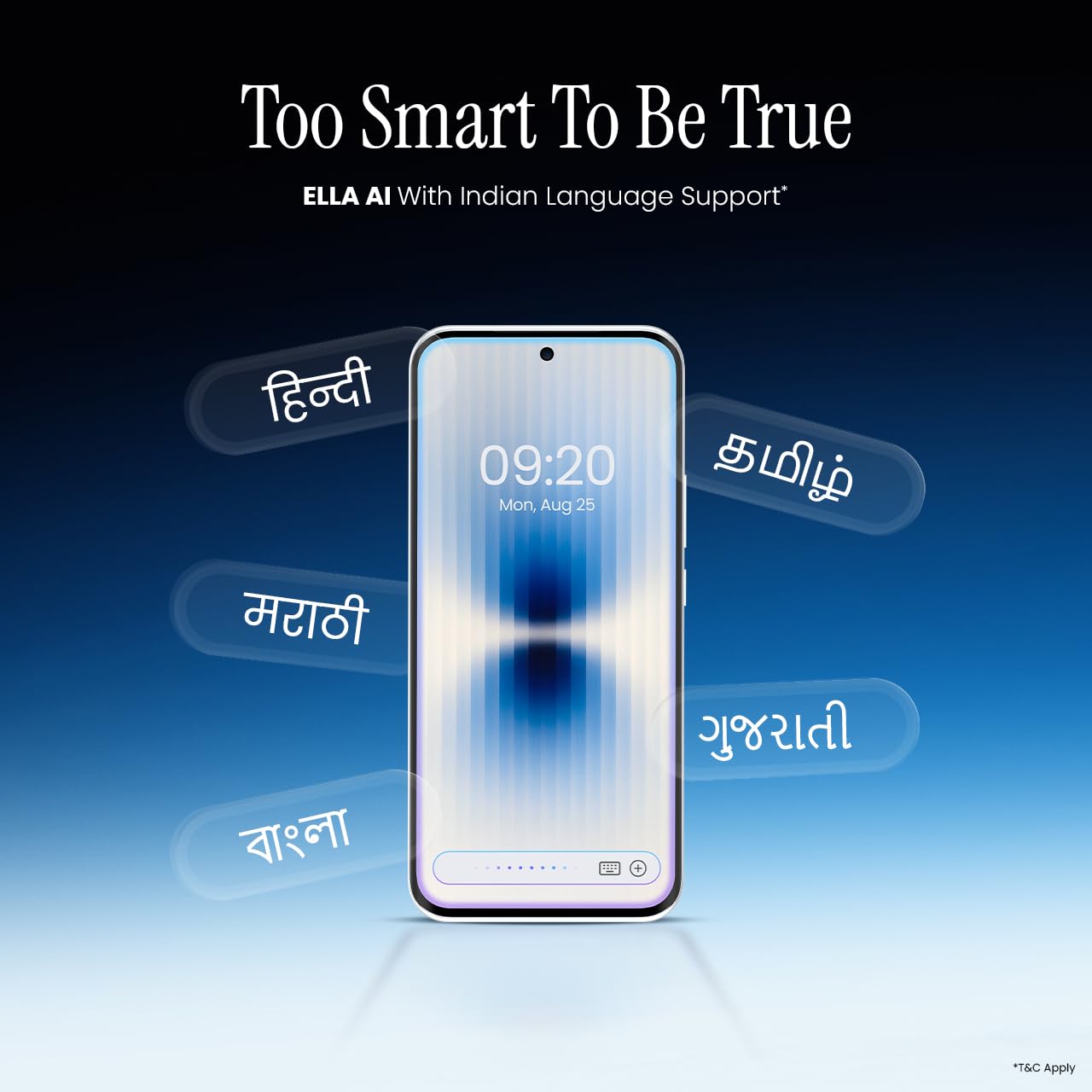
Image 5.4: Ella AI demonstrating Indian language support.
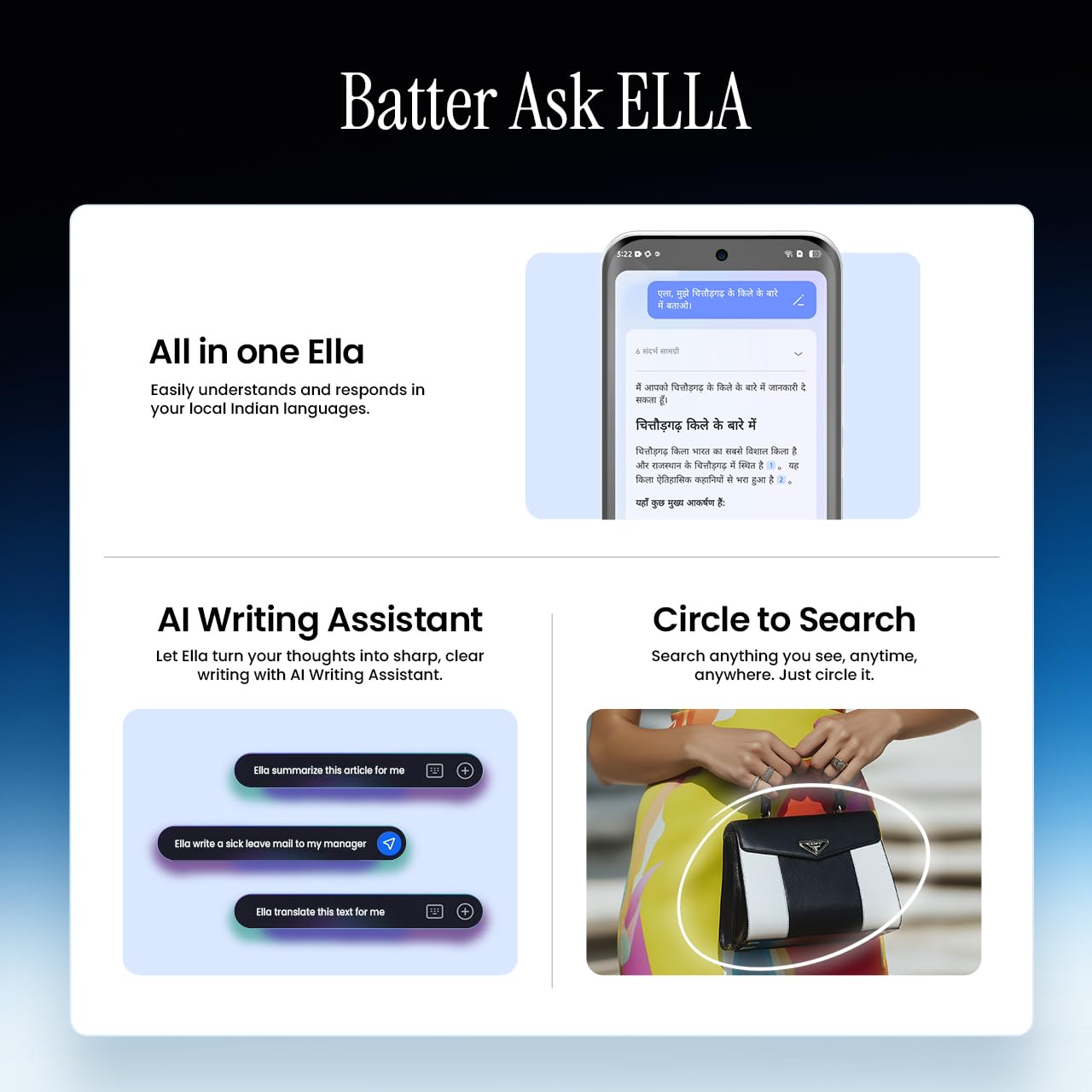
Image 5.5: Visual representation of Ella AI's writing assistant and circle to search functions.
5.5. Konektibitatea
The Pova Slim 5G supports 5G networks for high-speed data, Wi-Fi for local network access, and Bluetooth for connecting to accessories. It features an Intelligent Signal Hub System with 4x4 MIMO & N28 Band for enhanced network performance.
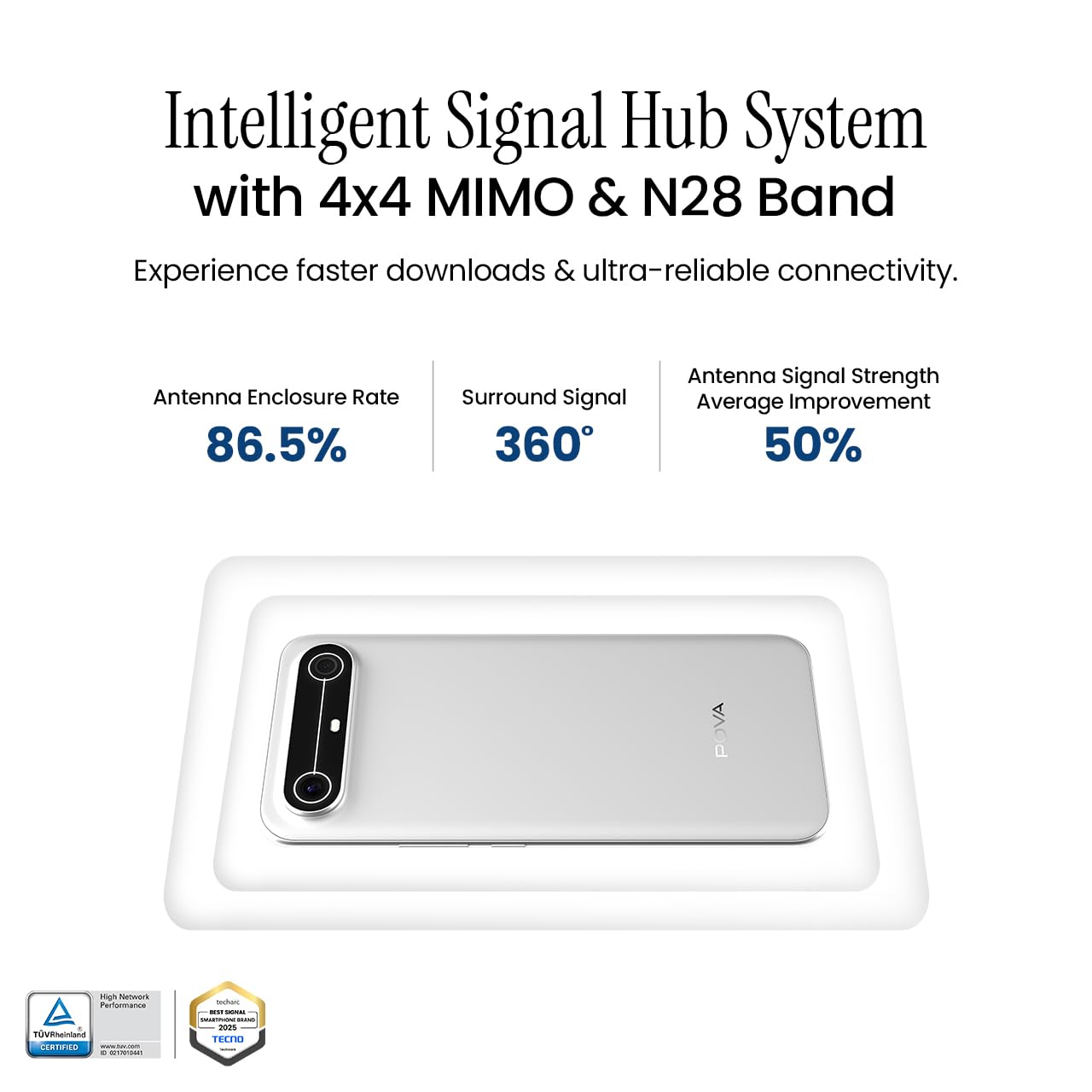
Image 5.6: Diagram illustrating the Intelligent Signal Hub System.
5.6. Bateria eta kargatzea
The device is powered by a 5160mAh battery and supports 45W fast charging. Use the provided power adapter and USB cable for optimal charging performance. Avoid using uncertified chargers or cables.

Image 5.7: Representation of the 5160mAh battery and 45W charging capability.
6. Mantentzea
6.1. Bateria zaintzea
- Saihestu tenperatura muturrekoak, bateriaren iraupena murriztu baitezakete.
- Do not fully discharge the battery regularly; charge it before it drops too low.
- Unplug the charger once the battery is full to prevent overcharging.
6.2. Zure gailua garbitzea
Erabili oihal leun eta pelusik gabeko bat telefonoaren pantaila eta gorputza garbitzeko. Saihestu produktu kimiko gogorrak edo material urratzaileak erabiltzea. Orban egoskorrak lortzeko, garbitu apur batampGarbitu oihal bat urarekin edo elektronikarako bereziki diseinatutako pantaila-garbitzaile batekin.
6.3. Software eguneraketak
Regularly check for and install software updates. Updates often include security patches, performance improvements, and new features. To check for updates, go to Ezarpenak > Sistema > Sistemaren eguneratzea.
6.4. Iraunkortasun Ezaugarriak
The Pova Slim 5G is built with durability in mind, featuring MIL-STD-810H military-grade toughness, IP64 dust and splash resistance, and Corning Gorilla Glass 7i for screen protection.

Image 6.1: Indication of MIL-STD-810H military-grade protection.

Image 6.2: Visual representation of Corning Gorilla Glass 7i protection.

Image 6.3: Device shown with IP64 dust and splash resistance.
7. Arazoak
Gailuarekin arazoak badituzu, saiatu honako irtenbide hauekin:
- Gailua ez da pizten: Ziurtatu bateria kargatuta dagoela. Konektatu kargagailua eta itxaron minutu batzuk berriro pizten saiatu aurretik.
- Sarearen konexio arazoak: Check if your SIM card is properly inserted. Try restarting the device. Verify that mobile data or Wi-Fi is enabled in settings.
- Errendimendu motela: Close unnecessary background applications. Clear cache from apps. Consider restarting the device. Ensure sufficient storage space is available.
- Bateria azkar husten: Reduce screen brightness. Disable unused features like Bluetooth or GPS. Limit background app activity.
- Aplikazioak kraskatzen: Clear the app's cache and data (Settings > Apps > [App Name] > Storage > Clear Cache/Clear Data). If the issue persists, reinstall the app.
For persistent issues, contact customer support or visit an authorized service center.
8. Zehaztapenak
| Ezaugarri | Zehaztapena |
|---|---|
| Modelo zenbakia | KM9 |
| Sistema eragilea | Android 15 |
| RAM memoria instalatuaren tamaina | 8 GB |
| Biltegiratzea (ROM) | 128 GB |
| CPU Abiadura | 2, 2.5 GHz |
| Produktuaren neurriak | 16.4 x 7.6 x 0.6 cm |
| Elementuaren pisua | 156 g |
| Bateriaren Potentzia Balorazioa | 5160 mAh |
| Ebazpena | 1224 x 2720 pixel |
| Konektibitate Teknologiak | Bluetooth, Infrared, USB, Wi-Fi |
| Kolorea | Slim White |
| Jatorrizko Herrialdea | India |
9. Bermea eta Laguntza
Your Tecno Pova Slim 5G smartphone comes with a limited manufacturer's warranty. Please refer to the warranty card included in your product packaging for specific terms and conditions, including coverage period and limitations.
For technical support, service inquiries, or to find authorized service centers, please visit the official Tecno website or contact their customer service helpline. Keep your purchase receipt and device's serial number handy when seeking support.
Lineako laguntza: Tecno India Support