
1. Sarrera
This manual provides essential instructions for the safe and efficient use of your AGM M10 Basic Flip Phone. Please read this manual thoroughly before operating the device and retain it for future reference.
The AGM M10 is a rugged 4G LTE flip phone designed for durability and essential communication. It features IP68/IP69K water and dust resistance, MIL-STD-810G drop protection, large buttons, and a loud speaker.
2. Paketearen edukia
Egiaztatu elementu guztiak zure paketean daudela:
- 1 x AGM M10 Phone
- 1 x Kargagailua
- 2 x Bateria
- 1 x Korrila
- 1 x Erabiltzailearen eskuliburua (dokumentu hau)
Video: Unboxing the AGM M10 Basic Flip Phone and its accessories. This video demonstrates the contents of the package and provides a first look at the device.
3. Gailua amaitu daview
Familiarize yourself with the physical components of your AGM M10 phone.

Irudia: Aurrealdea, alboaldea eta atzealdea views of the AGM M10 Basic Flip Phone. This image shows the phone in its closed and open states, highlighting its robust design.
Ezaugarri nagusiak:
- Large Buttons & Font: Designed for ease of use, especially for users who prefer larger interfaces.
- 98dB Speaker: Ensures clear audio even in noisy environments.
- Kanpoko pantaila: Shows incoming calls, messages, and battery status without opening the phone.
- SOS botoia: For emergency contacts.
- Linterna: Erosotasunerako integratua.
4. Konfigurazioa
4.1 Bateriaren instalazioa
The AGM M10 comes with two replaceable batteries. Before first use, ensure the battery is properly installed and any protective stickers are removed from the battery contacts.
- Kendu telefonoaren atzeko estalkia.
- Kokatu bateriaren konpartimendua.
- If present, peel off the yellow protective sticker from the battery's metal contacts.
- Insert the battery into the compartment, aligning the contacts.
- Replace the back cover, ensuring it clicks securely into place to maintain water and dust resistance.

Image: The AGM M10 phone with its back cover removed, revealing the battery compartment and slots for SIM and SD cards. This illustrates where to insert the battery and cards.
4.2 SIM txartelaren eta SD txartelaren instalazioa
The AGM M10 supports dual Nano SIM cards and expandable memory via an SD card (up to 128GB, sold separately).
- With the back cover and battery removed, locate the SIM card slots. The phone supports two Nano SIM cards.
- Insert your Nano SIM card(s) into the designated slot(s) with the gold contacts facing down.
- If using an SD card for additional storage, insert it into the dedicated SD card slot.
- Berriro jarri bateria eta atzeko estalkia.

Image: A close-up of the AGM M10's internal components, specifically highlighting the dual Nano SIM card slots. This image helps users identify where to insert their SIM cards.
4.3 Telefonoa kargatzea
Charge your phone using the provided USB Type-C charger or a compatible charging dock (available separately).
- Konektatu USB C motako kablea telefonoaren kargatzeko atakara.
- Konektatu kablearen beste muturra korronte-egokitzailera, eta ondoren, entxufatu egokitzailea hormako entxufe batera.
- Alternatively, place the phone into a compatible charging dock.
- The phone will indicate charging status on its display.

Image: The AGM M10 Basic Flip Phone placed in its charging dock. This image demonstrates how to charge the phone using the optional dock.
5. Funtzionamendu-argibideak
5.1 Piztu/Itzali
- Pizteko: Sakatu eta eutsi pizteko/deia amaitzeko botoia pantaila piztu arte.
- Itzaltzeko: Sakatu eta eutsi pizteko/deia amaitzeko botoia, eta ondoren hautatu "Itzali" aukeren artean.
5.2 Deiak egitea eta jasotzea
- Dei bat egiteko: Sartu telefono zenbakia teklatua erabiliz eta sakatu Deitzeko botoia berdea.
- Dei bat jasotzeko: Telefonoak jotzen duenean, sakatu Deitzeko botoia berdea erantzuteko.
- Dei bat amaitzeko: Sakatu deia amaitzeko botoia gorria.

Image: The AGM M10 Basic Flip Phone open, showcasing its large, easy-to-read buttons and clear display. This highlights the user-friendly interface for dialing and texting.
5.3 Testu-mezuak bidaltzea eta jasotzea
- Joan "Mezuak" menura.
- Hautatu "Mezu berria" edo "Mezua sortu".
- Sartu hartzailearen zenbakia eta idatzi zure mezua teklatua erabiliz.
- Sakatu "Bidali" aukera.
5.4 SOS Larrialdi Botoia
The dedicated SOS button can be configured to dial emergency contacts in critical situations.
- Access the phone's settings to set up emergency contacts for the SOS function.
- In an emergency, press and hold the SOS button (typically located on the back or side of the phone) to activate.
- The phone will automatically dial the pre-set emergency numbers.
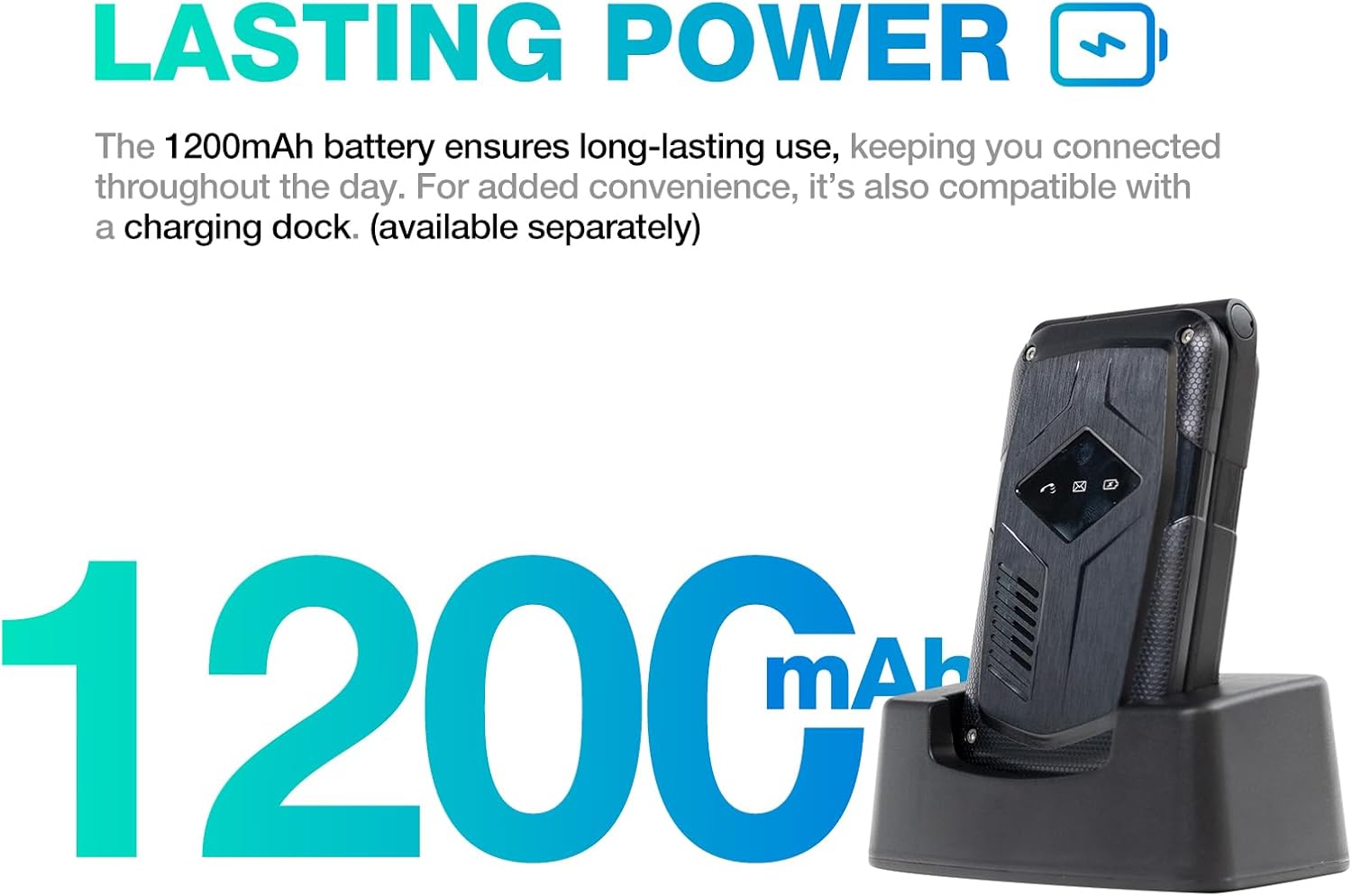
Image: A close-up of the AGM M10's keypad, with visual indicators pointing to the SOS button, FM radio function, and flashlight. This helps users locate these essential features.
5.5 Linterna
To activate the built-in flashlight, locate the dedicated flashlight button or access it through the phone's menu, as indicated in the device overview.
5.6 FM Irratia
The AGM M10 includes an FM radio function. Access it through the main menu. Headphones may be required to act as an antenna for optimal reception (if the phone has a 3.5mm jack, otherwise it might use internal antenna).
5.7 Bluetooth konexioa
The phone supports Bluetooth 5.0 for connecting to compatible wireless accessories such as headsets or car kits.
- Joan "Ezarpenak" atalera eta gero "Bluetooth".
- Aktibatu Bluetootha.
- Bilatu eskuragarri dauden gailuak eta hautatu parekatu nahi duzun gailua.
- Parekatzea osatzeko, jarraitu pantailako argibideei.
6. Mantentzea eta Zainketa
6.1 Iraunkortasun Ezaugarriak
The AGM M10 is engineered for rugged use with IP68/IP69K water and dust resistance and MIL-STD-810G drop protection. This means it can withstand:
- Ur-murgiltzea: Up to 1.5 meters for 30 minutes.
- Dust Ingress: Fully protected against dust.
- Tantak: Resistant to drops from a certain height onto hard surfaces.
To maintain these protections, ensure all port covers are securely closed and the back cover is properly sealed after battery or SIM card installation.

Image: The AGM M10 Basic Flip Phone partially submerged in water, demonstrating its waterproof capability.
6.2 Arreta orokorra
- Garbitu telefonoa zapi leun batekin,amp oihal. Saihestu produktu kimiko gogorrak.
- Do not expose the phone to extreme temperatures for prolonged periods.
- Avoid disassembling the phone, as this may void the warranty and compromise its rugged features.
7. Arazoak
7.1 Sarearen konexio arazoak
The AGM M10 is designed to be T-Mobile compatible in the US. However, some users may experience limited network access, reduced coverage, or slower data speeds depending on specific network configurations or regional variations.
- Ziurtatu SIM txartela behar bezala sartuta eta aktibatuta dagoela.
- Check your network settings to confirm the correct network is selected.
- If issues persist, contact your network provider for assistance.
7.2 Telefonoa ez da pizten
- Ziurtatu bateria behar bezala instalatuta eta guztiz kargatuta dagoela.
- Verify that the protective sticker has been removed from the battery contacts.
- Attempt to charge the phone for at least 30 minutes before trying to power it on again.
7.3 Beste gai batzuk
For other operational difficulties, refer to the detailed user manual included in your package or contact AGM customer support.
8. Zehaztapenak
| Ezaugarri | Xehetasuna |
|---|---|
| Marka | Batzar Nagusia |
| Ereduaren izena | M10A |
| Sistema eragilea | RTOS |
| RAM memoria instalatuaren tamaina | 48 MB |
| Memoria Biltegiratzeko Ahalmena | 0.12 GB (Expandable up to 128GB via SD card) |
| Pantailaren tamaina | 4.33 hazbete |
| Haririk gabeko garraiolaria | T-Mobile (US), Global (outside US) |
| Teknologia Zelularra | 4G LTE |
| Kolorea | Beltza |
| SIM txartelaren zirrikituen kopurua | Dual SIM (Nano) |
| Konektore mota | USB C mota |
| Forma-faktorea | Tolestu daitekeen zorroa (telefono tolesgarria) |
| Uraren Erresistentzia Maila | Waterproof (IP68/IP69K) |
| Aurikularretarako Jack | Ez dago entzungailuen sarrerarik |
| Ezaugarri gehigarriak | Basic Phone, Dual SIM, Expandable Memory, Rugged Body, SOS Button, Flashlight, FM Radio, Bluetooth 5.0 |
| Bateria Potentzia | 1200 milioiamp Orduak |
| Bistaratzeko mota | LCDa |
| Neurriak | 4.33 × 2.22 × 0.98 hazbete |
| Pisua | 4.9 ontza |
9. Bermea eta Laguntza
9.1 Bermearen informazioa
The AGM M10 Basic Flip Phone comes with a 2 urteko bermea erosketa-datatik aurrera. Berme honek erabilera normalaren pean fabrikazio-akatsak estaltzen ditu. Gorde erosketaren egiaztagiria berme-erreklamazioetarako.
Note: Some third-party retailers may state a 1-year warranty; however, the manufacturer's stated warranty is 2 years.
9.2 Bezeroarentzako laguntza
For technical assistance, troubleshooting, or warranty claims, please contact AGM customer support. AGM is committed to providing dedicated after-sales support and a straightforward replacement process for quality issues.
Visit the official AGM webwebgunera edo produktuaren ontzian emandako harremanetarako informazioa kontsultatu laguntza-xehetasunak lortzeko.


