
1. Sarrera
This manual provides essential information for the proper setup, operation, and maintenance of your NIMO 15.6 inch Laptop Computer. Please read this manual thoroughly before using your device to ensure optimal performance and longevity. Keep this manual for future reference.
2. Produktua amaitu daview
2.1. Ordenagailu eramangarriaren osagaiak
The NIMO 15.6 inch Laptop features a Full HD display, a backlit keyboard, and an integrated fingerprint reader for secure access. It is powered by an AMD Ryzen 5 3500U processor and runs on Windows 11.

2.1. irudia: Aurrealdea view of the NIMO 15.6 inch Laptop, showcasinbere pantaila eta teklatuaren diseinua.
2.2. Ataka eta konektoreak
Your NIMO laptop is equipped with various ports for comprehensive connectivity, allowing you to connect peripherals and external devices.

Figure 2.2: Expanded Connectivity Options. This image illustrates the location and type of ports available on the laptop, including Type-C (Charge Only), USB 3.0, HDMI, Type-C (Full Function), Charge LED, Micro SD Reader, USB 2.0, USB 3.0, Headphone Combo, and Kensington Lock.
- Type-C (Charge Only): Potentzia sarrerarako.
- USB 3.0: Abiadura handiko datuak transferitzeko.
- HDMI: Kanpoko pantailetara konektatzeko.
- Type-C (Full Function): Supports Power Delivery (PD), DisplayPort (DP), and data transfer.
- Karga LED: Kargatzearen egoera adierazten du.
- Mikro SD irakurgailua: For reading Micro SD cards.
- USB 2.0: USB gailu estandarretarako.
- USB 3.0: Abiadura handiko datuak transferitzeko.
- Headphone Combo: Audio irteerarako eta mikrofono sarrerarako.
- Kensington blokeoa: Segurtasun fisikoagatik.
3. Konfigurazioa
3.1. Hasierako kargatzea
Before first use, connect the laptop to a power outlet using the provided 65W PD Type-C charger. The Charge LED indicator will illuminate. Allow the battery to charge fully.

Figure 3.1: Type-C 65W PD Charger. This image highlights the versatility of the 65W Power Delivery charger, capable of charging the laptop, tablets, and smartphones, reducing cable clutter.
3.2. Piztea
Open the laptop lid. Press the power button located on the keyboard deck. The laptop will boot up, and you will be guided through the Windows 11 initial setup process.
3.3. Windows 11 konfigurazioa
Follow the on-screen instructions to configure your Windows 11 operating system. This includes selecting your region, language, connecting to a Wi-Fi network, and setting up your user account.
4. Funtzionamendu-argibideak
4.1. Keyboard and Input
The laptop features a backlit keyboard for comfortable typing in various lighting conditions, a responsive touchpad, and a numeric keypad for data entry.

Figure 4.1: Effortless Typing in Any Environment. This image demonstrates the backlit keyboard, touchpad, fingerprint reader, and numeric keypad, enhancing user experience and productivity.
- Atzeko argiztatutako teklatua: Sakatu Fn key and the appropriate function key (usually F3 or F4, indicated by a keyboard icon) to adjust the backlight brightness or turn it on/off.
- Ukipen-panela: Use the touchpad for navigation. Supports multi-touch gestures for scrolling, zooming, and other functions.
- Zenbakizko teklatua: Provides dedicated number keys for efficient data entry.
4.2. Hatz-markak ezagutzeko
The integrated fingerprint reader allows for secure and quick login. Set up your fingerprint in Windows Settings under 'Sign-in options'.
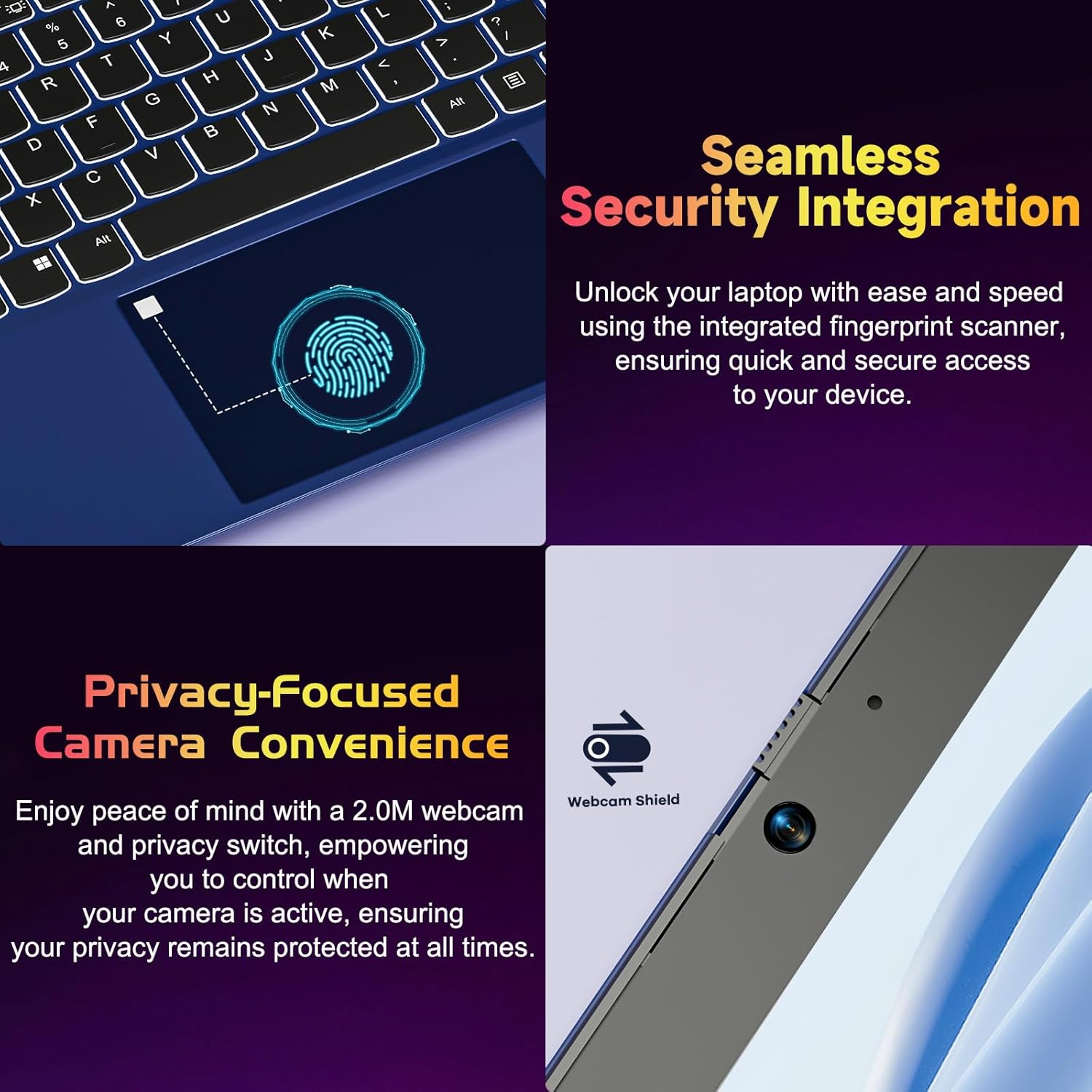
Figure 4.2: Seamless Security Integration and Privacy-Focused Camera. This image highlights the fingerprint scanner for quick and secure access, and the 2.0MP webcam with a physical privacy switch for enhanced user privacy.
4.3. Pantailaren ezaugarriak
The 15.6 inch Full HD (1920 x 1080 Pixel) IPS display offers vivid visuals and a wide viewing angle. The 180° lay-flat hinge allows for flexible screen positioning, ideal for sharing content.

Figure 4.3: Vivid Full HD Display. This image emphasizes the laptop's 15.6-inch Full HD (1920x1080) IPS display, offering bright visuals and eye protection.

Figure 4.4: 180° Lay-Flat Hinge. This image illustrates the laptop's ability to lay flat, expanding usage scenarios and facilitating content sharing.
4.4. Webcam Privacy
The laptop includes a 2.0MP webcam with a physical privacy switch (Webcam Shield). Slide the switch to cover the camera lens when not in use to ensure your privacy.
5. Mantentzea
- Garbiketa: Erabili zapi leun eta lihorik gabeko bat pantaila eta kanpoaldea garbitzeko. Orbain egoskorrak izanez gero, garbitu apur batampGarbitu zapi bat urarekin edo pantaila-garbitzaile batekin. Saihestu produktu kimiko gogorrak.
- Bateria zaintzea: Bateriaren iraupena luzatzeko, saihestu bateria guztiz maiz deskargatzea. Gorde ordenagailu eramangarria leku fresko eta lehor batean denbora luzez erabiltzen ez baduzu.
- Software eguneraketak: Eguneratu aldizka zure Windows sistema eragilea eta kontrolatzaileak errendimendu eta segurtasun optimoa bermatzeko.
- Biltegiratze hedapena: The laptop supports dual DDR4 SO-DIMM slots and M.2 NVMe SSD for memory and storage expansion. Consult a qualified technician for upgrades.
6. Arazoak
6.1. Energia arazoak
- Ordenagailu eramangarria ez da pizten: Ensure the laptop is charged. Connect the charger and wait a few minutes before attempting to power on again.
- Bateria ez da kargatzen: Verify the charger is properly connected to both the laptop and the power outlet. Try a different outlet.
6.2. Pantaila arazoak
- Pantaila hutsik dago: Check if the laptop is powered on. Try adjusting screen brightness using the function keys. If an external monitor is connected, ensure it is properly configured.
6.3. Errendimendu arazoak
- Ordenagailu eramangarria motela da: Close unnecessary applications. Check for background processes consuming high resources. Ensure sufficient free storage space. Consider performing a system scan for malware.
6.4. Konexio arazoak
- Wi-Fia ez da konektatzen: Ensure Wi-Fi is enabled. Restart your router and the laptop. Check network settings in Windows.
7. Zehaztapenak
| Ezaugarri | Xehetasuna |
|---|---|
| Marka | NIMO |
| Ereduaren izena | NIMO N152R |
| Pantailaren tamaina | 15.6 hazbete |
| Pantailaren bereizmena | 1920 x 1080 pixel (HD osoa) |
| Prozesadorea | AMD Ryzen 5 3500U (3.7 GHz, 4 Cores, 8 Threads) |
| RAM | 8 GB DDR4 (Upgradable) |
| Memoria Abiadura | 3200 MHz |
| Disko gogorra | 256 GB SSD (Upgradable M.2 NVMe) |
| Koprozesadore grafikoa | AMD Integrated graphics (Vega) |
| Sistema eragilea | Windows 11 |
| Haririk gabeko mota | 802.11abg |
| USB atakak | 1x USB 2.0, 2x USB 3.0, 2x USB-C (1x Charge Only, 1x Full Function) |
| HDMI ataka | Bai |
| Mikro SD irakurgailua | Bai |
| Bateriaren batez besteko iraupena | 5 ordu |
| Elementuaren pisua | 3.8 libra (1.72 kg) |
| Produktuaren neurriak | 14.07 x 8.98 x 0.76 hazbete |
| Kolorea | Arrosa |
| Atzekoa Webkamaren ebazpena | 2 MP |
8. Bermea eta Laguntza
Your NIMO laptop comes with a 2-year warranty, covering manufacturing defects and hardware malfunctions under normal use. Additionally, a 90-day free return policy is provided.

Figure 8.1: After-Sales Support. This image outlines the 2-year warranty, 90-day return policy, and professional customer service available for NIMO products.
8.1. Laguntzarekin harremanetan jartzea
For technical assistance, warranty claims, or product-related questions, please contact the NIMO U.S.-based support team. Contact information can typically be found on the official NIMO webgunea edo produktuaren ontziak.
9. Segurtasun informazioa
To prevent injury or damage to your device, observe the following safety precautions:
- Ez jarri ordenagailu eramangarria tenperatura altuen, eguzki-argiaren eraginpean edo hezetasun handiaren eraginpean.
- Saihestu objektu astunak ordenagailu eramangarriaren gainean jartzea.
- Use only the provided charger or a compatible 65W PD Type-C charger.
- Ez saiatu ordenagailu eramangarria zeuk desmuntatzen edo konpontzen. Jarri harremanetan zerbitzu-langile kualifikatuekin.
- Mantendu likidoak ordenagailu eramangarritik urrun deskarga elektrikoak edo kalteak saihesteko.
- Ensure proper ventilation when using the laptop to prevent overheating.