
NCLTHS CK88-C-1200LBS
NCLTHS Access Control System Kit CK88-C-1200LBS User Manual
Model: CK88-C-1200LBS
1. Sarrera
This manual provides comprehensive instructions for the installation, operation, and maintenance of your NCLTHS Access Control System Kit, model CK88-C-1200LBS. This system is designed to provide secure and convenient access management for various environments, including homes, offices, and commercial spaces. It features multiple access methods, including RFID cards, passwords, and remote control.
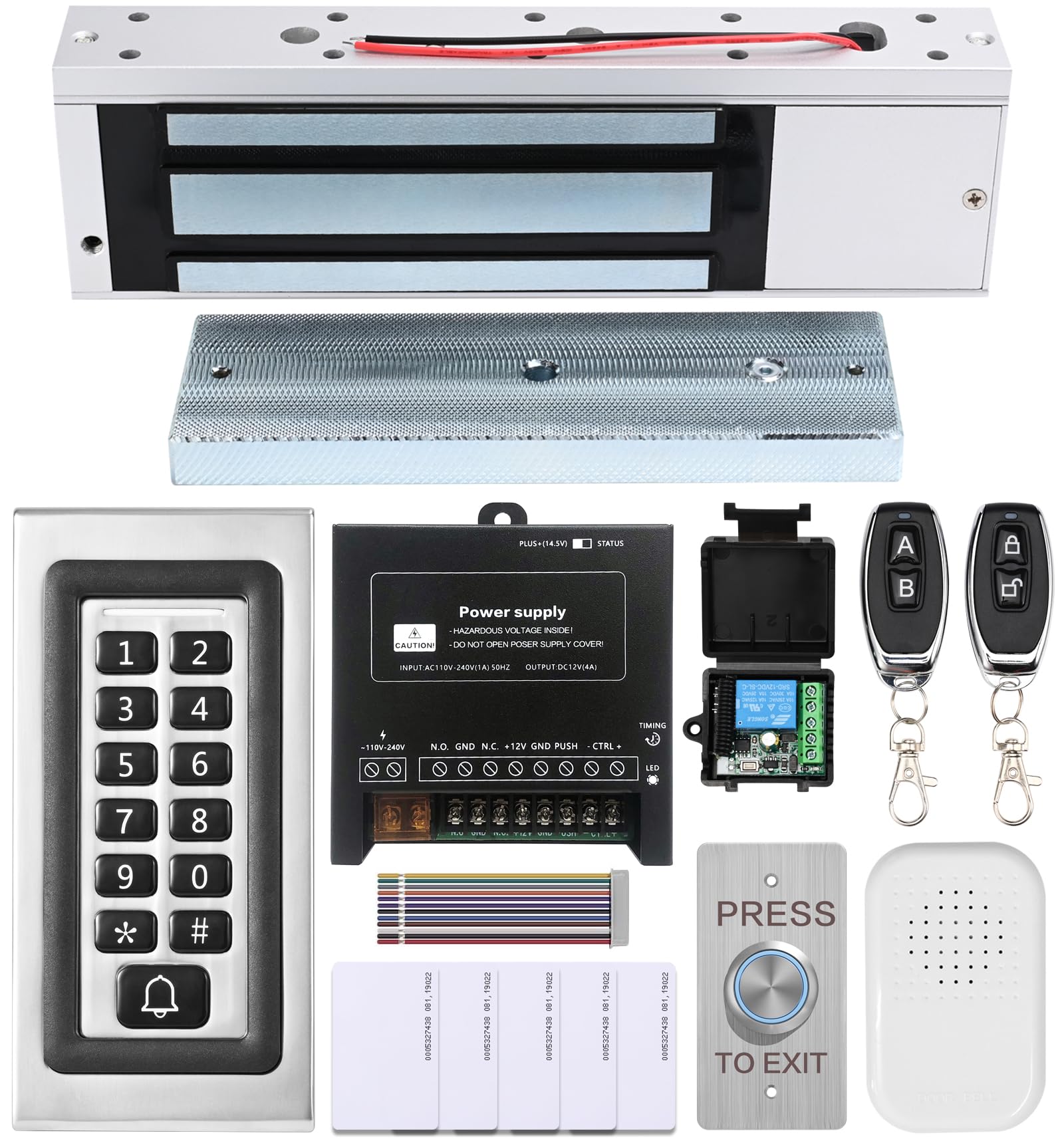
1.1. irudia: Amaituview of the NCLTHS Access Control System Kit components.
2. Paketearen edukia
Egiaztatu behean zerrendatutako elementu guztiak zure paketean sartuta daudela. Elementuren bat falta bada edo hondatuta badago, jarri harremanetan bezeroarentzako arreta-zerbitzuarekin.
- 1 x Access Control Keypad (Model CK88-s)
- 1 x 1200lbs Fail-Safe Electromagnetic Lock
- 1 x 12V DC Power Supply Control
- 1 x Push to Exit Button (Stainless Steel)
- 1 x Txirrina
- 2 x Remote Controls (with receiver module)
- 5 x RFID Txartelak
- 1 x Ingelesezko erabiltzailearen eskuliburua (dokumentu hau)
- Mounting Hardware (screws, anchors, L-brackets, Z-brackets, etc.)

Image 2.1: All components included in the NCLTHS Access Control System Kit.
3. Segurtasun informazioa
Mesedez, irakurri eta ulertu segurtasun-jarraibide guztiak instalazioa eta erabilera aurretik. Jarraibide hauek ez jarraitzen badituzu, deskarga elektrikoak, suteak edo lesio larriak gerta daitezke.
- Segurtasun elektrikoa: Installation involves electrical wiring. If you are not comfortable with electrical work, consult a qualified electrician. Ensure power is disconnected before performing any wiring.
- Elikatze-iturria: Use only the provided 12V DC power supply. Do not attempt to open or modify the power supply unit.
- Muntaketa: Ensure all components are securely mounted to a stable surface to prevent accidental detachment.
- Ingurumena: Do not expose the system components to extreme temperatures, moisture, or corrosive environments.
- Haurrak: Keep all components and packaging materials out of reach of children.
4. Konfigurazioa eta instalazioa
This section guides you through the physical installation and wiring of the access control system components.
4.1 Osagaia amaitu daview
Familiarize yourself with each component before beginning installation.

Image 4.1.1: Access Control Keypad (Model CK88-s).

Image 4.1.2: 1200lbs Fail-Safe Electromagnetic Lock.

Image 4.1.3: 12V DC Power Supply Control Unit.

Image 4.1.4: Stainless Steel Push to Exit Button.
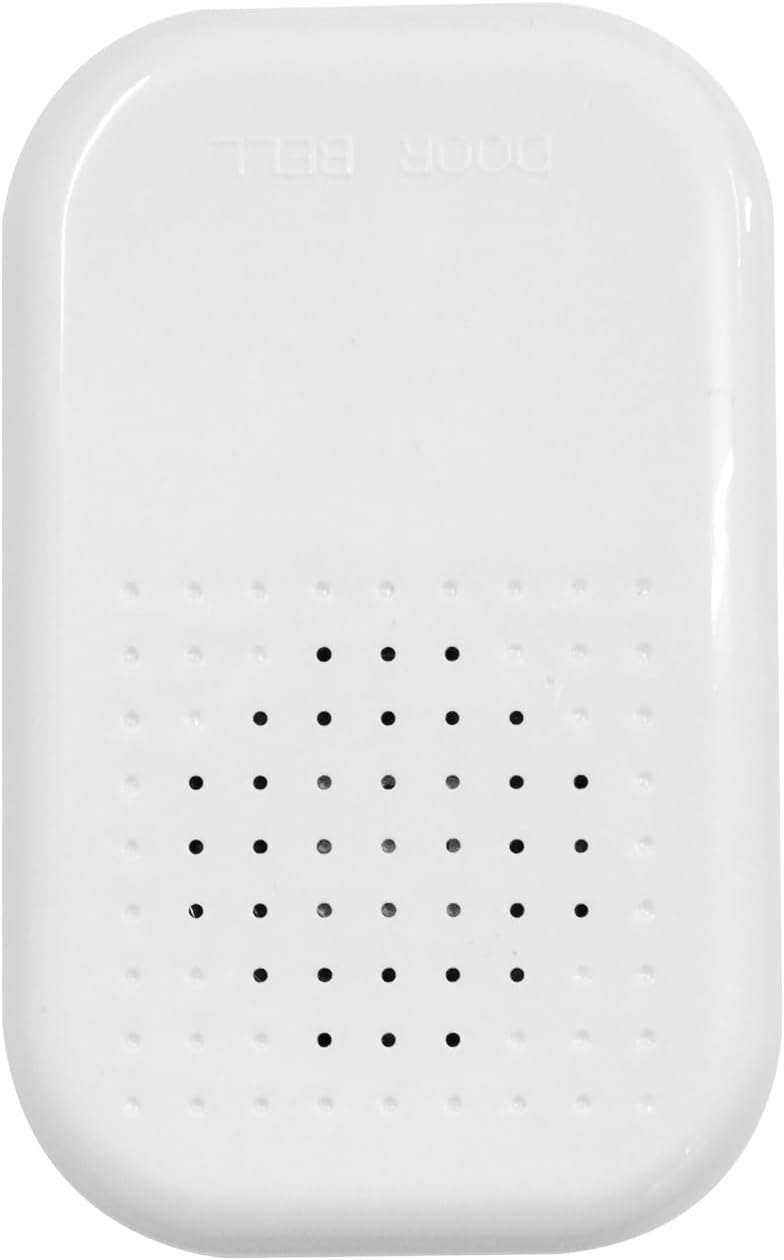
Image 4.1.5: Doorbell Unit.
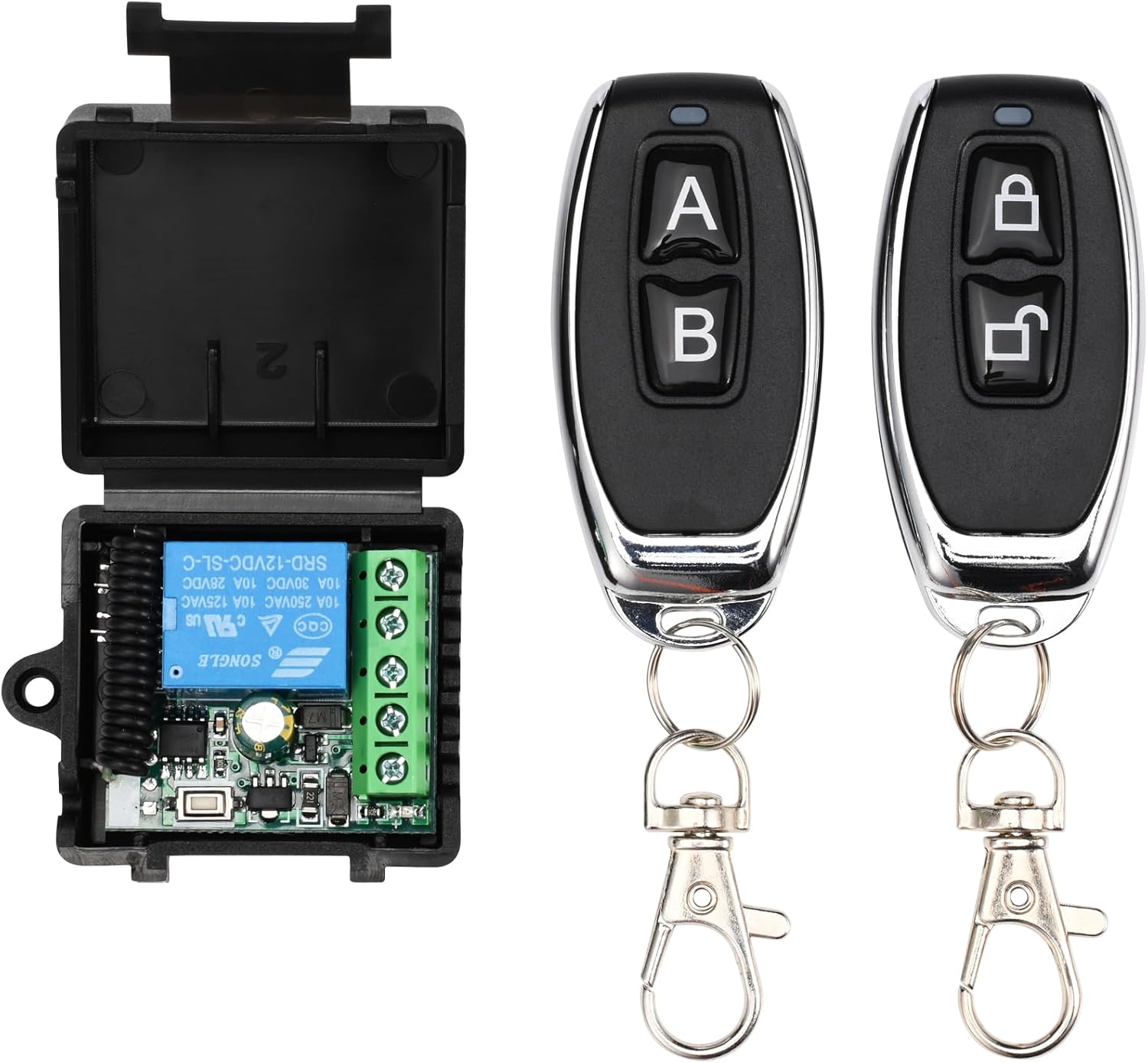
Image 4.1.6: Remote Controls and Receiver Module.
4.2 Kableatu-diagrama
Refer to the following wiring diagram for connecting all components. Ensure all connections are secure and correctly matched.

Image 4.2.1: Comprehensive wiring diagram for the access control system.
- Konektatu Sarraila elektromagnetikoa to the Power Supply's "NO" (Normally Open) and "GND" terminals.
- Konektatu Teklatua to the Power Supply's "+12V", "GND", "NO", "NC", "COM", and "BELL" terminals as indicated.
- Konektatu Irteteko botoia to the Power Supply's "PUSH" and "GND" terminals.
- Konektatu Ateko txirrina to the Power Supply's "BELL" and "+12V" terminals.
- Konektatu Urruneko Hargailu Modulua to the Power Supply's "+12V", "GND", "COM", and "NO" terminals.
- Ensure the main power input to the Power Supply is correctly connected to AC 110-240V.
4.3 Muntatzeko jarraibideak
Follow these general steps for mounting the components. Specific mounting hardware and methods may vary based on your door type and wall material.
- Electromagnetic Lock:
- Mount the main lock body to the door frame using the provided screws and brackets (L-bracket for inswing doors, Z-bracket for outswing doors).
- Mount the armature plate to the door itself, ensuring it aligns perfectly with the electromagnetic lock body when the door is closed.
- Teklatua:
- Choose a suitable location near the door, typically at eye level.
- Drill holes for mounting screws and cable routing.
- Secure the keypad to the wall.
- Elikatze-iturria:
- Mount the power supply unit in a secure, dry, and accessible location, away from direct sunlight or moisture.
- Exit Button & Doorbell:
- Mount the exit button on the inside of the door frame.
- Mount the doorbell button on the outside, near the keypad.
- Urruneko hargailua:
- Mount the receiver module in a discreet location, ensuring its antenna is not obstructed for optimal signal reception.
5. Funtzionamendu-argibideak
This section details how to use and program your access control system.
5.1 Initial Setup and Master Code
- The default master code is usually 123456. It is highly recommended to change this immediately after installation.
- To enter programming mode: Press * then enter the Master Code, then press #. The indicator light will change.
5.2 Kode Nagusia aldatzea
- Sartu programazio moduan: * [Default Master Code] #
- Sakatu 0 (for changing master code).
- Enter your new 6-digit Master Code.
- Sakatu # baieztatzeko.
- Exit programming mode: Press *
5.3 Adding User Cards (RFID)
- Sartu programazio moduan: * [Master Code] #
- Sakatu 1 (for adding user card).
- Present the RFID card to the keypad. The keypad will beep to confirm.
- Repeat for additional cards.
- Exit programming mode: Press *
5.4 Adding User Passwords
- Sartu programazio moduan: * [Master Code] #
- Sakatu 2 (for adding user password).
- Enter a 4-6 digit user password.
- Sakatu # baieztatzeko.
- Repeat for additional passwords.
- Exit programming mode: Press *
5.5 Erabiltzaileak ezabatzea
- Sartu programazio moduan: * [Master Code] #
- Sakatu 3 (for deleting user).
- To delete a card: Present the RFID card to the keypad.
- To delete a password: Enter the 4-6 digit user password, then press #.
- Exit programming mode: Press *
5.6 Accessing the Door
- RFID txartela erabiliz: Present your registered RFID card to the keypad. The door will unlock briefly.
- Using Password: Enter your registered 4-6 digit password, then press #. The door will unlock briefly.
- Urrutiko agintea erabiliz: Press the unlock button on the remote control. The door will unlock briefly.
- Using Exit Button: From inside, press the "PRESS TO EXIT" button. The door will unlock briefly.
5.7 Txirrinaren funtzioa
When the bell button on the keypad is pressed, the connected doorbell unit will chime.
6. Mantentzea
Regular maintenance ensures the longevity and optimal performance of your access control system.
- Garbiketa: Wipe the keypad and other components with a soft, dry cloth. Do not use abrasive cleaners or solvents.
- Ikuskapena: Periodically check all wiring connections for looseness or damage. Ensure the electromagnetic lock and armature plate are free of debris and properly aligned.
- Elikatze-iturria: Ensure the power supply unit is well-ventilated and free from obstructions.
- Battery Backup (if applicable): If your power supply unit has a battery backup feature, ensure the battery is in good condition and replaced as needed according to manufacturer guidelines.
7. Arazoak
Atal honetan ohiko arazoei eta haien irtenbideei buruzko informazioa aurkituko duzu.
| Arazoa | Kausa posiblea | Irtenbidea |
|---|---|---|
| Atea ez da desblokeatzen. | No power to the system. Incorrect wiring. Invalid card/password. Electromagnetic lock malfunction. | Check power supply connection. Verify all wiring according to the diagram. Ensure correct card/password is used. Inspect the electromagnetic lock for damage. |
| Teklatuak ez du erantzuten. | No power to the keypad. Keypad malfunction. | Check keypad wiring to the power supply. Ensure power supply is active. |
| Urruneko kontrola ez dabil. | Remote battery low. Remote not paired. Receiver not powered or faulty. | Replace remote battery. Refer to remote pairing instructions (if applicable, usually done during initial setup). Check receiver wiring and power. |
| Txirrinak ez du jotzen. | Doorbell unit not powered. Incorrect wiring. Faulty doorbell unit. | Check doorbell wiring to the power supply. Ensure power supply is active. |
If you encounter issues not listed here or if the suggested solutions do not resolve the problem, please contact NCLTHS customer support.
8. Zehaztapenak
| Ezaugarri | Xehetasuna |
|---|---|
| Marka | NCLTHS |
| Eredua | CK88-C-1200LBS Kit |
| Electromagnetic Lock Holding Force | 1200 kilo |
| Energia iturria | Hardwired Electrical Connection (AC 110-240V input, DC 12V output) |
| Sarbide-metodoak | RFID Card, Password, Remote Control |
| Keypad Model | CK88-s |
| Elementuaren neurriak (L x W x H) | 9.84 x 1.93 x 0.84 inches (Keypad) |
| Elementuaren pisua | 4.2 libera (kit osoa) |
| Etxe adimendunen bateragarritasuna | Not Smart Home Compatible |
9. Bermea eta Laguntza
For warranty information, technical support, or customer service inquiries, please refer to the contact information provided with your purchase or visit the official NCLTHS webgunea.
Ask a question about this manual
Ask about setup, troubleshooting, compatibility, parts, safety, or missing instructions. Manuals+ will review the question and use this page’s manual context to help answer it.