
1. Sarrera
Thank you for choosing the Diydeg 4G LTE Mobile Hotspot. This portable device provides high-speed 3G/4G internet access, allowing you to connect up to 10 devices simultaneously. Its compact design makes it ideal for travel, business, and home use. This manual will guide you through the setup, operation, and maintenance of your mobile hotspot.

Image: The Diydeg 4G LTE Mobile Hotspot providing internet connectivity to a user's laptop.
2. Produktua amaitu daview
2.1 Ezaugarri nagusiak
- High-Speed 4G LTE Connectivity: Provides fast internet access for various online activities.
- Erabiltzaile anitzeko laguntza: Connects up to 10 WiFi-enabled devices simultaneously.
- Iraupen luzeko bateria: Equipped with a 2100mAh battery for extended standby time (up to 10 hours).
- Diseinu eramangarria: Lightweight, thin, and compact for easy carrying.
- Bateragarritasun zabala: Works with mobile phones, laptops, desktops, and tablets.
- LED pantaila adimenduna: Easy-to-read display for operational status.
2.2 Paketearen edukia
Mesedez, egiaztatu paketea elementu hauek dituen:
- Diydeg 4G LTE Mobile Hotspot Device
- Bateria kargagarria
- USB kargatzeko kablea
- Erabiltzailearen eskuliburua (dokumentu hau)

Image: The Diydeg Mobile Hotspot device shown alongside its USB charging cable.
3. Konfiguratzeko argibideak
3.1 SIM txartela eta bateria instalatzea
- Carefully remove the back cover of the mobile hotspot device.
- Insert your micro SIM card into the designated SIM card slot. Ensure the card is oriented correctly according to the diagram inside the device.
- Take out the battery and locate the yellow insulation tape. Gently tear off this insulation tape from the battery terminals.
- Insert the battery into the battery compartment, ensuring the contacts align properly.
- Jarri berriro atzeko estalkia ondo sartu arte klik egin arte.

Image: A three-step visual guide showing how to remove the battery, peel off the insulation tape, and insert the battery into the device.
3.2 Gailua piztea
Press and hold the power button (usually located on the side) for a few seconds until the LED display illuminates. The device will begin searching for a network signal.

Irudia: Albokoa view of the Diydeg Mobile Hotspot, highlighting the power button location.
4. Funtzionamendu-argibideak
4.1 Connecting to the WiFi Network
- Ensure your mobile hotspot is powered on and has established a network connection (indicated by the signal strength icon on the display).
- On your WiFi-enabled device (phone, laptop, tablet), open the WiFi settings.
- Look for the network name (SSID) displayed on your hotspot's screen or on a sticker inside the battery compartment.
- Select the hotspot's SSID from the list of available networks.
- Enter the WiFi password (Key) displayed on the hotspot's screen or sticker.
- Zure gailua orain Internetera konektatuta egon beharko litzateke.
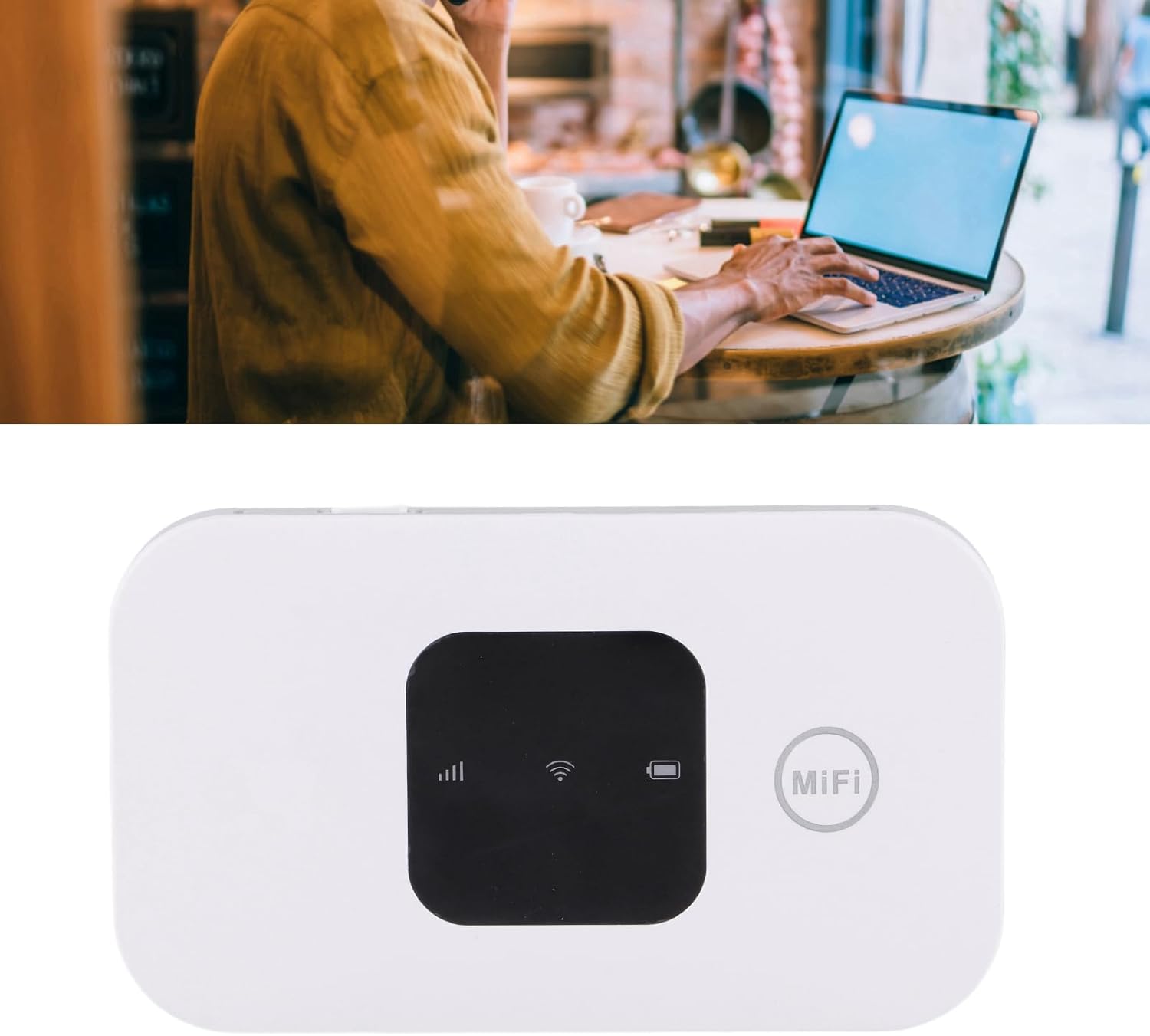
Image: A user working on a laptop, connected to the Diydeg Mobile Hotspot for internet access.
4.2 Gailua kargatzea
Connect the provided USB charging cable to the hotspot's charging port and plug the other end into a USB power adapter or a computer's USB port. The battery indicator on the display will show charging status.
4.3 Powering Off the Device
Press and hold the power button for a few seconds until the LED display turns off, indicating the device has shut down.
5. Mantentzea
- Mantendu gailua lehor eta hezetasunetik urrun.
- Saihestu muturreko tenperaturak.
- Garbitu gailua zapi leun eta lehor batekin. Ez erabili garbitzaile likidorik.
- Ez saiatu gailua zuk zeuk desmuntatzen edo konpontzen.
- Bateriaren iraupen optimoa lortzeko, saihestu bateria maiz erabat deskargatzea.
6. Arazoak
6.1 Sare seinalerik ez
- Ziurtatu SIM txartela behar bezala sartuta eta aktibatuta dagoela.
- Check if you are in an area with 3G/4G network coverage.
- Berrabiarazi gailua.
- Verify that your SIM card plan supports data usage.
6.2 Ezin da WiFira konektatu
- Confirm the WiFi password (Key) is entered correctly.
- Ensure the hotspot is powered on and broadcasting its WiFi signal.
- Check if too many devices are already connected (maximum 10).
- Restart both the hotspot and the device you are trying to connect.
6.3 Interneteko abiadura motela
- Move to an area with better network signal strength.
- Murriztu konektatutako gailuen kopurua.
- Check your data plan for any speed limitations or data caps.
- Berrabiarazi gailua.
7. Zehaztapenak
| Ezaugarri | Zehaztapena |
|---|---|
| Modelo zenbakia | Diydeghebi7gopvf |
| Bateria Edukiera | 2100mAh |
| Max WiFi Users | 10 |
| Wireless Connection Speed | Gehienez 150 Mbps |
| Elementuaren pisua | 3.88 ontza |
| Paketearen neurriak | 4.33 x 3.15 x 1.57 hazbete |
| Fabrikatzailea | Diydeg |
Oharra: zehaztapenak aldez aurretik jakinarazi gabe alda daitezke.
8. Bermea eta Laguntza
Diydeg is committed to providing quality products and customer satisfaction. This product comes with:
- 12 orduko erantzuna: Gure laguntza-taldeak 12 orduko epean erantzun nahi die kontsultei.
- 365 eguneko berme mugatua: Erosketa-datatik urtebetez fabrikazio-akatsak estaltzen ditu.
- Lifelong Unlimited Technical Support: Assistance with product usage and troubleshooting for the lifetime of the product.
For technical support or warranty claims, please contact Diydeg customer service through your purchase platform or visit our official webgunea.