
AX WABER Floor TV Stand with Power Outlet
AX WABER Floor TV Stand with Power Outlet Instruction Manual
Model: Floor TV Stand with Power Outlet
Sarrera
This manual provides detailed instructions for the assembly, operation, and maintenance of your AX WABER Floor TV Stand with Power Outlet. Please read this manual thoroughly before installation and use to ensure proper function and safety. This stand is designed for most 27-65 inch televisions, supporting up to 88 lbs, and features a 70-degree swivel, 9-level height adjustment, and an integrated power outlet.
Segurtasun informazio garrantzitsua
- Ensure all components are securely fastened before placing the television on the stand.
- Ez gainditu 88 lb-ko (40 kg) gehienezko pisu-gaitasuna.
- Egiaztatu zure telebistaren VESA muntaketa-eredua bateragarria dela (100x100 mm-tik 400x400 mm-ra).
- Mantendu haurrak eta maskotak euskarritik urrun muntaketa eta doikuntza bitartean.
- Use the integrated power outlet only for devices within its specified voltage eta amperage (120V/15A).
Konfigurazioa eta Muntaketa
The AX WABER Floor TV Stand is designed for straightforward assembly, typically completed within 15 minutes. All necessary hardware parts are included and clearly labeled to match the detailed installation manual provided with the product. Most accessories are pre-assembled for convenience.
1. Despaketatzea eta osagaien egiaztapena
Carefully unpack all components and compare them against the parts list in the included manual. Ensure all pieces are present and undamaged.
2. Oinarri-muntaia
Attach the main support pillar to the tempered glass base. Follow the specific instructions in your product's assembly guide for secure fastening.
3. TV Bracket Installation
Attach the TV mounting brackets to the back of your television. Ensure the VESA pattern (distance between mounting holes) on your TV matches the stand's compatibility (100x100mm to 400x400mm). The stand supports TVs from 27 to 65 inches and up to 88 lbs.

1. irudia: VESA Mounting Patterns and TV Size Compatibility. This diagram illustrates the supported VESA dimensions (100x100mm to 400x400mm) and the compatible TV size range (27-65 inches) with a maximum load capacity of 88 lbs.
4. Telebista muntatzea
Carefully lift your television and hook the mounted brackets onto the main support pillar. Secure the TV using the provided safety lock mechanism to prevent accidental dislodgement. It is recommended to have assistance when lifting and mounting the TV.
1. bideoa: AX WABER TV Stand OverviewBideo honek ikuspegi orokorra eskaintzen duview of the AX WABER TV stand, demonstrating its features and potential uses, including aspects of its assembly and functionality.
Funtzionamendu-argibideak
Altuera doitzea
The TV stand offers 9 levels of height adjustment, allowing you to position your television between 38.8 inches and 50.6 inches (from the floor to the center of the TV). To adjust the height, carefully loosen the securing mechanisms on the main pillar, slide the TV to your desired height, and then firmly re-secure the mechanisms. Always ensure the TV is stable after adjustment.
2. irudia: Height Adjustment Range. This image illustrates the adjustable height range of the TV stand, allowing for optimal viewangeluak hainbat ezarpenetan.
Birako funtzioa
The TV mount allows for a ±35 degree swivel, providing a wide viewing angle. Gently rotate the television to the left or right to achieve your preferred viewing position. This feature is ideal for adjusting the screen for different seating arrangements.

3. irudia: 70-Degree Swivel Function. This image demonstrates the stand's ability to swivel the TV, offering flexible viewangeluak.
Entxufe integratua
The stand features a built-in power outlet on the back of the main pillar, equipped with 4 AC outlets (120V/15A) and a 6.5-foot power cord. This eliminates the need for external power strips and helps manage cables efficiently. Plug your TV and other media devices directly into the stand's outlets.

4. irudia: Integrated Power Outlet. This image highlights the convenient built-in power strip with multiple outlets and a long power cord for easy connectivity.
Kableen kudeaketa
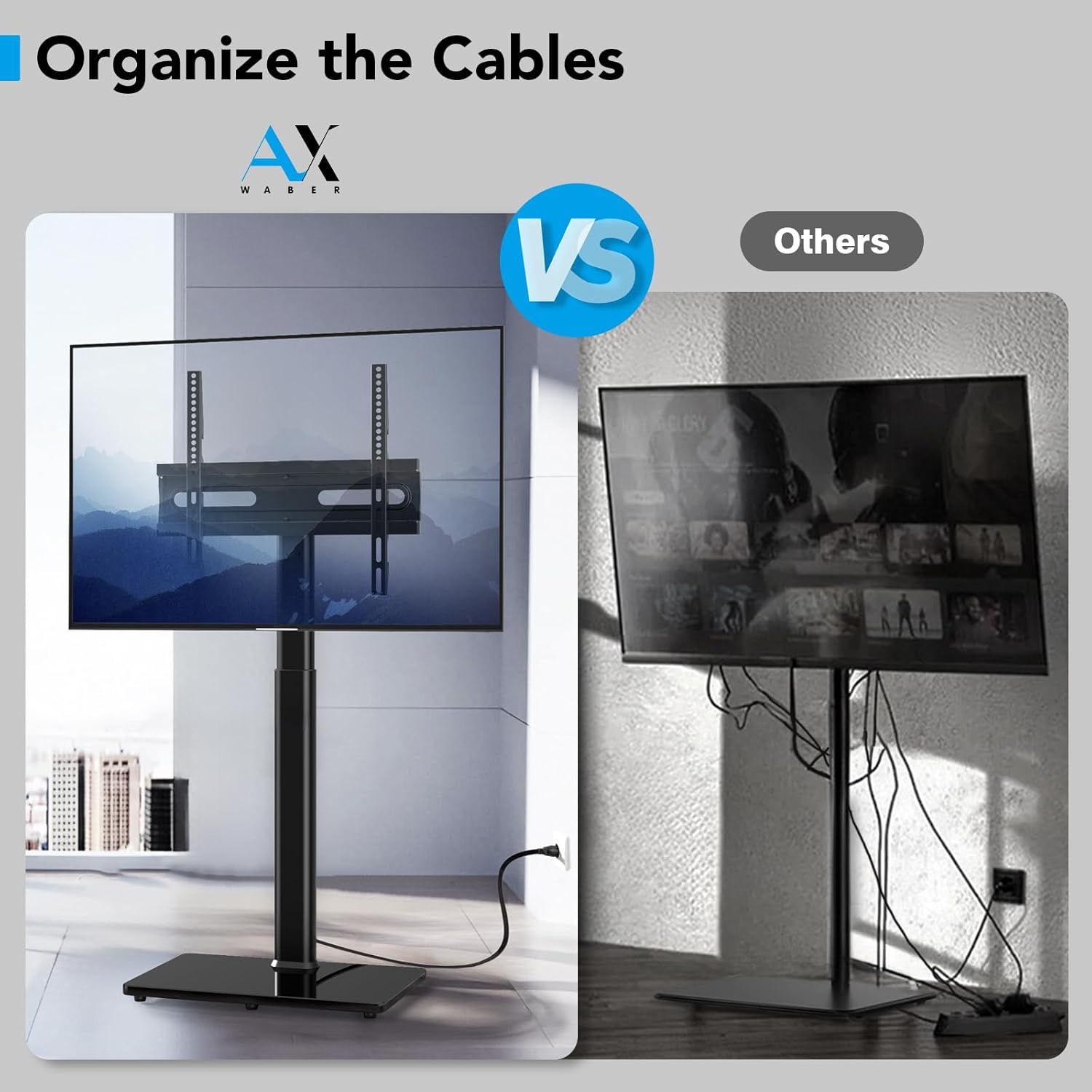
Utilize the integrated cable management clips along the main pillar to route and organize your TV and device cables. This helps maintain a tidy appearance and prevents cable clutter.

5. irudia: Cable Management System. This image demonstrates how the stand's design helps organize cables for a cleaner setup.
Segurtasun blokeoa
The TV stand includes a safety lock mechanism to securely hold your television in place on the mounting brackets. Ensure this lock is engaged after mounting the TV to prevent accidental detachment.

6. irudia: Safety Lock Feature. This image illustrates the safety lock, which provides reliable and stable attachment for your television.
Mantentzea
To ensure the longevity and optimal performance of your AX WABER Floor TV Stand, follow these simple maintenance guidelines:
- Garbiketa: Garbitu euskarria zapi leun batekin,amp oihal. Saihestu akabera kaltetu dezaketen garbitzaile edo disolbatzaile urratzaileak erabiltzea.
- Ikuskapenak: Aldian-aldian egiaztatu torloju eta konexio guztiak ondo estututa daudela ziurtatzeko. Beharrezkoa bada, berriro estutu.
- Kableen kudeaketa: Regularly inspect cables for any signs of wear or damage. Ensure they are properly routed through the cable management system to prevent pinching or strain.
Arazoak konpontzea
If you encounter any issues with your AX WABER Floor TV Stand, please refer to the following common troubleshooting tips:
- Stand feels wobbly or unstable:
- Ziurtatu muntaketa-torloju guztiak guztiz estutu direla.
- Verify the tempered glass base is placed on a flat, stable surface.
- Confirm the TV's weight and size are within the specified limits (up to 88 lbs, 27-65 inches).
- Check that the safety lock mechanism is engaged.
- TV cannot be adjusted for height or swivel:
- For height adjustment, ensure the securing mechanisms on the main pillar are loosened before attempting to move the TV, and re-tightened afterward.
- For swivel, ensure no cables are obstructing the movement of the TV.
- Power outlets are not working:
- Check if the main power cord of the stand is securely plugged into a functional wall outlet.
- Ensure the devices plugged into the stand's outlets are functioning correctly.
- Verify that the total power draw does not exceed the 15A limit.
Zehaztapenak
| Marka | AIZKOR WABER |
| Eredua | Floor TV Stand with Power Outlet |
| Telebistako tamaina bateragarriak | 27-65 zentimetro |
| Gehienezko pisu-gaitasuna | 88 lb (40 kg) |
| VESA bateragarritasuna | 100x100mm-tik 400x400mm-ra |
| Altuera doitzea | 9 levels (38.8" - 50.6") |
| Angelu birakaria | ±35 gradu |
| Entxufe integratua | 4 korronte alternoko entxufe (120V/15A) |
| Elikatze-kablearen luzera | 6.5 oin |
| Materiala | Alloy Steel, Tempered Glass Base |
| Elementuaren pisua | 18.71 kilo |
| Paketearen neurriak | 28.75 x 17 x 3.25 hazbete |
Bermea eta Laguntza
For warranty information and customer support, please refer to the documentation included with your product or visit the official AX WABER website. If you require further assistance, please contact AX WABER customer service.
You can visit the AX WABER Store for more information: AX WABER Store
Ask a question about this manual
Ask about setup, troubleshooting, compatibility, parts, safety, or missing instructions. Manuals+ will review the question and use this page’s manual context to help answer it.