
MESWAO MES-B3 Pro
MESWAO 15.6 Inch Android Tablet User Manual
Model: MES-B3 Pro
Sarrera
Thank you for choosing the MESWAO 15.6 Inch Android Tablet, Model MES-B3 Pro. This tablet is designed to provide a powerful and immersive experience with its large display, robust performance, and long-lasting battery. This manual provides essential information for setting up, operating, maintaining, and troubleshooting your device to ensure optimal performance and longevity.
Kutxan dagoena
Mesedez, egiaztatu elementu guztiak paketean daudela:
- 1x MESWAO 15.6 inch Android Tablet
- 1x korronte egokitzailea
- 1x C motako kablea
- 1x C motatik USBrako egokitzailea
- 1x Stuck Pin (for SIM/SD card tray)

Image: The MESWAO 15.6 Inch Android Tablet displayed with its power adapter, Type-C cable, Type-C to USB adapter, and stuck pin.
Konfigurazioa
1. Hasierako kargatzea
Before first use, fully charge your tablet. Connect the Type-C cable to the tablet's charging port and the power adapter. Plug the adapter into a wall outlet. The tablet supports 30W fast charging.

Image: The MESWAO tablet connected to a 30W fast charger, displaying charging status.
2. Piztu/Itzaltzea
- Pizteko: Press and hold the Power button located on the side of the tablet until the MESWAO logo appears.
- Itzaltzeko: Sakatu eta eutsi pizteko botoiari, eta ondoren hautatu "Itzali" pantailan agertzen diren aukeren artean.
- Berrabiarazteko: Sakatu eta eutsi pizteko botoiari, eta ondoren hautatu "Berrabiarazi" pantailan agertzen diren aukeren artean.
3. Hasierako konfigurazio morroia
Lehen aldiz piztean, jarraitu pantailan agertzen diren argibideei hasierako konfigurazioa osatzeko:
- Aukeratu nahi duzun hizkuntza.
- Konektatu Wi-Fi sare batera.
- Hasi saioa zure Google kontuarekin edo sortu berri bat.
- Konfiguratu pantailaren blokeoa (PINa, eredua, pasahitza).
- Review eta baldintzak eta zehaztapenak onartu.
4. MicroSD txartel bat sartzea
The tablet supports MicroSDXC cards up to 1TB for expanded storage.
- Locate the SIM/SD card tray on the side of the tablet.
- Insert the provided stuck pin into the small hole next to the tray to eject it.
- Place the MicroSD card into the designated slot on the tray, ensuring correct orientation.
- Sartu erretilua tabletaren barrura astiro-astiro, klik egin arte.
Funtzionamendu-argibideak
1. Oinarrizko nabigazioa (Android 14)
Your MESWAO tablet runs on Android 14, offering a clean and intuitive user interface. Use touch gestures for navigation:
- Sakatu: Hautatu elementu bat edo ireki aplikazio bat.
- Pasatu hatza: Scroll through pages, menus, or content.
- Zoom egiteko apur bat egin: Irudiak handitu edo txikitu eta web orrialdeak.
- Prentsa luzea: Sartu testuinguru-menuetara edo mugitu aplikazioen ikonoak.
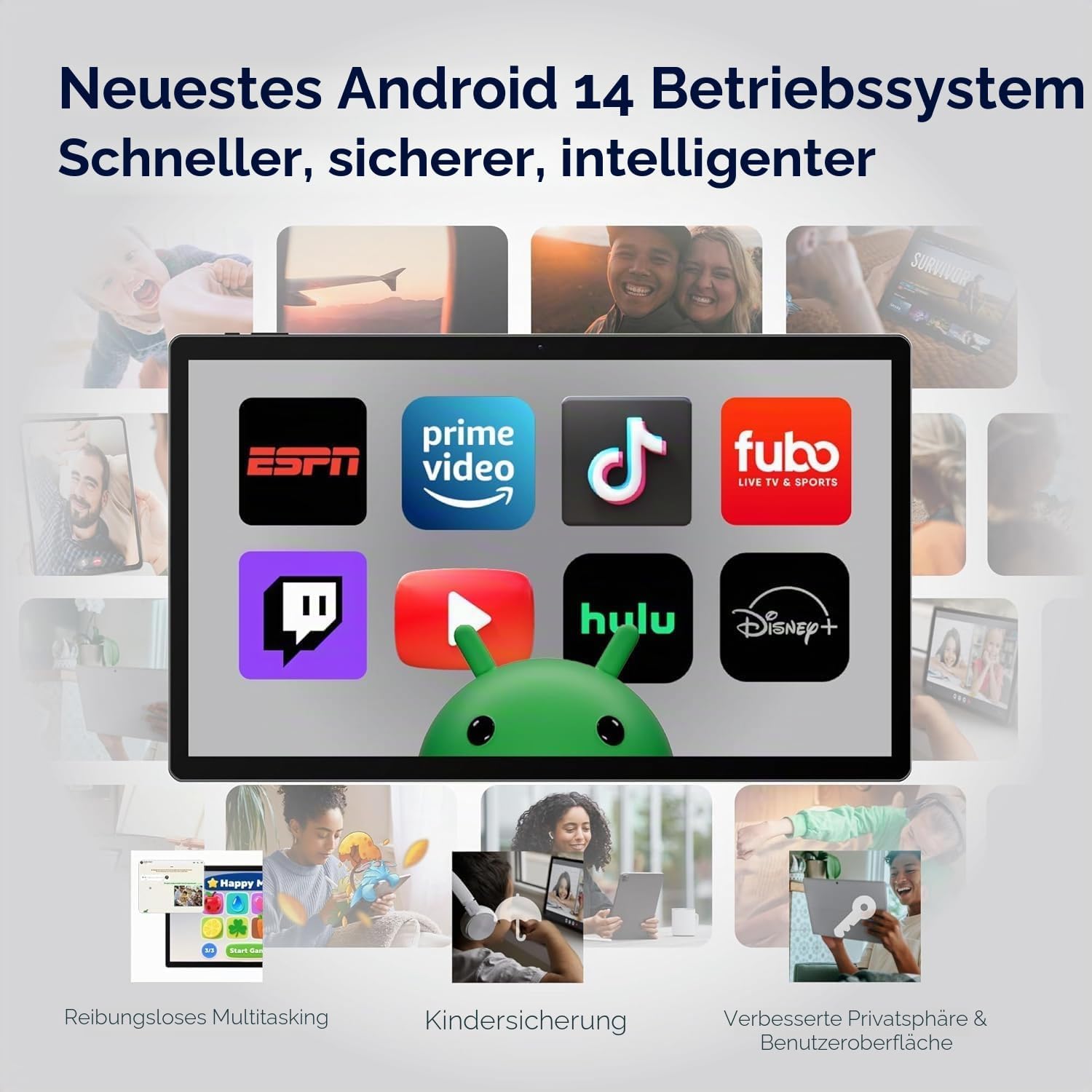
Image: The MESWAO tablet screen showing the Android 14 operating system with popular streaming and productivity applications.
2. Wi-Fi eta Bluetooth konexioa
- Wi-Fi: Joan zaitez Ezarpenak > Sarea eta internet > Wi-Fi. Turn Wi-Fi on and select your desired network. Enter the password if prompted. The tablet supports 2.4G and 5G Wi-Fi.
- Bluetootha: Joan zaitez Ezarpenak> Konektatutako gailuak> Konexio hobespenak> Bluetooth. Turn Bluetooth on and pair with compatible devices like headphones or keyboards. The tablet features Bluetooth 5.0.
3. Kameraren erabilera
Tabletak 32MP-ko atzeko kamera eta 5MP-ko aurrealdeko kamera ditu.
- Ireki Kamera aplikazioa hasierako pantailatik edo aplikazioen tiradertik.
- Sakatu obturadorearen botoia argazkiak ateratzeko.
- Aldatu aurreko eta atzeko kameren artean kameraren txandakatze-ikonoa erabiliz.
- Select video mode to record videos in FHD 1080p resolution.
4. Audioa eta Multimedia
Experience immersive audio with the tablet's quad-speaker system. You can also connect external audio devices:
- USB-C Audio: Connect USB-C headphones or adapters to the Type-C port.
- Bluetooth audioa: Pair Bluetooth headphones or speakers as described above.

Image: The MESWAO tablet highlighting its quad-speaker system and various connectivity ports.
5. Biltegiratze kudeaketa
Your tablet comes with 256GB of internal storage, expandable up to 1TB via a MicroSD card. To manage storage:
- Joan zaitez Ezarpenak > Biltegiratzea to view biltegiratze erabilera eta espazioa askatzea.
- Mugitu files to the MicroSD card to optimize internal storage.

Image: The MESWAO tablet illustrating its 256GB internal storage and the option for 1TB expandable storage.
6. Wireless Screen Casting
Share your tablet's screen wirelessly to a compatible smart TV or monitor for presentations, movies, or fitness applications.
- Ensure your tablet and the display device are connected to the same Wi-Fi network.
- Joan zaitez Ezarpenak > Konektatutako gailuak > Konexio-hobespenak > Igorri.
- Select your desired display device from the list to begin casting.
Mantentzea
1. Tableta garbitzea
- Erabili zapi leun eta lihorik gabeko bat pantaila eta gorputza garbitzeko.
- Orban egoskorretarako, apur bat dampGarbitu oihal bat urarekin edo pantaila-garbitzaile batekin.
- Saihestu produktu kimiko gogorrak, material urratzaileak edo gehiegizko hezetasuna erabiltzea.
2. Bateria zaintzea
12000 mAh-ko bateriaren iraupena maximizatzeko:
- Saihestu muturreko tenperaturak.
- Ez utzi bateria maiz erabat agortzen.
- Erabili emandako kargagailua kargatze optimoa lortzeko.
3. Software eguneraketak
Egiaztatu eta instalatu sistemaren eguneraketak aldizka, zure tabletak azken funtzioak, segurtasun-adabakiak eta errendimendu-hobekuntzak dituela ziurtatzeko.
- Joan zaitez Ezarpenak > Sistema > Sistemaren eguneraketa.
- Jarraitu pantailan agertzen diren argibideei eskuragarri dauden eguneratzeak deskargatu eta instalatzeko.
Arazoak konpontzea
If you encounter issues with your MESWAO tablet, refer to the following common solutions:
| Arazoa | Irtenbidea |
|---|---|
| Tableta ez da pizten. | Ensure the tablet is sufficiently charged. Connect it to the power adapter and wait a few minutes before attempting to power on again. |
| Wi-Fi konexio arazoak. | Check if Wi-Fi is enabled in Settings. Restart your router and the tablet. Ensure you are within range of the Wi-Fi signal. |
| Aplikazioak huts egiten ari dira edo izozten ari dira. | Itxi aplikazioa eta berriro ireki. Garbitu aplikazioaren cachea (Ezarpenak > Aplikazioak > [Aplikazioaren izena] > Biltegiratzea eta cachea > Garbitu cachea). Berrabiarazi tableta. |
| Errendimendu motela. | Itxi beharrezkoak ez diren atzeko planoan dauden aplikazioak. Garbitu cachea eta aldi baterakoak files. Consider uninstalling unused apps. Ensure sufficient free storage space. |
| Ukipen-pantailak ez du erantzuten. | Berrabiarazi tableta. Arazoak jarraitzen badu, ziurtatu pantaila garbi eta hondakinik gabe dagoela. |
Zehaztapenak
| Ezaugarri | Xehetasuna |
|---|---|
| Marka | MESWAO |
| Ereduaren izena | MES-B3 Pro |
| Sistema eragilea | Android 14 |
| Prozesadorea | MediaTek Helio G99 zortzi nukleokoa (2.2 GHz-raino) |
| RAM | 8 GB |
| Barne Biltegiratzea | 256 GB |
| Biltegiratze zabalgarria | Up to 1 TB (MicroSDXC) |
| Bistaratzeko tamaina | 15.6 hazbete |
| Bistaratzeko ebazpena | 1920 x 1080 Pixels (IPS HD Display) |
| Freskatze tasa | 60 Hz |
| Atzeko kamera | 32 MP |
| Aurrealdeko kamera | 5 MP |
| Bideo Harrapaketa Ebazpena | FHD 1080p |
| Bateria Edukiera | 12000 mAh |
| Bateriaren iraupena (batez bestekoa) | 10 ordu |
| Kargatzen | 30W-ko kargatze azkarra (C motakoa) |
| Konektibitatea | Wi-Fi (802.11ac, 2.4G/5G), Bluetooth 5.0, USB 3.1 Type-C |
| Audio formatuaren euskarria | APE, M4A, MIDI, OGG, MP3, MP2, AMR, AWB, WAV, FLAC, 3GP (AAC, WMA with license) |
| Neurriak (L x W x D) | 36.9L x 22.3Z x 0.9S cm |
| Pisua | 1100 gramo |
Bermea eta Laguntza
1. Produktuen bermea
The MESWAO 15.6 Inch Android Tablet comes with a Urtebeteko bermea, covering manufacturing defects. Please retain your proof of purchase for warranty claims.
2. Bezeroarentzako arreta
For any questions, technical assistance, or warranty claims, please contact MESWAO customer support. We offer 24-hour customer support and have local after-sales centers in EU/US/UP regions to provide responsive service.
- 24 orduko bezeroarentzako laguntza: Our support team is available to assist you.
- Local Service Centers: Located in Europe, the US, and other regions for convenient local care.
- Responsive Resolution: Issues reported are typically addressed within 24 hours, leading to problem resolution or replacement.

Image: Visual representation of MESWAO's customer support, including 12-month warranty, 24-hour support, and local service centers.
Lotutako dokumentuakMES-B3 Pro

Ask a question about this manual
Ask about setup, troubleshooting, compatibility, parts, safety, or missing instructions. Manuals+ will review the question and use this page’s manual context to help answer it.