
1. Sarrera
Thank you for choosing the GOBOULT Fluid X Pro Bluetooth Headphones. This manual provides essential information for setting up, operating, and maintaining your headphones to ensure optimal performance and longevity. Please read this manual thoroughly before use.
2. Paketearen edukia
Ziurtatu behean zerrendatutako elementu guztiak zure paketean daudela:
- GOBOULT Fluid X Pro Headphones
- C motako karga-kablea
- Erabiltzailearen eskuliburua
- Belarri-kuxinak (aurrez instalatuta edo ordezkoak)
- Berme Txartela
3. Produktua amaitu daview

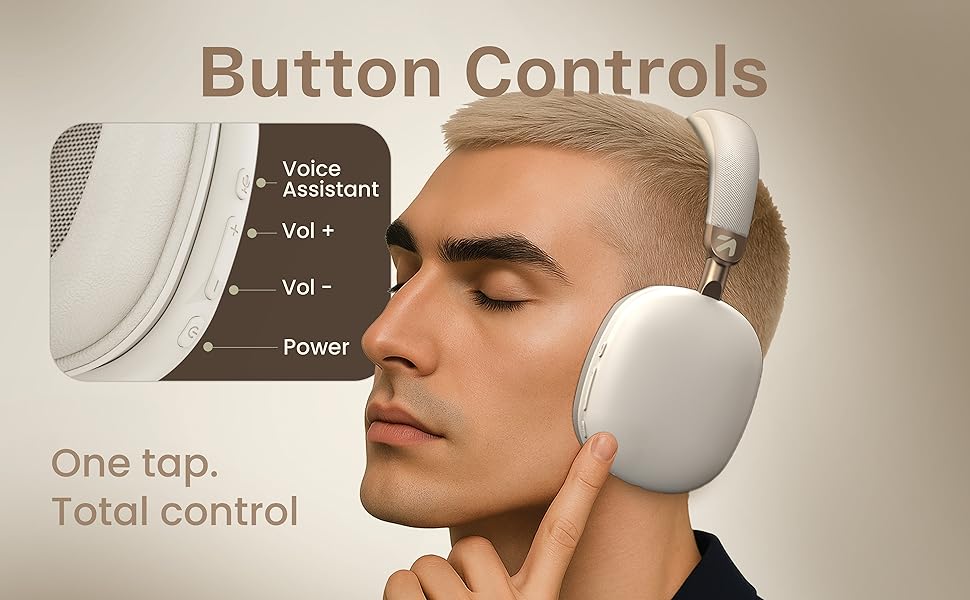
Figure 3.1: Tactile Button Controls
Kontrolak eta Portuak:
- Pizteko botoia: Pizteko/itzaltzeko sakatu eta eutsi. Erreproduzitzeko/pausatzeko sakatu labur.
- Bolumena igo (+): Sakatu labur bolumena igotzeko. Sakatu luze hurrengo abestira salto egiteko.
- Bolumena jaitsi (-): Short press to decrease volume. Long press to skip to the previous track.
- ANC botoia: Press to cycle through Active Noise Cancellation modes (ANC On/Off/Transparency).
- EQ moduaren botoia: Sakatu eskuragarri dauden 4 EQ moduen artean aldatzeko.
- C motako ataka: Entzungailuak kargatzeko.
- AUX ataka: Kable bidezko audio konexiorako.
- Mikrofonoa: Integrated Zen ENC Mic for calls.
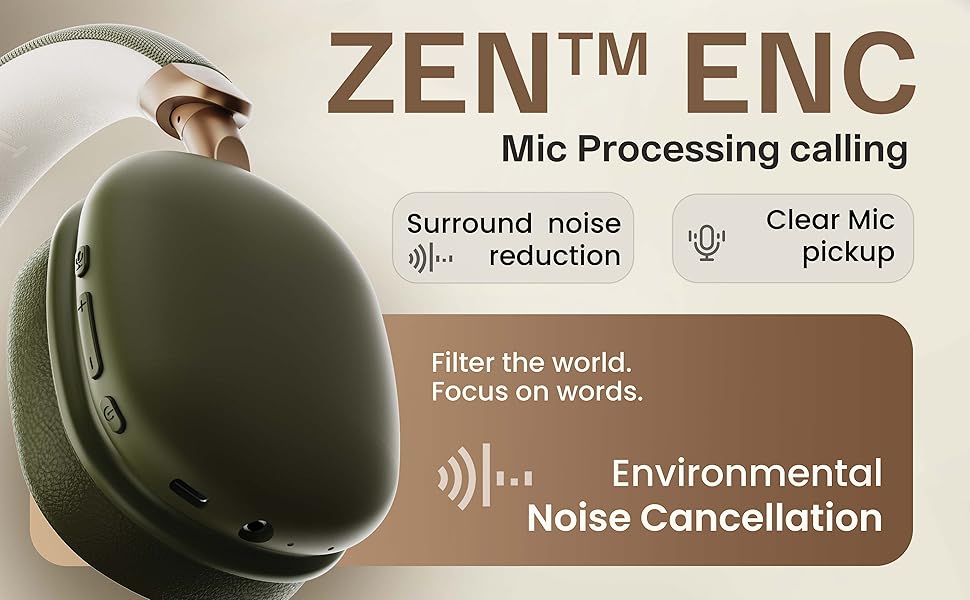
3.2. irudia: Ezaugarri nagusiakview
4. Konfigurazioa
4.1. Hasierako kargatzea
Before first use, fully charge your headphones. Connect the provided Type-C charging cable to the headphone's Type-C port and the other end to a USB power adapter (not included) or a computer's USB port. The LED indicator will show charging status and turn off when fully charged.
4.2. Piztu/Itzaltzea
- Pizteko: Sakatu eta eutsi pizteko botoia 3 segundo inguru, LED adierazlea keinuka hasi arte.
- Itzaltzeko: Sakatu eta eutsi pizteko botoia 5 segundo inguru LED adierazlea itzali arte.
4.3. Bluetooth parekatzea

4.1. irudia: Bluetooth 5.4 konexioa
- Ziurtatu entzungailuak itzalita daudela.
- Sakatu eta eutsi pizteko botoia 5-7 segundoz, LED adierazlea txandaka gorriz eta urdinez keinuka hasi arte, parekatze modua adieraziz.
- Zure gailuan (smartphone-a, tableta, ordenagailu eramangarria), gaitu Bluetooth-a eta bilatu eskuragarri dauden gailuak.
- Select "GOBOULT Fluid X Pro" from the list of found devices.
- Konektatu ondoren, LED adierazlea urdin argituko da poliki-poliki.
The headphones support Bluetooth 5.4 for stable and fast connections up to 10 meters.
5. Funtzionamendu-argibideak
5.1. Audio erreprodukzioa
- Erreproduzitu/Pausatu: Sakatu labur pizteko botoia.
- Hurrengo ibilbidea: Sakatu luze bolumena igotzeko (+) botoia.
- Aurreko pista: Sakatu luze Bolumena Jaisteko (-) botoia.
- Bolumenaren doikuntza: Sakatu labur Bolumena igotzeko (+) edo Bolumena jaitsi (-) botoiak.
5.2. Deien kudeaketa
- Deia erantzun/amaitu: Sakatu labur pizteko botoia.
- Deia baztertu: Sakatu luze pizteko botoia.
- Berriz markatu azken zenbakia: Sakatu bi aldiz pizteko botoia.
5.3. Zarata Ezabatze Aktiboa (ANC)
5.1. irudia: Zarata aktiboaren ezeztapena martxan
Press the dedicated ANC button to activate or deactivate Active Noise Cancellation. This feature helps reduce ambient noise for a more immersive listening experience. Cycle through ANC On, ANC Off, and Transparency modes as needed.
5.4. EQ moduak
The headphones feature 4 Equalizer (EQ) modes to customize your audio experience. Press the EQ Mode button to cycle through the available presets (e.g., Bass Boost, Vocal, Balanced, Gaming). The specific modes may vary.
5.5. Joko modua
Figure 5.2: Gaming Mode for Low Latency Audio
Activate Gaming Mode for ultra-low latency audio (approximately 50ms), providing a more synchronized audio-visual experience during gaming. Refer to the specific button control for activating this mode (often a long press on the EQ button or a dedicated button).
5.6. Dual Listening Modes (Wireless & Wired)

Figure 5.3: Wireless and Wired Connectivity Options
- Haririk gabeko modua: Connect via Bluetooth for cordless audio.
- Kable modua: Connect an AUX cable (not included) to the headphone's AUX port and your audio source. In wired mode, the microphone is typically inactive.
5.7. Ahots Laguntzailea

5.4. irudia: Ahots-laguntzailearen integrazioa
Activate your device's voice assistant (Siri, Google Assistant) by a specific button press (refer to product diagram or quick start guide for exact control). This allows for hands-free control of your device.
6. Kargatzea
6.1. irudia: Bateriaren iraupena eta kargatze azkarra
To charge the headphones, connect the provided Type-C cable to the charging port on the headphones and a compatible USB power source. The LED indicator will show charging status. A full charge provides up to 70 hours of playback without ANC, or 35 hours with ANC activated. A quick 10-minute charge can provide approximately 5 hours of playtime.
7. Mantentzea
7.1. Garbiketa
- Garbitu entzungailuak zapi leun eta lehor batekin.
- Ez erabili garbitzaile urratzailerik, alkoholik edo disolbatzaile kimikorik.
- Belarri-kuxinak astiro-astiro garbitu daitezke iragarkiarekinamp cloth if necessary, then allowed to air dry completely.
7.2. Biltegiratzea
Gorde entzungailuak leku fresko eta lehor batean, eguzki-argitik eta muturreko tenperaturetatik babestuta. Tolestu daitekeen diseinuari esker, biltegiratze trinkoa egin daiteke.
7.3. Urarekiko erresistentzia
The headphones are IPX5 water resistant, meaning they are protected against low-pressure water jets from any direction. This makes them splash-proof, rain-proof, and sweat-proof. Do not submerge the headphones in water.
8. Arazoak
| Arazoa | Kausa posiblea | Irtenbidea |
|---|---|---|
| Entzungailuak ez dira pizten | Bateria baxua | Kargatu entzungailuak guztiz. |
| Ezin da Bluetooth bidez parekatu | Entzungailuak ez daude parekatze moduan; Gailuaren Bluetooth-a itzalita; Gailutik urrunegi | Ensure headphones are in pairing mode (flashing red/blue). Turn on Bluetooth on your device. Move headphones closer to your device (within 10m). |
| Soinurik ez | Volume too low; Not connected; Wired mode issue | Increase volume on headphones and device. Re-pair Bluetooth. Check AUX cable connection if in wired mode. |
| Deien kalitate eskasa | Weak signal; Environmental noise | Move closer to your device. Ensure Zen ENC Mic is not obstructed. Try enabling/disabling ANC. |
| ANCk ez du eraginkortasunez funtzionatzen | ANC off; Improper fit | Sakatu ANC botoia aktibatzeko. Egokitu entzungailuak belarrietan ondo egokitzeko. |
9. Zehaztapenak
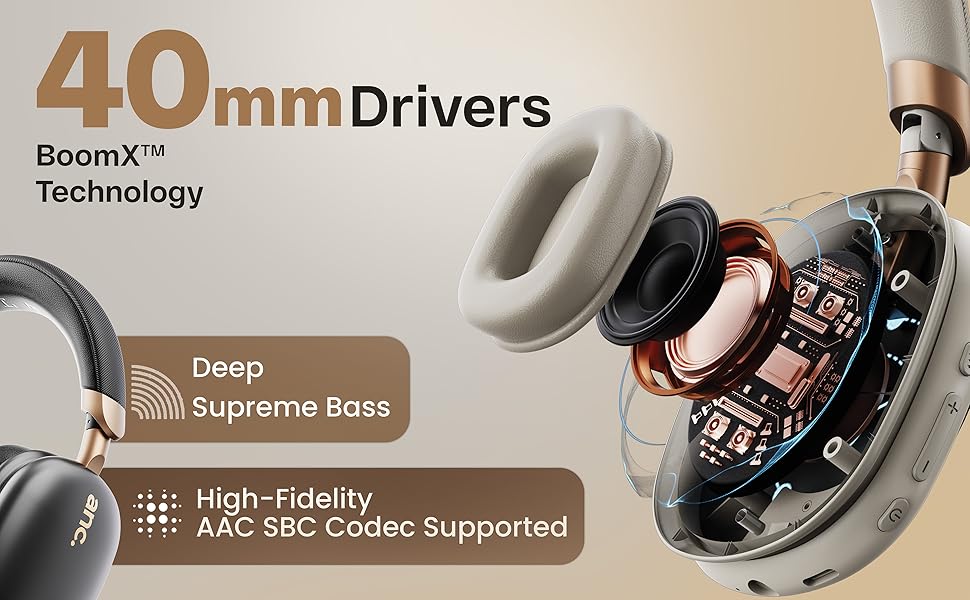
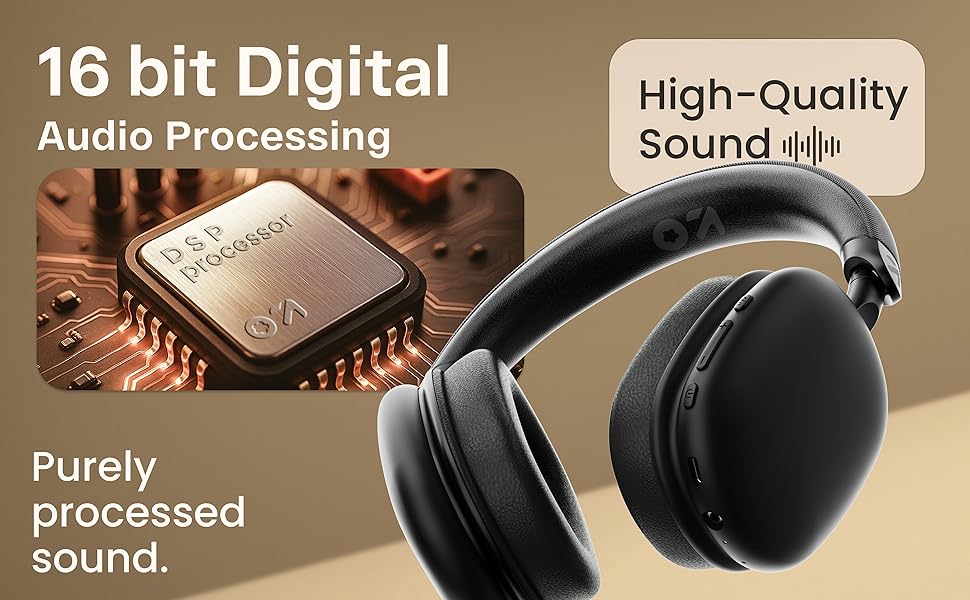
Figure 9.1: 16-bit Digital Audio Processing
| Ezaugarri | Xehetasuna |
|---|---|
| Ereduaren izena | ProBass |
| Konektibitatea | Bluetooth 5.4, Wired (AUX) |
| Bluetooth barrutia | Gehienez 10 metro |
| Audio kontrolatzailearen tamaina | 40 mm-ko kontrolatzaile dinamikoak |
| Zarata Kontrola | Active Noise Cancellation (ANC), Passive Noise Cancellation |
| Mikrofonoa | Zen ENC Mic |
| Bateriaren iraupena | Up to 70 hours (without ANC), 35 hours (with ANC) |
| Kargatzeko ataka | C motako karga azkarra |
| Uraren Erresistentzia | IPX5 (Splash, Rain, Sweat Proof) |
| Audio latentzia | 50ms (Gaming Mode) / 60ms (General) |
| Elementuaren pisua | 205 gramo |
| Produktuaren neurriak | 22 x 20 x 83 cm |
| Inpedantzia | 32 ohmio |
| Dakarten osagaiak | Headphone, Type C Charging Cable, User Manual, Warranty Card, Ear Cushions |
10. Bermea eta Laguntza
10.1. Bermearen informazioa
The GOBOULT Fluid X Pro Bluetooth Headphones come with a 1 urteko fabrikatzailearen bermea from the date of purchase. This warranty covers manufacturing defects and ensures reliable after-sales support. Please retain your purchase receipt and warranty card for any claims.
10.2. Bezeroarentzako arreta
For any questions, technical assistance, or warranty claims, please contact GOBOULT customer support through the details provided on your warranty card or visit the official GOBOULT webgunea.