
1. Sarrera
Eskerrik asko erosketagatik.asing the FUNYET FY3 Mini PC. This compact and powerful desktop computer is designed for various applications, from office tasks to 4K media consumption. Featuring an Intel Alder Lake-N95 processor, 16GB DDR4 RAM, and a 512GB SSD, it offers efficient performance in a small form factor. Please read this manual thoroughly to ensure proper setup, operation, and maintenance of your device.
2. Paketearen edukia
Egiaztatu elementu guztiak zure paketean daudela:
- FUNYET FY3 Mini PC
- Korronte egokitzailea (kargagailua)
- Erabiltzailearen eskuliburua (dokumentu hau)
3. Produktua amaitu daview
The FUNYET FY3 Mini PC is a compact computing solution with robust features. Below is an overview of its key components and interfaces.

Image 3.1: FUNYET FY3 Mini PC Overview. This image displays the FUNYET FY3 Mini PC from a top-front angle, highlighting its compact size and key specifications such as the Intel Alder Lake N95 processor, up to 32GB RAM support, triple-screen setup capability, built-in fan cooling, Wi-Fi 5 and Bluetooth 4.2 connectivity, 3.4 GHz Max Turbo Frequency, 4 Cores, 4 Threads, and 4800 MHz Intel UHD Graphics.
3.1 Prozesadorea eta errendimendua
The Mini PC is powered by an Intel Alder Lake-N95 processor, offering a maximum turbo frequency of 3.40 GHz and 6 MB Smart Cache. This ensures smooth multitasking and efficient operation for various applications.

Image 3.2: Intel Alder Lake N95 Processor. Irudi honek xehetasunak eskaintzen ditu view of the Intel Alder Lake N95 processor, illustrating its architecture and highlighting key specifications such as 3.4 GHz Max Turbo Frequency, 4800 MHz maximum memory speed, 10nm TSMC 10nm FinFET process, and 15W TDP power consumption.
3.2 Memoria eta biltegiratzea
The FY3 Mini PC comes with 16 GB DDR4 RAM eta a 512 GB M.2 SSDa rentzat ample storage and fast data access. The device supports RAM expansion up to 32GB and features an additional M.2 slot (2280) supporting PCIe 4.0 and SATA 3.0 for storage upgrades.

Image 3.3: Memory and Storage Expansion. This image illustrates the internal components, specifically an M.2 NVMe SSD and a SO-DIMM DDR4 RAM module, indicating that the system supports up to 32GB RAM and features an M.2 interface (2280) for storage, supporting PCIe 4.0 and SATA 3.0.
3.3 Portuak eta Konexioa
The Mini PC offers a variety of ports for connecting peripherals and displays:
- Aurrealdeko panela: Power button, Earphone jack, 1x Type-C port (full-function: charge, data, output), 2x USB 3.2 ports.
- Atzeko Panel: DC power input, 2x USB 3.0 ports, 2x USB 2.0 ports, 2x RJ45 Gigabit Ethernet ports, 1x HDMI port, 1x DisplayPort (DP1.4).

Image 3.4: Rich Interfaces. This image shows the front and rear panels of the FY3 Mini PC, detailing the available ports. The front includes the power button, earphone jack, Type-C, and USB 3.2 ports. The rear includes DC power, USB 3.2, HDMI 2.0, DP1.4, and RJ45 ports.
For network connectivity, it supports Wi-Fi 5 eta Bluetooth 4.2 for wireless connections, in addition to the dual RJ45 Gigabit Ethernet ports for stable wired connections.

Image 3.5: RJ45 and Wireless Connectivity. This image highlights the side view of the Mini PC, emphasizing the two RJ45 Gigabit Ethernet interfaces and indicating support for Wi-Fi 5 and Bluetooth 4.2 for stable and low-latency network connections.
3.4 Bistaratzeko irteera
The FY3 Mini PC supports triple screen output via 1x Type-C, 1x HDMI, and 1x DisplayPort, allowing for an expanded workspace and enhanced productivity. It supports 4K UHD bereizmena, providing a high-quality visual experience.
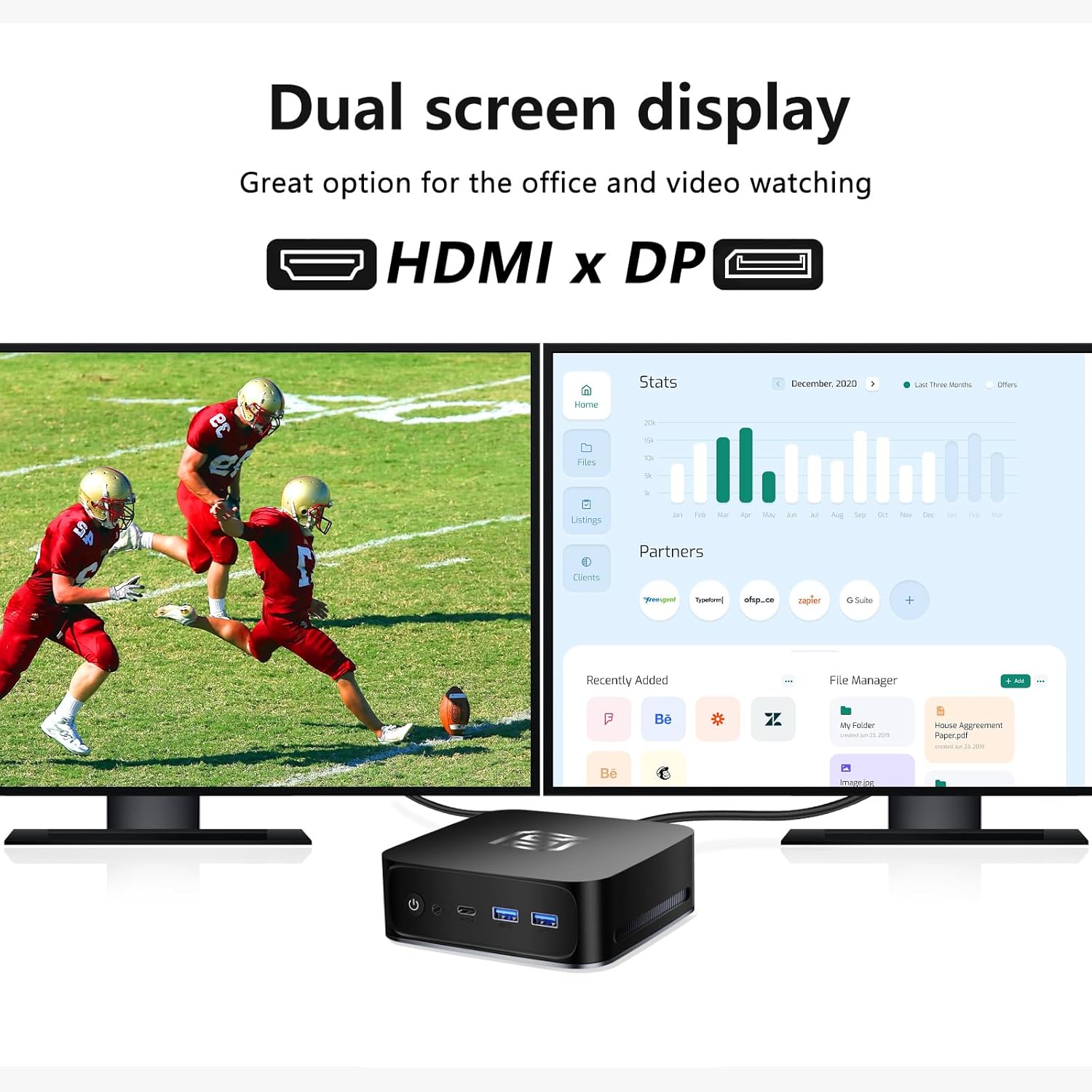
Image 3.6: Dual Screen Display. This image demonstrates the Mini PC connected to two external monitors via HDMI and DisplayPort, showcasing its capability for dual-screen display, which is ideal for office work and video viewing.
3.5 Hozte-sistema
To maintain optimal performance, the device features an efficient cooling system with 8mm heat pipes eta a haizagailu integratua. This design ensures effective heat dissipation, allowing the CPU to operate at its maximum performance without thermal throttling.
4. Konfigurazio gida
Follow these steps to set up your FUNYET FY3 Mini PC:
- Konektatu periferikoak: Connect your monitor(s) to the HDMI, DisplayPort, or Type-C video output ports. Connect your keyboard and mouse to the available USB ports.
- Konektatu energia: Plug the power adapter into the DC power input port on the rear of the Mini PC, then plug the other end into a power outlet.
- Hasierako abiaraztea: Press the power button located on the front panel. The system will boot up, and you will see the operating system (Windows 11 Pro) loading on your connected display.
- Sare-konexioa: For wired internet, connect an Ethernet cable to one of the RJ45 ports. For wireless internet, follow the on-screen instructions in Windows to connect to a Wi-Fi network.
5. Funtzionamendu-argibideak
5.1 Piztu/Itzali
- Pizteko: Sakatu pizteko botoia gailuaren aurrealdean.
- Itzaltzeko: Click the Start menu in Windows, then select Power > Shut down. Alternatively, you can press and hold the power button for 5 seconds to force a shutdown (not recommended for regular use).
- Berrabiarazteko: Click the Start menu in Windows, then select Power > Restart.
5.2 Sare batera konektatzea
- Kable bidezko konexioa: Connect an Ethernet cable from your router/modem to one of the RJ45 ports on the Mini PC. The connection should be automatically established.
- Haririk gabeko konexioa: In Windows, click the Wi-Fi icon in the taskbar, select your desired network, enter the password, and click Connect.
5.3 Using Multiple Displays
The Mini PC supports connecting up to three displays simultaneously. Connect your monitors to the HDMI, DisplayPort, and Type-C video output ports. Windows will automatically detect the displays. You can configure display settings (extend, duplicate, or show only on one screen) by right-clicking on the desktop and selecting "Display settings".
6. Mantentzea
6.1 Garbiketa
Regularly clean the exterior of the Mini PC with a soft, dry cloth. For dust accumulation in the vents, use compressed air. Ensure the device is powered off and unplugged before cleaning.
6.2 Software eguneraketak
Keep your Windows operating system and drivers updated to ensure optimal performance and security. You can check for updates via Windows Settings > Update & Security > Windows Update.
6.3 Biltegiratzea eta memoriaren hedapena
The Mini PC allows for memory (RAM) and storage (SSD) upgrades. It has an SO-DIMM RAM slot supporting up to 32GB DDR4 RAM and an M.2 2280 slot compatible with PCIe 4.0 and SATA 3.0 SSDs. If you plan to upgrade, ensure you use compatible components and follow proper anti-static procedures. Consult a professional if you are unsure.
7. Arazoak
If you encounter issues with your Mini PC, refer to the following common problems and solutions:
- No Power / System Not Starting:
- Ziurtatu korronte-egokitzailea ondo konektatuta dagoela bai Mini PCra bai funtzionatzen duen korronte-entxufe batera.
- Egiaztatu entxufea funtzionatzen duela beste gailu bat konektatuz.
- Saiatu beste energia-egokitzaile bat eskuragarri eta bateragarria bada.
- Ez dago pantailan pantailan:
- Check that the monitor is powered on and set to the correct input source (HDMI, DP, Type-C).
- Ensure the video cable is securely connected to both the Mini PC and the monitor.
- Try connecting to a different video port on the Mini PC or using a different cable/monitor if possible.
- Ez dago Interneteko konexiorik:
- Sare: Check the Ethernet cable connection. Ensure your router/modem is working correctly.
- Haririk gabekoa: Verify Wi-Fi is enabled in Windows and you are connected to the correct network with the right password. Restart your router/modem.
- Errendimendu motela:
- Itxi atzeko planoan exekutatzen ari diren beharrezkoak ez diren aplikazioak.
- Ziurtatu Windows eta kontrolatzaileak eguneratuta daudela.
- Egiaztatu malwarea edo birusak dauden.
- Consider upgrading RAM or SSD if performance issues persist during demanding tasks.
8. Zehaztapenak
| Ezaugarri | Xehetasuna |
|---|---|
| Marka | FUNYET |
| Ereduaren izena | FY3 |
| CPU fabrikatzailea | Intel |
| CPU eredua | Alder Lake-N95 (up to 3.40 GHz) |
| RAM Tamaina | 16 GB DDR4 |
| Onartutako gehienezko RAMa | 32 GB |
| Biltegiratzea | 512 GB M.2 SSDa |
| Koprozesadore grafikoa | Intel UHD grafikoak |
| Bideo Irteerako Interfazeak | HDMI, DisplayPort, USB Type-C (full function) |
| Gehienezko pantailaren bereizmena | 3840 x 2160 (4K UHD) |
| Konektibitatea | USB 3.2, USB 3.0, USB 2.0, RJ45 Gigabit Ethernet (x2), HDMI, DisplayPort, Type-C, Audio Jack, Wi-Fi 5, Bluetooth 4.2 |
| Neurriak | 13 x 13 x 4.3 cm |
| Kolorea | Beltza |
| Dakarten osagaiak | Elikatze-moldagailua |
9. Bermea eta Laguntza
For warranty information and technical support, please refer to the documentation provided with your purchase or visit the official FUNYET website. If you encounter any issues not covered in this manual, please contact FUNYET customer service for assistance.
Askotan fabrikatzailearen laguntza-harremanetarako datuak aurki ditzakezu webgunearen bidez edo erosketa puntuaren bidez.