
1. Sarrera
This manual provides detailed instructions for the proper use and maintenance of your BOBLOV KJ26 2K Body Camera. Please read this manual thoroughly before operating the device to ensure optimal performance and longevity.
2. Paketearen edukia
Egiaztatu behean zerrendatutako elementu guztiak zure paketean sartuta daudela:
- KJ26 Body Camera
- 360° Rotatable Long Clip
- 360° Rotatable Short Clip
- Two Rechargeable Batteries (2000mAh each)
- Kargatzeko kaia
- USB-C kablea
- Erabiltzailearen eskuliburua (dokumentu hau)
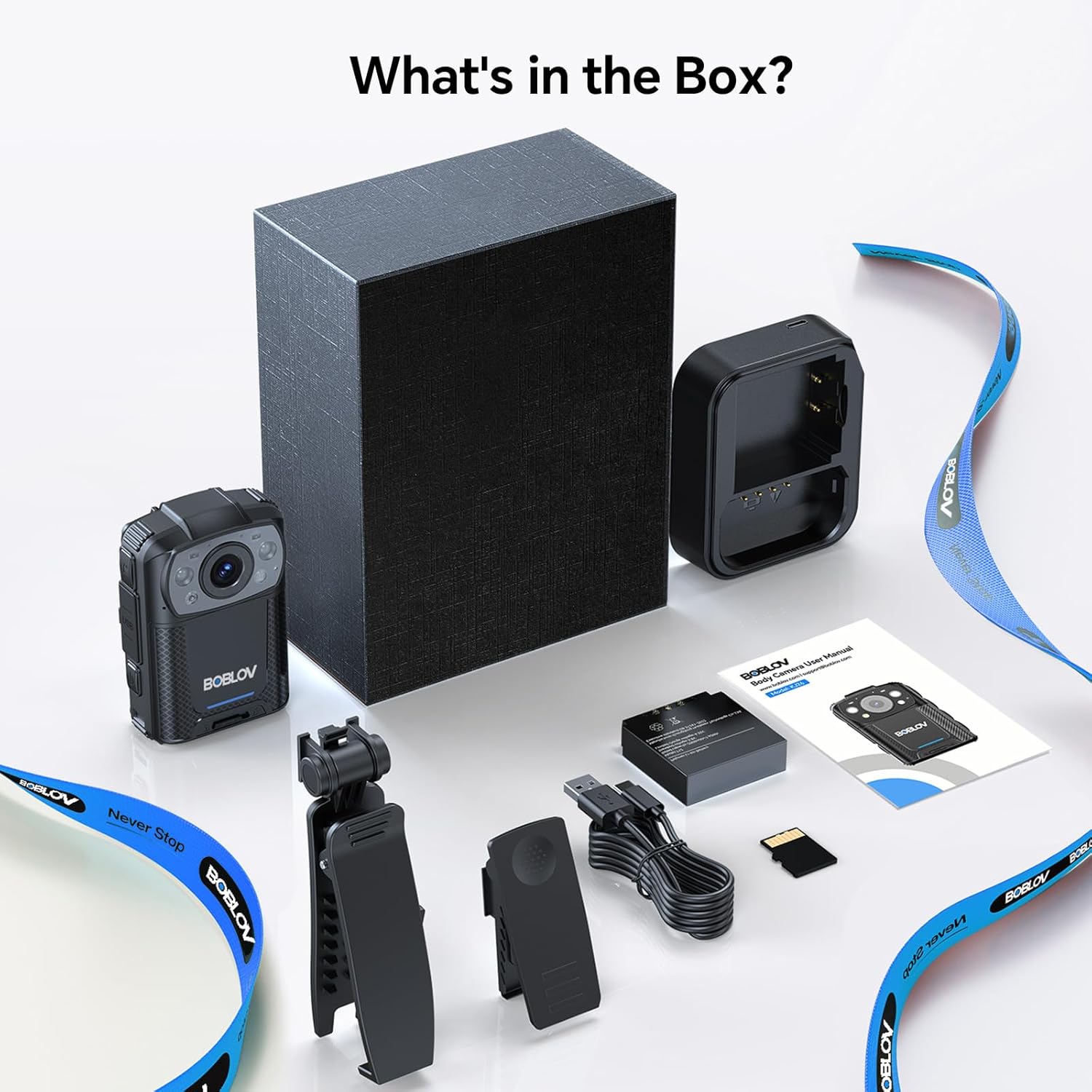
Image: All components included in the BOBLOV KJ26 Body Camera package.

Irudia: Paketearen edukiaren irudikapen bisuala.
Video: Official unboxing video for the BOBLOV KJ26 body camera, demonstrating the contents of the package and initial setup.
3. Konfigurazioa
3.1. Bateria instalatzea eta kargatzea
The KJ26 body camera comes with two 2000mAh rechargeable batteries. Ensure batteries are fully charged before first use.
- Insert a battery into the designated battery compartment on the camera.
- Place the camera onto the charging dock.
- Connect the USB-C cable to the charging dock and a power source.
- Kargatzeko adierazlearen argiak kargatzeko egoera erakutsiko du.
- To swap batteries, remove the current battery and insert a fresh one.

Image: BOBLOV KJ26 body camera highlighting its dual battery system for extended recording.

Image: Swappable batteries for continuous recording.
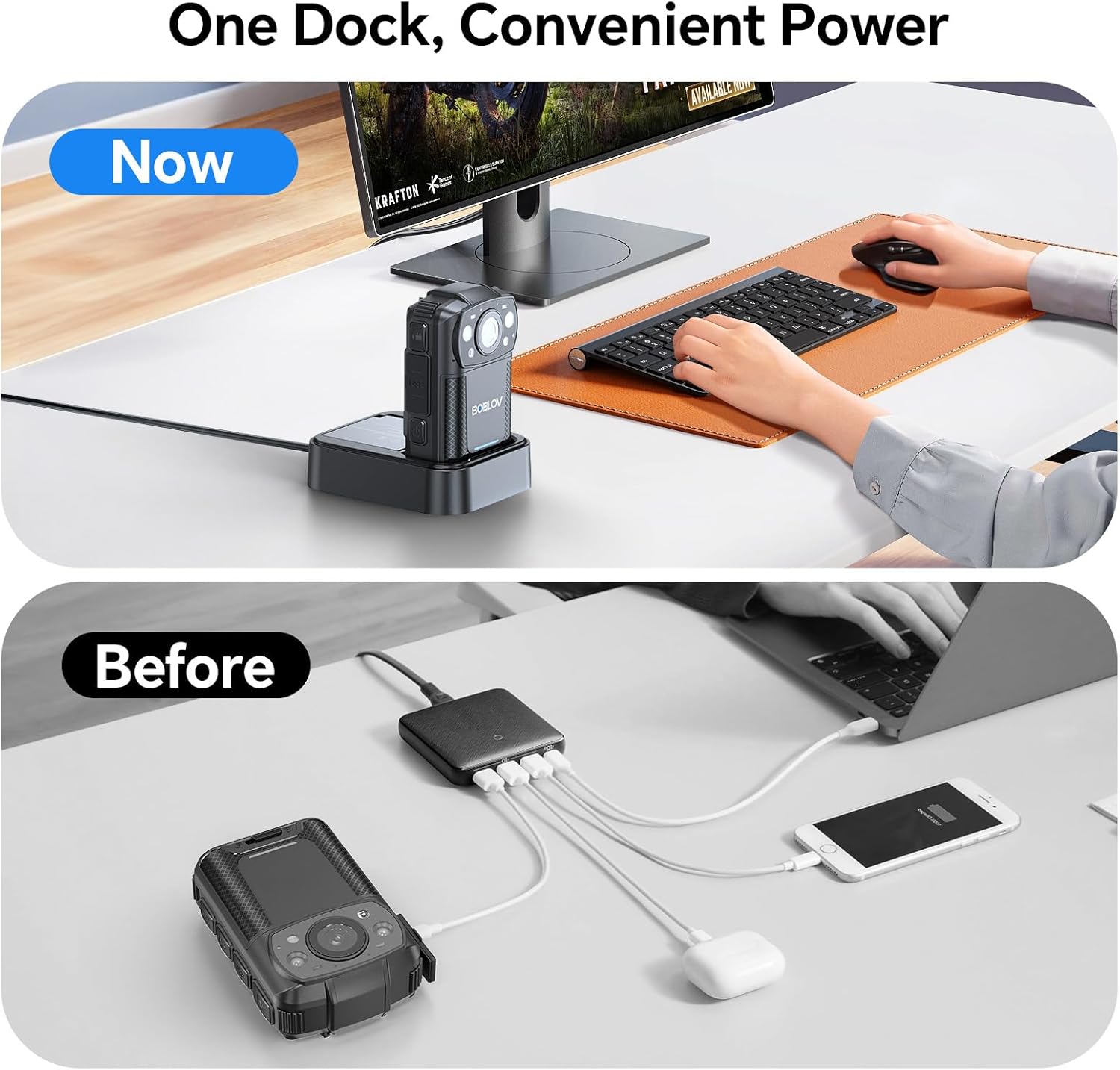
Image: The camera charging in its dedicated dock.
3.2. Memoria Txartelaren Instalazioa
The camera supports external Micro SD cards for storage expansion. The device comes with a 256GB card installed.
- Bilatu kameran Mikro SD txartelaren zirrikitua.
- Gently insert the Micro SD card until it clicks into place.
- To remove, press the card inward until it springs out.

Image: The camera supports easy memory card swapping for expanded storage.
3.3. Attaching Clips
Two rotatable clips (long and short) are provided for flexible mounting options.
- Select the appropriate clip (long or short) for your intended use.
- Attach the clip to the back of the camera by sliding it into the designated slot until it locks securely.
- The clip can rotate 360° for optimal positioning.

Irudia: Adibamples of flexible mounting with different clip lengths.
4. Funtzionamendu-argibideak
4.1. Piztu/Itzali
- To power on: Press and hold the Power button until the screen illuminates.
- Itzaltzeko: Sakatu eta eutsi pizteko botoia gailua itzali arte.
4.2. Bideo Grabaketa
The camera records video in 2K, 1080P, or 720P resolution with audio, saving files in MOV format.
- To start recording: Press the Record button. A red indicator light or on-screen icon will confirm recording is active.
- To stop recording: Press the Record button again.
- Loop grabaketa: The camera supports loop recording, overwriting the oldest files memoria txartela beteta dagoenean.
- Adjustable Video Length: Video segments can be set to 5, 10 (default), 15, or 20 minutes.

Image: The compact design of the wearable body camera.

Image: Continuous recording with adjustable video segment lengths.
4.3. Argazki-harrapaketa
The camera can also capture still images.
- To take a photo: Press the Photo button.
4.4. Gaueko Ikusmena
The KJ26 features infrared LEDs for clear recording in low-light conditions.
- Night vision activates automatically in dark environments.

Image: Night vision capability for reliable surveillance in low light.

Image: Capturing details even in low light conditions.
4.5. Ezaugarri bereziak
- Mugimendu-detekzioa: The camera can be set to start recording automatically when motion is detected.
- Dash kamera modua: The device can function as a dash camera, suitable for vehicle use.

Image: The camera mounted in a vehicle, demonstrating dash camera mode.
5. Mantentzea
5.1. Garbiketa
- Erabili zapi leun eta lehor bat kameraren gorputza garbitzeko.
- Lentearentzat, erabili lenteak garbitzeko oihal eta disoluzio espezializatu bat marradurak saihesteko.
- Ez erabili produktu kimiko gogorrak edo material urratzaileak.
5.2. Bateria zaintzea
- Gorde bateriak leku fresko eta lehor batean erabiltzen ez dituzunean.
- Saihestu bateriak maiz erabat deskargatzea haien iraupena luzatzeko.
- Denbora luzez gordetzen baduzu, kargatu bateriaren edukieraren % 50 inguru arte.
5.3. Biltegiratzea
- Store the camera in a protective case to prevent damage from impacts or dust.
- Mantendu gailua muturreko tenperaturatik eta eguzki-argitik urrun.
6. Arazoak
| Arazoa | Kausa posiblea | Irtenbidea |
|---|---|---|
| Kamera ez da pizten. | Bateria agortuta dago edo ez dago behar bezala instalatuta. | Ensure battery is charged and correctly inserted. Try swapping with the second battery. |
| Ezin da bideoa grabatu. | Memory card is full, corrupted, or not inserted. | Check memory card status. Format the card (this will erase all data). Replace the card if necessary. |
| Bideo kalitate eskasa gauez. | Night vision not active or insufficient ambient light. | Ensure night vision is enabled (if manual setting is available) or that there is some minimal light for the IR sensors to function. |
| Kamera blokeatu egiten da edo ez du erantzuten. | Softwarearen akatsa edo aldi baterako errorea. | Press and hold the Power button for 10-15 seconds to force a restart. If issue persists, contact support. |
7. Zehaztapenak
| Ezaugarri | Xehetasuna |
|---|---|
| Marka | BOBLOV |
| Modelo zenbakia | KJ26 |
| Bideo Harrapaketa Ebazpena | 2K, 1080P, 720P |
| Argazki sentsoreen teknologia | CMOS |
| Flash memoria mota | Mikro SD |
| Instalatutako Flash memoriaren tamaina | 256 GB |
| Bideo Harrapaketa formatua | MOV |
| Onartutako audio formatua | AAC, MP3 |
| Pantailaren tamaina | 2 hazbetekoa |
| Konektibitate Teknologia | USBa |
| Ezaugarri bereziak | Audio Recording, Dash Camera Mode, Loop Recording, Motion Detection, Night Vision |
| Uraren Erresistentzia Maila | Ez Urarekiko Erresistentea |
| Bateriaren batez besteko bizitza | 8 hours (with two batteries) |
| Pila kopurua | 2 (barne) |
| Filmatzeko moduak | Video Recording, Photo Capture |
| Irudiaren aspektu-erlazioa | 16:9 |
| Gailu bateragarriak | Ordenagailu eramangarria, Ordenagailu pertsonala |
8. Bermearen informazioa
The BOBLOV KJ26 Body Camera comes with a 2 urteko bermea from the date of purchase. This warranty covers manufacturing defects and malfunctions under normal use. Please retain your proof of purchase for warranty claims. For detailed warranty terms and conditions, please refer to the official BOBLOV webwebgunean edo jarri harremanetan bezeroarentzako laguntzarekin.
9. Bezeroarentzako arreta
For technical assistance, troubleshooting, or any inquiries regarding your BOBLOV KJ26 Body Camera, please contact BOBLOV customer support:
- Ofiziala Webgunea: Bisitatu BOBLOV Store on Amazon produktuari buruzko informazioa eta laguntza-baliabideak lortzeko.
- Helbide elektronikoa/Telefonoa: Refer to the contact information provided on the official BOBLOV webgunean edo zure produktuaren ontzian.