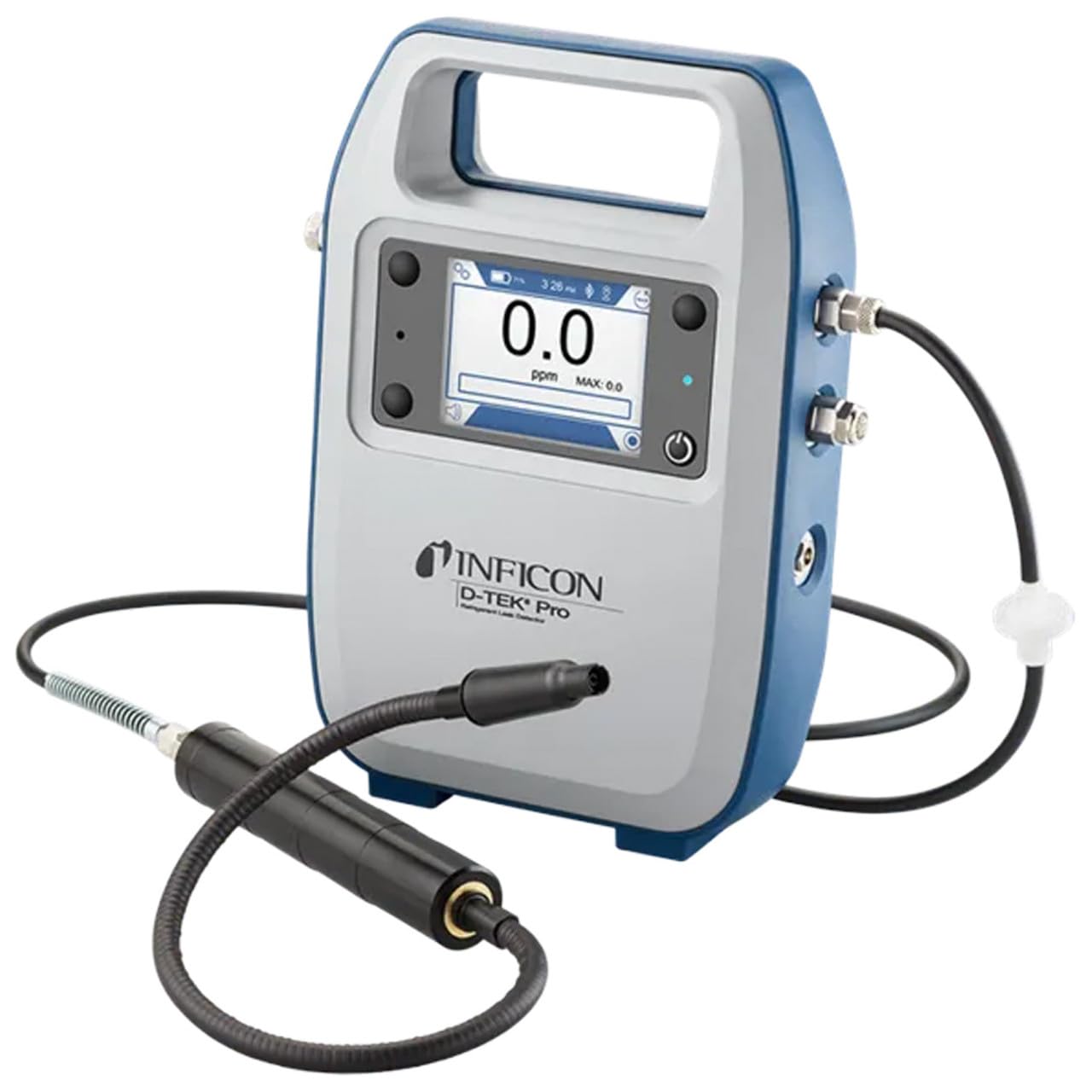
Inficon D-TEK Pro Refrigerant Leak Detector User Manual
Model: 508-202-G1
1. Sarrera
The Inficon D-TEK Pro Refrigerant Leak Detector is designed for precise and rapid detection of refrigerant leaks. This device offers high sensitivity and an all-in-one Pro Mode for efficient leak identification. This manual provides essential information for the proper setup, operation, and maintenance of your D-TEK Pro.
2. Segurtasun informazioa
Bete beti segurtasun neurri hauek gailuari lesioak eta kalteak saihesteko:
Irakurri argibide guztiak gailua erabili aurretik.
Erabili gailua eskuliburu honetan deskribatzen den moduan soilik.
Ez jarri gailua muturreko tenperatura edo hezetasunera.
Ensure proper ventilation when working with refrigerants.
Erabili babes pertsonaleko ekipamendu (EPI) egokia, hala nola eskularruak eta begien babesak.
Do not attempt to service the device beyond what is described in the maintenance section. Refer all other servicing to qualified personnel.
3. Zer dago kutxan
Egiaztatu elementu guztiak bertan daudela paketea desegiten duzunean:
(1) D-TEK Pro Refrigerant Leak Detector
(1) Soft case with shoulder strap
(1) Spare filters
(1) Phone holder
(1) Kargatzeko kablea
4. Konfigurazioa
4.1 Gailua kargatzea
The D-TEK Pro is powered by a rechargeable battery. Before first use, fully charge the device.
Connect the provided charging cable to the charging port on the D-TEK Pro.
Plug the other end of the charging cable into a suitable power source.
The charging indicator on the device will illuminate. Allow sufficient time for a full charge.
4.2 Telefonoaren euskarria jartzea
The included phone holder allows for convenient mobile device integration.
Locate the attachment point for the phone holder on the D-TEK Pro.
Securely attach the phone holder according to its design.
Place your mobile device into the holder, ensuring it is stable.
5. Funtzionamendu-argibideak
5.1 Piztu/Itzaltzea
Pizteko, eduki sakatuta pizteko botoia pantaila argitu arte.
Itzatzeko, eduki sakatuta pizteko botoia gailua itzali arte.
5.2 Using Pro Mode for Leak Detection
The D-TEK Pro features an all-in-one Pro Mode that combines cloud hunting and pinpointing capabilities, allowing for efficient leak location.
Ensure the device is powered on and in Pro Mode (refer to the display for mode indication).
Move the sensor probe slowly around suspected leak areas. The device's superior airflow allows for detection from a greater distance.
The D-TEK Pro will indicate the presence of refrigerants with high sensitivity, detecting down to 0.1 ppm.
Follow the increasing readings to pinpoint the exact leak source.
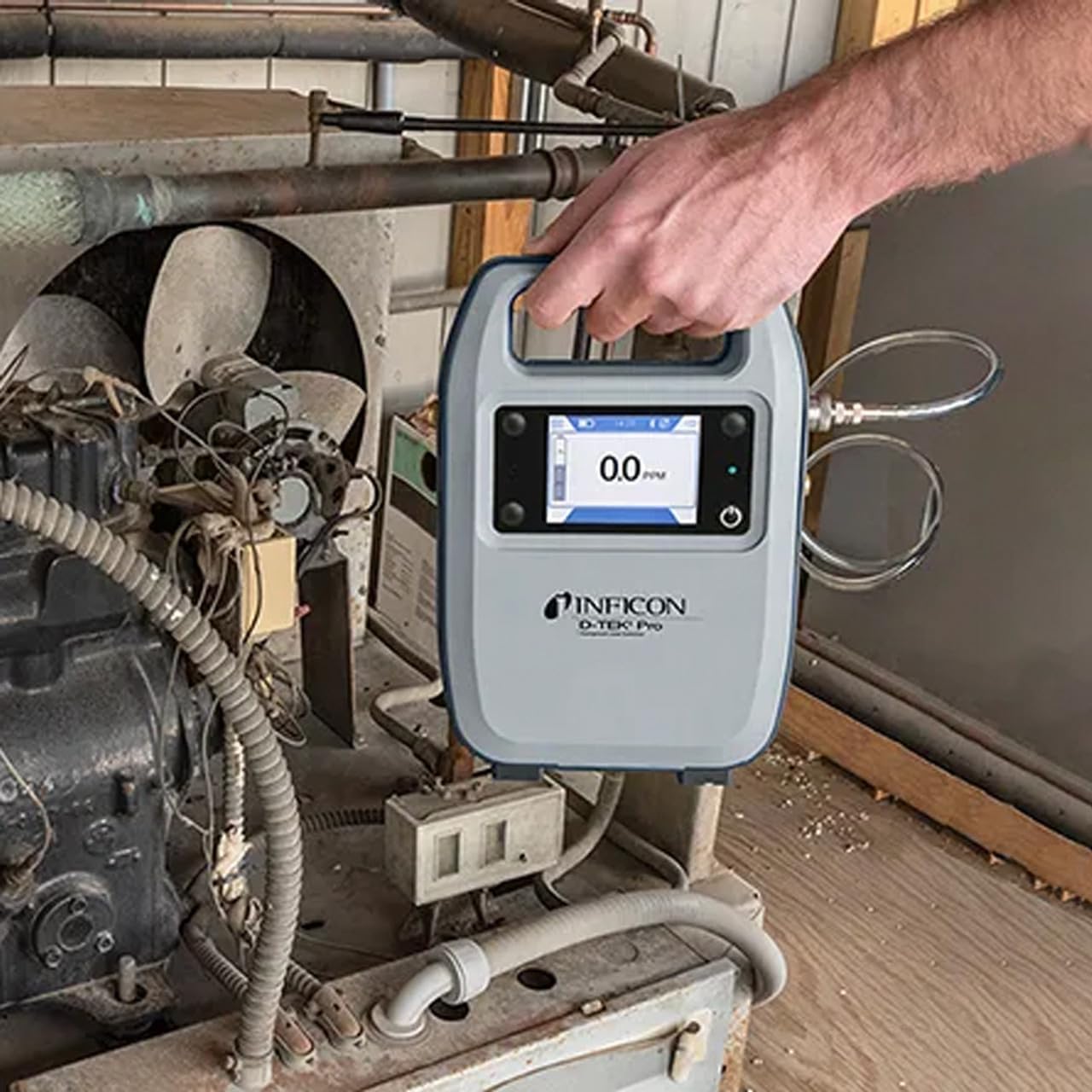
Figure 1: The Inficon D-TEK Pro being used to inspect a refrigeration unit. The display shows a 0.0 ppm reading, indicating no refrigerant detected at the current location. The device is held by a user's hand, demonstrating its portability and ease of use in an industrial setting.
5.3 Hozgarriaren bateragarritasuna
The D-TEK Pro is designed to detect a wide range of refrigerants, including:
CFCs (Chlorofluorocarbons)
HCFCs (Hydrochlorofluorocarbons)
HFCs (Hydrofluorocarbons)
HFOs (Hydrofluoroolefins)
Blends including A2Ls
5.4 Mugikorretarako aplikazioen integrazioa
Download the D-TEK Pro mobile app to enhance your leak detection workflow.
Customer Reports: Generate detailed reports with photos and ppm tracking.
GPS jarraipena: Confirm job location with integrated GPS functionality.
Figure 2: The Inficon D-TEK Pro connected to a smartphone, showcasing the mobile application's interface. This setup allows users to view real-time leak detection data, generate reports, and utilize GPS tracking for job site verification.
6. Mantentzea
6.1 Zaintza eta garbiketa orokorra
To ensure optimal performance and longevity of your D-TEK Pro:
Garbitu gailua leun batekin, damp oihal. Ez erabili garbitzaile edo disolbatzaile urratzailerik.
Keep the sensor probe clean and free from debris.
Store the device in its soft case when not in use to protect it from dust and physical damage.
6.2 Iragazkia ordezkatzea
The D-TEK Pro is designed for low maintenance, requiring no purging and no charcoal filters. However, spare filters are provided for specific applications or if the existing filter becomes visibly soiled or damaged.
Locate the filter housing on the device.
Kontu handiz kendu iragazki zaharra.
Insert a new spare filter, ensuring it is seated correctly.
7. Arazoak
This section addresses common issues you might encounter with your D-TEK Pro.
Arazoa
Kausa posiblea
Irtenbidea
Gailua ez da pizten.
Bateria baxua edo agortuta.
Kargatu gailua emandako kargatzeko kablea erabiliz.
Irakurketa zehaztugabeak edo koherenteak ez direnak.
Sensor probe is dirty or damaged; environmental interference.
Clean the sensor probe. Ensure proper environmental conditions. If issue persists, contact support.
Mugikorretarako aplikazioa ez da konektatzen.
Bluetooth issue; app not updated.
Ensure Bluetooth is enabled on both devices. Update the D-TEK Pro app to the latest version.
8. Zehaztapenak
Ezaugarri
Xehetasuna
Modelo zenbakia
508-202-G1
Elementuaren pisua
3 kilo
Paketearen neurriak
15 x 12 x 4 hazbete
Bistaratzeko mota
LCD, LED
Energia iturria
Bateria kargagarria
Sentikortasuna
0.1 ppm bereizmena
Detected Refrigerants
CFCs, HCFCs, HFCs, HFOs, and blends including A2Ls
9. Bermearen informazioa
The Inficon D-TEK Pro Refrigerant Leak Detector comes with a 2 urteko bermea from the date of purchase. This warranty covers defects in materials and workmanship under normal use. For warranty claims or detailed terms and conditions, please refer to the official Inficon webwebgunean edo jarri harremanetan bezeroarentzako laguntzarekin.
10. Bezeroarentzako arreta
For technical assistance, troubleshooting not covered in this manual, or general inquiries, please contact Inficon customer support.
Sareko baliabideak: Bisitatu ofiziala Inficon denda Amazonen produktuen informazioa eta eguneratzeak lortzeko.
Harremanetarako informazioa: Refer to the Inficon official website for direct contact details (phone, email).
Ask a question about this manual
Ask about setup, troubleshooting, compatibility, parts, safety, or missing instructions. Manuals+ will review the question and use this page’s manual context to help answer it.