Sarrera
Eskerrik asko erosketagatik.asing the ROCAM Digital Radio Alarm Clock. This manual provides detailed instructions for setting up, operating, and maintaining your device. Please read this manual thoroughly before use to ensure proper function and longevity of the product.
Segurtasun Informazioa
- Ensure the device is connected to a power source with the correct voltage.
- Ez jarri gailua uraren edo hezetasun gehiegizkoaren eraginpean.
- Saihestu gailua bero-iturrietatik gertu edo eguzki-argia zuzenean jartzen.
- Ez saiatu gailua zeuk desmuntatzen edo konpontzen. Jarri harremanetan zerbitzu-langile kualifikatuekin.
- Mantendu haurren eskura.
Produktua amaituview
The ROCAM Digital Radio Alarm Clock features a clear display, intuitive controls, and multiple functions including FM radio, Bluetooth speaker, night light, and charging ports.

Aurrealdea view of the ROCAM Digital Radio Alarm Clock, showing the large digital display and speaker grille.
Ezaugarri nagusiak:
- FM Radio (87.5 MHz - 108.0 MHz) with 20 presets.
- Bluetooth 5.0 speaker with 10m wireless range.
- Adjustable night light.
- USB and Type-C charging ports.
- Large, dimmable LED display (5 brightness levels).
- Dual alarm modes with classic beep or radio sound.
- 12/24 hour format and DST function.
- Battery backup for time and settings during power outages.
Konfigurazioa
1. Potentzia-konexioa:
Connect the provided power adapter to the DC input port on the back of the alarm clock and plug it into a wall outlet. The clock requires plug power to operate. The internal battery serves as a backup for settings during power interruptions.
2. Hasierako piztea:
Once connected, the display will light up. You may need to set the time manually if it's the first use or after a prolonged power disconnection without battery backup.
Funtzionamendu-argibideak
Ordua eta data ezartzea:
- Eduki sakatuta Denbora Ezarria button (or similar button, usually indicated by a clock icon). The hour digits will start flashing.
- Biratu Time/Volume knob ordua egokitzeko.
- Sakatu Denbora Ezarria button again to confirm the hour and move to minutes.
- Biratu Time/Volume knob minutuak doitzeko.
- Sakatu Denbora Ezarria botoia berriro sakatu denbora aurrezteko.
- 12 orduko eta 24 orduko formatuaren artean aldatzeko, sakatu 12/24H botoia.
Alarmak ezartzea:
Erlojuak bi alarma independente onartzen ditu.
- Eduki sakatuta 1. alarma or 2. alarma botoia. Alarmaren orduko digituak keinuka hasiko dira.
- Biratu Time/Volume knob nahi duzun alarma-ordua ezartzeko.
- Sakatu dagokion Alarma button again to confirm the hour and move to minutes.
- Biratu Time/Volume knob nahi dituzun alarmaren minutuak ezartzeko.
- Sakatu Alarma button again to select the alarm sound: classic beep or FM radio.
- Sakatu Alarma button one last time to save the alarm setting.
- To activate/deactivate an alarm, short press the corresponding Alarma botoia. Alarma ikono bat agertuko/desagertuko da pantailan.
The alarm clock display showing the time and an active alarm icon, indicating the alarm function is set.
Atzeratzea Funtzioa:
Alarma jotzen duenean, sakatu Errepikatu/Argi button to temporarily silence the alarm for a few minutes (default snooze time). The alarm will sound again after the snooze period.
FM irratiaren funtzionamendua:
- Sakatu Modua botoia FM irrati modura aldatzeko.
- To perform an automatic scan for stations, press and hold the Eskaneatu button. The radio will search for and save up to 20 available stations (87.5 MHz to 108.0 MHz).
- To manually tune, short press the Aurrekoa/Hurrengoa buttons to adjust the frequency.
- Biratu Time/Volume knob to adjust the radio volume (16 levels).

The alarm clock display showing an FM radio frequency, indicating it is in radio mode.
Bluetooth bidezko lotura
- Sakatu Modua button to switch to Bluetooth mode. The display will show a Bluetooth icon, usually flashing to indicate pairing mode.
- On your mobile device or computer, enable Bluetooth and search for "ROCAM Alarm Clock" (or similar device name).
- Select the device to pair. Once connected, the Bluetooth icon on the clock's display will stop flashing.
- You can now stream audio from your device to the alarm clock.
- Biratu Time/Volume knob to adjust the playback volume.

Barne bat view of the ROCAM alarm clock highlighting its Bluetooth 5.0 capabilities and speaker components, demonstrating its audio features.
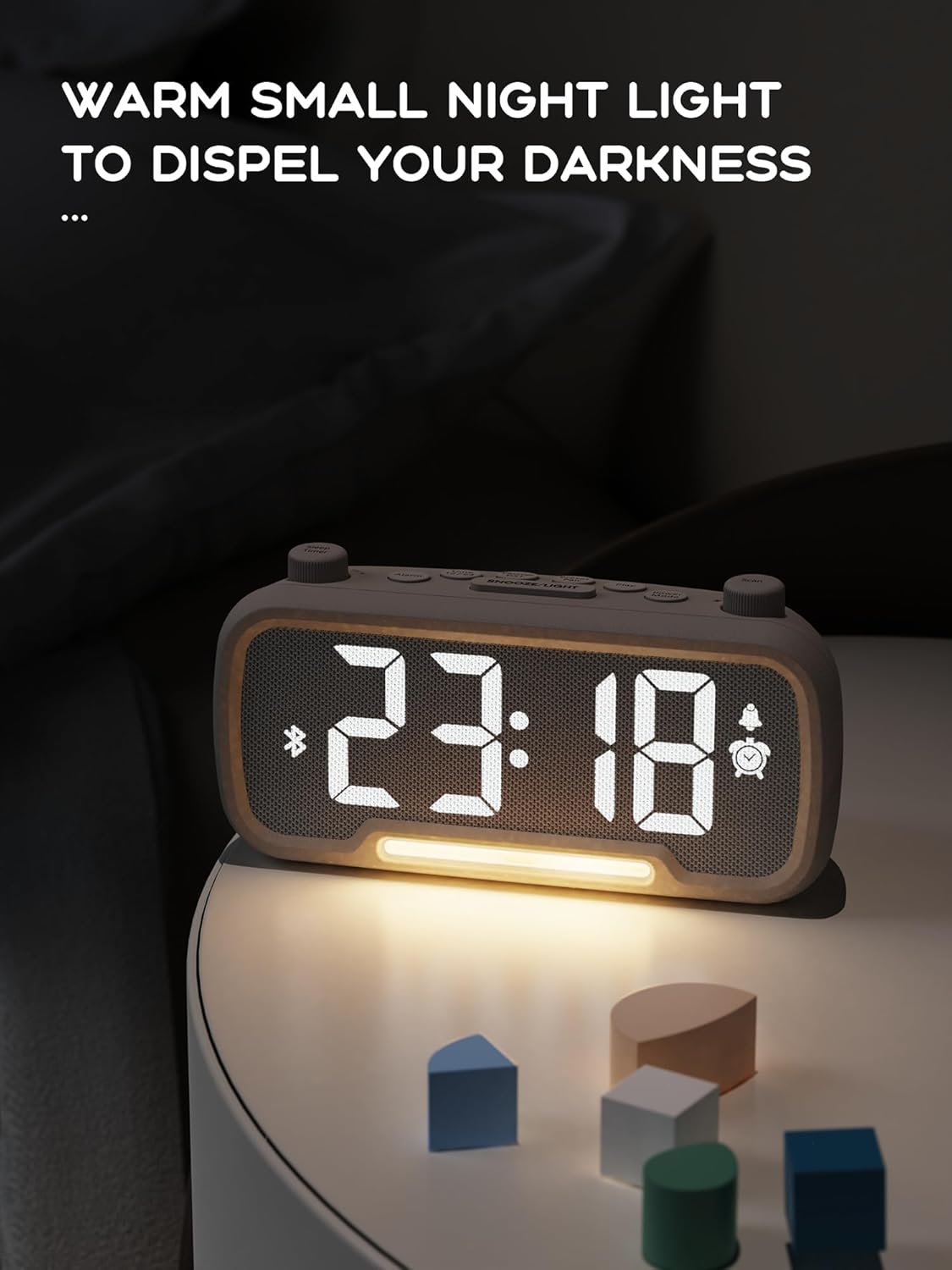
Gaueko argiaren funtzioa:
The alarm clock features an integrated night light.
- Sakatu laburra Errepikatu/Argi button to turn the night light on or off.
- The night light has adjustable brightness levels. Press and hold the Errepikatu/Argi button to cycle through the brightness options.

The ROCAM alarm clock on a bedside table, with its warm night light illuminated, providing ambient lighting.
Pantailaren distira doitzea:
The main display has 5 adjustable brightness levels.
- Sakatu Distira button (or similar, often combined with Snooze/Light) to cycle through the display brightness levels.
- Aukeratu zure ingurunerako erosoena den maila.
Daylight Saving Time (DST) Function:
Udako ordutegia doitzeko:
- Sakatu laburra DST button (or similar, often indicated by a sun icon). The time will automatically adjust forward or backward by one hour.
- Press it again to revert the change.
USB and Type-C Charging Ports:
The alarm clock includes USB and Type-C ports for charging external devices.
- Connect your device's charging cable to the appropriate USB or Type-C port on the back of the alarm clock.
- Ziurtatu erlojuaren alarma piztuta dagoela kargatzeko atakek funtziona dezaten.
Mantentzea
- Garbitu gailua zapi leun eta lehor batekin. Ez erabili garbitzaile likidorik edo material urratzailerik.
- Keep the device free from dust and debris to ensure proper ventilation.
- If the device will not be used for an extended period, unplug it from the power outlet.
Arazoak konpontzea
| Arazoa | Kausa posiblea | Irtenbidea |
|---|---|---|
| Erlojuaren pantaila itzalita dago. | Argirik ez, argia itzali datage, or device is off. | Check power connection. Ensure the power adapter is securely plugged in. If there was a power outage, the battery backup should maintain settings, but the display requires main power. |
| Alarmak ez du jotzen. | Alarm is not activated, volume is too low, or incorrect time set. | Ensure the alarm icon is visible on the display. Increase alarm volume. Verify alarm time is set correctly. |
| FM irratiaren harrera eskasa da. | Seinale ahula, antena luzatu gabe edo interferentziak. | Adjust the position of the device. Extend the FM antenna fully. Try auto-scanning for stations again. Avoid placing near other electronic devices. |
| Bluetooth gailua ezin da parekatu. | Clock not in Bluetooth mode, device too far, or already paired with another device. | Ensure the clock is in Bluetooth mode (flashing icon). Move your device closer to the clock. Disconnect from other Bluetooth devices. |
| USB/Type-C charging not working. | Clock not powered, cable faulty, or device not compatible. | Ensure the alarm clock is plugged into a wall outlet. Try a different charging cable. Verify your device is compatible with standard USB charging. |
Zehaztapenak
| Ezaugarri | Xehetasuna |
|---|---|
| Marka | ROCAM |
| Eredua | B0FNWB172Z |
| Kolorea | Grisa |
| Neurriak | 16.8 x 3.81 x 8.4 cm (6.6 x 1.5 x 3.3 hazbete) |
| Pisua | 350 g (0.77 lb) |
| Energia iturria | Kable elektrikoa |
| Bateria | 1 Lithium-metal battery (included, for backup) |
| FM maiztasun sorta | 87.5 MHz - 108.0 MHz |
| Bluetooth bertsioa | 5.0 |
| Pantailaren distira | 5 maila erregulagarriak |
| Bolumen-mailak | 16 maila erregulagarriak |
Bermea eta Laguntza
For warranty information or technical support, please refer to the contact details provided with your purchase or visit the official ROCAM webgunea. Gorde erosketaren egiaztagiria bermearen erreklamazioetarako.