
1. Sarrera
The UGREEN NASync DH2300 is a 2-bay Network Attached Storage (NAS) device designed for centralized data storage, backup, and media management. It offers remote access capabilities, AI-powered photo organization, and supports a total capacity of up to 60TB (disks not included). This manual provides essential information for setting up, operating, and maintaining your NAS device.
2. Paketearen edukia
Egiaztatu behean zerrendatutako elementu guztiak zure paketean sartuta daudela:
- NASync DH2300 Unit x1
- Screws & Screwdriver x1
- Erabiltzailearen eskuliburua x1
- Power Adapter (DC12V/6A) x1
- Ethernet Cable (CAT 7) x1

3. Konfigurazio gida
3.1 Disko gogorraren instalazioa
- Gently remove the top cover of the NAS unit.
- Pull out the empty drive trays from the bays.
- Insert your 3.5-inch or 2.5-inch SATA hard drives into the trays. Secure them using the provided screws and screwdriver.
- Slide the loaded trays back into the NAS bays until they click into place.
- Jarri goiko estalkia.

3.2 Connecting Your NAS
- Connect the power adapter to the DC 12V port on the back of the NAS and plug it into a power outlet.
- Use the provided Ethernet cable to connect the LAN port on the NAS to your router or network switch.
- (Optional) Connect an HDMI cable from the HDMI port on the NAS to your TV or monitor for direct media playback.
- (Optional) Connect USB devices to the available USB-A or USB-C ports.
- Press the power button on the front of the NAS to turn it on.

3.3 Hasierako softwarearen konfigurazioa
To set up your NAS and manage its features, download the UGREEN NAS app on your smartphone or access the web interfazea:
- Tap your NFC-enabled smartphone to the NFC area on the NAS unit to quickly download the UGREEN NAS app.
- Open the app and follow the on-screen instructions to register your device and create an account.
- Bestela, sartu web interface by typing the NAS's IP address into your web arakatzailea.

4. Funtzionamendua
4.1 Datuen kudeaketa eta babeskopiak
The UGREEN NASync DH2300 allows you to centralize your data and perform efficient backups:
- Babeskopia automatikoak: Configure automatic backups from your computers, phones, and other devices across various operating systems (Windows, macOS, iOS, Android).
- Fast Transfers: Benefit from high-speed file transfers, reaching up to 125MB/s over 1GbE LAN.
- Cloud Sync: Synchronize data with various cloud storage services for hybrid backup solutions.
4.2 AI Photo Album
Organize your photos effortlessly with AI-powered features:
- Adimentsu Tagginga: AI automatically tags faces, locations, objects, and text within your photos.
- Effortless Search: Quickly find specific photos by searching for tags, people, or locations.
- Duplicate Detection: Automatically identify and delete similar or duplicate photos to save space.
- Live Photo Backup: Supports backup of live photos.

4.3 4K Home Media Hub
Transform your NAS into a home media center:
- Direct TV Connection: Connect the NAS directly to your TV via HDMI to play your movie collection in 4K Ultra HD.
- Media Streaming: Stream videos, music, and photos to various devices on your network.

4.4 Remote Access and Sharing
Access your data from anywhere and share it securely:
- Anywhere Access: Sar zaitez zure files and media from any location using the UGREEN NAS app or web interfazea.
- Partekatze segurua: Partekatu files and folders with friends and family with customizable permission controls.
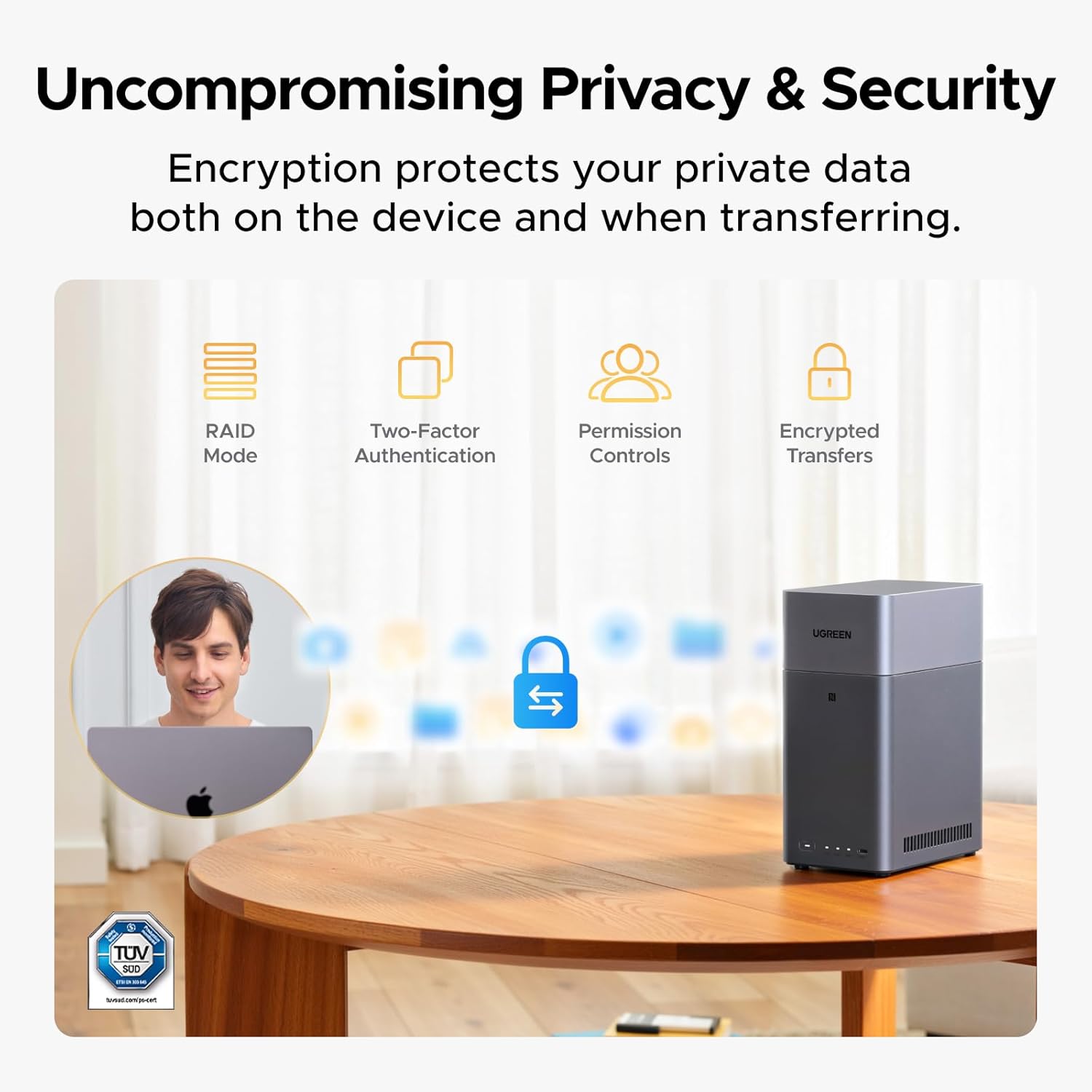
5. Segurtasuna eta Pribatutasuna
Your data's privacy and security are paramount with the UGREEN NASync DH2300:
- Datuen jabetza: You retain full ownership and control over your data, stored on your drives, without reliance on third-party clouds.
- RAID moduak: Supports various RAID configurations (e.g., RAID 1) to protect against data loss in case of drive failure.
- Two-Factor Authentication (2FA): Enhance account security with 2FA.
- Baimenen kontrolak: Set granular access permissions for users and shared folders.
- Encrypted Transfers: Data is protected during transit through encrypted connections.
6. Maintenance and Efficiency
6.1 Power Consumption and Noise
The NASync DH2300 is designed for efficient and quiet operation:
- Potentzia baxua: Equipped with a high-performance processor and 4GB LPDDR4X RAM, it maintains low power consumption.
- Funtzionamendu isila: The system runs quietly, suitable for home or office environments.

7. Zehaztapen Teknikoak
| Ezaugarri | Zehaztapena |
|---|---|
| Marka | UGREEN |
| Modelo zenbakia | DH2300 |
| Drive Bays | 2-Badia |
| Max Capacity (Diskless) | 60TB (30TB per bay) |
| RAM | 4 GB LPDDR4X |
| Ethernet ataka | 1GbE |
| HDMI irteera | 4K |
| USB atakak | USB-C (5Gbps) x1, USB-A (5Gbps) x2 |
| Disko gogorreko interfazea | Serie ATA |
| Elementuaren pisua | 3.81 kilo |
| Kolorea | Grisa |
| Materiala | Metala |
| Gailu bateragarriak | Mahaigaina, ordenagailu eramangarria, telefono adimenduna, tableta, telebista |
8. Arazoak
If you encounter issues with your UGREEN NASync DH2300, consider the following general troubleshooting steps:
- Potentziarik gabe: Ziurtatu korronte-egokitzailea ondo konektatuta dagoela NASera eta funtzionatzen duen entxufe batera.
- Sareko konexioa: Check that the Ethernet cable is properly connected to the NAS and your router. Verify your router is functioning correctly.
- Unitatea ez da detektatu: Ensure hard drives are correctly seated in their bays and secured with screws. Restart the NAS.
- Aplikazioaren konexio-arazoak: Confirm your smartphone is connected to the same network as the NAS. Restart the app or the NAS.
- Errendimendu motela: Check network traffic and ensure no intensive tasks are running. Verify hard drive health through the NAS management interface.
For more detailed troubleshooting, refer to the comprehensive user manual or contact customer support.
9. Bermea eta Laguntza
9.1 Produktuaren bermea
The UGREEN NASync DH2300 comes with a 2-year warranty, providing protection against manufacturing defects and malfunctions under normal use.
9.2 Bezeroarentzako laguntza
For any questions, technical assistance, or warranty claims, please contact UGREEN Customer Service. You can also visit the UGREEN Knowledge Center or the 'Support' section within the NAS app for additional resources and FAQs.
