
Sarrera
Welcome to the CYCPLUS Smart Indoor Cycling Fan F1 user manual. This guide provides detailed instructions for the safe and efficient use of your new smart fan. Designed with a BLDC motor, 5 speed modes, and advanced connectivity options, the F1 fan enhances your indoor cycling and training experience by providing intelligent, adaptive cooling.
Segurtasun Informazioa
Please read all safety instructions before using the fan. Failure to follow these instructions may result in electric shock, fire, or serious injury.
- Ziurtatu haizagailua gainazal egonkor eta mailakatu batean jartzen dela, iraultzea saihesteko.
- Ez sartu hatzak edo beste objekturik haizagailuaren parrillan.
- Keep the fan away from water or other liquids. Do not operate in wet conditions.
- Deskonektatu haizagailua entxufetik garbitu edo mantentze-lanak egin aurretik.
- Do not use the fan if the power cord or plug is damaged. Contact customer support for assistance.
- Mantendu haurren eta maskoten eskura.
- Erabili emandako korronte-egokigailua soilik.
Paketearen edukia
Egiaztatu elementu guztiak paketean daudela:
- CYCPLUS Smart Fitness Fan (F1)
- Lurreko oinarria
- Urruneko Kontrola
- Urruneko korrontea
- Silicone Straps (x2) for Remote
- DC korronte egokitzailea
- AC energia kablea
- Erabiltzailearen eskuliburua
- Bihurkin
- M5 torlojuak (x2)

Image: All components included in the CYCPLUS Smart Indoor Cycling Fan F1 package.
Konfigurazioa
1. Oinarrizko instalazioa
Place the fan securely into the provided ground base. Ensure it is stable before connecting power.
Video: Demonstrates the installation of the CYCPLUS F1 fan onto its ground base and initial setup.
2. Energia-konexioa
Connect the DC power adapter to the fan and then plug the AC power cable into a standard wall outlet. The fan is now ready for operation.
Funtzionamendu-argibideak
Piztu/Itzali
Eduki sakatuta pizteko botoia (⏻) on the fan's control panel for 2 seconds to turn the fan on or off.
Eskuzko Abiadura Kontrola
Once powered on, press the "+" or "-" buttons to manually adjust the fan speed. There are 5 speed levels available.
Modu hautaketa
Sakatu modu botoia (⏻) once to cycle through the available operating modes:
- Abiadura modua: The fan automatically adjusts airflow based on your cycling speed (requires ANT+ speed sensor).
- Bihotz taupaden modua: The fan automatically adjusts airflow based on your heart rate (requires ANT+ heart rate monitor).
- Potentzia modua: The fan automatically adjusts airflow based on your power output (requires ANT+ power meter or smart bike trainer).
- Smart Mode: Connects multiple devices/sensors such as speed, heart rate, and power. The fan automatically adjusts airflow in real time based on multiple data inputs, ensuring the most optimal airflow.
- Eskuzko modua: Allows direct control of fan speed using the "+" eta "-" buttons or the remote control.

Image: The fan's control panel displaying icons for different smart speed modes.
Remote Control Pairing and Usage
Urrutiko agintea haizagailuarekin parekatzeko:
- Ensure the fan is in Manual Mode.
- Press any button on the remote control to wake it up and enter pairing mode (indicator light will flash).
- On the fan, press and hold the "+" eta "-" buttons simultaneously for 2 seconds.
- Once paired, the remote's indicator light will stay solid for 3 seconds, then turn off. The remote will auto-connect for future use.
Use the remote to power on/off, adjust speed, and change modes.

Image: The compact remote control for the CYCPLUS F1 fan, shown with its included silicone straps and lanyard for easy attachment.
Aplikazioen kontrola
Download the CYCPLUS APP from your device's app store. Pair the fan via Bluetooth within the app to fine-tune workout parameters and control the fan from your smartphone.

Image: A smartphone displaying the CYCPLUS app interface for controlling the F1 fan, positioned next to the fan itself.
Aire-fluxuaren doikuntza
The fan can be manually tilted from 0 to 60 degrees to direct airflow precisely where needed. The optimal placement distance is 1 meter from the user.

Image: The CYCPLUS F1 fan demonstrating its adjustable tilt mechanism, allowing airflow to be directed between 0 and 60 degrees.
Memoria automatikoa
The fan remembers your last settings and connected sensors, automatically pairing them for seamless use without repeated adjustments.
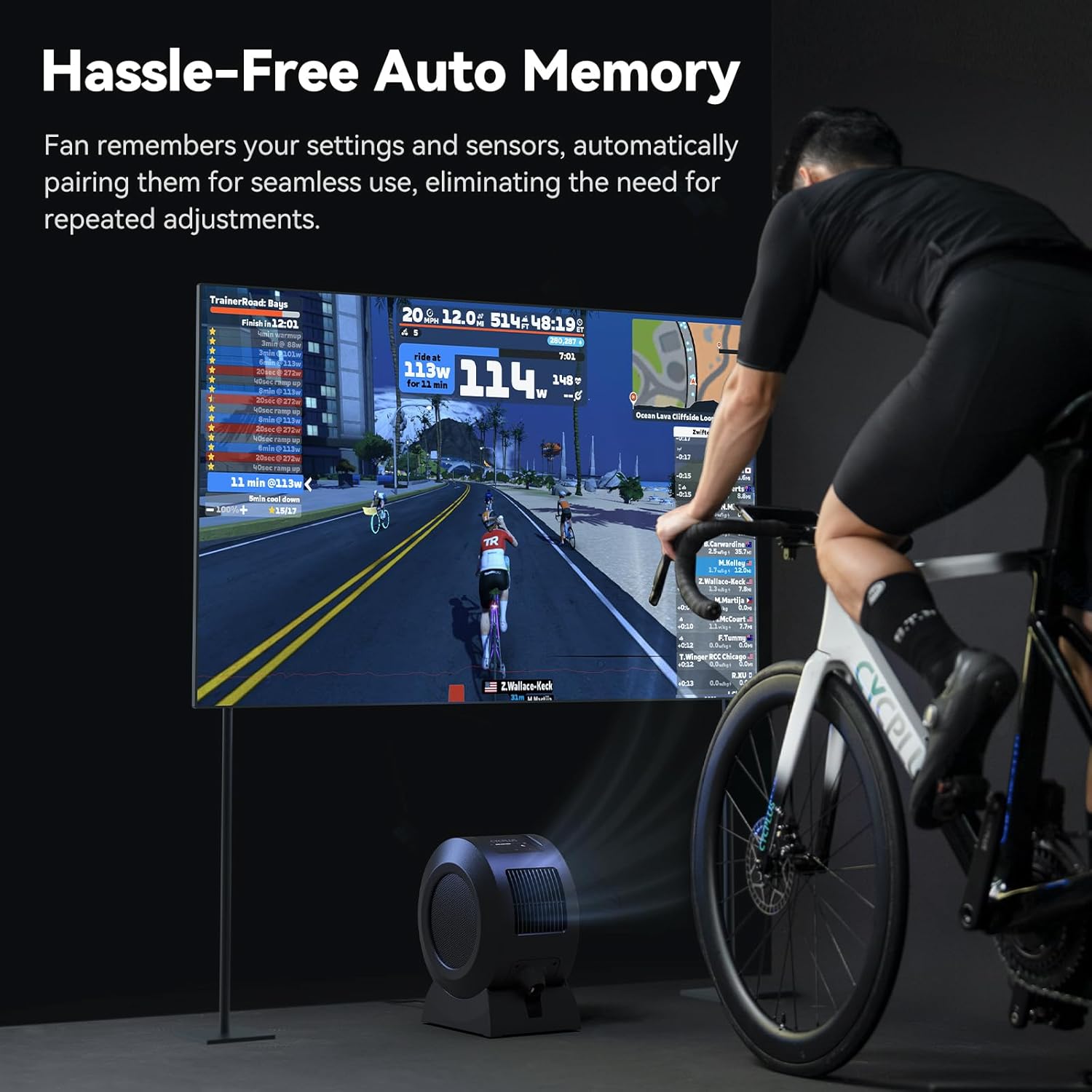
Image: The CYCPLUS F1 fan providing cooling during an indoor cycling session, with a large monitor showing real-time workout metrics.
Mantentzea
Garbiketa
To clean the fan, first unplug it from the power source. The front grille is removable for easy access to the fan blades. Use a soft, dry cloth to wipe down the exterior and blades. Do not use abrasive cleaners or immerse the fan in water.

Irudia: Xehetasun zehatza view of the CYCPLUS F1 fan with its front grille removed, illustrating the ease of access for cleaning.
Arazoak konpontzea
- Fan ez da pizten: Ensure the power adapter is securely connected to both the fan and a working power outlet.
- Aire fluxu ahula: Check for any obstructions in the fan's intake or exhaust grilles. Clean the fan blades if dust buildup is present.
- Urruneko kontrola ez dabil: Ensure the remote control is paired correctly with the fan. Check the remote's battery.
- Sentsorea ez da konektatzen: Verify that your ANT+ sensor is powered on and within range. Ensure the fan is in the correct mode for the sensor type (Speed, Heart Rate, Power, or Smart Mode). Try re-pairing the sensor.
- Aplikazioen konexio arazoak: Ensure Bluetooth is enabled on your smartphone and the fan is powered on. Restart the app and try pairing again.
Zehaztapenak
| Ezaugarri | Xehetasuna |
|---|---|
| Produktuaren izena | Smart Fitness Fan |
| Ereduaren izena | F1 |
| Potentzia nominala | 68 W |
| Biraketa-abiadura maximoa | 1280 RPM |
| Gehienezko aire-fluxua | 670 m³/h |
| Gehienezko haizearen abiadura | About 50 km/h |
| Pisu garbia | 4.3 kg (9.48 lb) |
| Produktuaren neurriak | 10.5" L x 14.5" W x 8.46" H |
| Sarrera bateragarria | 100-240V 50/60Hz |
| Egokigailuaren irteera | 36V - 2.5-3A |
| Sentsoreen konexio-protokoloa | ANT+ |
| Mugikorreko konexio protokoloa | BLE (Bluetooth Low Energy) |
| Funtzionamendu-tenperatura | 0-40°C |
| Motor Mota | Eskuilarik gabeko DC motorra (BLDC) |
| Potentzia-maila kopurua | 5 |

Image: A summary of the technical specifications for the CYCPLUS F1 fan.
Bermea eta Laguntza
For warranty information, technical support, or any inquiries regarding your CYCPLUS Smart Indoor Cycling Fan F1, please visit the official CYCPLUS webwebgunera edo jarri harremanetan zuzenean bezeroarentzako arreta-zerbitzura. Gorde erosketa-agiria berme-erreklamazioetarako.
Official CYCPLUS Store: CYCPLUS Amazon Store