
1. Sarrera
This instruction manual provides comprehensive guidance for the safe and effective use of the CNYST 60-Degree Gloss Meter, Model 2025090103. This device is designed for accurate gloss measurement of various surfaces, including paint, coatings, plastics, inks, rubber, printing, paper, glass, hardware, ceramics, and marble. Please read this manual thoroughly before operation and retain it for future reference.
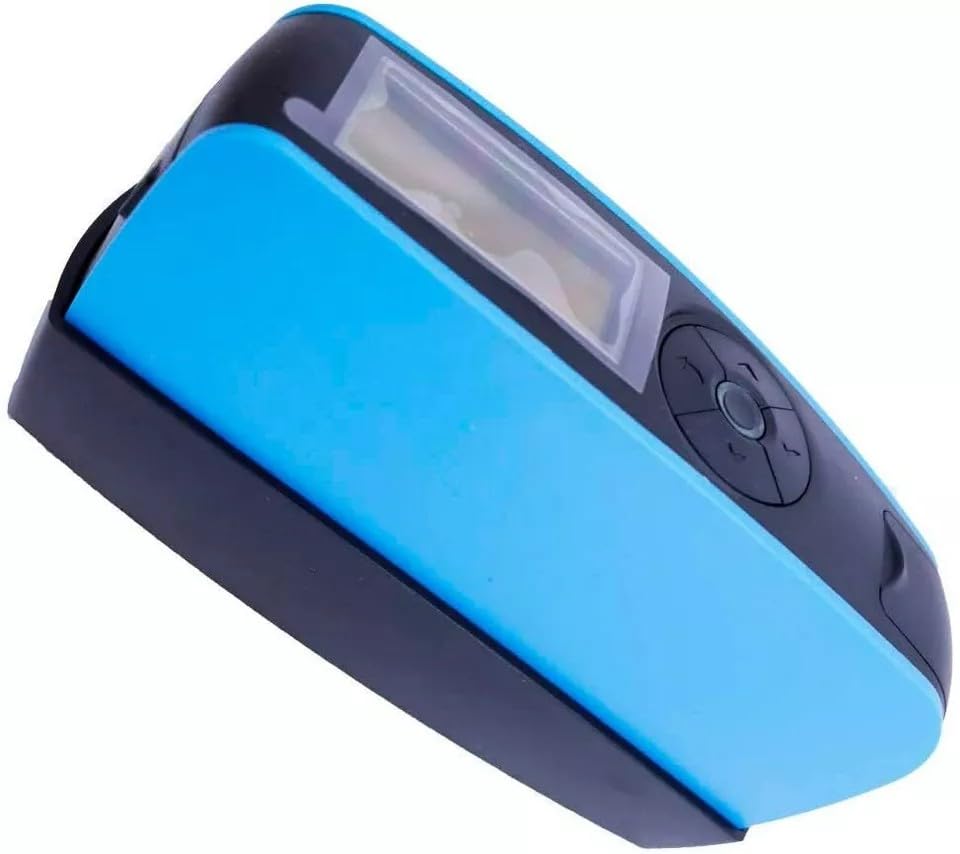
Figure 1: CNYST 60-Degree Gloss Meter main unit.
2. Segurtasun informazioa
Jarraitu segurtasun neurri hauek gailuari lesioak eta kalteak saihesteko:
- Ez jarri gailua muturreko tenperatura, hezetasun edo eguzki-argitara.
- Saihestu gailua erortzea edo kolpe gogorrak jasan.
- Ez saiatu gailua desmuntatzen edo aldatzen. Mantendu konponketa guztiak langile kualifikatuen esku.
- Keep the measurement aperture clean and free from dust or debris to ensure accurate readings.
- Use only the specified battery type (AAA dry battery) and ensure correct polarity.
- Bota bateriak tokiko araudiaren arabera.
3. Produktua amaitu daview
The CNYST 60-Degree Gloss Meter is a compact and portable device designed for precise gloss measurement. It features a 2.3-inch black and white display for clear readings and a simple interface for ease of use.
3.1 Osagaiak
- Unitate nagusia
- Kalibrazio plaka
- Simple Instruction Manual

2. irudia: Goikoa view of the gloss meter, highlighting the display and control buttons.

3. irudia: Aldea view of the gloss meter, showing the USB port for power supply and the product serial number.
4. Konfigurazioa
4.1 Bateriaren instalazioa
The device requires one AAA dry battery (not included). To install the battery:
- Bilatu bateriaren konpartimentuaren estalkia gailuan.
- Ireki estalkia.
- Sartu AAA pila bat, polaritate zuzena ziurtatuz (+/-).
- Itxi bateriaren konpartimenduaren estalkia ondo.

Figure 4: Illustration of battery compartment location and test button.
4.2 Hasierako Kalibrazioa
Before first use and periodically thereafter, calibrate the gloss meter using the provided calibration plate. This ensures measurement accuracy.
- Ensure the calibration plate is clean and free of dust or fingerprints.
- Place the gloss meter firmly onto the calibration plate, aligning the measurement aperture with the designated area on the plate.
- Follow the on-screen instructions for manual calibration.
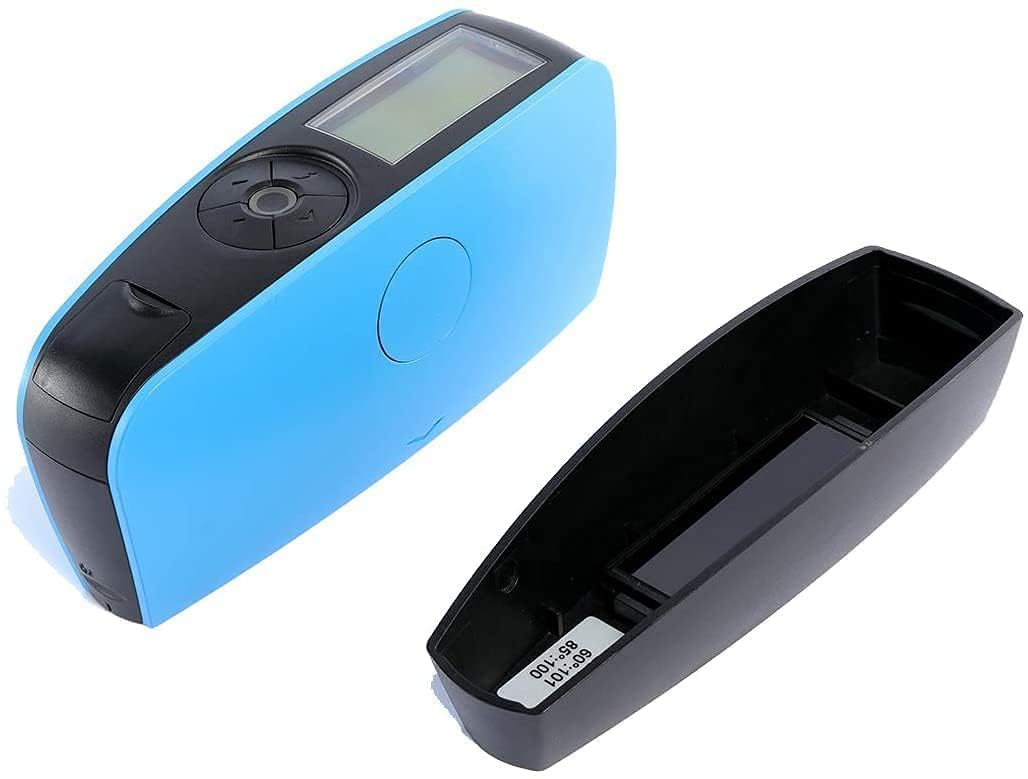
Figure 5: The gloss meter positioned next to its calibration plate.
5. Funtzionamendu-argibideak
5.1 Piztu/Itzali
Press the power button to turn the device on. The device will automatically power off after 30 seconds of inactivity to conserve battery life.
5.2 Neurketa bat egitea
The gloss meter operates in a basic measurement mode, providing quick and accurate readings.
- Ensure the surface to be measured is clean and dry.
- Place the measurement aperture of the gloss meter firmly and flatly against the surface.
- Press the "Test" button (refer to Figure 4).
- The gloss value will be displayed on the screen within approximately 0.5 seconds.
- The measurement area for the 60° angle is 9x15 mm.
5.3 Hizkuntza hautatzea
The device supports both Chinese and English languages. Refer to the on-screen menu to switch between languages if necessary.
6. Mantentzea
Proper maintenance ensures the longevity and accuracy of your gloss meter.
- Garbiketa: Use a soft, dry cloth to clean the exterior of the device. For the measurement aperture and calibration plate, use a lens cleaning cloth or a soft, lint-free cloth with a small amount of isopropyl alcohol if necessary. Avoid abrasive cleaners.
- Biltegiratzea: Store the device in a dry, cool place, away from direct sunlight and extreme temperatures. The storage temperature range is -20°C to 50°C (-4°F to 122°F).
- Bateria: Kendu bateria gailua denbora luzez erabiliko ez bada, isuriak saihesteko.
- Kalibrazio-plaka: Keep the calibration plate protected from scratches and dirt, as its condition directly affects calibration accuracy.
7. Arazoak
If you encounter issues with your gloss meter, refer to the following common problems and solutions:
| Arazoa | Kausa posiblea | Irtenbidea |
|---|---|---|
| Gailua ez da pizten. | Bateria baxua edo agortuta; bateria gaizki instalatuta. | Replace the AAA battery; ensure correct polarity. |
| Irakurketa zehaztugabeak edo koherenteak ez direnak. | Dirty measurement aperture or calibration plate; device not calibrated; unstable surface. | Clean the aperture and calibration plate; perform manual calibration; ensure the surface is stable and flat. |
| Pantaila hutsik edo irakurgaitza da. | Battery issue; device malfunction. | Check/replace battery. If problem persists, contact support. |
Irtenbide hauek saiatu ondoren arazoa konpontzen ez bada, jarri harremanetan bezeroarentzako arreta-zerbitzuarekin laguntza gehiago jasotzeko.
8. Zehaztapenak
| Neurketa Angelua | 60° |
| Neurketa Eremua | 9 x 15 mm (at 60°) |
| Neurketa-eremua | 0 ~ 200 GU (Gloss Units) |
| Graduation Value | 1 GU |
| Neurketa modua | Oinarrizko modua |
| Neurketa-denbora | 0.5 segundo |
| Errepikagarritasuna | 0 ~ 100 GU: ±0.5 GU 100 ~ 200 GU: ±0.5% |
| Kalibrazioa | Eskuzko Kalibrazioa |
| Itzali automatikoa | 30 segundo |
| Hizkuntza | txinera, ingelesa |
| Bistaratzea | 2.3-inch Black and White Screen |
| Neurriak (L x W x H) | 160 x 52 x 84 mm (6.3 x 2.0 x 3.3 hazbete) |
| Pisua | Gutxi gorabehera. 300 g (0.66 lb) |
| Elikatze Hornidura | 1 x AAA Dry Battery (not included), USB power supply dedicated |
| Funtzionamendu-tenperatura | 0 ~ 40 °C (32 ~ 104 °F) |
| Biltegiratze Tenperatura | -20 ~ 50 °C (-4 ~ 122 °F) |
| Hezetasun-barrutia | < 85% RH, kondentsaziorik gabekoa |
9. Bermea eta Laguntza
For warranty information or technical support, please refer to the contact details provided with your purchase documentation or visit the official CNYST website. Optional accessories like a mini printer or Bluetooth 5.0 adapter can be acquired by contacting the manufacturer directly.