
Sarrera
Welcome to your new SGIN 15.6 Inch Laptop Computer. This manual provides essential information for setting up, operating, and maintaining your device. Please read this manual thoroughly before using your laptop to ensure proper function and longevity.
Kutxan dagoena
- SGIN 15.6 Inch Laptop Computer
- Korronte egokitzailea (kargagailua)
- Erabiltzailearen eskuliburua (dokumentu hau)
- Windows 11 Home Operating System (pre-installed)
- Warranty Information (1 Year Repair Service, 30 Days Return)
Produktua amaituview
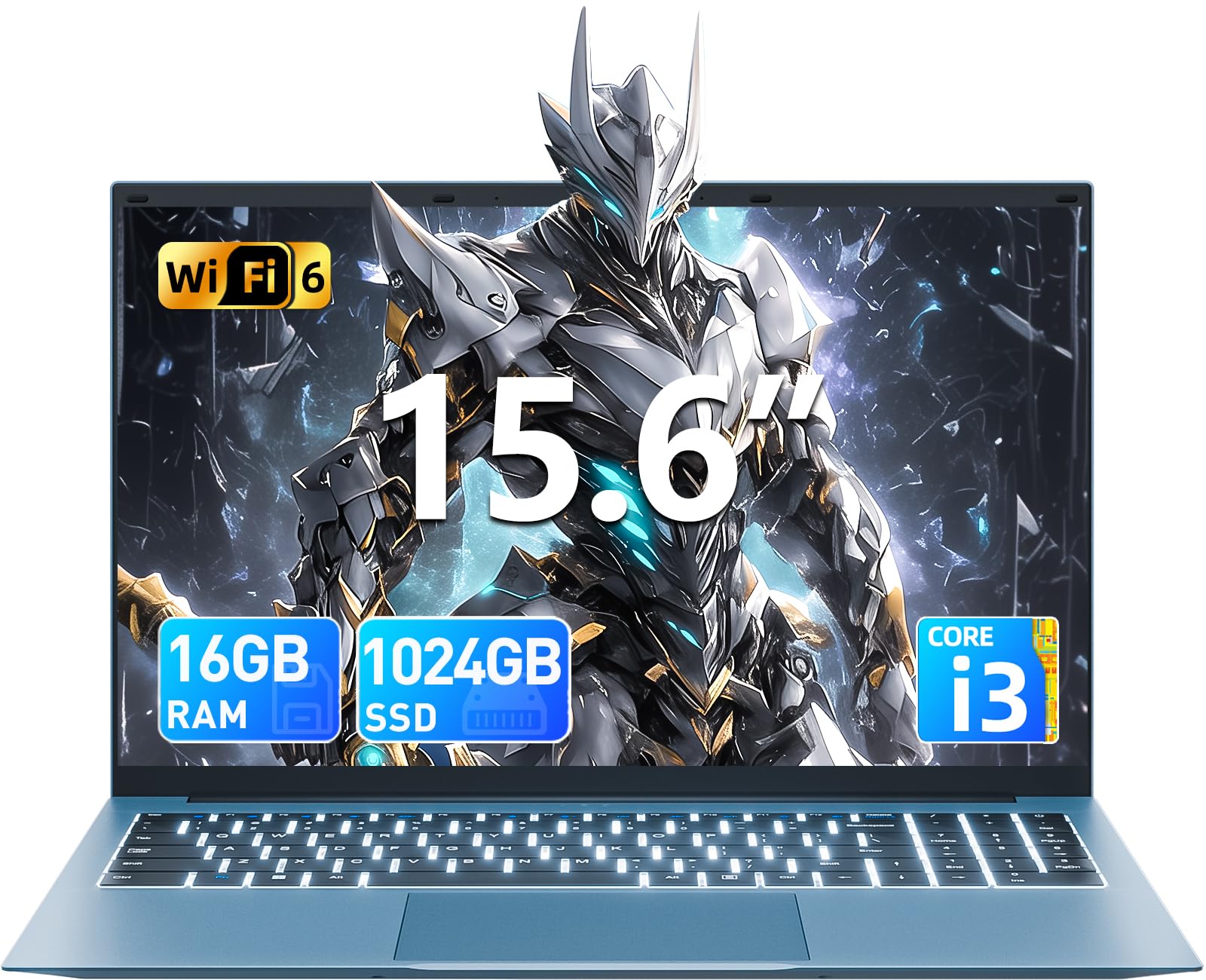
Familiarize yourself with the key features and components of your SGIN laptop.
Hasierako konfigurazioa
Piztea
Connect the power adapter to the charging port on the laptop and then to a standard electrical outlet. Press the power button, typically located on the top right of the keyboard, to turn on the device.
Sistema eragilearen konfigurazioa
Upon first boot, you will be guided through the Windows 11 Home setup process. Follow the on-screen instructions to configure your language, region, connect to a Wi-Fi network, and create a user account. Ensure you have an active internet connection for updates during this process.
Zure ordenagailu eramangarria erabiltzea
Teklatua eta Touchpad
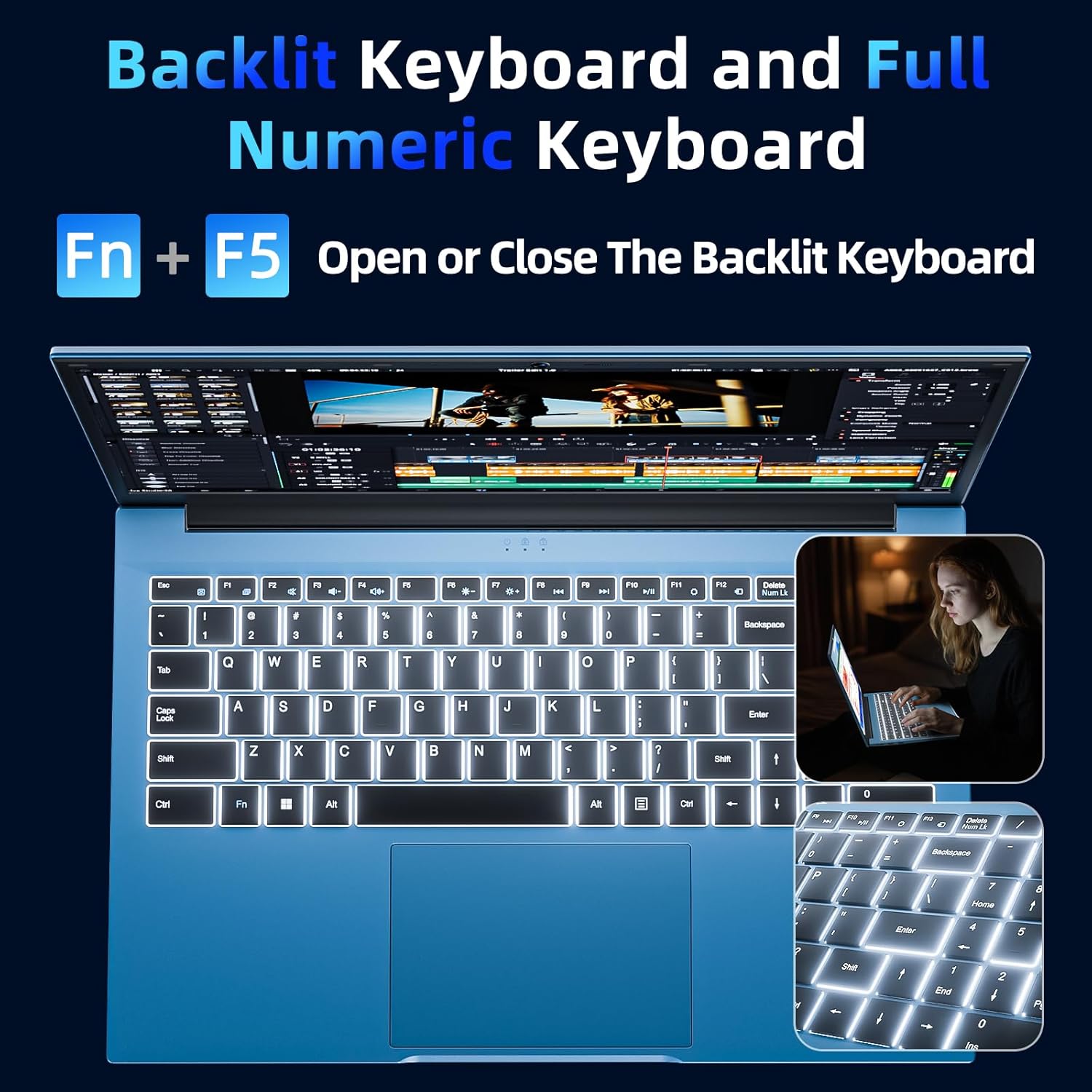
Your laptop features a full-size keyboard and a responsive touchpad for navigation and input.
Backlit Keyboard Function
Teklatuaren atzeko argia aktibatzeko edo desaktibatzeko, sakatu "Fn" + "F5" keys simultaneously. This feature is useful in low-light environments.
Bistaratzea
The 15.6-inch Full HD (1920x1080) IPS screen delivers vivid colors and sharp details. The display features a 180° hinge, allowing the screen to lay flat for easy sharing and collaboration.
Konektibitatea
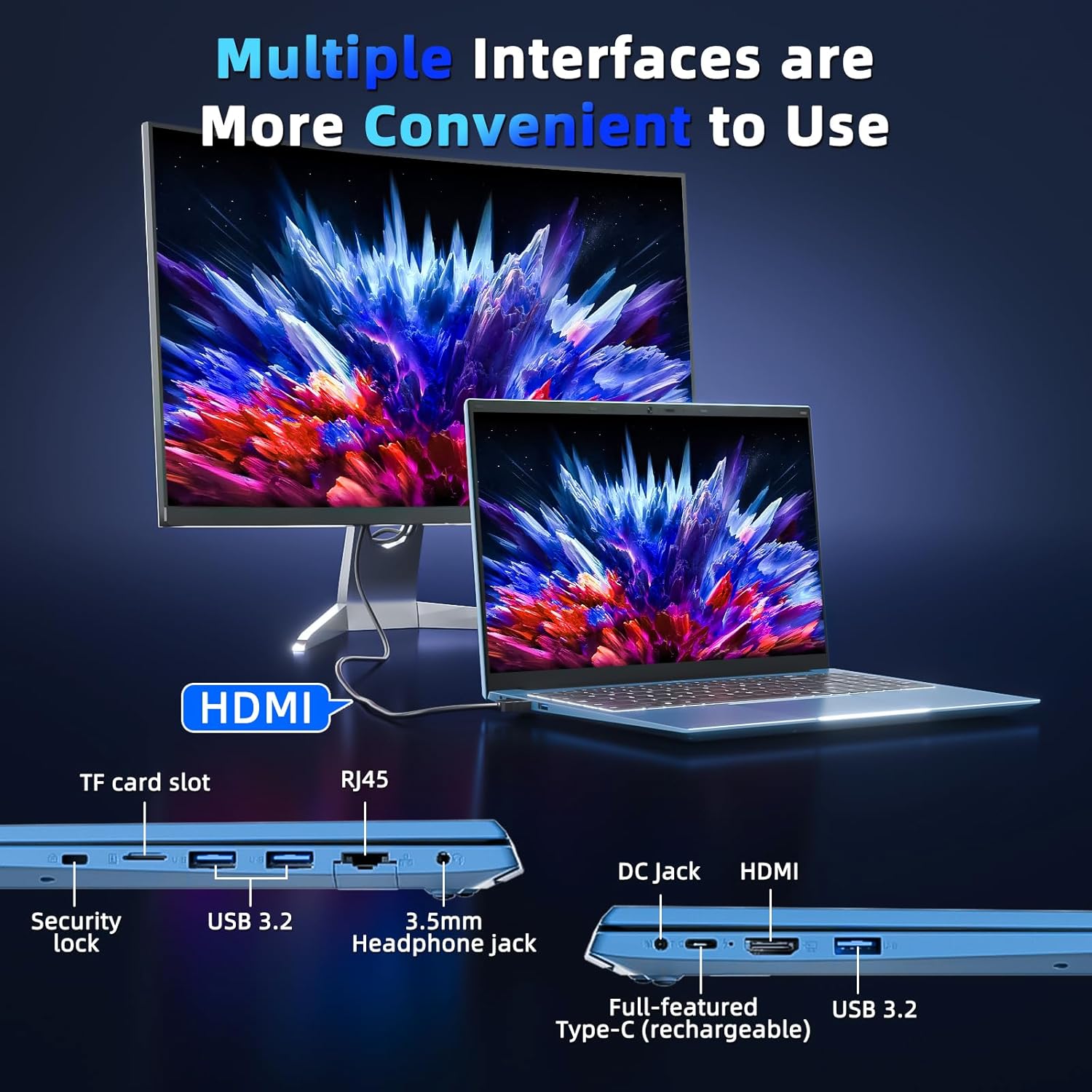
Your laptop is equipped with various ports for connecting external devices and network access:
- USB 3.0 portuak: Gailu bateragarriekin datu-transferentzia azkarra egiteko.
- HDMI ataka: Kanpoko monitore edo proiektoreetara konektatu.
- C motako ataka: A versatile port for data, display, and power delivery.
- Mikro SD zirrikitua: Expand storage with a TF card up to 1TB.
- Aurikularrak Jack: Audio irteera entzungailuetara edo kanpoko bozgorailuetara bidaltzeko.
- Ethernet ataka (RJ45): Sare kable bidezko konexioetarako.
- Kensington blokeoaren zirrikitua: For physical security of your device.
Baterien kudeaketa
The integrated 53.2Wh (7000mAh) rechargeable battery provides up to 8 hours of battery life. For optimal battery longevity, ensure the laptop is fully charged before initial use and avoid frequent deep discharges. Disconnect the charger once the battery is full to prevent overcharging.

Zehaztapen Teknikoak
| Ezaugarri | Xehetasuna |
|---|---|
| Ereduaren izena | SGIN-Y101 |
| Bistaratzeko tamaina | 15.6 hazbete |
| Pantailaren bereizmena | 1920 x 1080 pixel (Full HD) |
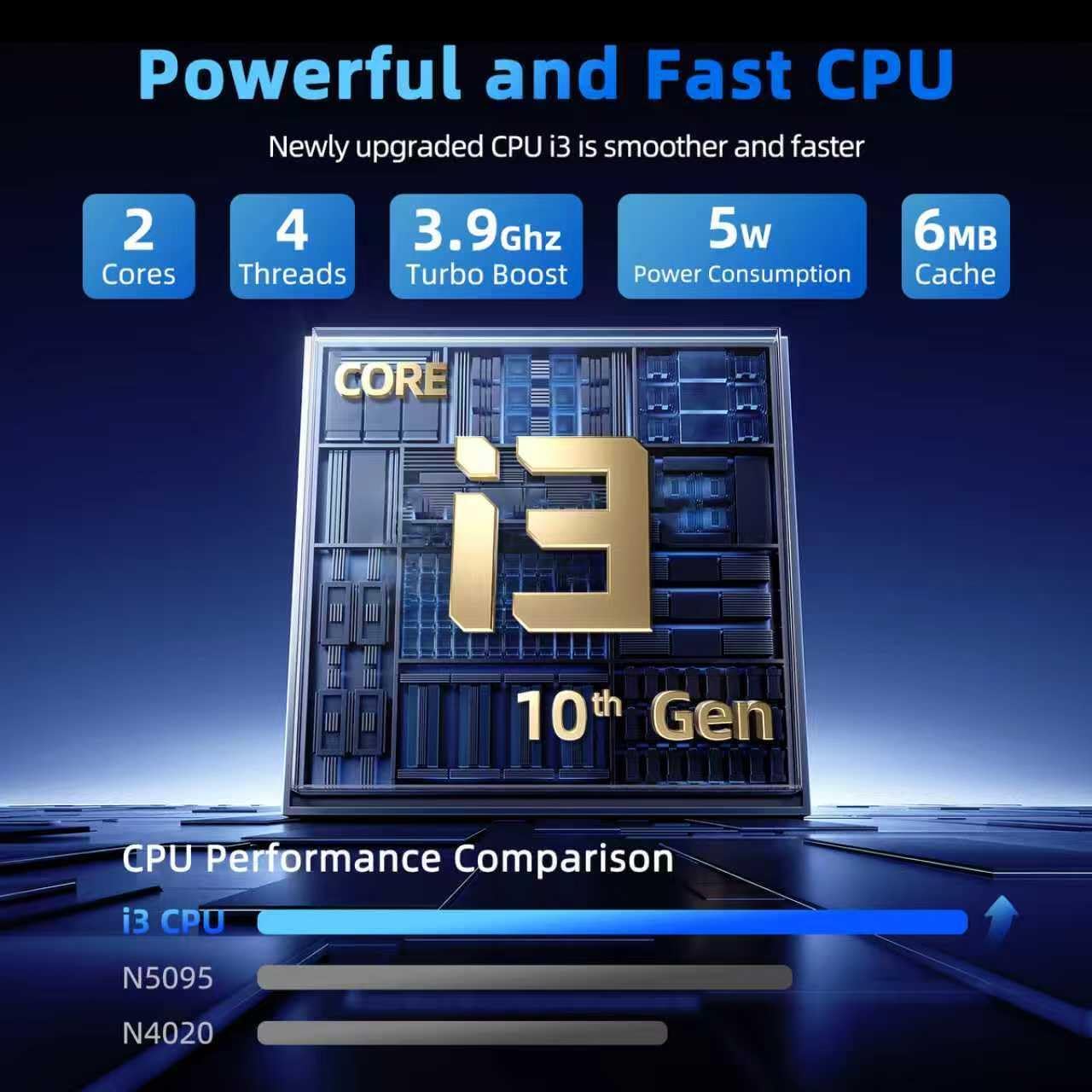
| Prozesadorea | Intel Core i3-10100 (up to 3.9GHz) |
| RAM | 16 GB DDR3 |
| Disko gogorra | 1024 GB SSD |
| Koprozesadore grafikoa | Integratua |
| Sistema eragilea | Windows 11 Home |
| Haririk gabeko mota | WiFi 6, Bluetooth |
| Portuak | USB 3.0 (x3), HDMI, Type-C, Micro SD slot, Ethernet (RJ45), Headphone Jack, Kensington Lock |
| Bateria | 53.2Wh (7000mAh) Lithium Ion |
| Elementuaren pisua | 4.99 kilo |
| Produktuaren neurriak | 15.6 x 9 x 0.6 hazbete |
Mantentzea eta zaintzea
To ensure the longevity and optimal performance of your SGIN laptop, follow these maintenance guidelines:
- Garbiketa: Gently wipe the screen with a microfiber cloth designed for electronics. For the chassis, use a soft, dry cloth. Avoid harsh chemicals or abrasive materials.
- Ingurumena: Operate the laptop in a clean, dry environment. Avoid exposure to extreme temperatures, direct sunlight, dust, and liquids.
- Aireztapena: Ensure the ventilation openings are not blocked to prevent overheating. Do not use the laptop on soft surfaces like beds or couches that can obstruct airflow.
- Datuen babeskopia: Regularly back up your important data to an external drive or cloud storage to prevent data loss in case of unforeseen issues.
- Software eguneraketak: Keep your operating system and applications updated to benefit from the latest security patches and performance improvements.
Ohiko arazoak konpontzea
Ordenagailu eramangarria ez da pizten
- Ensure the power adapter is securely connected to both the laptop's charging port and a functional electrical outlet.
- Verify the power outlet is working by plugging in another device.
- If the battery is completely drained, allow the laptop to charge for at least 30 minutes before attempting to power it on again.
Keyboard Backlight Not Working
- Sakatu "Fn" + "F5" keys simultaneously to toggle the backlight on or off.
- Check your system settings for any keyboard backlight options that might be disabled.
Errendimendu motela
- Close any unnecessary applications or browser tabs running in the background.
- Ensure your Windows 11 operating system and device drivers are up to date.
- Run a system scan for malware or viruses that could be impacting performance.
- Verify that your 1024GB SSD has sufficient free space, as a full drive can slow down the system.
Bermea eta Laguntza
Your SGIN laptop includes a 1-year protection plan and access to 24/7 customer support. For technical assistance, warranty claims, or service inquiries, please refer to the contact information provided with your product or visit the official SGIN support webgunea.
