
1. Sarrera
Thank you for choosing the ZENTALITY A10 Projector. This compact and versatile projector is designed to deliver a high-quality home cinema experience with its native 1080P resolution, 4K decoding support, and integrated Android operating system. Featuring Wi-Fi 6 and Bluetooth 5.1 connectivity, automatic keystone correction, and a 360-degree adjustable stand, the A10 offers flexible entertainment options for various environments. Please read this manual carefully to ensure proper setup, operation, and maintenance of your device.
2. Segurtasun informazioa
- Elikatze-iturria: Erabili emandako korronte-egokitzailea soilik. Ziurtatu bolumenatage proiektorearen eskakizunekin bat dator.
- Aireztapena: Do not block ventilation openings. Maintain adequate space around the projector for proper airflow to prevent overheating.
- Likidoaren esposizioa: Mantendu proiektorea uretatik edo beste likido batzuetatik urrun. Ez erabili ingurune hezeetan.
- Garbiketa: Deskonektatu korrontea garbitu aurretik. Erabili zapi leun eta lehor bat. Saihestu garbitzaile urratzaileak.
- Haurrak: Keep the projector out of reach of small children.
- Lekua: Jarri proiektorea gainazal egonkor eta lau batean. Saihestu eguzki-argitan edo bero-iturrietatik gertu jartzea.
- Lentea: Ez begiratu zuzenean proiektorearen lenteari l dagoenean.amp piztuta badago, begietan kalteak eragin ditzakeelako.
3. Paketearen edukia
Mesedez, egiaztatu paketea elementu hauek dituen:
- ZENTALITY A10 Projector Unit
- Urruneko Kontrola
- Elikatze-moldagailua
- HDMI kablea
- Erabiltzailearen eskuliburua (dokumentu hau)
4. Produktua amaitu daview
Familiarize yourself with the main components and ports of your ZENTALITY A10 Projector.

The ZENTALITY A10 Projector, showcasinbere diseinu trinkoa eta lentea esker.
Aldea view of the ZENTALITY A10 Projector, highlighting its various input and output ports for connectivity.
Funtsezko osagaiak:
- Proiekzio lentea: Irudia igortzen du.
- Pizteko botoia: Proiektorea pizten edo itzaltzen du.
- HDMI ataka: Connects to external devices like laptops, gaming consoles, or TV sticks.
- USB ataka: USB unitateetatik multimedia erreproduzitzeko.
- Audio irteera: Kanpoko bozgorailuetara edo entzungailuetara konektatzen da.
- DC Sarrera: Energia sarrerako ataka.
- Stand erregulagarria: Allows for 360-degree rotation and flexible positioning.
5. Konfigurazioa
5.1 Jartzea
Position the projector on a stable surface. The optimal projection distance for the ZENTALITY A10 is between 1.0 to 3.5 meters, which can produce screen sizes ranging from 40 to 200 inches.

A visual guide recommending optimal projection screen sizes (30, 100, 200 inches) for the ZENTALITY A10 Projector under different lighting conditions, from dim to completely dark rooms.
5.2 Energia-konexioa
- Konektatu korronte-egokitzailea proiektorearen DC sarrera atakara.
- Entxufatu korronte-egokigailua hormako entxufe batera.
- Sakatu proiektorearen edo urrutiko agintearen pizteko botoia pizteko.
5.3 Fokuaren doikuntza
The ZENTALITY A10 features electric focus. Use the 'F+' and 'F-' buttons on the remote control to achieve a clear and sharp image.

The ZENTALITY A10 Projector in a room setting, with its remote control demonstrating electric focus and automatic keystone correction features.
5.4 Funtsezko zuzenketa
The projector is equipped with automatic 45° keystone correction. This feature automatically adjusts the image to be rectangular even if the projector is placed at an angle. Manual adjustments can also be made if needed through the settings menu.
5.5 Konektibitatea
- Wi-Fi konexioa: Navigate to the 'Settings' menu on the projector's interface. Select 'Network & Internet' and connect to your desired 2.4G or 5G Wi-Fi network.
- Bluetooth konexioa: For connecting external audio devices, go to 'Settings' > 'Connected Devices' > 'Bluetooth'. Enable Bluetooth and pair with your device.
- HDMI konexioa: Connect an HDMI cable from your external device (e.g., laptop, TV stick) to the HDMI port on the projector. Select the HDMI input source from the projector's main menu.

An illustration showing the ZENTALITY A10 Projector's fast Wi-Fi 6 and Bluetooth 5.1 capabilities, enabling seamless wireless connections for streaming and audio.
6. Funtzionamendua
6.1 Android OS and Applications
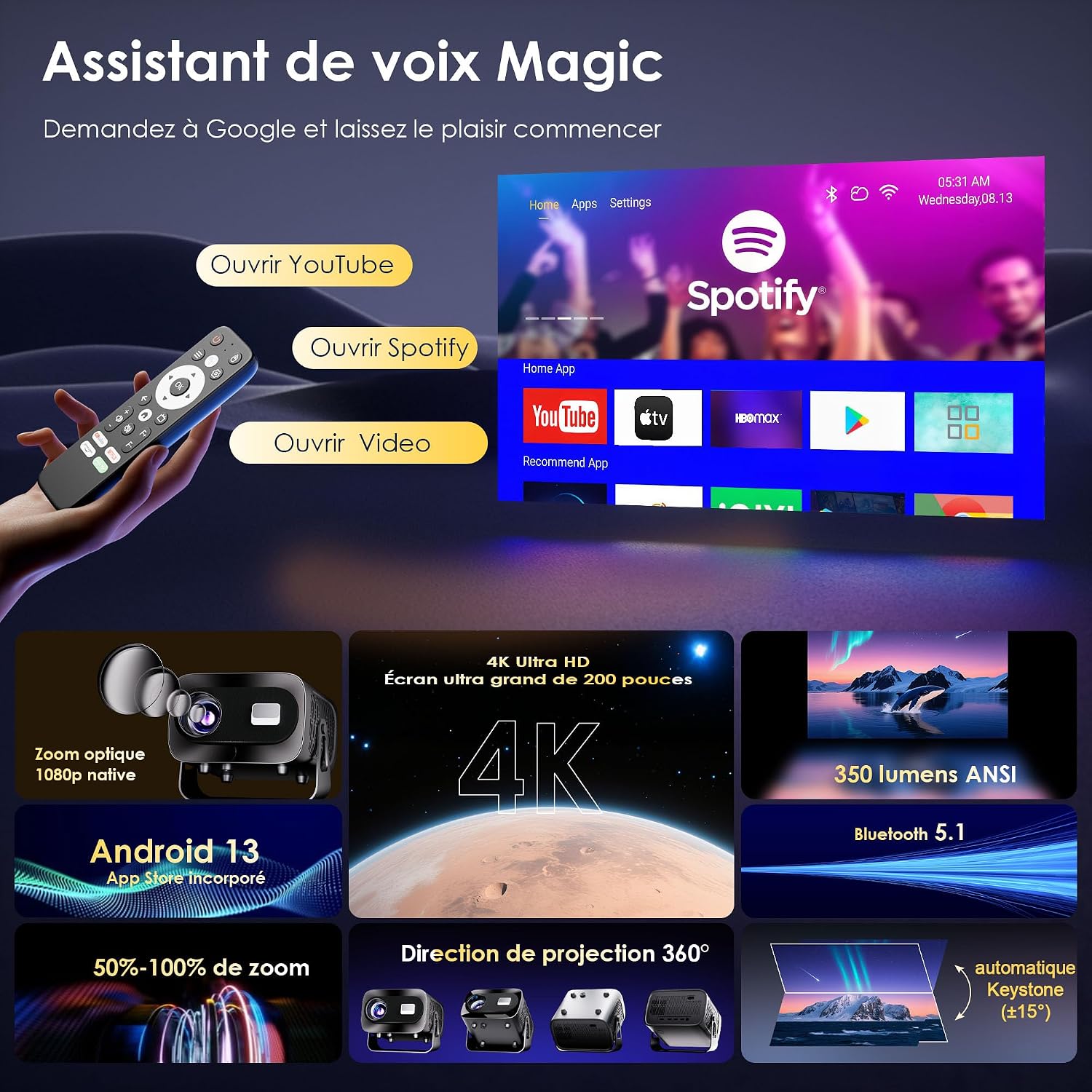
The ZENTALITY A10 runs on an integrated Android operating system, providing access to a wide range of applications. You can find pre-installed apps like YouTube and Spotify on the home screen. Additional applications can be downloaded from the Google Play Store.

A screenshot of the ZENTALITY A10 Projector's Android interface, displaying pre-installed applications like YouTube and Spotify, ready for streaming.
6.2 Audio irteera
The projector includes built-in speakers for audio playback. For an enhanced audio experience, connect external Bluetooth speakers or headphones via Bluetooth 5.1, or use the 3.5mm audio out port.
6.3 360°-ko biraketa
The projector's integrated stand allows for 360-degree rotation, enabling projection onto walls, ceilings, or any desired surface without needing to reposition the entire unit.

An image illustrating the ZENTALITY A10 Projector's flexible 360-degree adjustable stand, allowing for versatile projection angles.
6.4 Zoom Funtzioa
Adjust the image size from 50% to 100% using the zoom function in the projector's settings menu. This allows you to fine-tune the screen size without moving the projector.
7. Mantentzea
- Lenteen garbiketa: Use a soft, lint-free cloth specifically designed for optical lenses. Gently wipe the lens to remove dust or smudges. Avoid touching the lens with bare fingers.
- Kanpoko garbiketa: Wipe the projector's exterior with a soft, dry cloth. Do not use liquid or aerosol cleaners, as they may damage the finish.
- Aireztapena: Regularly check that the ventilation openings are clear of dust and debris to ensure proper heat dissipation.
- Biltegiratzea: Proiektorea denbora luzez erabiltzen ez baduzu, gorde leku fresko eta lehor batean, hautsetik babestuta.
8. Arazoak
If you encounter issues with your ZENTALITY A10 Projector, refer to the following common problems and solutions:
| Arazoa | Kausa posiblea | Irtenbidea |
|---|---|---|
| Botererik ez | Power cable disconnected; power outlet issue; projector off. | Ensure power cable is securely connected. Try a different outlet. Press the power button. |
| Irudi lausoa | Incorrect focus; projector too close/far; dirty lens. | Adjust focus using 'F+'/'F-' buttons. Adjust projection distance. Clean the lens. |
| Image is trapezoidal/distorted | Projector not perpendicular to screen; automatic keystone not engaged. | Ensure projector is facing the screen directly. Check keystone settings in the menu for manual adjustment if needed. |
| Soinurik ez | Volume too low; external speakers not connected/paired; incorrect audio output selected. | Increase volume. Check Bluetooth connection for external speakers. Ensure correct audio output is selected in settings. |
| Urruneko kontrolak ez du erantzuten | Low batteries; obstruction; out of range. | Replace batteries. Ensure no obstructions between remote and projector. Point remote directly at the projector's IR receiver. |
| App compatibility issues (e.g., specific streaming apps) | DRM restrictions; app version incompatibility. | Ensure the app is updated to the latest version. Some apps may have specific device restrictions. Consider using an external streaming stick via HDMI if issues persist. |
| Overheating/Fan noise | Aireztapen blokeatua; erabilera luzea. | Ensure ventilation ports are clear. Allow the projector to cool down. Operate in a well-ventilated area. |
9. Zehaztapenak
Key technical specifications for the ZENTALITY A10 Projector:
| Ezaugarri | Zehaztapena |
|---|---|
| Marka | ZENTALITATEA |
| Ereduaren izena | A10 |
| Berezko pantailaren bereizmena | 1920 x 1080 (1080P Full HD) |
| Gehienezko pantailaren bereizmena | 3840 x 2160 (4K Supported) |
| Bistaratzeko mota | LCDa |
| Kontraste-erlazioa | 10000:1 |
| Konektibitate Teknologia | Wi-Fi 6, Bluetooth 5.1, HDMI |
| Erabilera gomendatua | Home Cinema |
| Ezaugarri bereziak | Integrated Wireless Connection, 360° Rotation, Automatic Keystone Correction, Android OS |
| Proiekzio Distantzia | Gehienez 3.5 metro |
| Irudiaren Gehieneko Tamaina | 200 hazbete |
| Gailu bateragarriak | Laptop, Smartphone, Gaming Console, TV Stick, HDMI devices |
| Irudia Hobetzeko Teknologia | HDR10+ |
| Bideo-kodeketa | H.265 |
10. Bermea eta Laguntza
ZENTALITY is committed to providing excellent customer service and product quality.
- Kalitate-bermea: Enjoy a 360-day quality guarantee from the date of purchase.
- Doako itzulketak: Benefit from 180 days of free returns.
- Laguntza teknikoa: Lifetime technical support is available for your product.
- Bezeroarentzako arreta: Our customer service team is available 24/7 to assist you with any inquiries or issues.
For support, please refer to the contact information provided with your purchase or visit the official ZENTALITY webgunea.