
1. Sarrera
Thank you for choosing the PEICHENG PC-01 Wireless Bluetooth Earphones. These earphones are designed to provide a high-quality audio experience with advanced Bluetooth 6.0 technology, a comfortable over-ear hook design, and a portable charging case. This manual provides detailed instructions for setup, operation, and maintenance to ensure optimal performance and longevity of your device.
2. Zer dago kutxan
- PEICHENG PC-01 Wireless Bluetooth Earphones (Left and Right)
- Kargatzeko kaxa
- Erabiltzailearen eskuliburua (dokumentu hau)
3. Produktua amaitu daview
The PEICHENG PC-01 earphones feature an ergonomic over-ear hook design for a secure and comfortable fit, making them suitable for various activities. They utilize BlueSignal 6.0 technology for stable wireless connections and deliver High-Resolution Audio with deep bass.
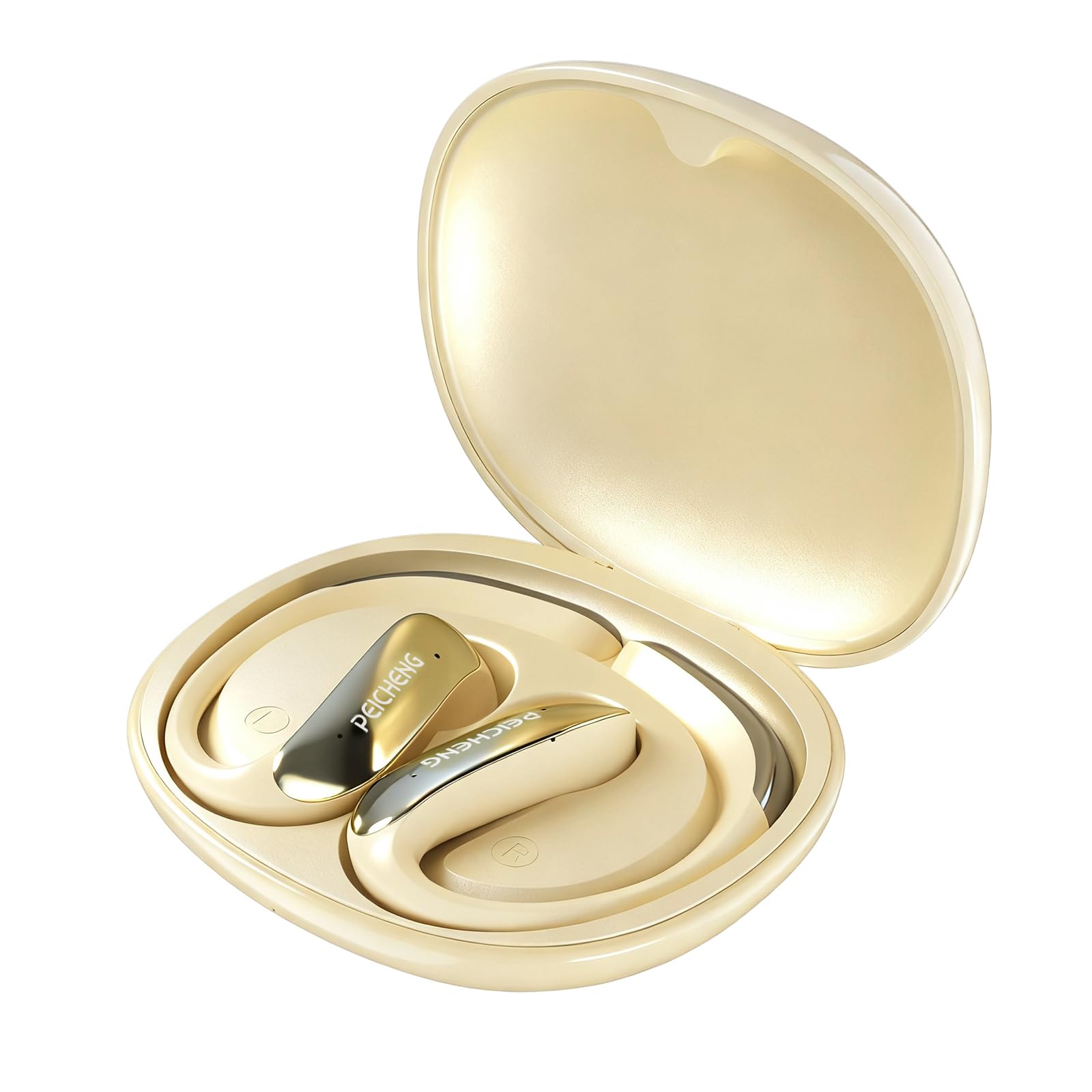
Figure 3.1: PEICHENG PC-01 Wireless Bluetooth Earphones and Charging Case.
Ezaugarri nagusiak:
- BlueSignal 6.0 Technology: Ensures stable, faster, and efficient wireless connections with low latency.
- Bereizmen handiko audioa: Delivers immersive sound with deep, powerful bass.
- Belarri gaineko kakoaren diseinua: Provides a secure and comfortable fit for extended wear.
- Eraikuntza arina: Enhances comfort and reduces ear fatigue.
- Self-contained Space Audio: Creates an immersive sound experience.
- Garbitu deia: Integrated microphones ensure sharp and intelligible conversations.
- Kargatzeko kaxa eramangarria: 300mAh capacity for all-day power.

3.2 Irudia: Gainetikview of PEICHENG Wireless Earbuds features.

Figure 3.3: Internal driver design for immersive sound.

Figure 3.4: Compact and portable charging case.
4. Konfigurazioa
4.1 Entzungailuak eta zorroa kargatzea
Before first use, fully charge the earphones and charging case. The charging case has a 300mAh battery capacity, providing multiple charges for the earphones.
- Jarri entzungailuak kargatzeko zorroan, behar bezala sartuta daudela ziurtatuz.
- Connect a USB Type-C charging cable to the charging port on the case and plug the other end into a compatible USB power source.
- The indicator lights on the case will show the charging status. A full charge typically takes approximately 2 hours.
4.2 Bluetooth parekatzea
The PEICHENG PC-01 earphones use BlueSignal 6.0 technology for efficient pairing with various devices.
- Ziurtatu entzungailuak kargatuta daudela eta kargatzeko zorroan sartuta daudela.
- Open the charging case. The earphones will automatically enter pairing mode, indicated by a flashing LED light (specific color/pattern not provided, assume standard).
- On your device (smartphone, tablet, laptop, smartwatch, TV), go to the Bluetooth settings.
- Bilatu available devices and select "PEICHENG PC-01" from the list.
- Once connected, the LED indicator on the earphones will typically stop flashing or change to a solid light.
- Entzungailuak automatikoki konektatuko dira azken parekatutako gailura zorrotik ateratzean, Bluetooth-a gaituta badago gailuan.

Figure 4.1: BlueSignal 6.0 connectivity with various devices.
5. Funtzionamendu-argibideak
The PEICHENG PC-01 earphones feature touch controls for managing audio playback and calls.
5.1 Ukitu Kontrolak
The touch-sensitive area on each earphone allows for various functions. Specific gestures and their corresponding actions are detailed below:
- Erreproduzitu/Pausatu: Sakatu behin entzungailuetako edozeinetan.
- Hurrengo ibilbidea: Sakatu bi aldiz eskuineko entzungailuan.
- Aurreko pista: Sakatu bi aldiz ezkerreko entzungailuan.
- Deia erantzun/amaitu: Sakatu behin entzungailuetako edozeinetan dei bat sartzen ari zaren bitartean.
- Deia baztertu: Press and hold on either earphone during an incoming call.
- Aktibatu Ahots Laguntzailea: Triple tap on either earphone (if supported by your device).
Note: Volume control is managed directly from your connected device.
5.2 Calling Functionality
The integrated microphones ensure clear communication during calls.
- When a call comes in, tap either earphone once to answer.
- To end an active call, tap either earphone once.
- To reject an incoming call, press and hold either earphone.

Figure 5.1: Earbud in use for clear calling.
5.3 Audio moduak
The earphones feature Self-contained Space Audio, designed to provide an immersive listening experience by creating a sense of isolated sound.

Figure 5.2: Self-contained Space Audio feature.
6. Mantentzea
Mantentze egokiak zure entzungailuen iraupena eta errendimendua bermatzen ditu.
- Garbiketa: Use a soft, dry cloth to clean the earphones and charging case. Avoid using abrasive materials or harsh chemicals.
- Biltegiratzea: Erabiltzen ez dituzunean, gorde entzungailuak kargatzeko zorroan hautsetik eta kalteetatik babesteko.
- Uraren esposizioa: Entzungailuak ez dira iragazgaitzak direla zehaztu. Saihestu uraren edo gehiegizko hezetasunaren eraginpean jartzea.
- Tenperatura: Do not expose the earphones or case to extreme temperatures (hot or cold).
7. Arazoak
If you encounter issues with your PEICHENG PC-01 earphones, refer to the following common solutions:
| Arazoa | Irtenbidea |
|---|---|
| Entzungailuak ez dira parekatzen |
|
| Soinurik ez edo bolumen txikia |
|
| Entzungailuak ez dira kargatzen |
|
| Touch controls unresponsive or delayed |
|
8. Zehaztapenak
| Ezaugarri | Xehetasuna |
|---|---|
| Ereduaren izena | PC-01 |
| Marka | PEICHENG |
| Konektibitate Teknologia | Haririk gabekoa, Bluetootha |
| Bluetooth bertsioa | 6.0 (BlueSignal 6.0) |
| Belarrien Kokatzea | Belarri gainean |
| Forma-faktorea | Belarri gainean |
| Audio kontrolatzaile mota | Gidari dinamikoa |
| Inpedantzia | 15 ohmio |
| Zarata Kontrola | Bat ere ez |
| Ezaugarri Berezia | Self-contained Space Audio |
| Kontrol-metodoa | Ukitu |
| Bateriaren iraupena (entzungailuak) | 5 ordu |
| Kargatzeko kasua bateriaren edukiera | 300mAh |
| Kargatzeko Denbora | Gutxi gorabehera 2 ordu |
| Hardware interfazea | USB C mota |
| Gailu bateragarriak | Smartphones, Notebooks, Tablets, TVs, Smartwatches |
| Materiala | Plastikoa, Silikona |
| Produktuaren neurriak | 3.2 x 2.8 x 1.4 hazbete |
| Elementuaren pisua | 5 ontza |
| UPC | 607606229639 |
9. Produktuaren bideo ofiziala
9.1. bideoa: Over batview of the PEICHENG PC-01 Wireless Bluetooth Earphones, showcasing their design, features, and charging capabilities.
10. Bermea eta Laguntza
For warranty information or technical support, please refer to the documentation included with your purchase or contact PEICHENG customer service through the retailer where the product was purchased. Keep your proof of purchase for warranty claims.