
1. Sarrera
Thank you for choosing the Azeyou 8.7-inch Android Tablet F68. This manual provides essential information for setting up, operating, and maintaining your device. Please read it carefully to ensure optimal performance and longevity of your tablet.
2. Segurtasun informazioa
- Ez jarri tableta tenperatura altuen, eguzki-argiaren eraginpean edo hezetasun handiaren eraginpean.
- Saihestu tableta erortzea edo kolpe gogorren eraginpean jartzea.
- Use only the provided charger and accessories to prevent damage and ensure safety.
- Mantendu tableta uretatik eta beste likido batzuetatik urrun.
- Do not attempt to disassemble or repair the tablet yourself. Contact customer support for assistance.
3. Paketearen edukia
Egiaztatu elementu guztiak zure paketean daudela:
- Azeyou 8.7-inch Android Tablet F68
- USB motako C kargatzeko kablea
- Elikatze-moldagailua
- Erabiltzailearen eskuliburua (dokumentu hau)

Image: Tablet and included accessories.
4. Produktua amaitu daview
The Azeyou F68 tablet features a sleek, all-metal design, making it both durable and portable. It is equipped with essential ports and components for a comprehensive user experience.
Osagai fisikoak
- 8.7 hazbeteko IPS pantaila: High-resolution screen (1340x800) for vivid visuals.
- Aurrealdeko kamera: 5MP bideo-deietarako eta selfieetarako.
- Atzeko kamera: 13MP argazkiak eta bideoak ateratzeko.
- Pizteko botoia: Alboan dago gailua pizteko/itzaltzeko eta pantaila blokeatzeko.
- Bolumen-botoiak: Doitu audio mailak.
- USB C motako ataka: Kargatzeko eta datuak transferitzeko.
- 3.5 mm aurikularretarako konektua: Kable bidezko entzungailuak konektatzeko.
- Bozgorailu bikoitza: Enhanced audio output.
- MicroSD txartelaren zirrikitua: For storage expansion up to 1TB.
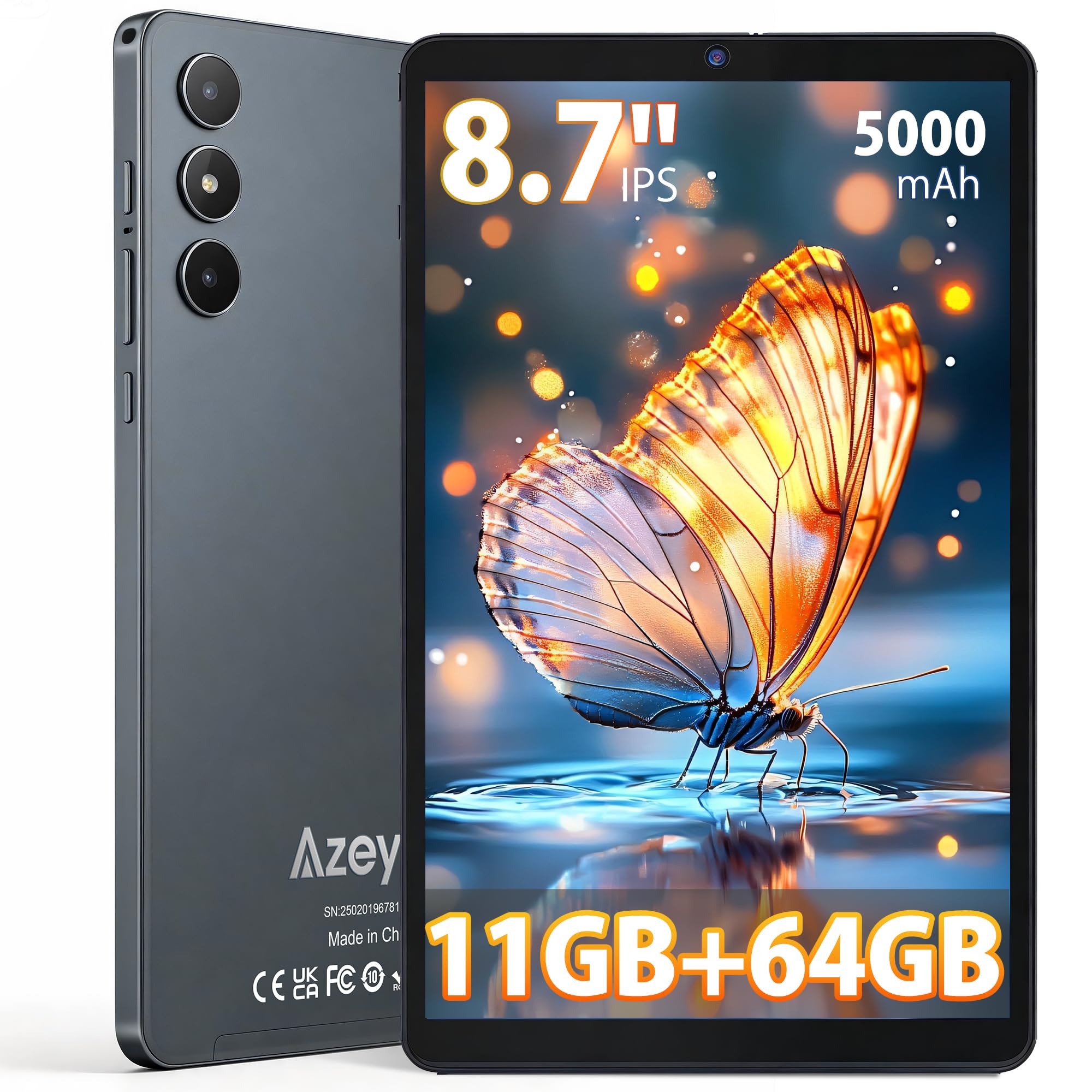
Irudia: Aurrealdea view of the Azeyou F68 tablet.

Image: Tablet held in hand, demonstrating portability.

Image: Tablet side profile, highlighting thinness and weight.
5. Konfigurazioa
5.1 Hasierako karga
Before first use, fully charge your tablet. Connect the USB Type-C cable to the tablet's charging port and the power adapter to a wall outlet. The battery indicator will show charging status.
5.2 Piztu/Itzali
- Pizteko: Press and hold the Power button until the Azeyou logo appears on the screen.
- Itzaltzeko: Sakatu eta eutsi pizteko botoiari, eta ondoren hautatu 'Itzali' aukeren artean.
- Berrabiarazteko: Sakatu eta eutsi pizteko botoiari, eta ondoren hautatu 'Berrabiarazi' aukeren artean.
5.3 Hasierako konfigurazio-morroia
Lehen aldiz piztean, tabletak hasierako konfigurazio prozesu batean zehar gidatuko zaitu. Honek honako hauek barne hartzen ditu:
- Zure hizkuntza hautatzea.
- Wi-Fi sare batera konektatzen.
- Setting up your Google account (required for GMS services like Google Play Store).
- Setting up screen lock (PIN, pattern, or password).
5.4 MicroSD txartel bat sartzea
To expand storage, insert a microSD card (up to 1TB) into the designated slot. Ensure the tablet is powered off before inserting or removing the card.
6. Funtzionamendu-argibideak
6.1 Nabigazioa
The tablet runs on Android 15, offering an intuitive touch interface. Use gestures like tapping, swiping, pinching, and spreading to navigate.
6.2 Wi-Fi eta Bluetooth konexioa
Access Wi-Fi settings from the Quick Settings panel (swipe down from the top of the screen) or through the Settings app. The tablet supports dual-band Wi-Fi (2.4G+5G) and Bluetooth 5.0 for stable connections.

Image: High-speed and stable connectivity features.
6.3 Komunikabideen kontsumoa
The 8.7-inch IPS display with 1340x800 resolution and T-Colour image technology provides a vibrant viewing experience. With Widevine L1 support, you can stream high-definition content from platforms like Netflix, YouTube, and Prime Video.

Image: Tablet display quality for video viewing.

Image: Widevine L1 support for high-definition streaming.
6.4 Kameraren erabilera
The tablet features a 13MP rear camera and a 5MP front camera. Open the Camera app to capture photos and videos. The AI camera features enhance image quality.

Image: Camera features and examples.
6.5 OTG funtzionaltasuna
The tablet supports USB On-The-Go (OTG), allowing you to connect external devices such as USB drives, keyboards, or mice using an OTG adapter (sold separately).
6.6 Kids Protection Mode
Utilize the built-in parental control features to manage screen time and content access for children. This helps maintain a balance between learning and entertainment.
6.7 Multitasking and Wireless Projection
The Android 15 operating system supports multitasking, allowing you to run multiple applications simultaneously. The tablet also supports wireless projection for displaying content on compatible screens.

Image: Wireless projection and split-screen multitasking.
7. Mantentzea
7.1 Tableta garbitzea
Erabili zapi leun eta lihorik gabeko bat tabletaren pantaila eta gorputza garbitzeko. Saihestu gainazala kaltetu dezaketen produktu kimiko gogorrak edo material urratzaileak erabiltzea.
7.2 Bateria zaintzea
To prolong battery life, avoid fully discharging the tablet frequently. Charge the tablet regularly, and if storing for an extended period, ensure it has at least a 50% charge.
7.3 Software eguneraketak
Egiaztatu eta instalatu sistemaren eguneraketak aldizka, zure tabletak azken funtzioak, segurtasun-adabakiak eta errendimendu-hobekuntzak dituela ziurtatzeko. Joan Ezarpenak > Sistema > Sistemaren eguneraketa atalera.
8. Arazoak
- Tableta ez da pizten: Ziurtatu tableta kargatuta dagoela. Konektatu kargagailura eta itxaron minutu batzuk berriro pizten saiatu aurretik.
- Pantailak ez du erantzuten: Try restarting the tablet by holding the Power button for about 10-15 seconds until it reboots.
- Apps are crashing or freezing: Close background apps. Clear the cache of the problematic app (Settings > Apps > [App Name] > Storage > Clear cache). If the issue persists, uninstall and reinstall the app.
- Wi-Fi konexio arazoak: Restart your Wi-Fi router and the tablet. Forget the network on your tablet and reconnect.
- Errendimendu motela: Close unnecessary background apps. Clear cached data. Consider uninstalling unused apps.
- Bateria azkar agortzen da: Reduce screen brightness. Turn off Wi-Fi, Bluetooth, and GPS when not in use. Limit background app activity.
9. Zehaztapenak
| Ezaugarri | Deskribapena |
|---|---|
| Eredua | F68 |
| Bistaratzea | 8.7-inch IPS LCD, 1340x800 pixels, 60Hz refresh rate, 300 nits brightness, 16:9 aspect ratio |
| Prozesadorea | Unisoc T310 (1.8 GHz CPU speed, 2 GHz max CPU speed), 12nm process |
| RAM | 11GB (3GB base + 8GB expansion) |
| Barne Biltegiratzea | 64 GB |
| Biltegiratze zabalgarria | MicroSD card up to 1TB |
| Sistema eragilea | Android 15 (GMS ziurtagiria) |
| Bateria | 5000mAh, up to 6.5 hours continuous use |
| Kargatzeko ataka | USB C motakoa |
| Kamerak | Rear: 13MP, Front: 5MP |
| Konektibitatea | Wi-Fi (802.11a/b/g/n/ac, Dual-Band 2.4G+5G), Bluetooth 5.0 |
| Audioa | 3.5mm Headphone Jack, Dual Speakers |
| Neurriak | 24.3 cm (L) x 16.2 cm (W) x 0.9 cm (T) |
| Pisua | Gutxi gorabehera. 360 g |
| Ziurtagiriak | PSE, CE, FCC, TELEC, GMS |
| Ezaugarri bereziak | Widevine L1, OTG Support, Wireless Projection, Screen Split, Kids Protection Mode |

Irudia: Gainetikview of tablet features.

Image: Storage and RAM details.

Image: Battery and connectivity ports.
10. Bermea eta Laguntza
Your Azeyou F68 tablet comes with a 12 hilabeteko bermea from the date of purchase. Additionally, a 30-day refund period is offered for eligible returns.
Bermearen Estaldura
Berme honek erabilera normalaren ondoriozko fabrikazio-akatsak eta matxurak estaltzen ditu. Ez ditu estaltzen erabilera okerrak, istripuek, baimenik gabeko konponketek edo higadura normalak eragindako kalteak.
How to Obtain Support
If you encounter any issues or have questions about your product, please contact Azeyou customer support. You can reach us via email (English and Japanese support available). To facilitate the process, please provide your Amazon order number.
You can typically find contact information by navigating to your Amazon purchase history, clicking on the product, and then selecting the seller's name to find the 'Ask a question' option.