
NIMO NIMO N158
NIMO 15.6" FHD Laptop User Manual - Model N158
AMD Ryzen 7 8745HS, 16GB DDR5 RAM, 1TB SSD
1. Sarrera
This manual provides essential information for setting up, operating, maintaining, and troubleshooting your NIMO 15.6" FHD Laptop (Model N158). Please read this manual thoroughly before using your device to ensure optimal performance and longevity.
Paketearen edukia
- 1 x NIMO N158 Laptop
- 1 x Type-C 100W PD Fast Charger
- 1 x Erabiltzailearen eskuliburua
- Windows 11 Home Operating System (pre-installed)
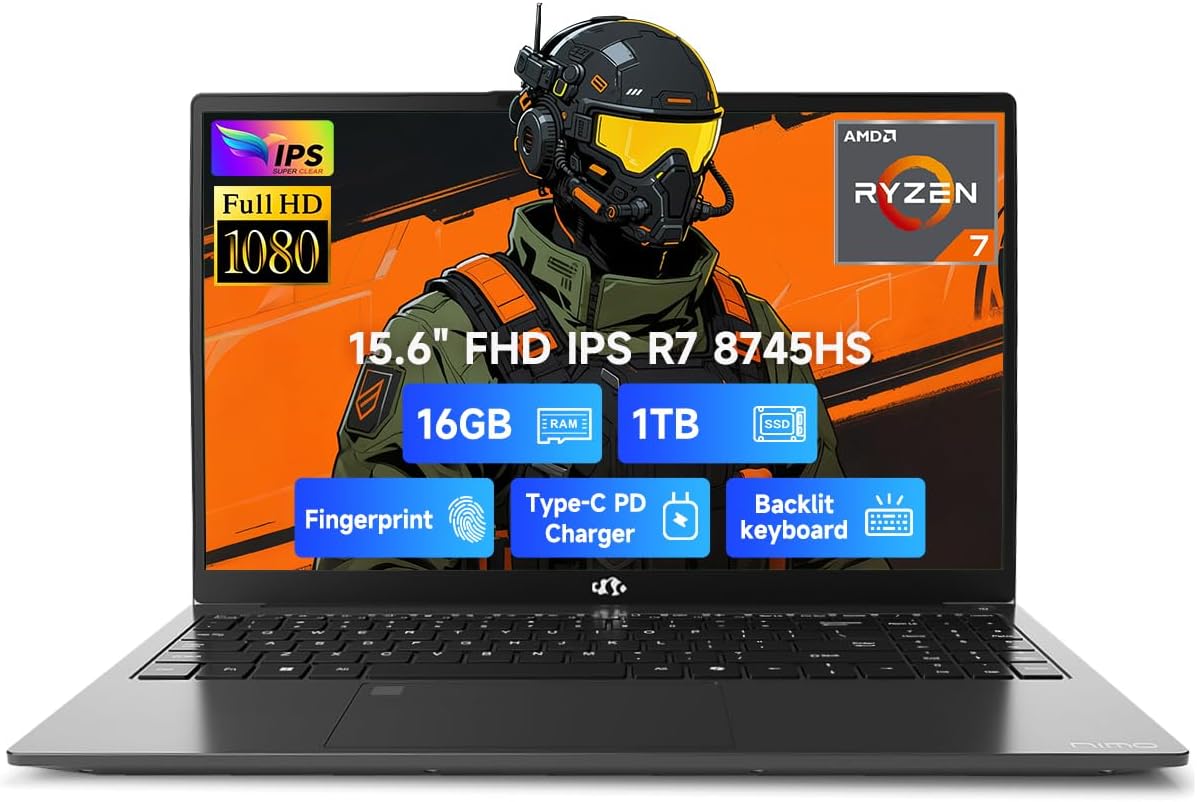
Image 1.1: NIMO 15.6 inch FHD Laptop, showcasinbere diseinu dotorea eta pantaila g.
2. Hasierako konfigurazioa
2.1 Piztea eta kargatzea
Before first use, ensure your laptop is fully charged. Connect the provided 100W Type-C PD Fast Charger to the USB 4.0 Type-C port on the laptop and to a power outlet. The charging indicator light will illuminate.

Image 2.1: The NIMO laptop connected to its 100W USB-C fast charger, illustrating the charging process and battery capacity.
2.2 Lehenengo abiaraztea eta Windows 11 konfigurazioa
Press the power button to turn on the laptop. Follow the on-screen instructions to complete the initial setup of Windows 11 Home. This includes setting up your region, language, network connection, and user account.
2.3 Fingerprint Sensor Setup
For enhanced security, configure the integrated fingerprint sensor. During Windows 11 setup or via Windows Settings > Accounts > Sign-in options, you can register your fingerprint for quick and secure login.

Image 2.2: Close-up of the NIMO laptop's keyboard, highlighting the backlit keys and the integrated fingerprint sensor on the touchpad.
3. Zure ordenagailu eramangarria erabiltzea
3.1 Teklatua eta ukipen-panela
The laptop features a full-size keyboard with a numeric keypad and adjustable backlighting for comfortable typing in various lighting conditions. The precision gesture touchpad supports multi-touch gestures for intuitive navigation. The fingerprint sensor is integrated into the touchpad for convenient unlocking.
3.2 Konexio-ataka
Your NIMO laptop is equipped with a variety of ports for connecting external devices:
- USB 4.0 C motakoa: For high-speed data transfer, video output, and power delivery (charging).
- USB 3.2: Multiple ports for connecting peripherals like external drives and mice.
- USB 2.0: USB gailu estandarretarako.
- HDMI: Kanpoko pantailetara edo proiektoreetara konektatzeko.
- Aurikularrak Jack: Audio irteerarako.
- SD txartelaren zirrikitua: Memoria txartelak irakurtzeko.
- Kensington blokeoaren zirrikitua: Segurtasun fisikoagatik.
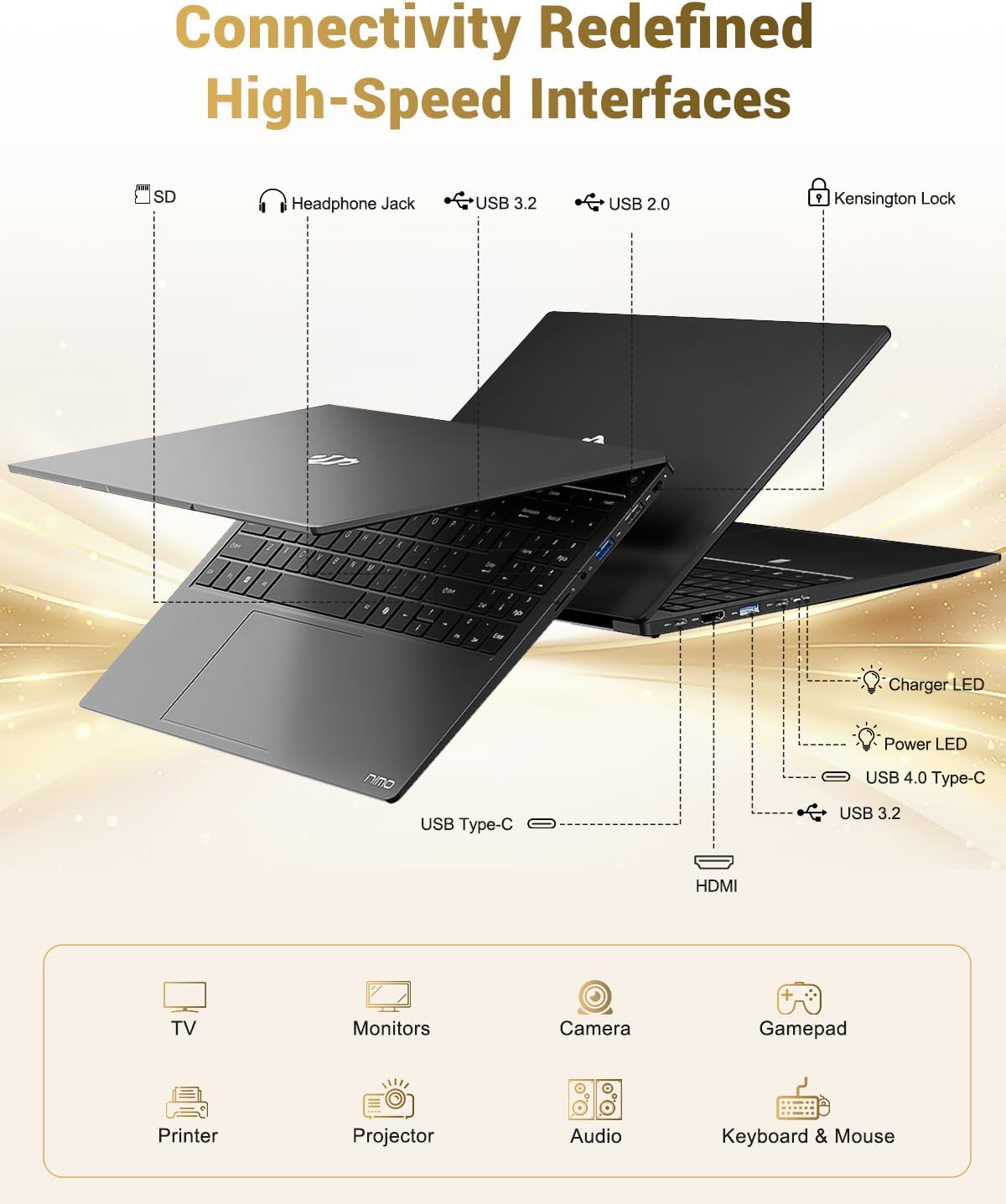
Image 3.1: Diagram illustrating the various input/output ports available on the NIMO laptop, including USB, HDMI, and audio jacks.
3.3 Webcam Erabilera
The integrated 2 MP webcam is suitable for video calls and online meetings. For privacy, the laptop includes a physical privacy switch to disable the webkamera erabiltzen ez denean.

Image 3.2: A visual representation of the laptop's webcam with an open and closed privacy switch, emphasizing user control over privacy.
4. Mantentzea eta Zainketa
4.1 Bateria zaintzea
The laptop is equipped with a 75Wh Smart Battery, providing an average battery life of 15.5 hours. To prolong battery lifespan:
- Saihestu muturreko tenperaturak.
- Ez deskargatu bateria guztiz maiz.
- If storing the laptop for extended periods, charge it to approximately 50-60%.
4.2 Berritu daitezkeen osagaiak
The NIMO laptop features an upgradable design, allowing for expansion of memory (DDR5 RAM) and storage (PCIe 4.0 SSD) to meet future needs. Consult a qualified technician for upgrades to avoid damaging components.

Image 4.1: Visual representation of the laptop's multitasking capabilities and ample storage, highlighting 1TB PCIe 4.0 SSD and 16GB DDR5 RAM.
4.3 Ordenagailu eramangarria garbitzea
Use a soft, lint-free cloth to clean the screen and exterior surfaces. For stubborn marks, dampen the cloth slightly with water or a screen-safe cleaner. Avoid harsh chemicals or abrasive materials.
5. Arazoak
This section addresses common issues you might encounter with your NIMO laptop.
5.1 Energia arazoak
- Ordenagailu eramangarria ez da pizten: Ensure the charger is securely connected and the power outlet is functional. If the battery is completely drained, it may take a few minutes of charging before the laptop can power on.
- Bateria ez da kargatzen: Verify the Type-C charger and cable are undamaged. Try a different power outlet.
5.2 Bistaratzeko arazoak
- Pantaila hutsik dago: Check if the laptop is powered on. Try connecting an external monitor via HDMI to determine if the issue is with the laptop's display or the graphics output.
- Pantaila keinuka edo desitxuratuta: Update your graphics drivers. If using an external monitor, check the cable connection.
5.3 Konexio arazoak
- Wi-Fia ez da konektatzen: Ziurtatu Wi-Fia gaituta dagoela Windows ezarpenetan. Berrabiarazi zure bideratzailea eta ordenagailu eramangarria. Egiaztatu eguneratutako Wi-Fi kontrolatzaileak dauden.
- USB gailuak ez dira ezagutzen: Try connecting the device to a different USB port. Ensure device drivers are installed.
If you encounter issues not covered here, please refer to the support section for assistance.
6. Zehaztapenak
Detailed technical specifications for the NIMO 15.6" FHD Laptop (Model N158).
| Ezaugarri | Zehaztapena |
|---|---|
| Marka | NIMO |
| Ereduaren izena | NIMO N158L |
| Elementuaren eredu-zenbakia | NIMO N158 |
| Pantailaren tamaina | 15.6 hazbete |
| Pantailaren bereizmena | 1920 x 1080 pixel (FHD IPS) |
| Prozesadorea | AMD Ryzen 7 8745HS (8 Cores, 16 Threads, up to 4.9 GHz) |
| RAM | 16 GB DDR5 (4800 MHz) |
| Disko gogorra | 1024 GB SSD (PCIe 4.0) |
| Koprozesadore grafikoa | AMD Radeon 780M (Integratua) |
| Sistema eragilea | Windows 11 Home |
| Haririk gabeko mota | 802.11a/b/g/n/ac |
| USB atakak | 1 x USB 2.0, 3 x USB 3.0, 1 x USB 4.0 C motakoa |
| Bateriaren batez besteko iraupena | 15.5 Hours (75Wh) |
| Elementuaren pisua | 3.8 kilo |
| Produktuaren neurriak | 14.07 x 8.98 x 0.76 hazbete |
| Kolorea | Beltza |
| Atzekoa Webkamaren ebazpena | 2 MP |
| Ezaugarri bereziak | Backlit Keyboard, Fingerprint Reader, HD Audio, Numeric Keypad |

Image 6.1: The NIMO laptop's 15.6-inch FHD IPS display, emphasizing clear visuals and screen size.

Image 6.2: Close-up of the AMD Ryzen 7 8745HS processor, detailing its 8 cores, 16 threads, and 4.9GHz boost clock.
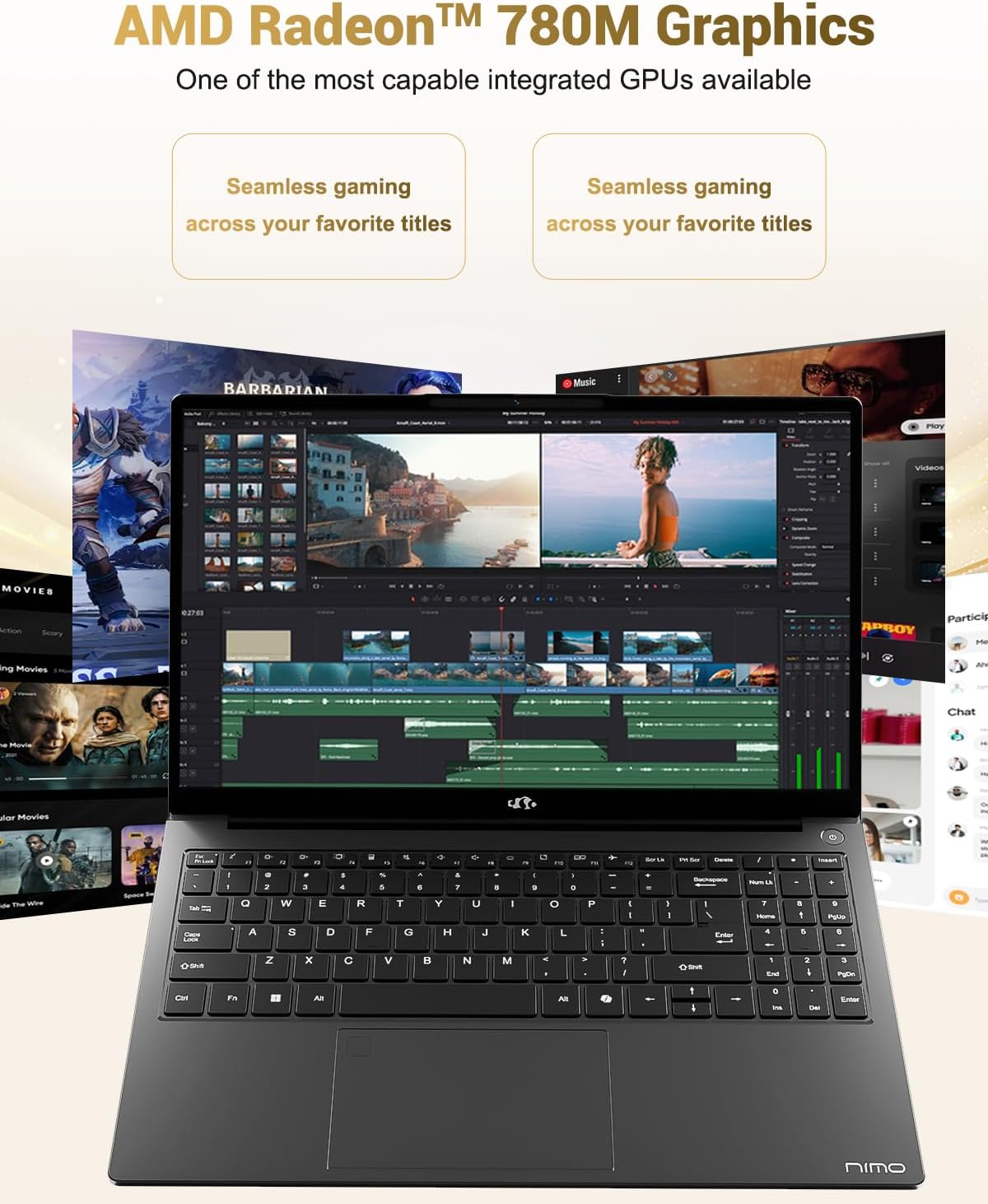
Image 6.3: The AMD Radeon 780M Graphics, highlighting its capability for seamless gaming and creative tasks.
7. Bermearen informazioa
Your NIMO laptop comes with a 2 urteko bermea from the date of purchase. This warranty covers manufacturing defects and hardware malfunctions under normal use. Additionally, NIMO offers a 90-day hassle-free return policy zure erosotasunerako.
For warranty claims or return inquiries, please contact our customer support team using the information provided in the Support section.
Image 7.1: Icon representing 2-year support for NIMO products.

Image 7.2: Icon representing the 90-day return policy for NIMO products.
8. Bezeroarentzako arreta
NIMO is committed to providing excellent customer service. Our dedicated support team is available to assist you with any questions or issues you may have.
Harremanetarako informazioa
- Posta elektronikoa: service@nimopc.com
- Zerbitzuaren ordutegia: 24-hour service available
For quick solutions and a worry-free experience, please reach out to us. We are ready to provide professional assistance.
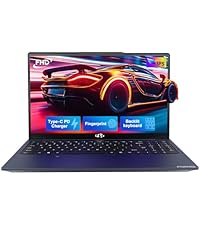
Image 8.1: Illustration of professional customer assistance, indicating support availability.
Ask a question about this manual
Ask about setup, troubleshooting, compatibility, parts, safety, or missing instructions. Manuals+ will review the question and use this page’s manual context to help answer it.