
1. Produktua amaitu daview
This manual provides essential information for the SGIN 15.6 Inch Laptop Computer, Model SGIN-Y101. It covers initial setup, operation, maintenance, and troubleshooting to ensure optimal performance and longevity of your device.
Ezaugarri nagusiak:
- Powerful Core i3 Processor: Equipped with an i3 (4-thread) CPU up to 3.9GHz for multitasking.
- Ample Storage and Speed: Features 16GB RAM and 1024GB SSD for quick application loading and smooth operation. Storage is expandable with a TF card up to 1TB.
- 15.6 Inch FHD IPS Display: Full HD 1920×1080 IPS screen with 180° viewing angles for vivid colors and sharp details.
- Atzeko argiztatutako teklatua: White backlit keyboard for improved typing accuracy in low-light conditions. Activate with "FN" + "F5".
- All-Day Battery and Connectivity: 53.2Wh battery (7000mAh) providing up to 8 hours of battery life. Includes USB 3.0, HDMI, Micro SD slot, Kensington lock, and a headphone jack. Features WiFi 6.
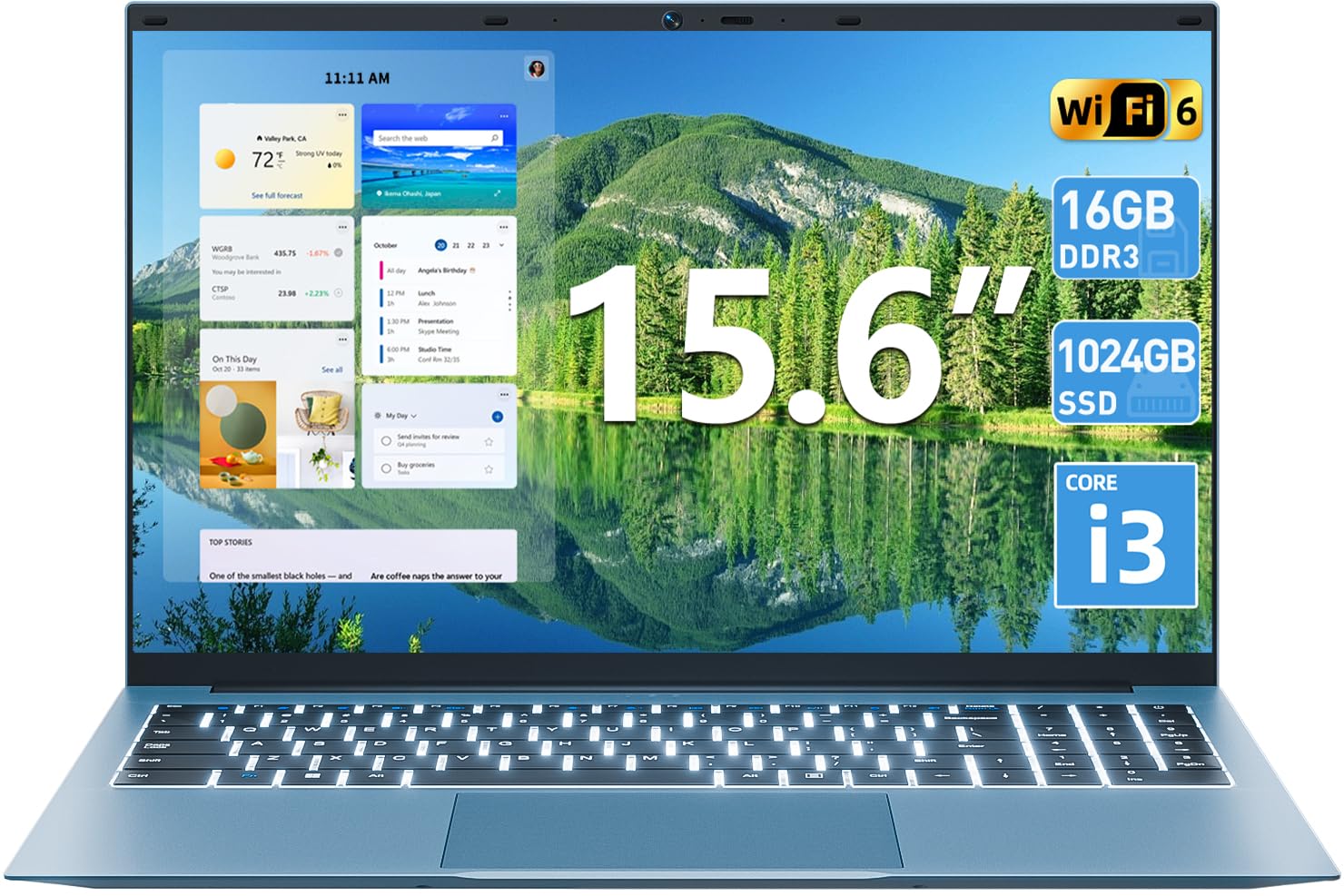
1.1. irudia: Amaituview of the SGIN 15.6 Inch Laptop Computer, highlighting its main features like RAM, SSD, Core i3 processor, Windows 11, battery, backlit keyboard, and WiFi 6.
2. Hasierako konfigurazioa
2.1 Unpacking the Laptop
Kontu handiz atera osagai guztiak paketetik. Ziurtatu elementu hauek daudela:
- SGIN 15.6 Inch Laptop
- Elikatze-moldagailua
- Erabiltzailearen eskuliburua

Image 2.1: The SGIN laptop, power adapter, and user manual as typically found in the package.
2.2 Bateria kargatzea
Before first use, fully charge the laptop battery.
- Konektatu korronte-egokitzailea ordenagailu eramangarriaren kargatzeko atakara.
- Entxufatu korronte-egokigailua hormako entxufe batera.
- Allow the laptop to charge until the battery indicator shows a full charge.
Garrantzitsua: Use only the provided power adapter to avoid damage to the laptop.
2.3 Powering On and Initial Windows Setup
- Ireki ordenagailu eramangarriaren estalkia.
- Sakatu teklatuan dagoen pizteko botoia.
- Jarraitu pantailan agertzen diren argibideei Windows 11ren hasierako konfigurazioa osatzeko, hizkuntza hautatzea, sareko konexioa eta erabiltzaile kontua sortzea barne.
3. Ordenagailu eramangarria erabiltzea
3.1 Teklatua eta ukipen-panela
The laptop features a full-size keyboard with a numeric keypad and a large touchpad for navigation.
- Atzeko argiztatutako teklatua: To toggle the keyboard backlight, press the FN tekla aldi berean F5 giltza.
- Touchpad keinuak: Refer to Windows 11 settings for customizable touchpad gestures.

Image 3.1: The laptop's backlit keyboard and numeric keypad, shown illuminated for use in low-light conditions.
3.2 Periferikoak konektatzea
Ordenagailu eramangarriak kanpoko gailuak konektatzeko hainbat ataka eskaintzen ditu.
- USB atakak: Konektatu USB gailuak, hala nola saguak, teklatuak edo kanpoko biltegiratzea.
- HDMI ataka: Konektatu kanpoko monitore edo telebista batera pantaila zabalagoa lortzeko.
- C motako ataka: For data transfer and potentially charging (check specific adapter compatibility).
- Mikro SD zirrikitua: Insert a Micro SD card for additional storage.
- Aurikularrak Jack: Konektatu entzungailuak edo kanpoko bozgorailuak.
- Kensington blokeoaren zirrikitua: Use a compatible security cable to secure your laptop.

Image 3.2: The left side of the laptop displaying the power input, Type-C port, HDMI port, and a USB port.
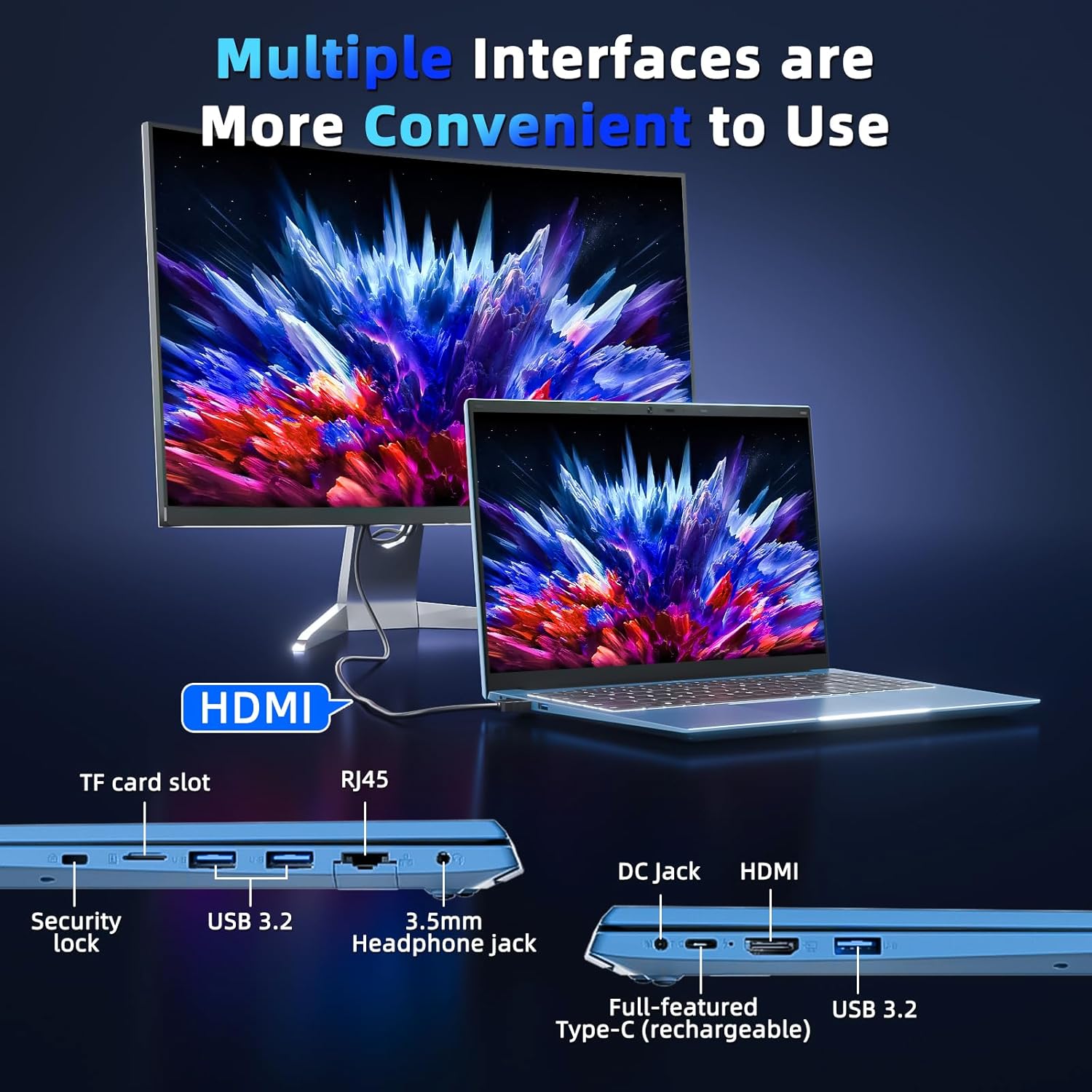
Image 3.3: The right side of the laptop displaying the Kensington lock slot, Micro SD card slot, two USB ports, and the headphone jack.
3.3 Wi-Fi konexioa
The laptop supports Wi-Fi 6 for fast wireless internet access.
- Egin klik ataza-barran dagoen Wi-Fi ikonoan.
- Hautatu nahi duzun sarea zerrendatik.
- Enter the network password if prompted and click "Connect".
For wired internet connection, use the Ethernet port.
4. Mantentzea eta Zainketa
4.1 Ordenagailu eramangarria garbitzea
- Erabili zapi leun eta lihorik gabeko bat pantaila eta kanpoaldea garbitzeko.
- Saihestu produktu kimiko gogorrak edo material urratzaileak erabiltzea.
- Orban egoskorretarako, arinki garbituampGarbitu oihalak urarekin edo pantaila garbitzeko soluzio batekin.
4.2 Bateria zaintzea
- Saihestu bateria maiz erabat deskargatzea.
- Denbora luzez erabiltzen ez duzunean, gorde ordenagailu eramangarria leku fresko eta lehor batean.
- If the laptop will not be used for a long time, charge the battery to about 50-60% before storage.
4.3 Webcam Privacy
The laptop includes a physical webcam switch for privacy. Slide the switch to cover or uncover the webcam lens as needed.
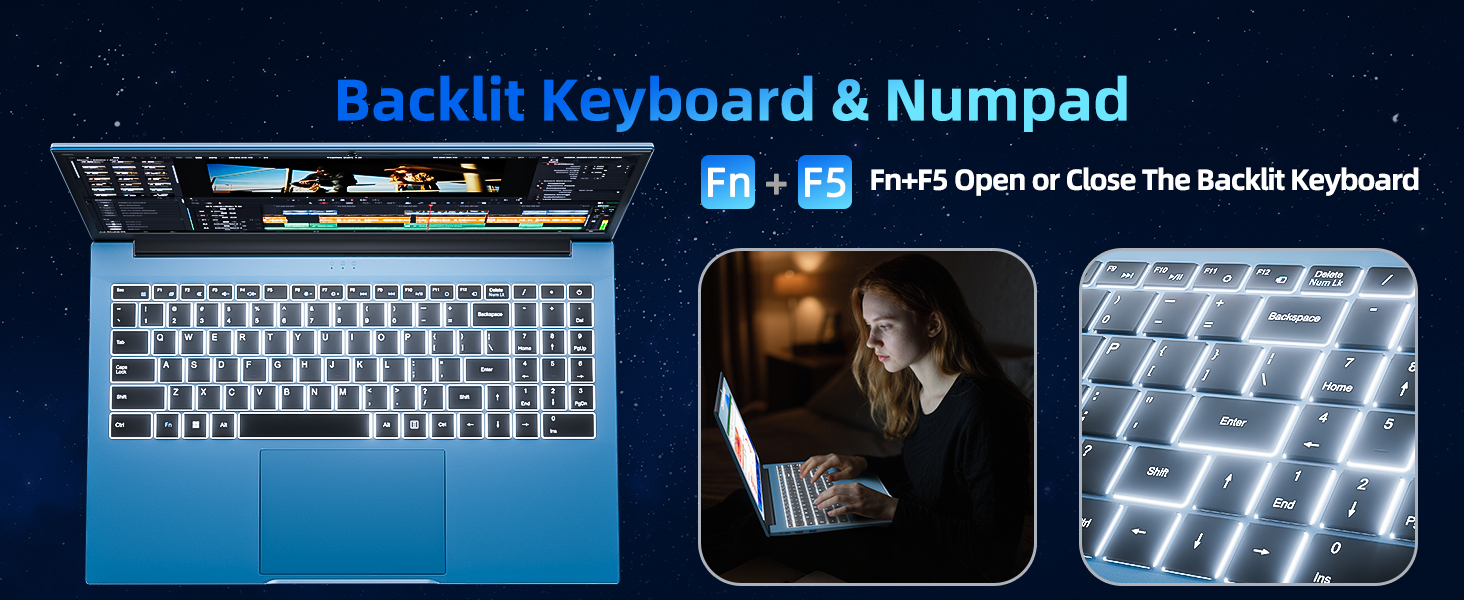
Image 4.1: Illustration of the physical webcam cover, demonstrating how to open and close it for privacy.
5. Arazoak
5.1 Energia arazoak
- Ordenagailu eramangarria ez da pizten: Ziurtatu korronte-egokitzailea ondo konektatuta dagoela ordenagailu eramangarrira eta funtzionatzen duen entxufe batera. Egiaztatu bateria kargatuta dagoen.
- Bateria ez da kargatzen: Verify the power adapter connection. If the issue persists, contact customer support.
5.2 Bistaratzeko arazoak
- Pantaila hutsik dago: Ensure the laptop is powered on. Try adjusting the screen brightness using the function keys. If connected to an external monitor, disconnect it.
- Distorted image: Restart the laptop. Update display drivers if necessary.
5.3 Konexio arazoak
- Ez dago Wi-Fi konexiorik: Check if Wi-Fi is enabled in Windows settings. Restart your router and the laptop. Ensure you are within range of a Wi-Fi network.
- Bluetooth gailua ez da konektatzen: Ensure Bluetooth is enabled on both the laptop and the device. Make sure the device is in pairing mode.
6. Zehaztapenak
| Ezaugarri | Xehetasuna |
|---|---|
| Marka | SGIN |
| Modelo zenbakia | SGIN-Y101 |
| Pantailaren tamaina | 15.6 hazbete |
| Bistaratzeko ebazpena | 1920 x 1080 pixel (Full HD IPS) |
| CPU eredua | Core i3 (10th Gen, Intel Core i3-10100) |
| CPU Speed (Max) | 3.9 GHz |
| RAM | 16 GB DDR3 SDRAM |
| Biltegiratzea | 1024GB SSD (Expandable with TF card up to 1TB) |
| Sistema eragilea | Windows 11 |
| Bateria Edukiera | 53.2 Wh (7000mAh) |
| Haririk gabeko konexioa | WiFi 6 (802.11ax), Bluetooth |
| Portuak | USB 3.0, HDMI, Micro SD slot, Kensington lock, Headphone jack, Type-C |
| Teklatua | Atzeko argia |
| Webkamara | Yes (with physical privacy switch) |
| Pisua | 2.52 kilogramo |
7. Bermea eta Laguntza
The SGIN 15.6 Inch Laptop Computer comes with a 1-year limited protection warranty.
For technical assistance, troubleshooting, or warranty claims, please contact SGIN customer support. They offer 24/7 instant help. Refer to the contact information provided with your product packaging or visit the official SGIN webgunea laguntza xehetasunetarako.
8. Produktuaren bideoa
Video 8.1: An official product video demonstrating the SGIN 15.6 Inch Laptop Computer, including its physical features and some operational aspects. This video is provided by the seller, SGIN Lap US.