
1. Sarrera
Eskerrik asko erosketagatik.asing the GOBOULT Bassbox X20 Bluetooth Speaker. This manual provides essential information for setting up, operating, and maintaining your device. Please read it carefully before use to ensure optimal performance and longevity.

1.1. irudia: Aurrealdea view of the GOBOULT Bassbox X20 Bluetooth Speaker.
2. Paketearen edukia
Ensure all items are present in the package. If any item is missing or damaged, please contact customer support.
- GOBOULT Bassbox X20 Soundbar
- Erabiltzailearen eskuliburua (dokumentu hau)
- Berme Txartela
- Kargatzeko kablea (C mota)
Note: The product features integrated bass drivers, referred to as 'Subwoofer' in some listings, which are part of the main soundbar unit.
3. Produktua amaitu daview
3.1 Ezaugarri nagusiak
- 20W Bass Boosted Sound: Delivers clear and dynamic audio with enhanced bass.
- Dual Dynamic Drivers: Provides balanced sound across all frequencies.
- Up to 6 Hours Playtime: Extended battery life for continuous audio playback.
- Bluetooth 5.4 teknologia: Haririk gabeko konexio egonkorra eta azkarra bermatzen du.
- Konexio anitzeko aukerak: Supports Bluetooth, AUX, TF Card, and USB input.
- Diseinu eramangarria: Trinkoa eta arina garraiatzeko erraza.
- True Wireless Stereo (TWS) funtzioa: Connect two Bassbox X20 speakers for a stereo experience.
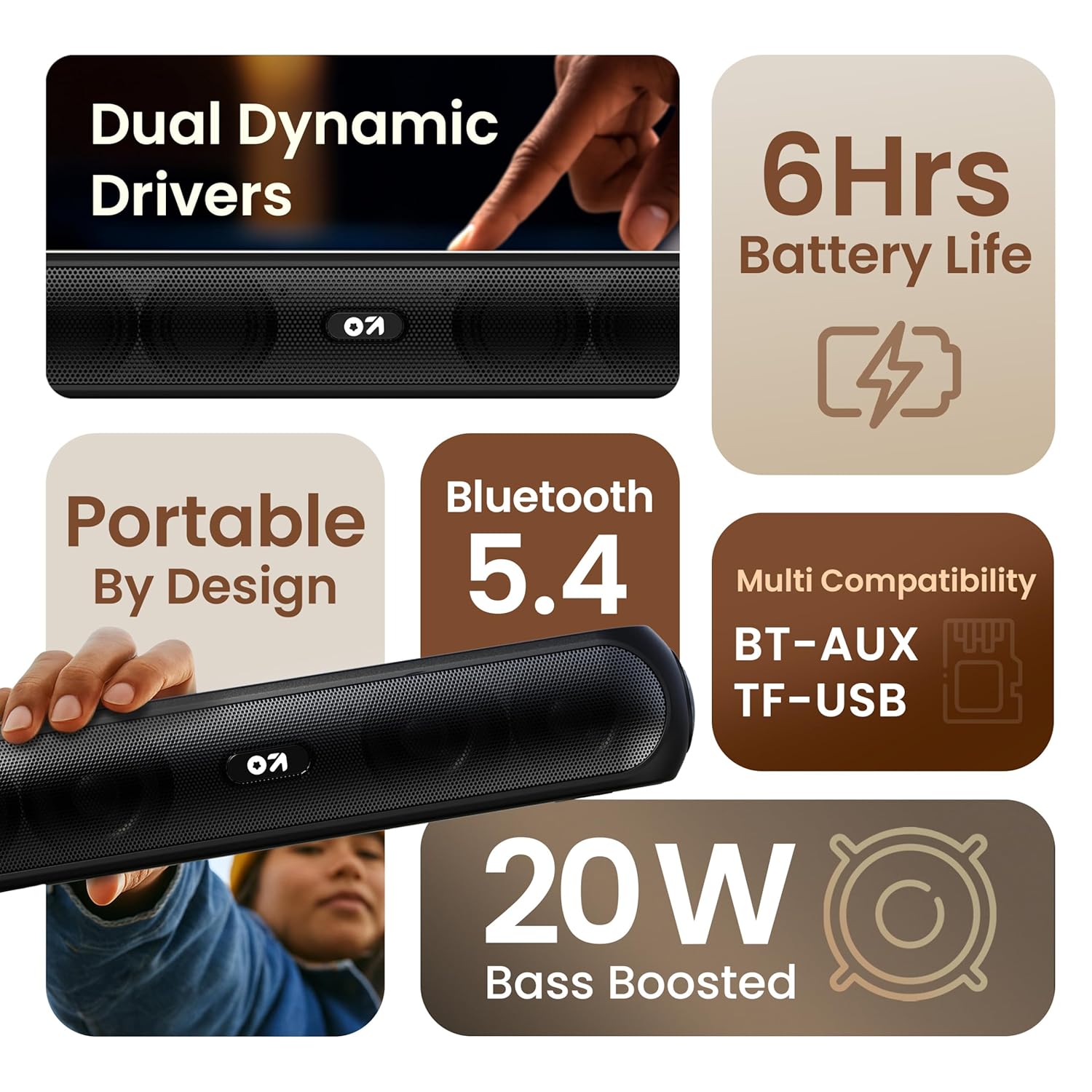
3.1. irudia: Amaituview of the speaker's main features.
3.2 Kontrolak eta atakak
Familiarize yourself with the control buttons and input ports on your speaker.
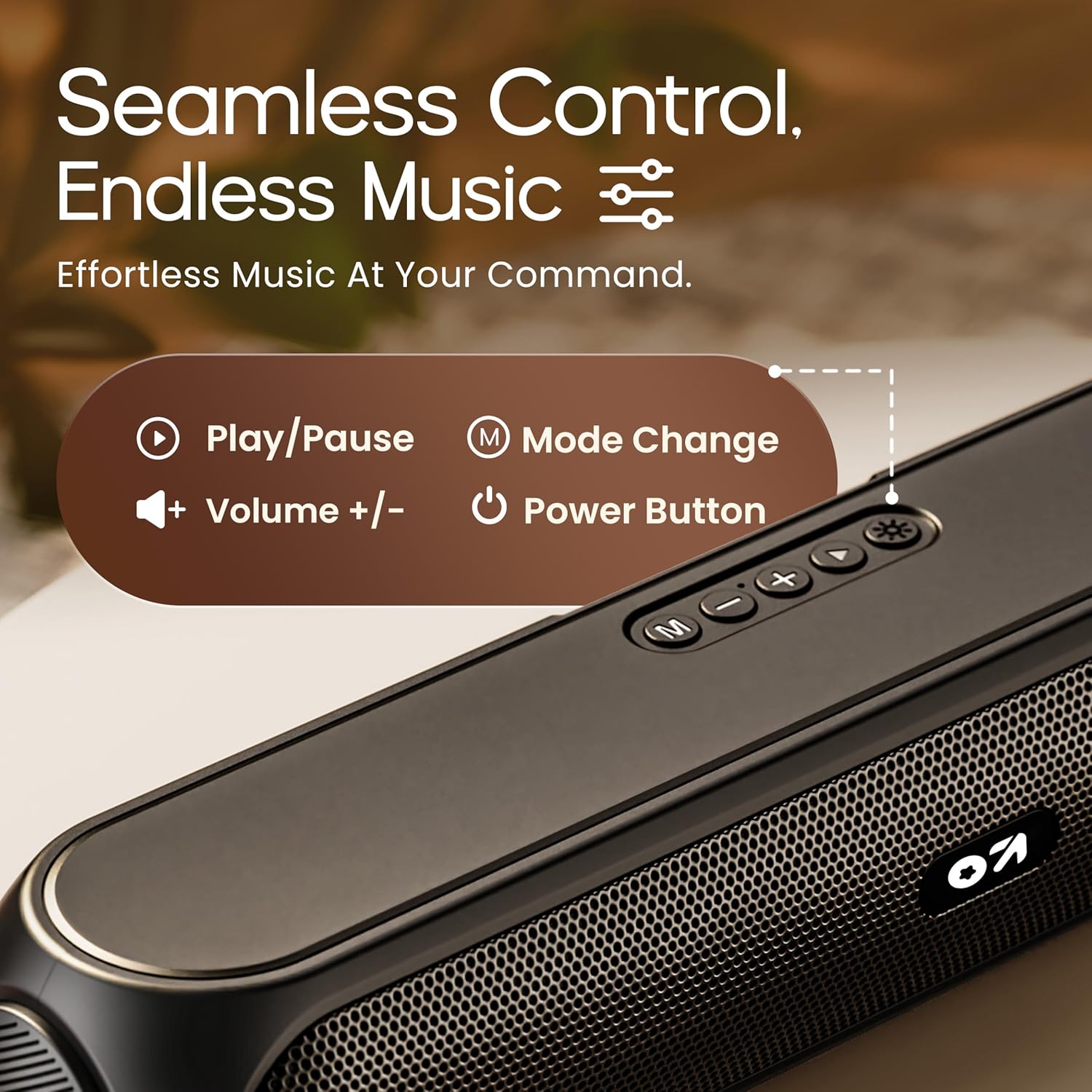
Image 3.2: Top control panel with Play/Pause, Volume, Mode, and Power buttons.
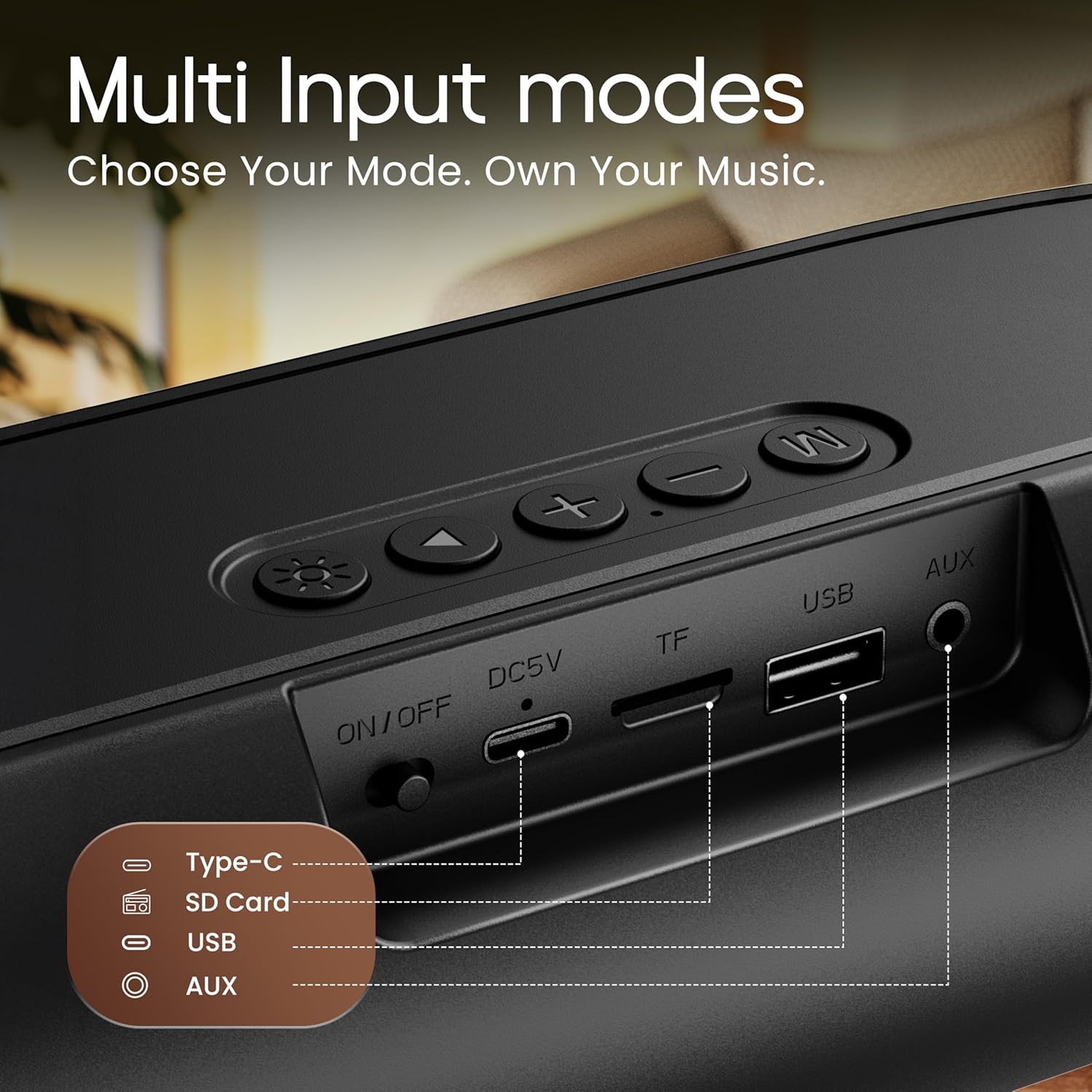
Image 3.3: Rear input panel showing Type-C, TF Card, USB, and AUX ports, along with the ON/OFF switch.
- Pizteko botoia: Press and hold to power on/off. Short press to change LED light modes (if applicable).
- Modu botoia (M): Short press to switch between Bluetooth, AUX, TF Card, and USB modes.
- Erreproduzitu/Pausatu botoia: Sakatu labur audioa erreproduzitzeko edo pausatzeko.
- Bolumena igo (+): Sakatu labur bolumena igotzeko. Sakatu luze hurrengo abestirako.
- Bolumena jaitsi (-): Sakatu labur bolumena jaisteko. Sakatu luze aurreko abestira joateko.
- C motako ataka: Bozgorailua kargatzeko.
- TF txartelaren zirrikitua: Insert a TF (MicroSD) card for direct audio playback.
- USB ataka: Insert a USB drive for direct audio playback.
- AUX ataka: Konektatu kanpoko audio gailuak 3.5 mm-ko audio kable baten bidez.
- ON / OFF etengailua: Gailuaren etengailu nagusia.
4. Konfigurazioa
4.1 Bozgorailua kargatzea
Lehenengo aldiz erabili aurretik, kargatu bozgorailua guztiz. Erabili emandako C motako kargatzeko kablea.
- Konektatu kargatzeko kablearen C motako muturra bozgorailuaren C motako atakara.
- Connect the USB-A end of the charging cable to a 5V USB power adapter (not included) or a computer's USB port.
- Kargatzeko adierazlearen argia piztuko da. Erabat kargatu ondoren itzali edo kolorez aldatuko da.
A full charge typically takes approximately 2-3 hours and provides up to 6 hours of playtime.
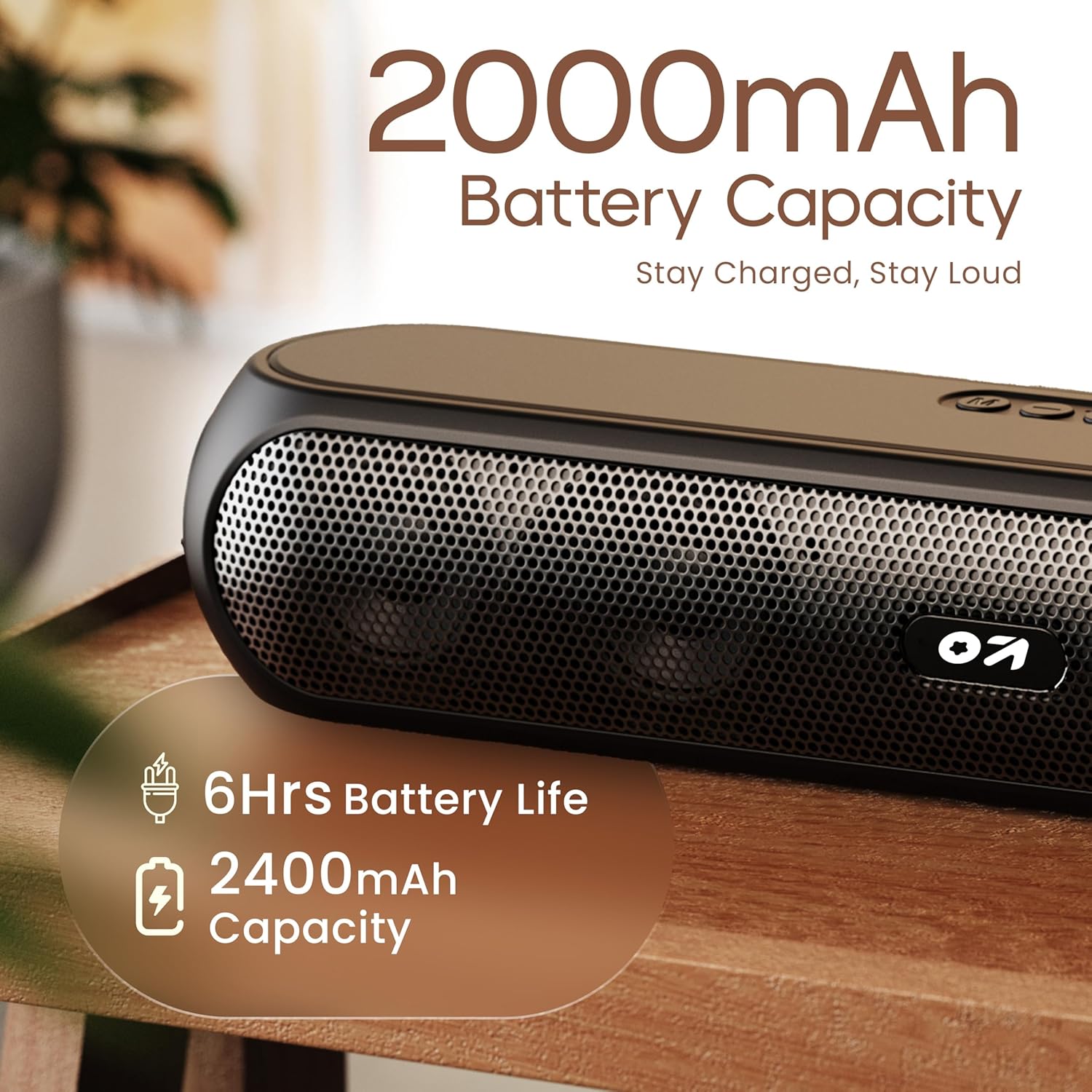
Image 4.1: Battery capacity and estimated playtime.
4.2 Piztu/Itzali
- To power on, slide the ON/OFF switch to the 'ON' position, then press and hold the Power button on the top panel until the indicator light turns on.
- Itzaltzeko, sakatu eta eutsi pizteko botoia adierazle-argia itzali arte.
4.3 Bluetooth parekatzea
After powering on, the speaker will automatically enter Bluetooth pairing mode if no other device is connected. The Bluetooth indicator will flash.
- Ensure the speaker is powered on and in Bluetooth mode (indicator flashing).
- Zure gailuan (smartphone-a, tableta, ordenagailu eramangarria), gaitu Bluetooth-a eta bilatu eskuragarri dauden gailuak.
- Select "GOBOULT Bassbox X20" from the list of devices.
- Once connected, the speaker will emit a confirmation sound, and the Bluetooth indicator will stop flashing and remain solid.
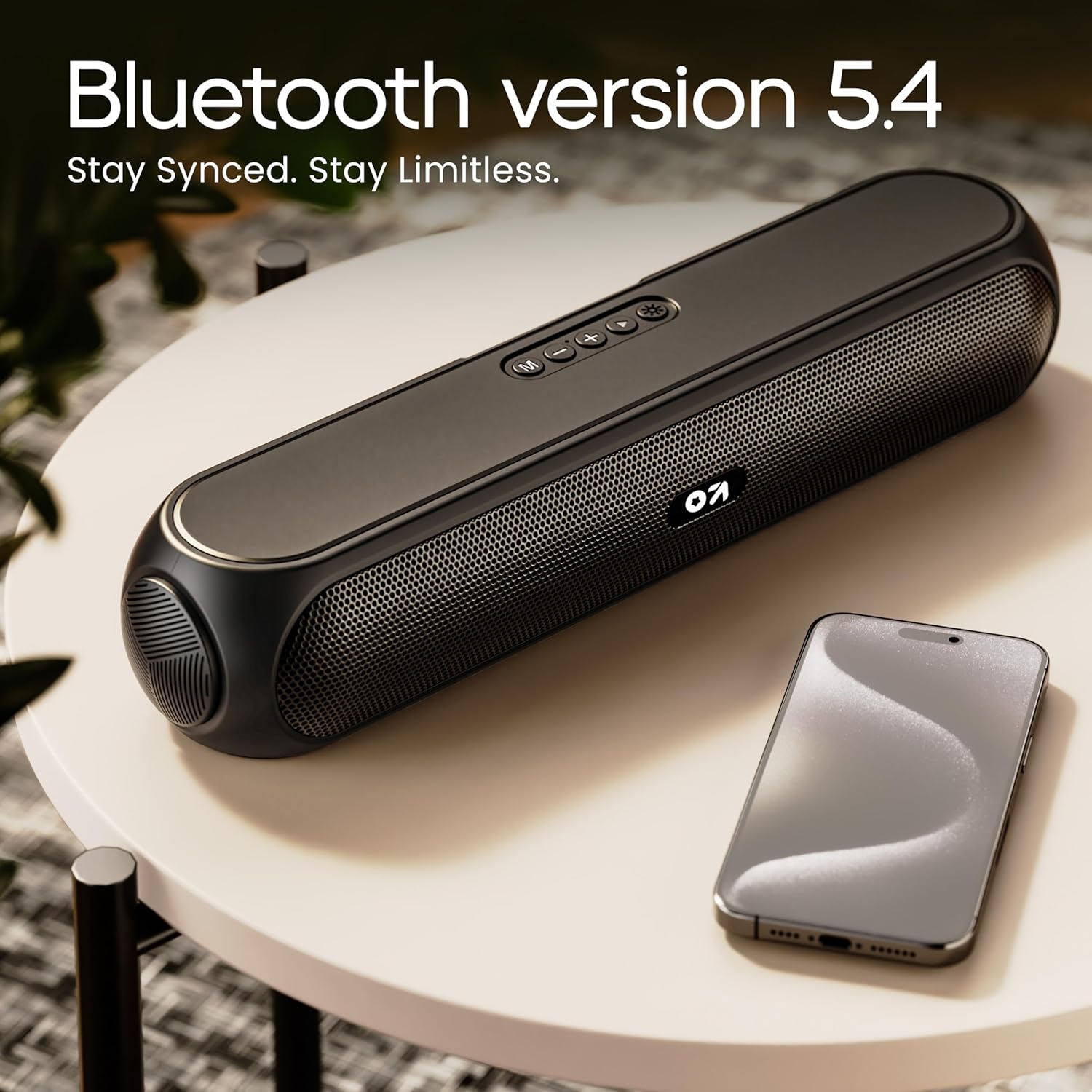
Image 4.2: Bluetooth 5.4 connectivity for seamless pairing.
4.4 Benetako Haririk gabeko Estereoa (TWS) Parekatzea
The TWS function allows you to connect two GOBOULT Bassbox X20 speakers for a stereo sound experience.
- Ensure both Bassbox X20 speakers are powered on and not connected to any Bluetooth device.
- On one speaker (this will be the primary speaker), double-press the Mode (M) button. It will emit a sound indicating it's searching for another TWS speaker.
- The second speaker will automatically connect to the primary speaker. Once connected, both speakers will emit a confirmation sound.
- Orain, konektatu zure gailua bozgorailu nagusira Bluetooth bidez, 4.3 atalean azaltzen den bezala. Audioa estereoan erreproduzituko da bi bozgorailuetatik.
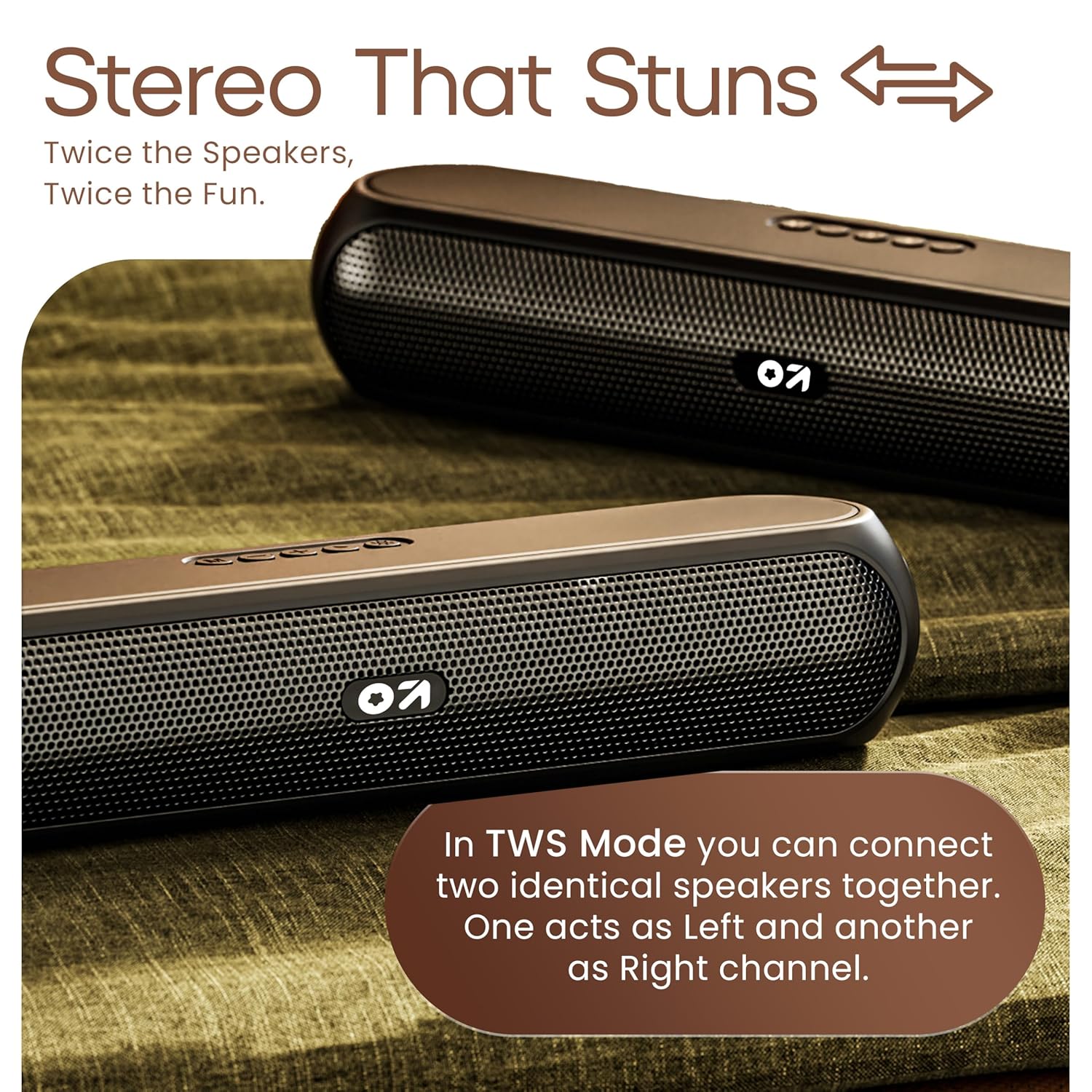
Image 4.3: TWS mode for connecting two speakers.
5. Funtzionamendua
5.1 Aldaketa moduak
Sakatu Modua (M) button to cycle through available input modes: Bluetooth, AUX, TF Card, and USB.
5.2 Bluetooth modua
After successful pairing (Section 4.3), you can stream audio wirelessly from your connected device. Use the speaker's volume controls or your device's volume controls to adjust the sound level.
5.3 AUX modua
- Connect one end of a 3.5mm audio cable (not included) to the speaker's AUX port.
- Konektatu beste muturra kanpoko gailuaren audio irteerara (adibidez, MP3 erreproduzitzailea, ordenagailua).
- Sakatu Modua (M) botoia bozgorailua AUX moduan sartu arte.
- Control playback and volume from your external device or the speaker's controls.
5.4 TF Card / USB Mode
- Insert a TF (MicroSD) card or a USB drive containing audio files bozgorailuaren dagokion atakan konektatu.
- The speaker will automatically switch to TF Card or USB mode and begin playing audio. If not, press the Modua (M) button to select the correct mode.
- Erabili bozgorailuen kontrolak erreproduzitzeko/pausatzeko, abestiak saltatzeko eta bolumena doitzeko.
6. Mantentzea
- Keep the speaker away from water, moisture, and extreme temperatures. While water-resistant, it is not waterproof.
- Garbitu bozgorailua zapi leun eta lehor batekin. Ez erabili garbitzaile edo disolbatzaile urratzailerik.
- Saihestu bozgorailua kolpe gogorrak erortzea edo jasaten.
- Denbora luzez erabiltzen ez baduzu, gorde bozgorailua leku fresko eta lehor batean eta kargatu aldian-aldian bateriaren osasuna mantentzeko.
7. Arazoak
| Arazoa | Kausa posiblea | Irtenbidea |
|---|---|---|
| Bozgorailuak ez du pizten. | Low battery. Main power switch off. | Kargatu bozgorailua. Ziurtatu ON/OFF etengailua 'ON' posizioan dagoela. |
| Ezin da Bluetooth bidez parekatu. | Bozgorailua ez dago parekatze moduan. Gailuaren Bluetooth itzalita. Bozgorailutik urrunegi. | Ensure speaker is in Bluetooth pairing mode (flashing indicator). Enable Bluetooth on your device. Move device closer to speaker (within 10 meters). |
| Soinurik ez. | Volume too low. Incorrect mode selected. Cable not connected properly (AUX). | Increase volume on speaker and device. Press 'M' button to select correct input mode. Reconnect AUX cable securely. |
| TWS parekatzeak huts egin du. | Bozgorailuak beste gailu batzuetara konektatuta daude dagoeneko. | Disconnect both speakers from any Bluetooth devices before attempting TWS pairing. Ensure both speakers are Bassbox X20 models. |
8. Zehaztapenak
| Ezaugarri | Xehetasuna |
|---|---|
| Ereduaren izena | Bassbox X20 |
| Hizlari mota | Bluetooth bozgorailu eramangarria |
| Irteera Potentzia | 20 Watt |
| Bluetooth bertsioa | 5.4 |
| Bluetooth barrutia | Gehienez 10 metro (33 oin) |
| Konektibitate-aukerak | Bluetooth, Auxiliary (3.5mm), USB, TF Card |
| Bateria mota | Litio Polimeroa |
| Bateriaren iraupena | Gehienez 6 ordu (% 70 bolumenarekin) |
| Kargatzeko ataka | Type-C (DC5V) |
| Produktuaren neurriak | 89D x 38Z x 68A milimetro |
| Elementuaren pisua | 655 gramo |
| Uraren Erresistentzia Maila | Urarekiko erresistentea (ez da iragazgaitza) |
| Dakarten osagaiak | X20 Soundbar, User Manual, Warranty Card, Charging Cable |
9. Bermea eta Laguntza
The GOBOULT Bassbox X20 Bluetooth Speaker comes with a Urtebeteko fabrikatzailearen bermea erosketa-datatik aurrera. Berme honek fabrikazio-akatsak eta erabilera normalaren pean egindako lana estaltzen ditu.
For warranty claims, technical support, or any inquiries, please refer to the contact information provided on your warranty card or visit the official GOBOULT webgunea.
Gorde erosketa-agiria erosketaren frogagiri gisa, bermearen ondorioetarako.