
Produktua amaituview
The pTron Studio Pro are wireless over-ear headphones designed for extended listening and clear communication. They feature an ergonomic design with soft earpads and an adjustable headband for comfortable wear. Key features include long battery life, advanced audio drivers, and versatile connectivity options.
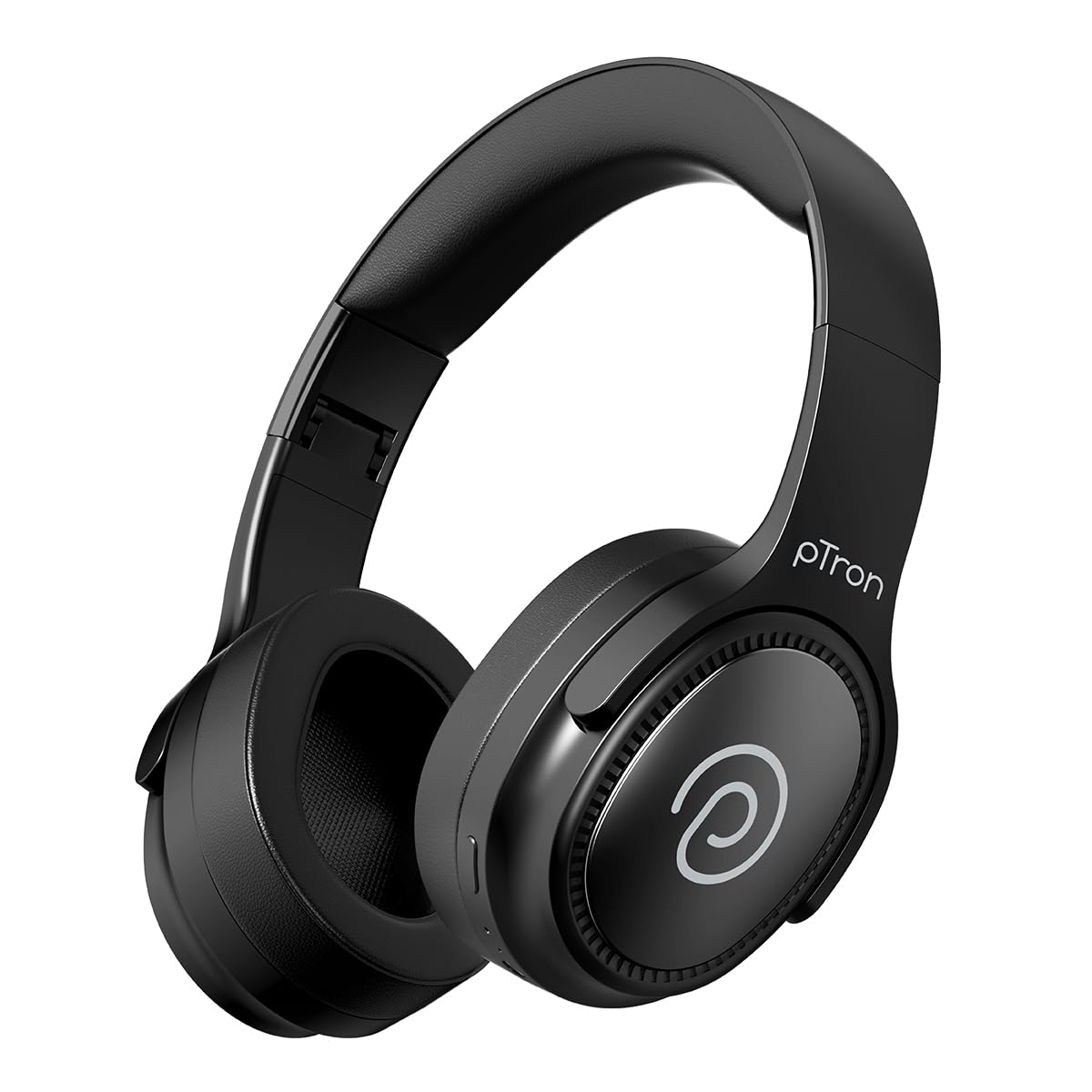
Image: pTron Studio Pro Wireless Over-Ear Headphones in Jet Black, showcasindiseinu dotorea g.
Ezaugarri nagusiak
- Jolasaldi luzatua: Up to 65 hours of music playback on a single full charge.
- Karga azkarra: 2.5 hours for a full charge via Type-C. A 10-minute charge provides approximately 4 hours of playtime.
- Kalitate handiko audioa: Equipped with 40mm Neody Drivers for pristine stereo sound.
- Garbitu deiak: Built-in HD Microphone with TruTalk AI-ENC (Environmental Noise Cancellation) for crystal-clear calls.
- Konektibitate aurreratua: Fast Bluetooth v5.4 for instant pairing and stable connection.
- Gailu bikoitzen parekatzea: Seamlessly connect and switch between two devices simultaneously.
- Modu polifazetikoak: Dedicated Low-Latency Gaming Mode and Music Mode.
- Uraren erresistentzia: IPX4 rating, making them resistant to water splashes and sweat.
- Comfort & Portability: Ergonomic, lightweight, and foldable design with soft earpads and an adjustable headband for a perfect fit and easy storage.
- Kontrol errazak: Multi-functional buttons for managing music, calls, and activating voice assistant.

Image: Infographic detailing the main features of the pTron Studio Pro headphones, including battery life, drivers, and connectivity.
Kutxan dagoena
Upon unboxing your pTron Studio Pro headphones, you will find the following items:
- pTron Studio Pro Wireless Over-Ear Headphones
- Kargatzeko kablea (C mota)
- Erabiltzailearen eskuliburua
Video: An official product video demonstrating the unboxing and key features of the pTron Studio Pro headphones.
Product Layout and Controls
Familiarize yourself with the physical components and control buttons of your pTron Studio Pro headphones.

Irudia: Xehetasun handikoa view of the multi-function control buttons located on the ear cup, including power, volume, and track controls.
Kontrol botoiaren funtzioak:
| Botoia/Ekintza | Funtzioa |
|---|---|
| Pizteko botoia (sakatu luzea) | Piztu/Itzali, Sartu parekatze moduan |
| Erreproduzitu/Pausatu botoia (Sakatze bakarra) | Musika erreproduzitu/pausatu, deia erantzun/amaitu |
| Erreproduzitu/Pausatu botoia (Luze sakatuta) | Deia baztertu, ahots-laguntzailea aktibatu |
| Bolumena igo (+) (Sakatze bakarra) | Bolumena handitu |
| Bolumena Jaistea (-) (Sakatze Bakarra) | Bolumena gutxitu |
| Bolumena igo (+) (Sakatu luze) | Hurrengo Pista |
| Bolumena Jaistea (-) (Luze Sakatuta) | Aurreko Pista |
| Mode Button (Single Press) | Aldatu Joko Moduaren eta Musika Moduaren artean |
Konfigurazioa
1. Entzungailuak kargatzea
- Konektatu emandako C motako kargatzeko kablea entzungailuen kargatzeko atakara.
- Connect the other end of the cable to a USB power source (DC5V-1A max.).
- LED adierazleak kargatze-egoera erakutsiko du. Karga oso batek 2.5 ordu inguru behar ditu.
- 10 minutuko karga batek 4 ordu arteko erreprodukzio-denbora eman dezake.

Image: The pTron Studio Pro headphones highlighting the Type-C charging port and emphasizing the 65-hour playtime.
2. Bluetooth parekatzea
- Ziurtatu entzungailuak guztiz kargatuta daudela.
- Press and hold the Power button until the LED indicator flashes red and blue alternately, indicating pairing mode.
- Zure gailuan (smartphone-a, tableta, ordenagailu eramangarria), gaitu Bluetooth-a eta bilatu eskuragarri dauden gailuak.
- Select "pTron Studio Pro" from the list of devices.
- Once connected, the LED indicator will turn solid blue or stop flashing.
3. Dual Device Pairing
- Parekatu entzungailuak lehenengo gailuarekin goian azaldu bezala.
- Desgaitu Bluetooth-a lehenengo gailuan. Entzungailuak berriro sartuko dira parekatze moduan.
- Parekatu entzungailuak bigarren gailuarekin.
- Berriro gaitu Bluetooth-a lehenengo gailuan. Entzungailuak automatikoki konektatu beharko lirateke bi gailuetara.
- You can now switch audio playback between the two connected devices.

Image: The headphones connected to both a laptop and a smartphone, demonstrating the dual device pairing feature.
4. Wired Connection (3.5mm Aux-in)
- Insert one end of a 3.5mm audio cable (not included) into the Aux-in port on the headphones.
- Connect the other end of the cable to your audio source's 3.5mm jack.
- Entzungailuak automatikoki aldatuko dira kable bidezko modura.

Image: The headphones connected to a smartphone using a 3.5mm Aux-in cable, illustrating wired music playback.
Funtzionamendu-argibideak
Piztu/Itzali
- Piztu: Sakatu eta eutsi pizteko botoia 3 segundo inguru, LED adierazlea piztu arte.
- Itzali: Sakatu eta eutsi pizteko botoia 5 segundo inguru LED adierazlea itzali arte.
Musika Kontrolak
- Erreproduzitu/Pausatu: Sakatu behin Erreproduzitu/Pausatu botoia.
- Hurrengo ibilbidea: Sakatu luze bolumena igotzeko (+) botoia.
- Aurreko pista: Sakatu luze Bolumena Jaisteko (-) botoia.
- Bolumena igo: Single press the Volume Up (+) button.
- Bolumena jaitsi: Single press the Volume Down (-) button.
Deien kontrolak
- Deia erantzun/amaitu: Sakatu behin Erreproduzitu/Pausatu botoia.
- Deia baztertu: Luze sakatu Erreproduzitu/Pausatu botoia.
Ahots Laguntzailea
- Aktibatu Ahots Laguntzailea: Long press the Play/Pause button (after rejecting a call, if applicable, or when not on a call).
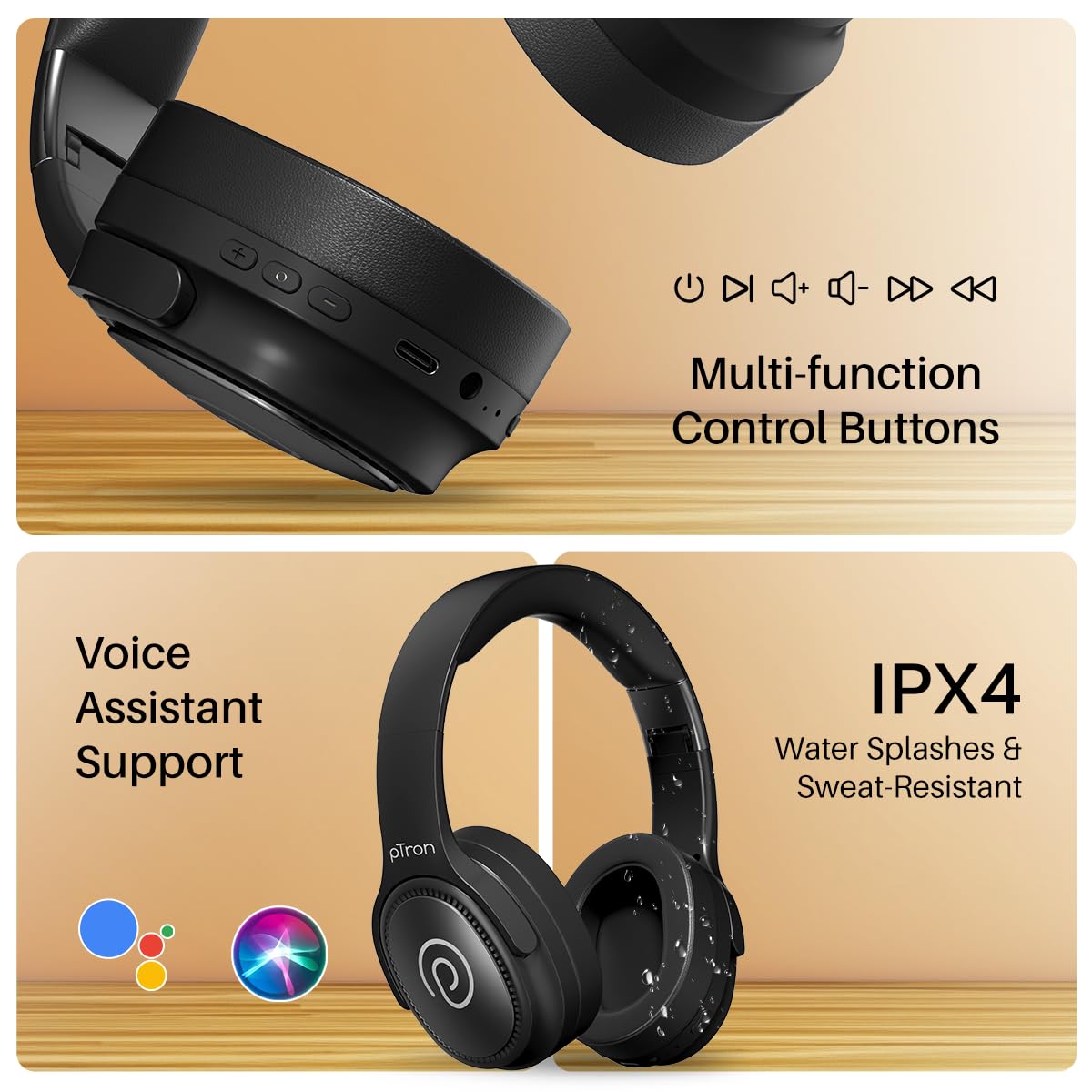
Image: The headphones illustrating support for voice assistants like Google Assistant and Siri, along with their IPX4 water-resistant rating.
Game & Music Modes
- Aldatu moduak: Single press the Mode button to toggle between Low-Latency Gaming Mode and standard Music Mode.
Mantentzea
To ensure the longevity and optimal performance of your pTron Studio Pro headphones, follow these maintenance guidelines:
- Garbiketa: Erabili zapi leun eta lehor bat entzungailuak garbitzeko. Ez erabili garbitzaile edo disolbatzaile urratzailerik.
- Biltegiratzea: Erabiltzen ez dituzunean, gorde entzungailuak leku fresko eta lehor batean. Tolestu daitekeen diseinuari esker, biltegiratze trinkoa egin daiteke.
- Uraren esposizioa: While rated IPX4 for water splashes and sweat resistance, avoid submerging the headphones in water or exposing them to heavy rain. Dry them thoroughly if they get wet.
- Kargatzen: Use only the provided Type-C cable and a compatible power adapter (DC5V-1A max.) for charging.
- Saihestu muturreko tenperaturak: Ez jarri entzungailuak oso tenperatura altu edo baxuetara.
Arazoak konpontzea
If you encounter any issues with your pTron Studio Pro headphones, refer to the following common troubleshooting steps:
| Arazoa | Irtenbidea |
|---|---|
| Entzungailuak ez dira pizten. | Ziurtatu entzungailuak guztiz kargatuta daudela. Konektatu energia-iturri batera eta egiaztatu kargatzeko adierazlea. |
| Ezin da gailu batekin parekatu. | Make sure Bluetooth is enabled on your device and the headphones are in pairing mode (LED flashing red/blue). Move closer to the device. Forget previous pairings on your device and try again. |
| Soinurik ez edo bolumen baxua. | Check the volume levels on both the headphones and your connected device. Ensure the headphones are correctly paired. If using Aux-in, ensure the cable is fully inserted. |
| Deiaren kalitatea eskasa da. | Ensure the microphone is not obstructed. Move to an area with less environmental noise. Check your device's network signal. |
| Entzungailuak maiz deskonektatzen dira. | Ensure there are no obstacles between the headphones and your device. Keep within the Bluetooth range (10 meters). Avoid strong electromagnetic interference. |
Zehaztapenak
| Ezaugarri | Xehetasuna |
|---|---|
| Marka | pTron |
| Ereduaren izena | Estudioa |
| Belarrien Kokatzea | Belarri gainean |
| Bluetooth bertsioa | 5.4 |
| Bluetooth barrutia | 10 metro |
| Audio kontrolatzailearen tamaina | 40 milimetro |
| Inpedantzia | 32 ohmio |
| Bateriaren batez besteko bizitza | 65 ordu |
| Bateria kargatzeko denbora | 2.5 ordu |
| Kargatzeko ataka | C motakoa |
| Uraren Erresistentzia Maila | IPX4 (urarekiko erresistentea) |
| Mikrofonoa | Built-in HD Mic with AI-ENC |
| Aurikularretarako Jack | 3.5 mm Jack |
| Kontrol mota | Call Control, Push Button |
| Produktuaren Ezaugarriak | Fast Charging, Foldable, Microphone Included, Noise Isolation, Surround Sound |
| Elementuaren pisua | 200 gramo |
| Materiala | Akrilonitrilo Butadieno Estirenoa (ABS) |
| Gailu bateragarriak | Telefono mugikorrak, mahaigaineko ordenagailuak, ordenagailu eramangarriak, tabletak |
Bermea eta Laguntza
Your pTron Studio Pro headphones come with a manufacturer's warranty and dedicated customer support.
- Bermea: 6 Months Manufacturer Warranty from the Date of Purchase on Manufacturing Defects Only.
- Fabrikatzailearen kontaktua: Building A1, Red Box Creative Park, No. 3 Huancheng South Road, Bantian Street, Longgang District, Shenzhen City, China 518116.
- Customer Care Contact Details: 40-67138888 / Support@ptron.in
- Inportatzailearen kontaktua: PALRED ELECTRONICS PVT. LTD., SY.ZK. 56, 1. SOLAIRUA, GUNDLAPOCHAMPALLY VILLAGE, TECH PARK MTP, TSIIC-IALA NACHARAM, HYDERABAD - 500076, TELANGANA, INDIA.