
1. Sarrera
The T-WOLF G520 is a high-performance wired gaming mouse designed for precision and comfort. It features a USB2.0 wired connection, 7 customizable buttons, and dynamic RGB lighting. This manual provides essential information for setting up, operating, and maintaining your G520 gaming mouse.
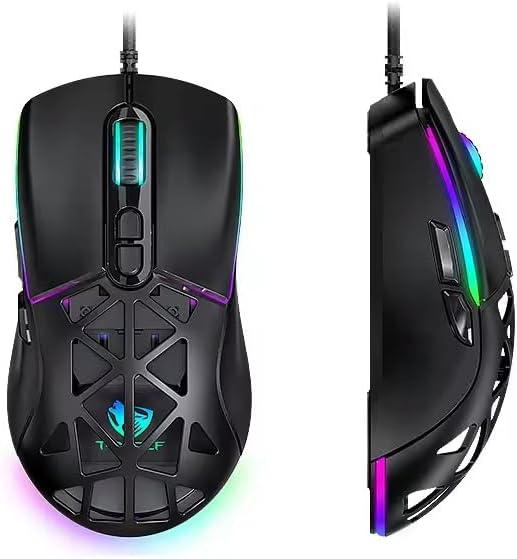
Figure 1: T-WOLF G520 Gaming Mouse (Front and Side View)
2. Produktuaren ezaugarriak
- Konexioa: Wired USB2.0 for stable and responsive performance.
- Sentsore mota: Optical sensor for accurate tracking.
- DPI ezarpenak: Adjustable DPI from 800 to 12800 (800 / 1600 / 3200 / 4800 / 6400 / 12800).
- Bozketa-tasa: 1000Hz for rapid response times.
- Botoiak: 7 programmable buttons (Left, Right, Middle, Forward, Back, DPI+, DPI-).
- RGB argiztapena: 13 dynamic RGB lighting modes.
- Iraunkortasuna: 10 million click lifespan for micro switches.
- Kablea: 1.5m braided cable for enhanced durability and tangle resistance.
- Diseinua: Lightweight honeycomb structure and ergonomic shape for comfortable grip and ventilation.
- Pertsonalizazioa: Magnetic interchangeable back cover.

2. irudia: Ezaugarri nagusiakview
3. Paketearen edukia
- T-WOLF G520 Gaming Mouse Unit
- Interchangeable Magnetic Back Covers (2 types)

Figure 3: G520 Mouse with Interchangeable Back Covers
4. Konfiguratzeko argibideak
- Connect the USB connector of the T-WOLF G520 gaming mouse to an available USB 2.0 port on your computer.
- The mouse is Plug & Play compatible and does not require additional drivers for basic functionality. Your operating system will automatically detect and install the necessary drivers.
- Once detected, the mouse will be ready for use.
5. Funtzionamendu-argibideak
5.1 Botoien funtzioak
The T-WOLF G520 mouse features 7 buttons with the following default functions:
- Ezkerreko botoia: Klik egiteko funtzio nagusia.
- Eskuineko botoia: Bigarren mailako klik funtzioa (testuinguru menua).
- Middle Button / Scroll Wheel: Scroll up/down, click for universal scroll or other functions.
- Aurrera egiteko botoia: Aurrera nabigatzen du web nabigatzaileak edo file esploratzaileak.
- Atzera botoia: Atzeraka nabigatzen du web nabigatzaileak edo file esploratzaileak.
- DPI+ botoia: DPI sentikortasuna handitzen du.
- DPI botoia: DPI sentikortasuna murrizten du.
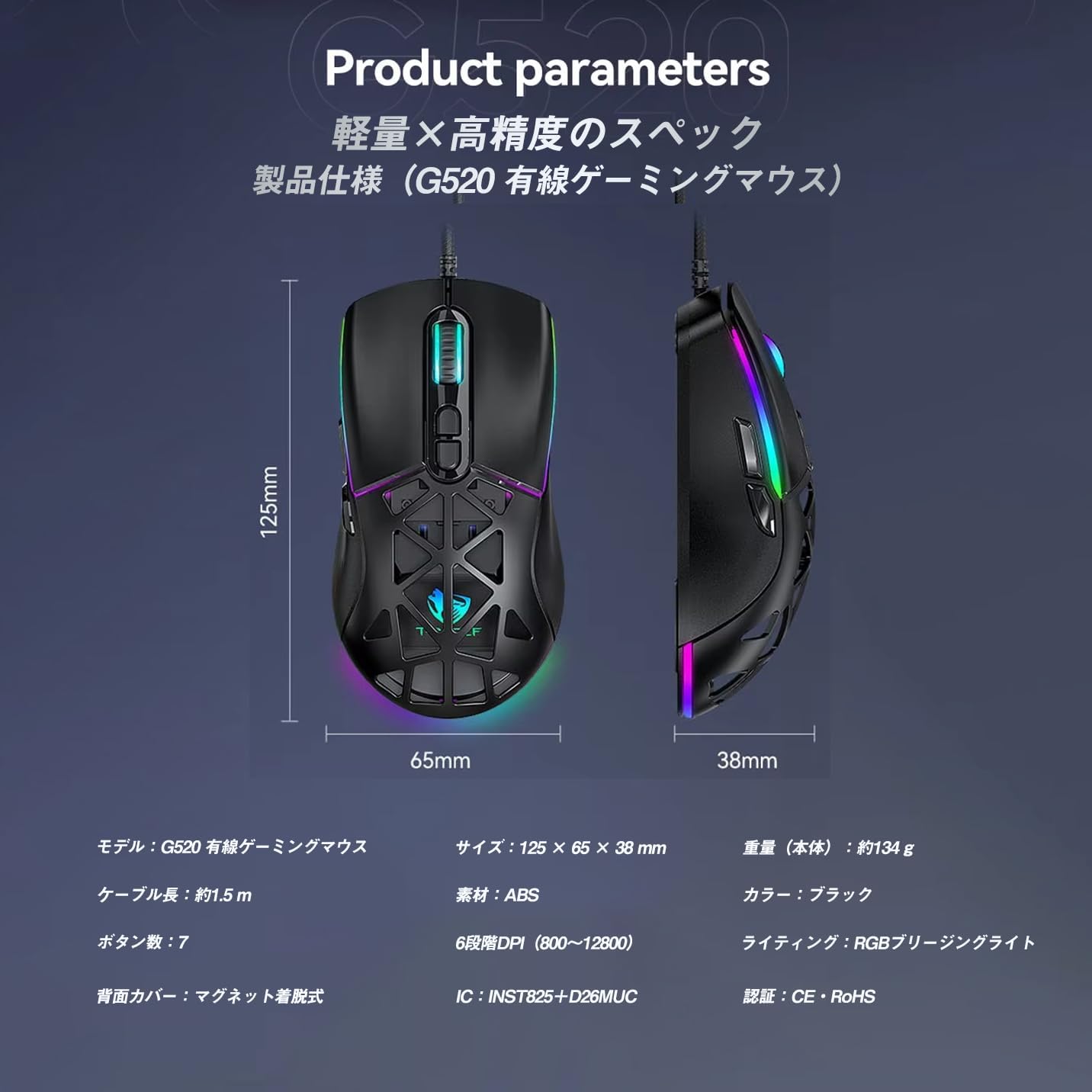
Figure 4: G520 Button Layout
5.2 DPI doikuntza
The mouse supports 6 adjustable DPI levels. To change the DPI, press the DPI+ or DPI- buttons located on the top of the mouse. Each press will cycle through the available DPI settings: 800, 1600, 3200, 4800, 6400, and 12800.

5. irudia: DPI doikuntza mailak
5.3 RGB argiztapenaren kontrola
The T-WOLF G520 features 13 RGB lighting modes. To change the RGB lighting mode, press and hold the Atzera botoia eta du DPI- Botoia simultaneously for approximately 3 seconds. Repeat this action to cycle through the different lighting effects.
5.4 Magnetic Back Cover
The mouse comes with two types of magnetic back covers that can be easily interchanged. To remove a cover, gently lift it from the back of the mouse. To attach a cover, align it with the mouse body and allow the magnets to secure it in place.

Figure 6: Magnetic Back Cover Exchange
6. Mantentzea
- Garbiketa: Erabili zapi leun eta lehor bat sagua garbitzeko. Zikinkeria egoskorra bada, garbitu zapi pixka bat.amp oihal bat erabil daiteke, likidorik saguaren barruan sartzen ez dela ziurtatuz.
- Saihestu likidoak: Ez murgildu sagua uretan edo ez jarri gehiegizko hezetasunean.
- Biltegiratzea: Gorde sagua leku fresko eta lehor batean, eguzki-argitik eta tenperatura altuetatik babestuta.
- Kableen zainketa: Avoid bending or twisting the braided cable excessively to prevent damage.
7. Arazoak
- Saguak ez du erantzuten:
- Ziurtatu USB kablea ondo konektatuta dagoela zure ordenagailuaren USB atakara.
- Saiatu sagua beste USB ataka batera konektatzen.
- Berrabiarazi ordenagailua.
- DPIa ez da aldatzen:
- Ensure you are pressing the correct DPI+ or DPI- buttons.
- The mouse cycles through 6 fixed DPI levels; there is no software adjustment.
- RGB argiztapena ez dabil/aldatzen ari da:
- Ziurtatu sagua behar bezala konektatuta dagoela.
- Eduki sakatuta Atzera botoia eta DPI- Botoia simultaneously for 3 seconds to cycle through modes.
- Jarraipen arazoak:
- Garbitu saguaren azpialdeko sentsore optikoa.
- Use the mouse on a clean, uniform surface or a mouse pad.
8. Zehaztapenak
| Ezaugarri | Zehaztapena |
|---|---|
| Eredua | G520 |
| Konexio mota | Wired USB2.0 |
| Sentsore mota | Optikoa |
| DPI ezarpenak | 800 / 1600 / 3200 / 4800 / 6400 / 12800 |
| Bozketa-tasa | 1000Hz |
| Botoi kopurua | 7 |
| Kablearen luzera | 1.5m (Braided) |
| Neurriak (L×W×H) | 124 × 65 × 40 mm |
| Pisua | Gutxi gorabehera. 132 g |
| Bolumen eragileatage / Oraingoa | 5V / 150mA |
| Argiztapena | RGB (13 Modes) |
| Materiala | Plastikoa (ABS) |
| OS bateragarria | Windows 10, Windows 11, Mac OS, Linux (OS standard, no driver required) |

Figure 7: Product Specifications Diagram
9. Bermea eta Laguntza
This product is covered by a standard manufacturer's warranty. Please refer to your purchase documentation for specific warranty terms and conditions. For technical support or warranty claims, please contact the retailer or the manufacturer's customer service.