
1. Sarrera
Thank you for choosing the HEBEOT HD 1080p Portable Video Camera. This manual provides essential information for setting up, operating, and maintaining your device. Please read it thoroughly before use to ensure optimal performance and longevity of your camera.
2. Segurtasun informazioa
- Ez jarri kamera uretara edo hezetasunera.
- Avoid extreme temperatures, direct sunlight, or dusty environments.
- Ez saiatu gailua zeuk desmuntatzen edo konpontzen. Jarri harremanetan langile kualifikatuekin zerbitzua jasotzeko.
- Mantendu haurren eskura.
- Use only the provided data cable for charging.
3. Paketearen edukia
Mesedez, egiaztatu paketea elementu hauek dituen:
- 1 x HEBEOT HD 1080p Portable Video Camera
- 1 x Datu-kablea (USB motako C)
- 1 x Argibide eskuliburua
4. Produktua amaitu daview
The HEBEOT Portable Video Camera is a compact device designed for capturing high-definition video and photos. It features a 1080p camera module, built-in supplementary lights for low-light conditions, and WiFi connectivity for easy content management.


5. Konfigurazioa
5.1 Kamera kargatzea
Before first use, fully charge the camera. Connect the provided USB Type-C data cable to the camera's charging port and the other end to a USB power adapter (not included) or a computer USB port. The charging indicator will show the charging status.
5.2 TF txartel bat sartzea
The camera requires a TF (microSD) card for storing recordings. Locate the TF card slot on the side of the camera. Gently insert the TF card with the gold contacts facing down until it clicks into place. Ensure the card is inserted correctly to avoid damage.
5.3 Piztu/Itzaltzea
To power on the camera, slide the power switch to the 'ON' position. To power off, slide the switch to the 'OFF' position.
6. Funtzionamendu-argibideak
6.1 One-Touch Recording and Photo Taking
The camera features dedicated buttons for quick recording and photo capture. Press the designated button (refer to Figure 4.2) once to start recording video or take a photo. Press again to stop recording or take another photo.
6.2 Kameraren angelua doitzea
The camera lens can be rotated 360 degrees. Gently rotate the lens module to achieve the desired shooting angle. This flexibility allows for capturing footage from various perspectives, whether mounted or handheld.
6.3 Muntatzeko aukerak
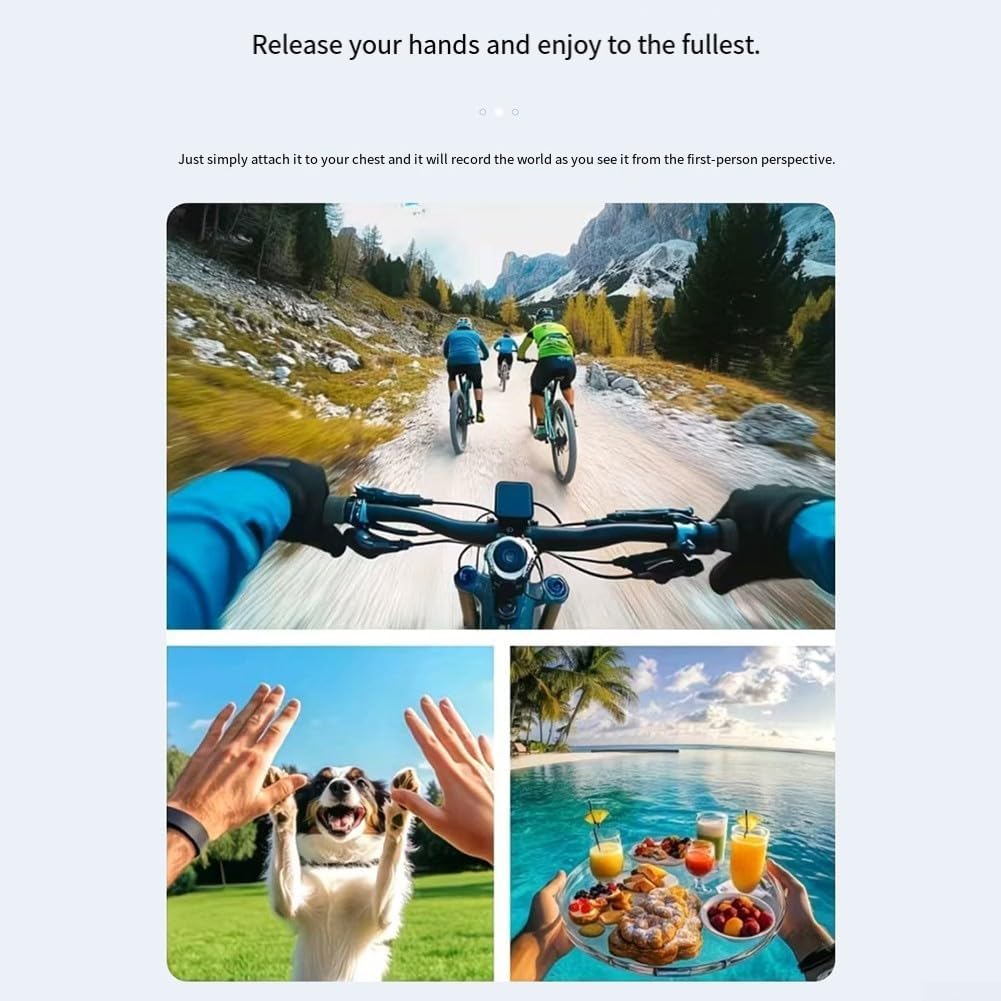
The camera includes a fixed back clip for attaching it to clothing, bags, or other surfaces. Additionally, it features a 1/4 inch expansion socket, making it compatible with standard tripods and other mounting accessories for stable recording.

7. WiFi Konektibitatea
The camera supports WiFi connectivity, allowing you to connect your smartphone to its built-in WiFi hotspot. This feature enables seamless playback and downloading of recorded videos and photos directly to your smartphone without consuming mobile data. Refer to the camera's on-screen menu or a dedicated app (if applicable, check product packaging for app details) for WiFi setup instructions.
8. Low Light / Night Recording
Equipped with integrated supplementary lights, this camera is designed to deliver clear video quality even in low-light environments. This makes it suitable for use during nighttime or in dimly lit indoor settings, ensuring your recordings maintain detail and visibility.
9. Mantentzea
- Garbiketa: Erabili zapi leun eta lehor bat kameraren gorputza garbitzeko. Lentearentzat, erabili lenteak garbitzeko zapi eta disoluzio espezializatu bat. Ez erabili produktu kimiko gogorrik edo material urratzailerik.
- Biltegiratzea: Erabiltzen ez duzunean, gorde kamera leku fresko eta lehor batean, eguzki-argitik eta muturreko tenperaturetatik babestuta.
- Bateria zaintzea: For optimal battery life, avoid fully discharging the battery frequently. Charge the camera regularly, even if not in active use, to maintain battery health.
10. Arazoak
10.1 Kamera ez da pizten
- Ensure the battery is charged. Connect the camera to a power source and allow it to charge for at least 30 minutes.
- Egiaztatu etengailua 'ON' posizioan dagoela.
10.2 Cannot Record Video/Take Photos
- Check if a TF card is inserted correctly and has sufficient free space.
- Ensure the TF card is formatted correctly (usually FAT32). Format the card if necessary (this will erase all data).
- The battery level might be too low. Charge the camera.
10.3 WiFi konexio arazoak
- Ensure the camera's WiFi hotspot is enabled.
- Berrabiarazi kamera eta telefonoa.
- Make sure you are within the effective range of the camera's WiFi signal.
11. Zehaztapenak
| Ezaugarri | Zehaztapena |
|---|---|
| Marka | HEBEOT |
| Eredua | M22T1UQO235FIZDV759Y5JN4M |
| Bideo Ebazpena | 1080p HD |
| Neurriak (L x W x H) | 10 x 8 x 6 cm |
| Pisua | 150 gramo |
| Konektibitatea | WiFi |
| Biltegiratzea | TF txartela (ez dago barne) |
| Ezaugarri bereziak | Night Recording (built-in supplementary lights), 360° Rotatable Lens, One-touch Recording, Fixed Back Clip, 1/4 inch Tripod Socket |
12. Bermea eta Laguntza
Bermeari buruzko informazioa eta laguntza teknikoa lortzeko, kontsultatu erosketarekin batera emandako dokumentazioa edo jarri harremanetan zuzenean saltzailearekin/fabrikatzailearekin. Gorde erosketaren frogagiria bermeari buruzko edozein erreklamazio egiteko.